
Introduction
This manual provides instructions for the installation, operation, and maintenance of your CUMCITIN AM3128B 1080P 4-in-1 Analog CCTV Security Dome Camera. Please read this manual thoroughly before use to ensure proper functionality and safety.
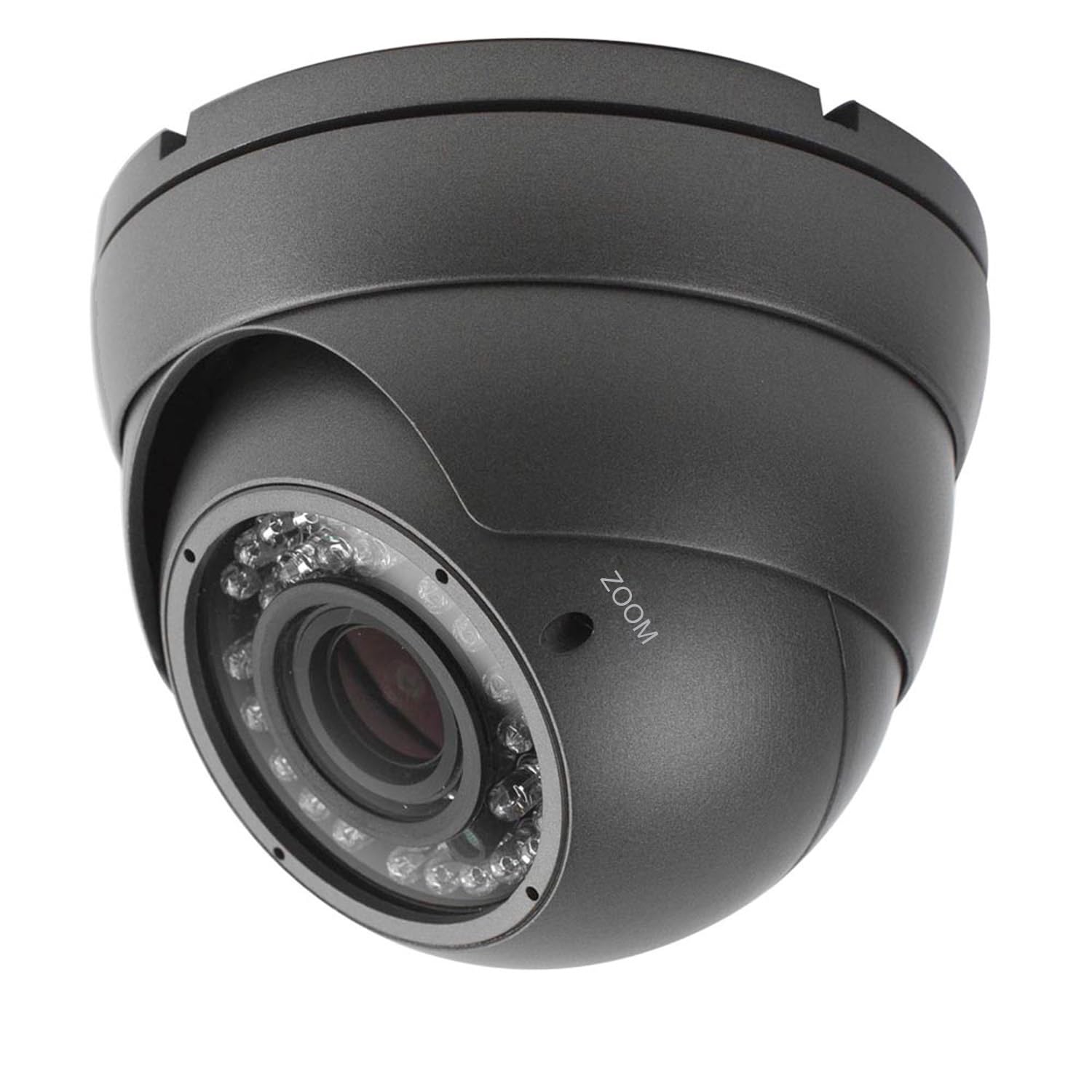
Figure 1: CUMCITIN AM3128B 1080P 4-in-1 Analog CCTV Security Dome Camera. This image shows the grey dome camera with its lens, IR LEDs, and connection cables.
Setup
Package Contents
Verify that all items are present in your package:
- Dome Camera
- Mounting Screw
- Installation Sticker
- User Manual
Physical Installation
The CUMCITIN AM3128B camera is designed for both indoor and outdoor use, featuring an IP66 weatherproof metal housing. It is suitable for ceiling mount installation. Use the provided mounting screws and installation sticker to secure the camera in your desired location.

Figure 2: Examples of indoor and outdoor monitoring with the CUMCITIN dome camera, highlighting its weatherproof housing.
Wiring and Connectivity
This camera uses a wired connection and requires a DC 12V power adapter. Connect the camera's video output to your Digital Video Recorder (DVR) using a coaxial cable. Ensure all connections are secure.
Video 1: This video demonstrates the wiring process for the 4-in-1 Analog Camera, showing how to connect it to a DVR and power source.
Video Output Mode Selection
The camera supports four video output modes: 1080P AHD, 1080P CVI, 1080P TVI, and 960H analog (CVBS). The default video output is 1080P TVI. To switch between modes, locate the DIP switch on the camera's cable and adjust it according to your DVR's supported signal type. Ensure your DVR supports 1080p TVI/CVI/AHD video signals for HD modes. 960H Analog (CVBS) is a lower definition signal.
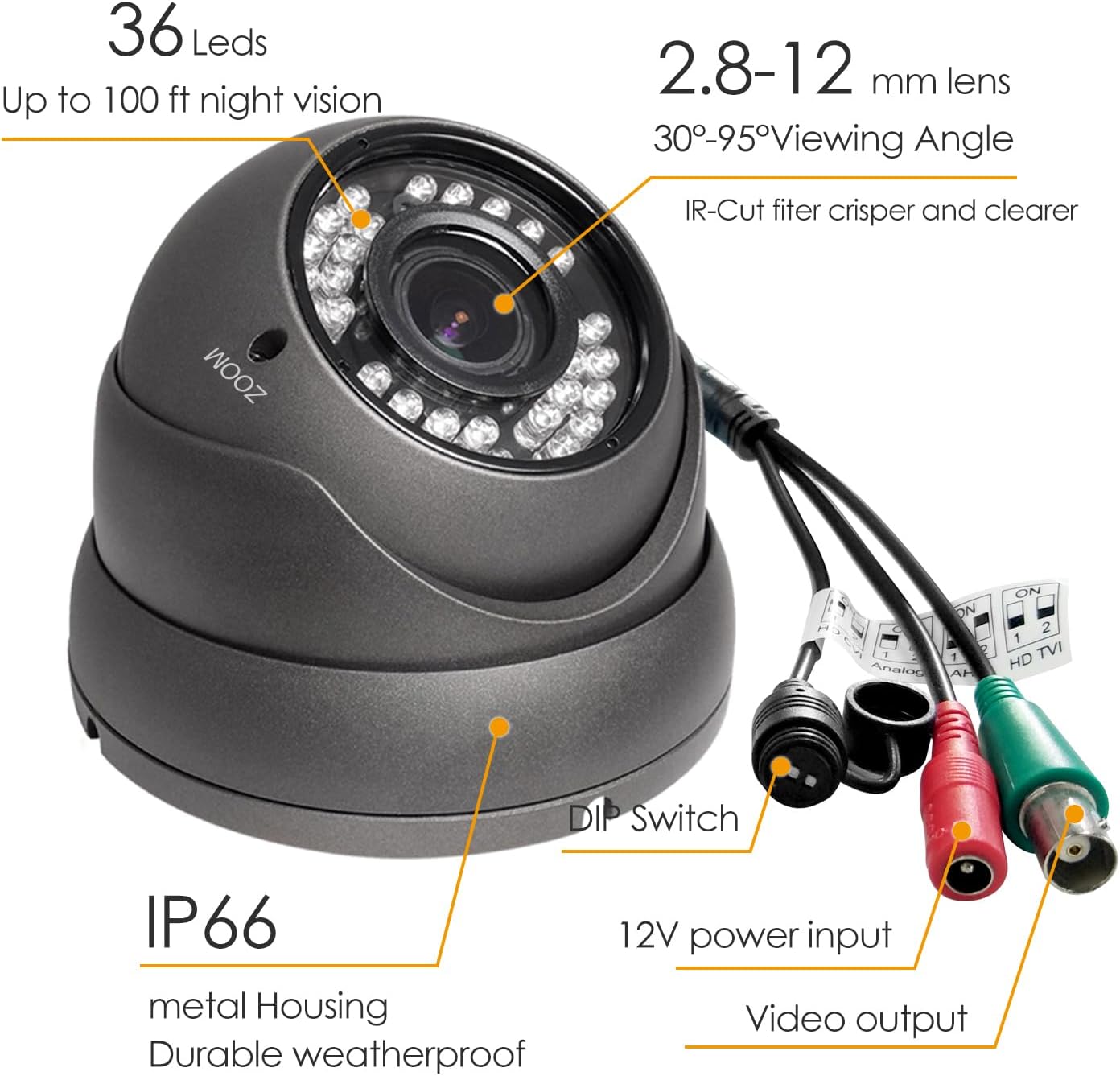
Figure 3: Detailed view of the camera's connections, including the DIP switch for video mode selection, 12V power input, and video output.

Figure 4: Illustration showing the camera's compatibility with 960H Analog/CVBS, TVI, CVI, and AHD DVRs, along with the DIP switch settings for each mode.
Video 2: This video demonstrates how to change the video output mode of the camera using the DIP switches.
Operating
Zoom and Focus Adjustment
The camera features a 2.8mm-12mm manual focus/zoom varifocal lens. To adjust the zoom and focus, carefully rotate the corresponding rings on the camera lens until the desired field of view and image clarity are achieved. Zooming in is typically counter-clockwise, and zooming out is clockwise. Focus adjustment makes the video/image clear.

Figure 5: Diagram illustrating the adjustable viewing angle (30°-95°) provided by the 2.8-12mm varifocal lens.
Video 3: This video provides instructions on how to manually adjust the zoom and focus of the camera lens.
OSD Menu Access
To access the On-Screen Display (OSD) menu for advanced settings, you must use your DVR's UTC (Up The Coax) function. If your DVR does not support UTC, you will not be able to call the OSD menu. Consult your DVR's manual or the DVR seller to confirm UTC function support.
Video 4: This video demonstrates how to access the OSD menu through a DVR, using a Hikvision DVR as an example.
Day and Night Monitoring
The camera features 36 powerful IR LEDs for night vision up to 100ft, ensuring clear monitoring in low-light conditions. True Day & Night functionality with ICR (IR Cut Filter) provides accurate color reproduction during the day and switches to black and white for enhanced night vision.
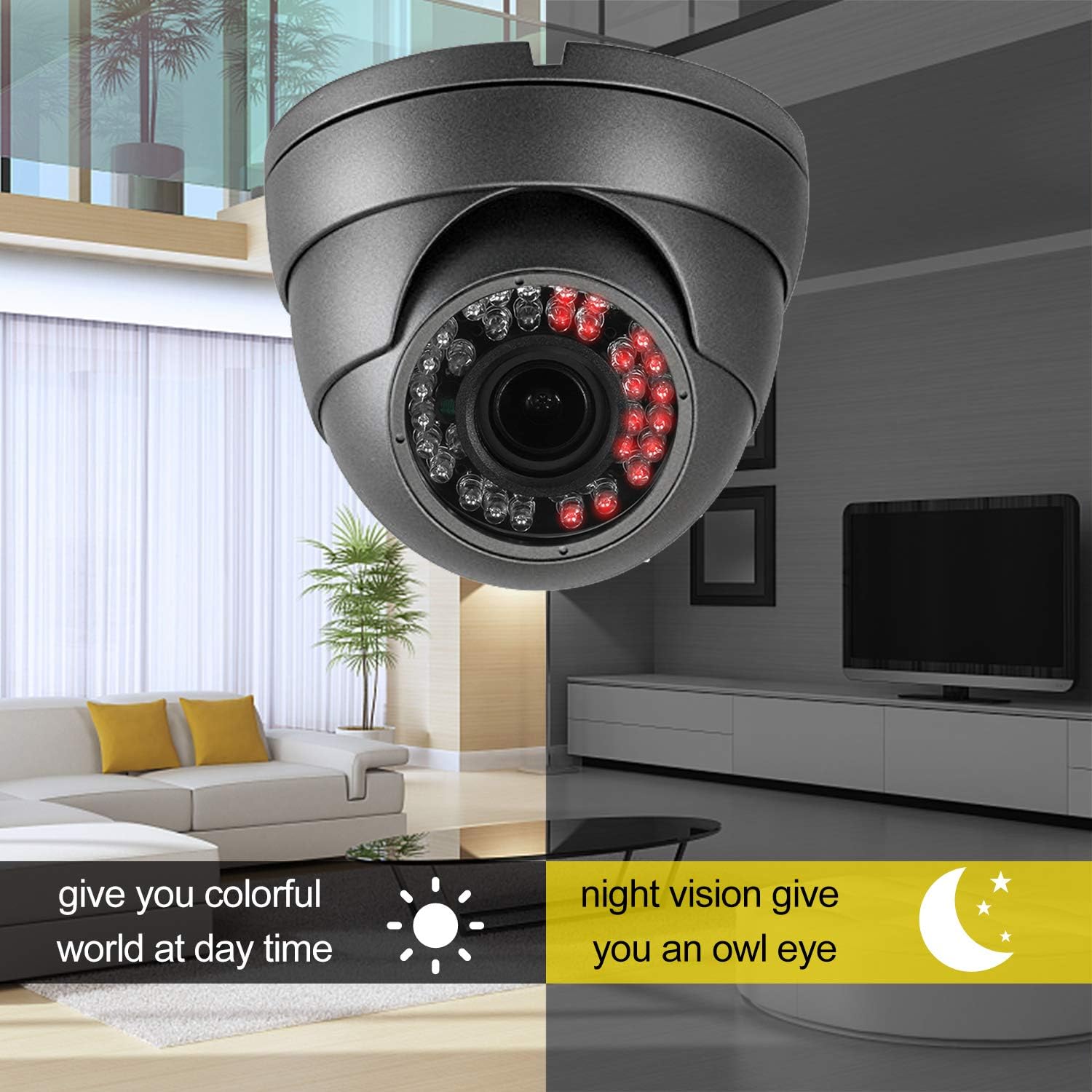
Figure 6: Comparison image showing the camera's clear color vision during the day and effective night vision with IR LEDs.
Maintenance
The camera's IP66 weather-rated metal housing provides protection against dust and harsh weather conditions. Regularly inspect the camera and its connections for any signs of wear or damage. Clean the lens periodically with a soft, dry cloth to ensure optimal image clarity. Do not use abrasive cleaners or solvents.
Troubleshooting
No Video or IR LEDs Not Working at Night
Ensure you are using a DC 12V 1A power adapter. If issues persist, try using a DC 12V 2A (or higher) power adapter, as power cable length and quality can affect performance.
Black and White Image Cannot Switch to Color in Daytime
This issue can also be related to insufficient power. Please use a DC 12V 2A (or higher) power adapter to ensure the camera receives adequate power for proper day/night mode switching.
Image is Not Clear or Out of Focus
Adjust the manual focus and zoom rings on the camera lens until the image becomes clear. Refer to the "Zoom and Focus Adjustment" section for detailed instructions.
Incompatible Video Signal
Verify that the camera's video output mode (TVI, AHD, CVI, or CVBS) matches the input signal supported by your DVR. Adjust the DIP switches on the camera cable as needed. Note that 1080P HD modes (TVI, AHD, CVI) are not compatible with 720P or 960P DVRs, nor with SDI DVRs.
Specifications
| Model Number | AM3128B |
| Video Capture Resolution | 1080p (2.0 Megapixel) |
| Video Output Modes | 1080P AHD, 1080P CVI, 1080P TVI, 960H Analog (CVBS) |
| Lens | 2.8mm-12mm Manual Focus/Zoom Varifocal |
| Viewing Angle | 30 - 95 Degrees |
| Night Vision | 36 IR LEDs, up to 100 feet |
| Day/Night Function | True Day & Night with ICR |
| Sensor | 1/2.9" Color CMOS |
| Power Source | DC 12V (1A or higher recommended) |
| Connectivity | Wired (Coaxial) |
| Housing Material | Metal |
| Weather Resistance | IP66 Waterproof |
| Mounting Type | Ceiling Mount |
| Dimensions (L x W x H) | 4.65 x 4.65 x 3.54 inches |
| Item Weight | 1.48 pounds |
Warranty and Support
For warranty information or technical support, please contact the seller or manufacturer directly. Refer to your purchase documentation for specific warranty terms and contact details.