
Introduction
This manual provides essential instructions for the safe and efficient installation, operation, and maintenance of your FASCO 1/3 HP Direct Drive Blower Motor. Please read this manual thoroughly before attempting to install or operate the motor. Retain this manual for future reference.
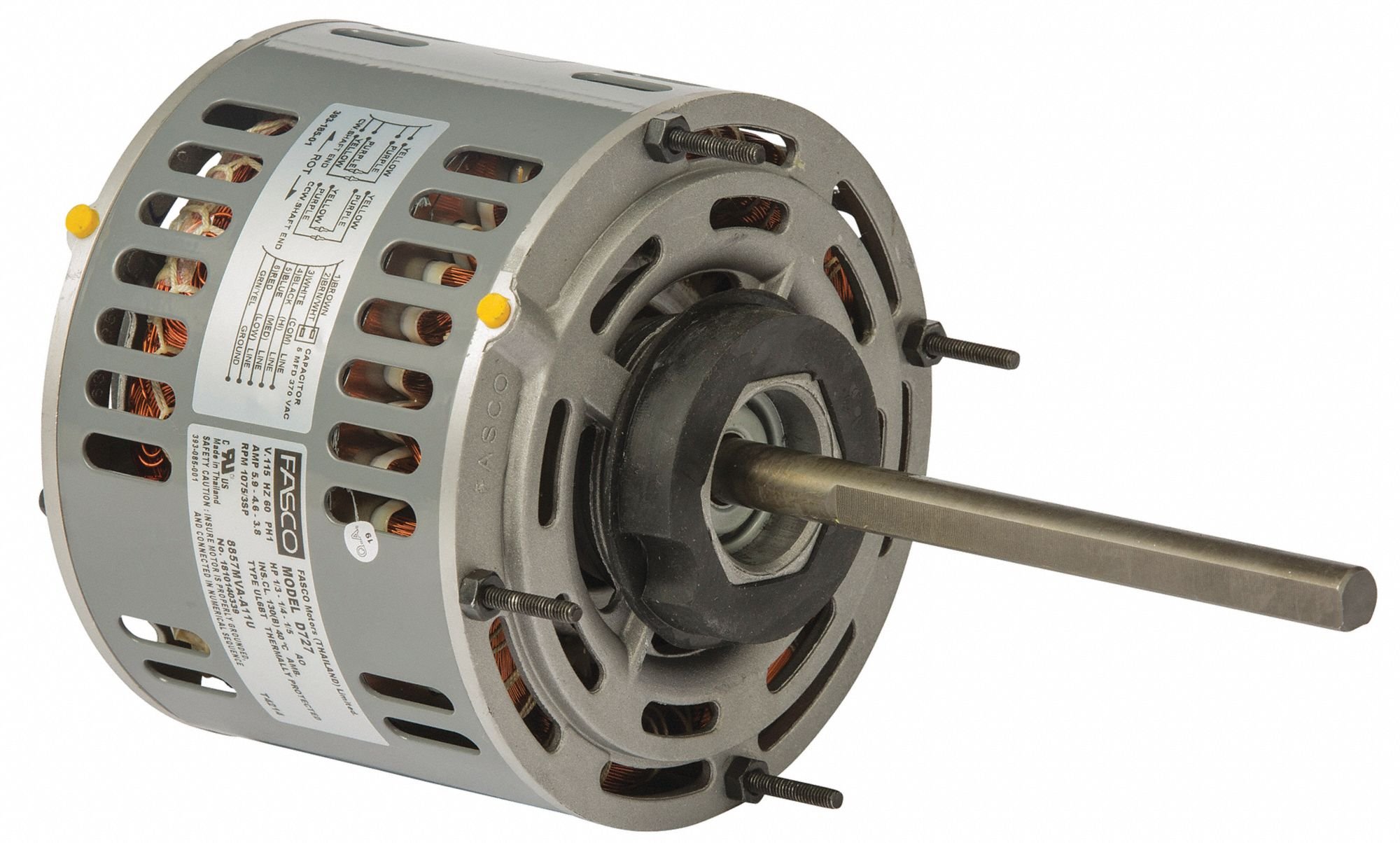
Figure 1: FASCO 1/3 HP Direct Drive Blower Motor. This image displays the motor with its electrical connections and mounting points visible.
Safety Information
WARNING: Failure to follow these safety instructions may result in electric shock, fire, serious injury, or death.
- Always disconnect power before installing, servicing, or cleaning the motor.
- Installation and wiring must be performed by a qualified electrician in accordance with all local and national electrical codes.
- Ensure the motor is properly grounded to prevent electrical shock.
- Do not operate the motor if it is damaged or if any electrical connections are loose.
- Keep hands, clothing, and tools clear of moving parts during operation.
- Ensure adequate ventilation around the motor to prevent overheating.
Setup
1. Unpacking
- Carefully remove the motor from its packaging.
- Inspect the motor for any signs of shipping damage. If damage is found, do not proceed with installation and contact your supplier.
- Verify that all components listed in the packing list are present.
2. Mounting
- Mount the motor securely to a stable, vibration-free surface using appropriate fasteners.
- Ensure proper alignment with the driven equipment (e.g., blower fan) to prevent excessive wear and vibration.
- Allow sufficient clearance around the motor for airflow and future maintenance.
3. Electrical Connection
- This motor operates on 115 Volts AC. Ensure the power supply matches the motor's voltage requirements.
- Connect the motor wiring according to the wiring diagram provided on the motor's nameplate or in the specific equipment manual it is being installed into.
- Ensure all connections are tight and insulated.
- Install appropriate overcurrent protection (e.g., circuit breaker or fuse) as required by local electrical codes.
Operating Instructions
1. Initial Startup
- Before applying power, double-check all electrical connections and mounting security.
- Ensure there are no obstructions to the motor's rotation or the driven equipment.
- Apply power to the motor. Observe for smooth operation, unusual noises, or excessive vibration.
- If any abnormalities are detected, immediately disconnect power and investigate the cause.
2. Normal Operation
- The motor is designed for continuous duty within its specified ratings.
- Monitor the motor periodically for signs of overheating, unusual noise, or decreased performance.
- Ensure the operating environment remains within the motor's specified temperature and humidity limits.
Maintenance
Regular maintenance helps ensure the longevity and reliable performance of your motor.
1. Inspection
- Periodically inspect the motor for dust and debris accumulation, especially on cooling fins.
- Check all electrical connections for tightness and signs of corrosion.
- Inspect mounting bolts for tightness.
- Listen for any unusual noises or vibrations during operation.
2. Cleaning
- Disconnect power before cleaning.
- Use a soft brush or compressed air to remove dust and debris from the motor's exterior and cooling vents.
- Do not use water or solvents that could damage electrical components.
3. Lubrication
This motor typically features permanently lubricated bearings and does not require additional lubrication. If unusual noises are heard, consult a qualified technician.
4. Storage
- If storing the motor for an extended period, ensure it is kept in a dry, clean environment.
- Protect the motor from dust, moisture, and extreme temperatures.
Troubleshooting
| Problem | Possible Cause | Solution |
|---|---|---|
| Motor does not start | No power supply Loose wiring connection Overload protection tripped Damaged motor windings | Check power source and circuit breaker Inspect and tighten all connections Reset breaker/fuse; investigate overload cause Consult a qualified technician |
| Motor overheats | Insufficient ventilation Overload condition High ambient temperature Bearing failure | Ensure clear airflow around motor Reduce load or check for obstructions Relocate motor or improve cooling Consult a qualified technician |
| Unusual noise or vibration | Loose mounting Misalignment with driven equipment Worn bearings Obstruction in blower/fan | Tighten mounting bolts Check and correct alignment Consult a qualified technician Inspect blower/fan for debris |
If troubleshooting steps do not resolve the issue, contact a qualified service technician.
Specifications
| Specification | Value |
|---|---|
| Brand | Fasco |
| Horsepower | 0.33 HP (1/3 HP) |
| Speed | 1075 RPM |
| Voltage | 115 Volts |
| Motor Type | Permanent Split Capacitor (PSC) |
| Manufacturer | CAI - FASCO |
| UPC | 696334115666 |
| ASIN | B07HM2FWP5 |
Warranty and Support
For warranty information or technical support, please refer to the documentation provided with your specific purchase or contact the manufacturer directly. Keep your proof of purchase for warranty claims.


