
Introduction
Thank you for choosing the Rowenta DG8644 Perfect Steam Pro Steam Generator Iron. This manual provides essential information for the safe and efficient operation, maintenance, and troubleshooting of your appliance. Please read these instructions carefully before first use and keep them for future reference.
The Rowenta DG8644 Perfect Steam Pro is a powerful steam generator iron designed to deliver professional-level ironing results. It features a high-pressure boiler, a continuous steam output of 120 g/min, and a powerful 450 g/min steam boost to tackle even the most stubborn creases. The patented Microsteam 400 HD soleplate ensures optimal steam distribution for efficient ironing.
Important Safety Instructions
When using electrical appliances, basic safety precautions should always be followed to reduce the risk of fire, electric shock, and injury to persons.
- Read all instructions before using the iron.
- Use the iron only for its intended use.
- To protect against a risk of electric shock, do not immerse the iron in water or other liquids.
- The iron must always be turned to "Off" before plugging or unplugging from the outlet. Never yank cord to disconnect from outlet; instead, grasp plug and pull to disconnect.
- Do not allow cord to touch hot surfaces. Let iron cool completely before putting away. Loop cord loosely around iron when storing.
- Always disconnect iron from electrical outlet when filling with water or emptying, and when not in use.
- Do not operate iron with a damaged cord or if the iron has been dropped or damaged. To avoid the risk of electric shock, do not disassemble the iron; take it to a qualified serviceman for examination and repair. Incorrect reassembly can cause a risk of electric shock when the iron is used.
- Close supervision is necessary for any appliance being used by or near children. Do not leave iron unattended while connected or on an ironing board.
- Burns can occur from touching hot metal parts, hot water, or steam. Use caution when you turn a steam iron upside down – there may be hot water in the reservoir.
- The iron must be used and rested on a stable surface.
- When placing the iron on its stand, ensure that the surface on which the stand is placed is stable.
Product Components
Familiarize yourself with the main parts of your Rowenta Perfect Steam Pro iron.

Image 1: The Rowenta DG8644 Perfect Steam Pro steam generator iron, showing the red and black iron unit resting securely on its base. The power cord is neatly wrapped around the base's storage area.

Image 2: A close-up view of the control panel located on the base of the Rowenta DG8644 iron. It features buttons for "DELICATE", "NORMAL", "MAX", and "ECO" steam settings, along with a power button and indicator lights.
- Iron unit with Microsteam 400 HD soleplate
- Steam hose
- Water tank (1.1 liter, removable)
- Base unit with control panel
- Power cord with storage
- Locking system for iron transport
Setup
Before First Use
- Remove all packaging materials, labels, and protective covers from the appliance.
- Ensure the voltage of your electrical outlet matches the voltage indicated on the appliance's rating plate.
- For the first use, operate the iron for a few minutes without clothes to eliminate any manufacturing residues. A slight odor or smoke may be present initially; this is normal and will dissipate.
Filling the Water Tank
- Ensure the appliance is unplugged from the power outlet.
- Remove the 1.1-liter water tank from the base unit.
- Fill the tank with tap water up to the "MAX" level indicator. For optimal performance and to prolong the life of your appliance, it is recommended to use a mix of 50% tap water and 50% distilled water, especially in areas with hard water. Do not use scented water, water from tumble dryers, or chemically descaled water.
- Replace the water tank securely into the base unit.
Operating Instructions
Powering On and Heating
- Place the steam generator on a stable, heat-resistant surface.
- Plug the power cord into a grounded electrical outlet.
- Press the power button on the control panel. The indicator light will illuminate, and the appliance will begin to heat up. This process typically takes a few minutes.
- Once the iron is ready for use, the steam ready indicator light will turn solid.
Selecting Steam Settings
Use the control panel buttons to select the appropriate steam setting for your fabric type:
- DELICATE: For sensitive fabrics like silk, synthetics, and wool.
- NORMAL: For everyday fabrics like cotton and linen.
- MAX: For heavy fabrics and stubborn creases.
- ECO: Reduces energy consumption while maintaining effective steam output.
Ironing with Steam
- Once the iron is ready, press and hold the steam trigger located under the handle of the iron to release continuous steam.
- Move the iron smoothly over the fabric. The Microsteam 400 HD soleplate ensures excellent steam distribution.
- For very stubborn creases or thick fabrics, press the steam boost button (if separate, or press the steam trigger fully) to activate the 450 g/min steam boost.
- You can iron vertically by holding the iron a few centimeters away from the garment and pressing the steam trigger. This is ideal for refreshing hanging clothes or curtains.

Image 3: A dynamic shot of the Rowenta DG8644 iron's Microsteam 400 HD soleplate, showing numerous micro-holes releasing a powerful burst of steam, illustrating its high steam output capability.

Image 4: A top-down perspective of the Rowenta DG8644 iron resting on a grey fabric, highlighting the sleek design and the tip of the iron, ready for precise ironing.
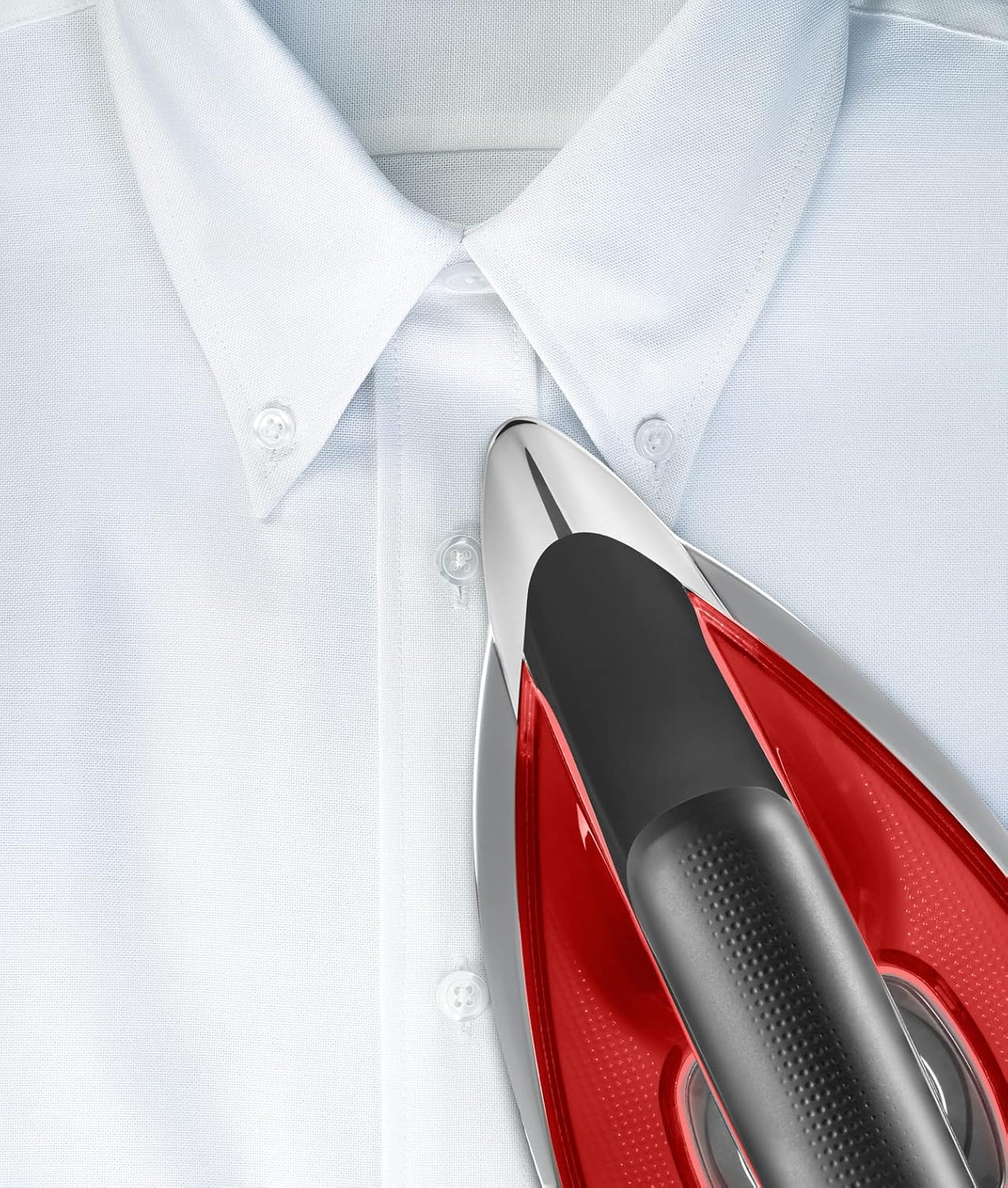
Image 5: A close-up image showing the precision tip of the Rowenta DG8644 iron being used to iron the collar of a white shirt, demonstrating its ability to reach difficult areas.
Refilling During Use
The 1.1-liter removable water tank allows for continuous ironing. If the water level becomes low, the "Water Tank Empty" indicator light will illuminate.
- Turn off the appliance and unplug it from the power outlet.
- Carefully remove the water tank.
- Refill the tank with water as described in the "Filling the Water Tank" section.
- Replace the tank, plug in the appliance, and turn it back on. It will reheat and be ready for use shortly.
After Use
- Press the power button to turn off the appliance.
- Unplug the power cord from the electrical outlet.
- Allow the iron to cool down completely before storing.
- Empty any remaining water from the tank to prevent limescale buildup.
- Secure the iron onto its base using the locking system and wrap the power cord around the designated storage area.
Maintenance and Care
Cleaning the Soleplate
- Ensure the iron is unplugged and completely cool.
- Wipe the soleplate with a damp cloth and a non-abrasive cleaner.
- Do not use abrasive pads, metal scouring pads, or harsh chemicals, as these can damage the anti-scratch laser finish.
Descaling the Boiler
Regular descaling is crucial for maintaining optimal steam performance and extending the life of your appliance, especially in hard water areas. The frequency depends on water hardness and usage.
- Ensure the appliance is unplugged and completely cool.
- Refer to your specific model's descaling instructions, usually found in a dedicated compartment or indicated by a descaling light.
- Typically, this involves rinsing the boiler with water or using a specific descaling solution recommended by Rowenta.
- Never use chemical descaling agents not approved for steam generators, as they can damage the appliance.
Storage
- Always store the iron with the water tank empty.
- Ensure the iron is cool and dry before storing.
- Use the cord storage feature on the base unit to keep the power cord tidy.
- Store the appliance in a safe, dry place, out of reach of children.
Troubleshooting
If you encounter issues with your Rowenta DG8644, please consult the following table before contacting customer service.
| Problem | Possible Cause | Solution |
|---|---|---|
| No steam is produced. | Water tank is empty. Appliance not heated up. Steam trigger not pressed. | Refill the water tank. Wait for the steam ready indicator light to turn solid. Press and hold the steam trigger. |
| Water droplets appear on fabric. | Iron temperature is too low. Steam is being used too frequently. | Allow the iron to heat up fully. Select a higher steam setting if appropriate. Allow more time between steam bursts. |
| Iron is not heating. | Appliance not plugged in or power button not pressed. Power outage. | Check power connection and press the power button. Check household circuit breaker. |
| Limescale particles coming from the soleplate. | Boiler needs descaling. | Perform the descaling procedure as described in the Maintenance section. |
Specifications
| Feature | Detail |
|---|---|
| Brand | Rowenta |
| Model Number | DG8644 (DG8644F0) |
| Color | Red |
| Power | 2400 Watts |
| Steam Pressure | Up to 7.2 bar |
| Continuous Steam Output | 120 g/min |
| Steam Boost | 450 g/min |
| Water Tank Capacity | 1.1 Liters (removable) |
| Soleplate Material | Microsteam 400 HD Laser |
| Product Dimensions (L x W x H) | 28 x 45 x 35 cm |
| Item Weight | 7.1 Kilograms |
| Special Feature | High Pressure |
Warranty and Support
For information regarding warranty coverage, terms, and conditions, please refer to the warranty card included with your product or visit the official Rowenta website.
If you require technical assistance, spare parts, or repair services, please contact Rowenta customer support. You can find contact details on the official Rowenta website or through your local retailer.
Online Support: Visit www.rowenta.com for FAQs, product registration, and service center locations.


