
1. Introduction
Thank you for purchasing the Rosewill Audiowave H9000 Active Noise Cancelling Wireless Bluetooth Headphones. These headphones are designed to provide a superior audio experience with the convenience of wireless connectivity and the tranquility of active noise cancellation. Please read this manual carefully before using the product to ensure proper operation and to maximize its lifespan.
2. Package Contents

The image above displays the complete package contents for the Rosewill Audiowave H9000 headphones, including the headphones themselves, various cables, a storage pouch, and the instruction manual.
Please check the package contents carefully. If any items are missing or damaged, please contact customer support.
- Rosewill Audiowave H9000 Active Noise Cancelling Wireless Bluetooth Headphones
- Micro USB Charging Cable
- 3.5mm Audio Cable
- Carrying Pouch
- User Manual (this document)
3. Product Overview (Controls and Ports)
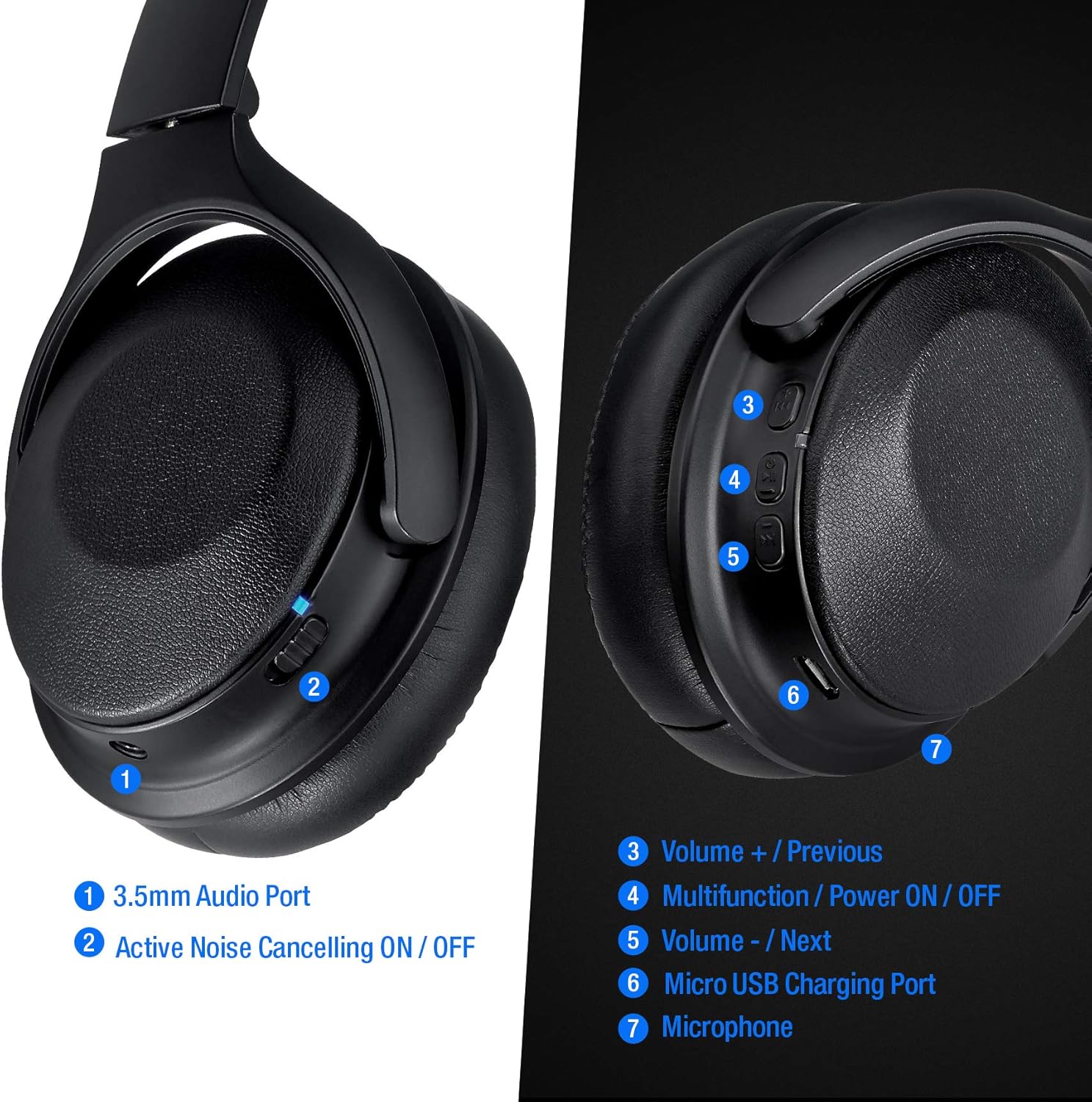
This image provides a detailed view of the controls and ports located on the Rosewill Audiowave H9000 headphones, with numbered labels for easy identification.
- 3.5mm Audio Port: For wired connection to audio devices.
- Active Noise Cancelling ON/OFF Switch: Toggles the ANC function.
- Volume + / Previous Track Button: Short press to increase volume, long press for previous track.
- Multifunction / Power ON/OFF Button: Powers the headphones on/off, plays/pauses music, answers/ends calls.
- Volume - / Next Track Button: Short press to decrease volume, long press for next track.
- Micro USB Charging Port: For connecting the charging cable.
- Microphone: For hands-free calling.
4. Setup
4.1. Charging the Headphones
Before first use, fully charge the headphones. A full charge provides up to 20 hours of playing time.
- Connect the Micro USB charging cable to the Micro USB Charging Port (6) on the headphones.
- Connect the other end of the cable to a USB power source (e.g., computer USB port, USB wall adapter).
- The LED indicator will show charging status (specific color/behavior not provided, assume standard red for charging, blue/off for full).
- Charging typically takes 2-3 hours.
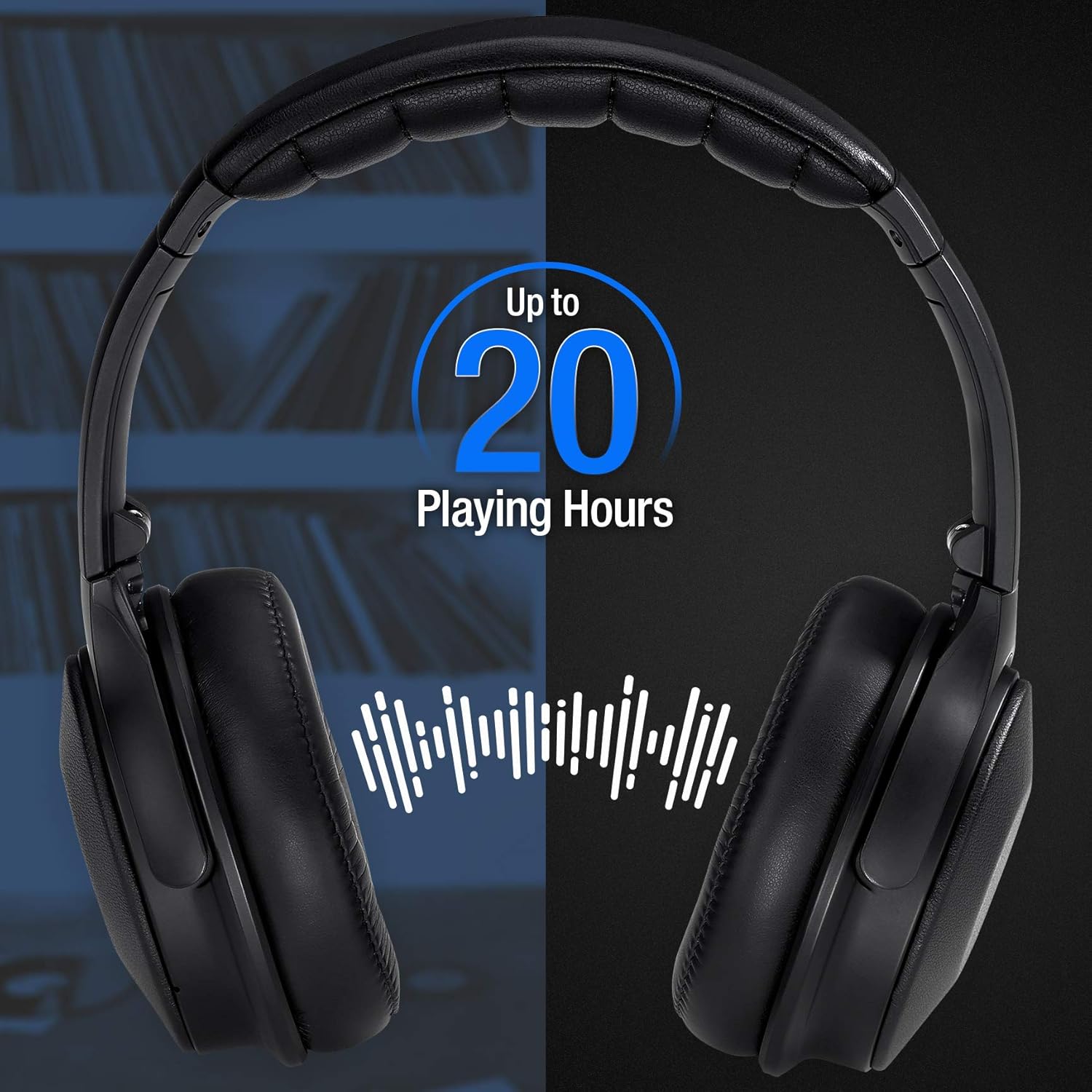
This image highlights the impressive battery life of the headphones, offering up to 20 hours of continuous playback on a single charge.
4.2. Bluetooth Pairing
Pair your headphones with your Bluetooth-enabled device (smartphone, tablet, laptop) to enjoy wireless audio.
- Ensure the headphones are fully charged.
- Press and hold the Multifunction / Power ON/OFF Button (4) for approximately 3-5 seconds until the LED indicator flashes blue and red, indicating pairing mode.
- On your device, enable Bluetooth and search for available devices.
- Select "Rosewill H9000" (or similar name) from the list of found devices.
- Once paired, the LED indicator on the headphones will typically flash blue slowly or turn solid blue.
- If prompted for a password, enter "0000".
The headphones will automatically attempt to reconnect to the last paired device when powered on.
5. Operating Instructions
5.1. Power On/Off
- Power On: Press and hold the Multifunction / Power ON/OFF Button (4) for 3 seconds.
- Power Off: Press and hold the Multifunction / Power ON/OFF Button (4) for 3 seconds.
5.2. Music Playback
- Play/Pause: Short press the Multifunction / Power ON/OFF Button (4).
- Volume Up: Short press the Volume + / Previous Track Button (3).
- Volume Down: Short press the Volume - / Next Track Button (5).
- Next Track: Long press the Volume - / Next Track Button (5).
- Previous Track: Long press the Volume + / Previous Track Button (3).
The headphones are engineered to deliver high fidelity sound quality, ensuring a rich and clear audio experience.
5.3. Active Noise Cancellation (ANC)
The ANC feature reduces ambient noise, providing a more immersive listening experience, especially useful in noisy environments like travel.
- To activate ANC, slide the Active Noise Cancelling ON/OFF Switch (2) to the "ON" position.
- To deactivate ANC, slide the switch to the "OFF" position.

This image demonstrates the benefit of Active Noise Cancellation, providing comfort and quiet during travel.
5.4. Call Management
- Answer/End Call: Short press the Multifunction / Power ON/OFF Button (4).
- Reject Call: Long press the Multifunction / Power ON/OFF Button (4).
- Redial Last Number: Double press the Multifunction / Power ON/OFF Button (4).
6. Maintenance
Proper maintenance ensures the longevity and optimal performance of your headphones.
- Clean the headphones regularly with a soft, dry cloth. Do not use abrasive cleaners or solvents.
- Avoid exposing the headphones to extreme temperatures, humidity, or direct sunlight.
- Store the headphones in the provided carrying pouch when not in use to protect them from dust and scratches.
- Do not attempt to disassemble or modify the headphones, as this will void the warranty and may cause damage.
7. Troubleshooting
| Problem | Possible Cause | Solution |
|---|---|---|
| Headphones do not power on. | Low battery. | Charge the headphones fully. |
| Cannot pair with device. | Headphones not in pairing mode; Bluetooth off on device; device too far. | Ensure headphones are in pairing mode (flashing blue/red). Turn on Bluetooth on your device. Move headphones closer to the device (within 10 meters). |
| No sound or low volume. | Volume too low on headphones or device; headphones not connected properly. | Increase volume on both headphones and device. Re-pair the headphones. |
| ANC not working effectively. | ANC switch off; very high-frequency or irregular noises. | Ensure ANC switch (2) is ON. ANC is most effective against consistent low-frequency noises. |
| Intermittent connection. | Too far from device; interference. | Move closer to the paired device. Avoid strong electromagnetic interference. |
8. Specifications
| Feature | Detail |
|---|---|
| Model Name | Audiowave H9000 |
| Noise Control | Active Noise Cancellation |
| Connectivity Technology | Wireless (Bluetooth) |
| Bluetooth Version | 5.0 |
| Bluetooth Range | Up to 10 Meters (33 feet) |
| Frequency Response | 20 Hz - 40,000 Hz |
| Impedance | 32 Ohm |
| Audio Driver Type | Dynamic Driver |
| Battery Life | Up to 20 hours (approx.) |
| Charging Port | Micro USB |
| Dimensions (L x W x H) | 9.9 x 7.6 x 2.5 inches |
| Item Weight | 1.19 pounds |
| UPC | 840951128213 |
9. Warranty and Support
Rosewill products are designed and manufactured to the highest quality standards. For warranty information or technical support, please refer to the warranty card included with your product or visit the official Rosewill website. Please retain your proof of purchase for warranty claims.
