Introduction
The XIHADA Universal Garage Door Remote ML999-15 is a versatile device designed to clone and program signals from various garage door and gate openers operating across multiple frequencies (280MHz-868MHz). This compact remote allows you to consolidate up to four different original remotes into a single unit, offering convenience and ease of use. This manual provides detailed instructions for setup, programming, operation, and maintenance.

Image: The XIHADA Universal Garage Door Remote ML999-15.
Compatibility Information
Before proceeding with programming, it is crucial to verify the compatibility of your existing remote with the XIHADA Universal Remote. This device is designed to clone and program with many major brands and models. However, certain brands and models are not compatible.
Compatible Brands and Models (Duplicator for Rolling Code Remote)
The following image displays a list of brands and models that are generally compatible with the XIHADA Universal Remote for rolling code duplication. Please ensure your original remote's brand and model are listed here.

Image: Detailed table showing compatible brands and models for rolling code remote duplication.
Non-Compatible Brands and Models
The XIHADA Universal Remote is NOT compatible with the following brands and models. Please review this list carefully before attempting to program the device:
- Chamberlain / Liftmaster Security 2.0, 2.0+ Garage Door Opener
- Chamberlain Garage Door Opener with MYQ / Liftmaster Garage Door Opener with MYQ
- LiftMaster 8500W Garage Door Opener
- Liftmaster 892LT / LiftMaster 811LMX / LiftMaster 893LM
- Chamberlain B 6713T Garage Opener / Chamberlain B 6753T Smart Garage Opener
- Condo's garage door opener, Ryobi, Softens Doors, Blue Sea, Allister, Amarr, Atoms, Doorking/DKS, Lynx, Merik, Stanley, Skylink, Wayne Dalton, Martin, Saco Gate Opener.
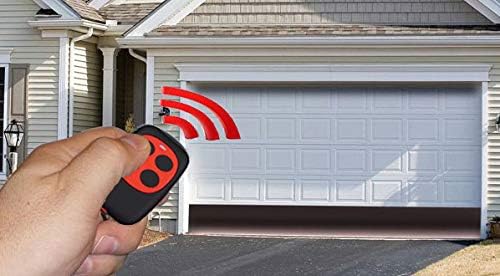
Image: Table listing brands and models not compatible with the XIHADA Universal Remote.
Setup and Programming
The XIHADA Universal Remote requires an original working remote to clone its codes. It cannot be programmed without an original remote.
General Programming Steps (for Entry Gates)
- Hold down button 1 on the universal remote.
- While holding button 1, press button 2 four times.
- Release both buttons. The LED on the universal remote will emit a quick flash every 2 seconds, indicating it is ready for learning codes.
- Place your original entry gate remote near the universal remote (approximately 2-3 cm apart).
- Hold down the button on your original remote that opens the gate.
- Continue holding the original remote button until the LED of the universal remote starts to flash quickly. This indicates successful code learning.
- While the universal remote's LED is flashing quickly, press any button on the universal remote where you wish to store the copied code. The LED will then turn off, confirming the code is stored.

Image: Visual guide for the rolling code simple duplicating process.
Programming for Garage Door Openers
For garage door openers, follow the general programming steps above. Additionally, one more step is required to synchronize with your garage door opener's receiver:
- After successfully copying the code to the universal remote, locate the 'LEARN' button on your garage door opener's mechanical unit. The LED on your garage door opener should be ON.
- Press the 'LEARN' button on your garage door opener.
- Immediately press the same button you programmed on the universal remote. The lights on your garage door opener should either flash or go on/off, depending on the brand of the opener, indicating successful pairing.
After these steps, you can use the universal remote to open your garage door.
Video: Detailed programming and duplication instructions for the XIHADA Universal Remote. This video demonstrates the steps for cloning an existing remote and pairing it with a garage door opener.
Programming for BFT Brand Remotes
For BFT brand remotes, a slightly different programming method is used:
- Hold down button 1 on the universal remote and press button 2 four times.
- Release both buttons. The LED of the universal remote will emit a quick flash every 2 seconds.
- Place the original BFT remote in front of the universal remote.
- Press the button of the original BFT remote that you want to copy. Continue pressing until the universal remote's LED turns on with a fixed light, and then emits a double flash every 2 seconds.
- To transmit the seed code of the original remote, press buttons 1 and 2 on the original remote simultaneously.
- The universal remote's LED will flash quickly. Press the button on the universal remote where you want to store the copied code. The LED will turn off, confirming the code is stored.
- Take the universal remote to your garage door opener receiver and activate the 'LEARN' button to insert the new remote on the receiver.
Operating Instructions
Once programmed, operate the XIHADA Universal Remote by simply pressing the corresponding button that you programmed for your garage door or gate. The remote is designed for a compact fit, making it convenient for keychain attachment or carrying in a pocket.

Image: A hand using the universal remote to open a garage door.
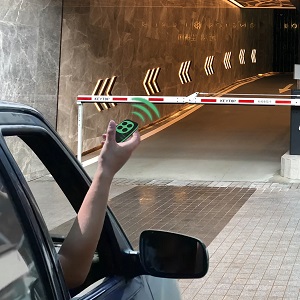
Image: The universal remote being used to open an entry gate.
Maintenance
Battery Replacement
The XIHADA Universal Remote uses 1 CR2 battery (included). If the remote's LED does not light up or flashes weakly when a button is pressed, the battery may need replacement. To replace the battery:
- Carefully open the remote casing.
- Remove the old CR2 battery.
- Insert a new CR2 battery, ensuring correct polarity.
- Close the remote casing securely.
After battery replacement, re-test the remote's functionality. Reprogramming should not be necessary unless the remote was reset.
Troubleshooting
- Remote not programming: Ensure your original remote is working correctly and is listed as compatible. Try holding the remotes at different distances (2-3 cm is ideal) or pulsing the button on the original remote during the learning process. Ensure the universal remote's LED flashes as expected during each step.
- Universal remote LED not flashing: The battery may be low or depleted. Replace the CR2 battery.
- Programmed remote not opening door/gate: For garage door openers, ensure you have completed the 'LEARN' button step on your opener's receiver. Some systems require this additional pairing step. Verify that the original remote still functions, as the universal remote copies its signal.
- Intermittent operation: Check the battery level. Ensure there are no obstructions between the remote and the receiver. Environmental factors can sometimes affect signal range.
Specifications
- Model Number: ML999-15
- Product Dimensions: 2.36 x 1.38 x 0.39 inches (6.0 x 3.5 x 1.0 cm)
- Item Weight: 0.634 ounces
- Batteries: 1 CR2 battery (included)
- Frequency Range: 280MHz - 868MHz (Multi-frequency)
- Max Number of Supported Devices: 1 (can clone up to 4 different original remotes into its buttons)
- Compatible Devices: Garage Door, Gate Openers
- Manufacturer: Xiamen Xihada Information Technology Co., Ltd

Image: The physical dimensions of the universal remote control.
Warranty and Support
For warranty information or technical support, please refer to the contact details provided with your purchase or visit the official XIHADA website. Keep your proof of purchase for any warranty claims.