
1. Introduction
This manual provides comprehensive instructions for the installation, operation, and maintenance of your new HD Switch Starter Ignition Switch. Designed as a direct replacement for various Toro and Wheel Horse models, this ignition switch features an ultimate dual-layer protection system to enhance durability against water and dirt. Please read this manual thoroughly before installation and use to ensure proper function and safety.
Key Features:
- Zero Modifications: Engineered for quick and easy installation without requiring alterations to your equipment.
- Dual-Layer Protection: Advanced design protects against harmful water and dirt, optimizing the switch's lifespan and reliability.
- Premium Key: Includes a protective soft-grip umbrella key for comfortable and secure operation.
2. Safety Information
Always prioritize safety when working with electrical components and machinery. Failure to follow these safety guidelines may result in injury or damage to equipment.
- Disconnect Power: Before beginning any installation or maintenance, always disconnect the battery to prevent accidental starting or electrical shock.
- Wear Protective Gear: Use appropriate personal protective equipment (PPE) such as safety glasses and gloves.
- Consult Manuals: Refer to your equipment's original service manual for specific wiring diagrams and safety procedures.
- Professional Assistance: If you are unsure about any step of the installation process, consult a qualified technician.
3. Package Contents
Verify that all items are present in your package:
- 1x HD Switch Starter Ignition Switch
- 2x Original Keys (one standard, one protective soft-grip umbrella key)
- 1x Mounting Nut
- 1x Dust Cap
- 1x Carabiner Keychain

Image: The complete HD Switch Starter Ignition Switch kit, including the main switch unit, two keys (one standard, one with a protective soft-grip), a mounting nut, and a dust cap, all laid out on a white background.
4. Setup and Installation
This HD Switch is designed for a quick and easy installation process with zero modifications required for compatible models. Always ensure the equipment is turned off and the battery is disconnected before proceeding.
- Prepare Equipment: Park your Toro or Wheel Horse equipment on a level surface, engage the parking brake, and turn off the engine. Disconnect the negative terminal of the battery to prevent electrical hazards.
- Access Old Switch: Locate the existing ignition switch on your equipment. Depending on your model, you may need to remove a dashboard panel or cover to access it.
- Disconnect Wiring: Carefully label and disconnect the wires from the terminals of the old ignition switch. Take a photo for reference if necessary.
- Remove Old Switch: Unscrew or unclip the old ignition switch from its mounting location.
- Install New Switch: Insert the new HD Switch Starter Ignition Switch into the mounting hole. Ensure it is seated correctly.
- Secure Switch: Thread the provided mounting nut onto the switch from the front of the panel and tighten it securely by hand, then gently with a wrench if needed, ensuring not to overtighten.
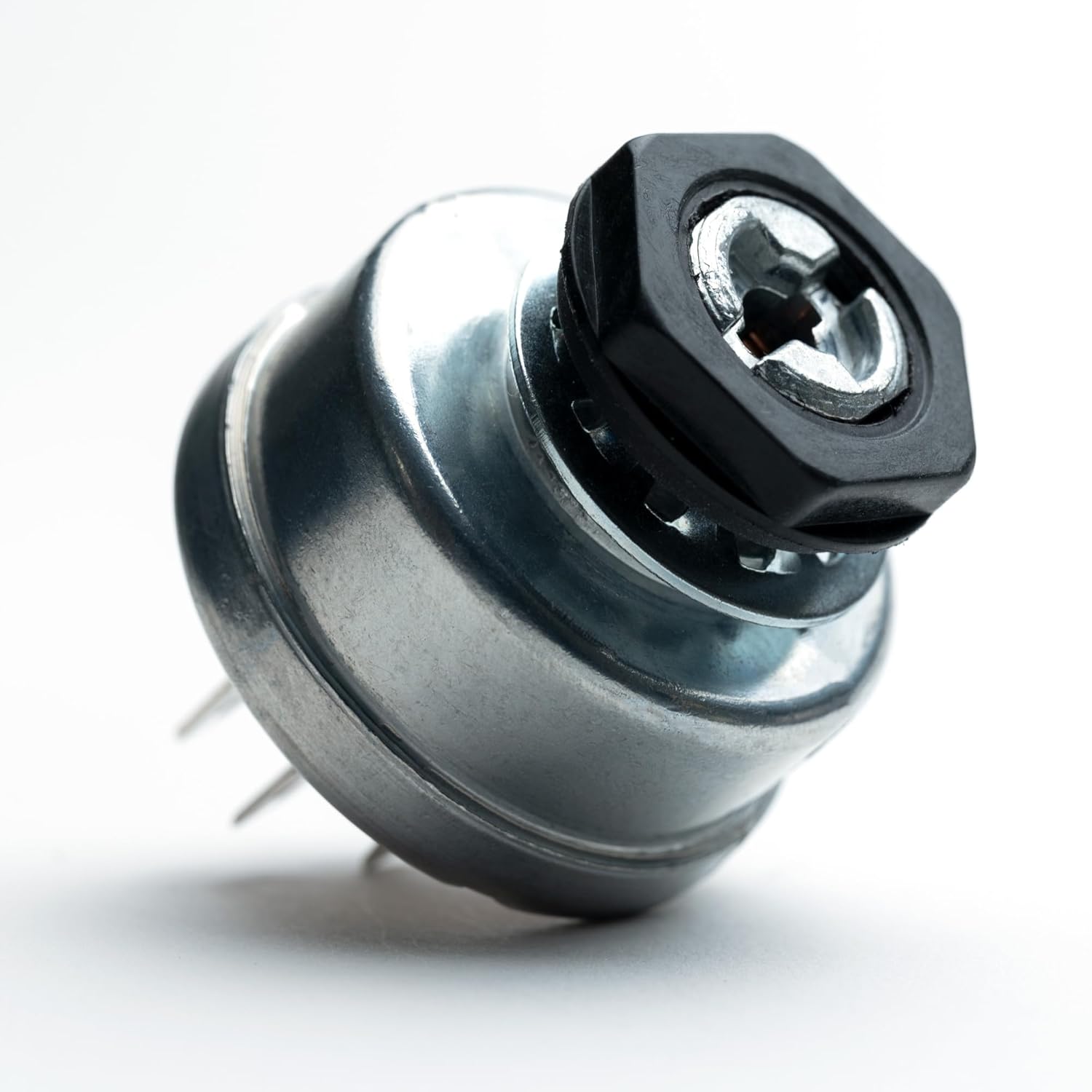
Image: A close-up view of the HD Switch ignition switch with the black mounting nut securely fastened, demonstrating proper installation of the nut.
- Connect Wiring: Reconnect the wires to the corresponding terminals on the new HD Switch, using your labels or photo as a guide. Ensure all connections are firm and secure.
- Install Dust Cap: Place the black dust cap over the keyhole of the ignition switch. This cap, along with the protective key, forms the dual-layer protection against dust and water.
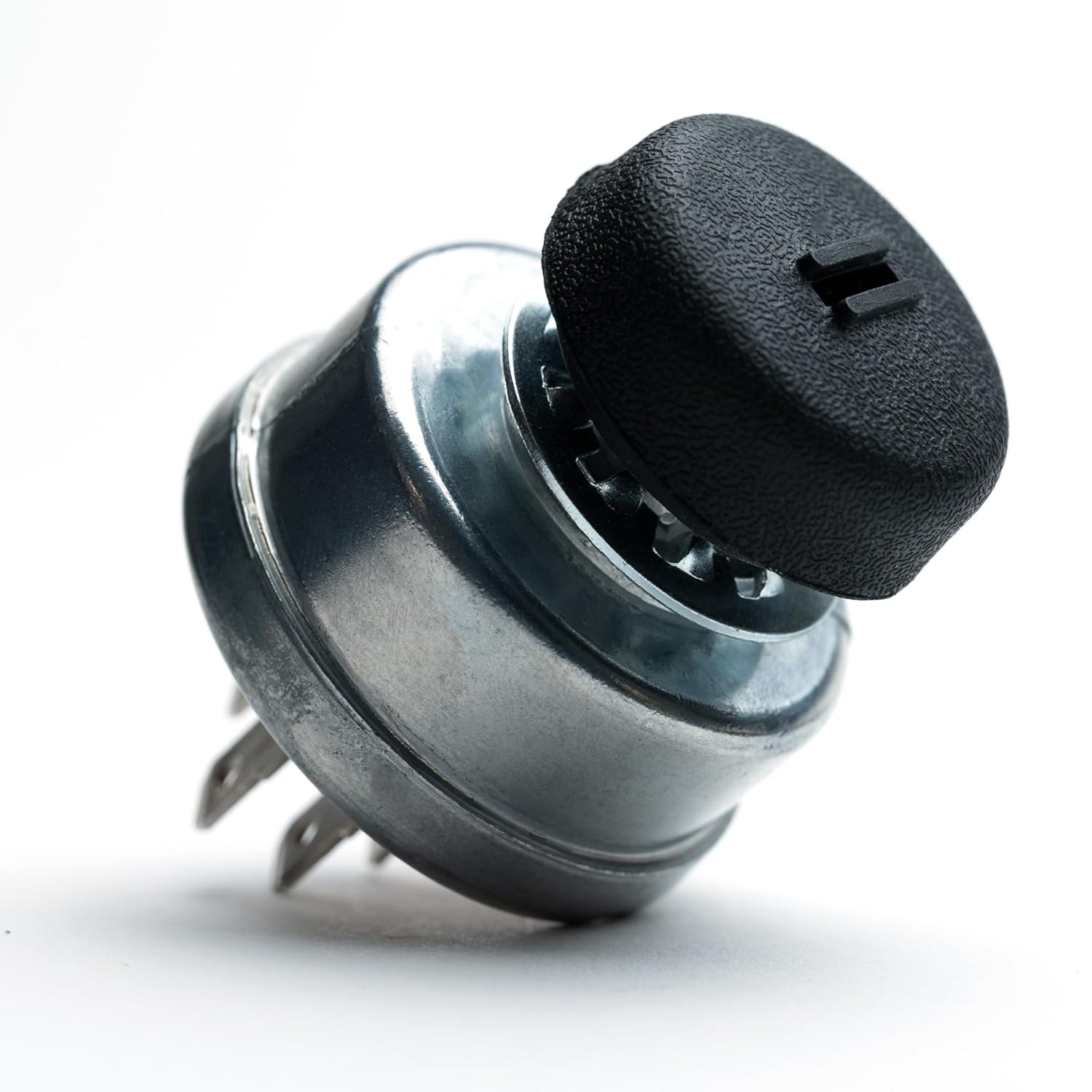
Image: The HD Switch ignition switch with the black dust cap fully installed over the keyhole, illustrating the first layer of environmental protection.
- Reconnect Battery: Reconnect the negative terminal of the battery.
- Test Functionality: Insert the key and test the ignition switch through all its positions (OFF, ACC, ON, START) to ensure proper operation before reassembling any panels.

Image: A close-up of the HD Switch key with its protective soft-grip umbrella design, shown with water splashing, highlighting its water-resistant feature.
5. Operating Instructions
The HD Switch Starter Ignition Switch operates similarly to your original equipment's switch. The protective soft-grip umbrella key and dual-layer design are integrated for enhanced durability.
- Insert Key: Insert the provided key into the ignition switch. The soft-grip umbrella key is designed to fit snugly, providing an additional seal against environmental elements.

Image: The HD Switch key fully inserted into the ignition switch, with a dusty background, illustrating its dust-protection capability when in use.
- Ignition Positions:
- OFF: Engine is off, and all electrical accessories are de-energized.
- ACC (Accessory): Allows operation of accessories (e.g., lights, radio) without starting the engine.
- ON: Engine is ready to start, and all essential electrical systems are energized.
- START: Momentary position to engage the starter motor. Release the key once the engine starts; it will spring back to the ON position.
- Engine Start: Turn the key to the "START" position. Once the engine starts, release the key, and it will return to the "ON" position.
- Engine Stop: To turn off the engine, turn the key to the "OFF" position. Remove the key when the equipment is not in use.

Image: The HD Switch key inserted into the ignition switch, surrounded by splashing water, demonstrating the water-resistant design of the key and switch interface.
6. Maintenance
The HD Switch Starter Ignition Switch is designed for durability and minimal maintenance. The dual-layer protection system significantly reduces the ingress of dust and water, extending the life of the switch.
- Regular Cleaning: Periodically wipe down the exterior of the switch and the key with a clean, dry cloth to remove any accumulated dirt or debris.
- Inspect Dust Cap: Ensure the dust cap remains securely in place when the key is not inserted. If the cap is damaged or missing, replace it to maintain optimal protection.
- Inspect Key: Check the soft-grip umbrella key for any signs of wear or damage to its protective seal. A damaged key may compromise the dual-layer protection.
- Wiring Check: Occasionally inspect the wiring connections at the back of the switch to ensure they remain tight and free from corrosion.

Image: A close-up of the HD Switch key, illustrating its design to protect the ignition switch from both water splashes and fine dust particles, emphasizing its dual-protection capability.
7. Troubleshooting
If you encounter issues with your HD Switch Starter Ignition Switch, refer to the following troubleshooting steps. Always ensure safety precautions are followed before attempting any checks.
- Engine Does Not Start:
- Check Battery: Ensure the battery is fully charged and its terminals are clean and securely connected.
- Check Wiring: Verify that all wires connected to the ignition switch are correctly attached and free from corrosion or damage.
- Check Fuses: Inspect the equipment's fuse box for any blown fuses related to the ignition system.
- Neutral Safety Switch: Ensure the equipment is in neutral or the parking brake is engaged, as required by its safety interlock system.
- Key Does Not Turn Smoothly:
- Lubrication: Apply a small amount of graphite lubricant into the keyhole. Avoid using oil-based lubricants as they can attract dirt.
- Obstruction: Check for any foreign objects or debris inside the keyhole.
- Electrical Accessories Not Working:
- Check ACC Position: Ensure the key is turned to the "ACC" or "ON" position.
- Check Fuses: Inspect fuses related to the specific accessory.
If these steps do not resolve the issue, it is recommended to consult a qualified service technician or contact HD Switch customer support.
8. Specifications
| Feature | Detail |
|---|---|
| Brand | HD Switch |
| Actuator Type | Ignition |
| Unit Count | 1.0 Count |
| Compatibility | Replaces Toro, Wheel Horse LT832, LT1100, LT1032, LT1137, LT1600, LT1637 & LT1642 |
| Protection | Dual Dust & Water Protection |
| ASIN | B07H8HY681 |

Image: A detailed view of the HD Switch ignition switch component, showcasing its robust construction and terminal layout.
9. Warranty and Support
HD Switch is committed to providing high-quality products. While specific warranty details are not provided in this manual, please retain your proof of purchase. For any questions, technical assistance, or warranty inquiries, please contact HD Switch customer support through the retailer where the product was purchased or visit the official HD Switch website.
Contact Information: Refer to your purchase documentation or the HD Switch brand page on Amazon for current contact details.


