
1. Introduction
This manual provides essential instructions for the installation, operation, and maintenance of your EVERSECU Bullet Camera (Model B07H66JSDL). Please read this manual thoroughly before using the product to ensure correct usage and optimal performance. Keep this manual for future reference.
2. Safety Information
- Ensure the camera is installed in a stable location to prevent falling.
- Use only the specified power adapter for charging the camera.
- Do not expose the camera to extreme temperatures, humidity, or direct water immersion. While rated IP65, prolonged exposure to harsh conditions should be avoided.
- Avoid placing the camera near strong magnetic fields or sources of interference.
- Do not attempt to disassemble or modify the camera. This will void the warranty.
- Keep out of reach of children.
3. Package Contents
Verify that all items are present in the package:
- EVERSECU Bullet Camera (Model B07H66JSDL)
- Mounting Bracket
- USB Charging Cable
- Screws and Wall Plugs
- User Manual (this document)
4. Setup Guide
4.1 Charging the Camera
Before initial use, fully charge the camera using the provided USB cable and a compatible 5V USB power adapter. The battery capacity is 3000 mAh.
4.2 App Download and Installation
Download the official EVERSECU application from your smartphone's app store (compatible with Android devices). Search for "EVERSECU" or refer to the QR code in the quick start guide (if provided separately).
4.3 Camera Pairing
- Ensure your smartphone is connected to a 2.4GHz Wi-Fi network.
- Open the EVERSECU app and create an account or log in.
- Follow the in-app instructions to add a new device. This typically involves powering on the camera and scanning a QR code displayed on your phone with the camera lens, or listening for an audible prompt.
- Once paired, you can name your camera and configure initial settings.
4.4 Mounting the Camera
The camera can be mounted on a wall using the included mounting bracket, screws, and wall plugs. Choose a location that provides the desired viewing angle (130 degrees field of view) and good Wi-Fi signal strength. The camera is suitable for both indoor and outdoor use (IP65 waterproof rating).
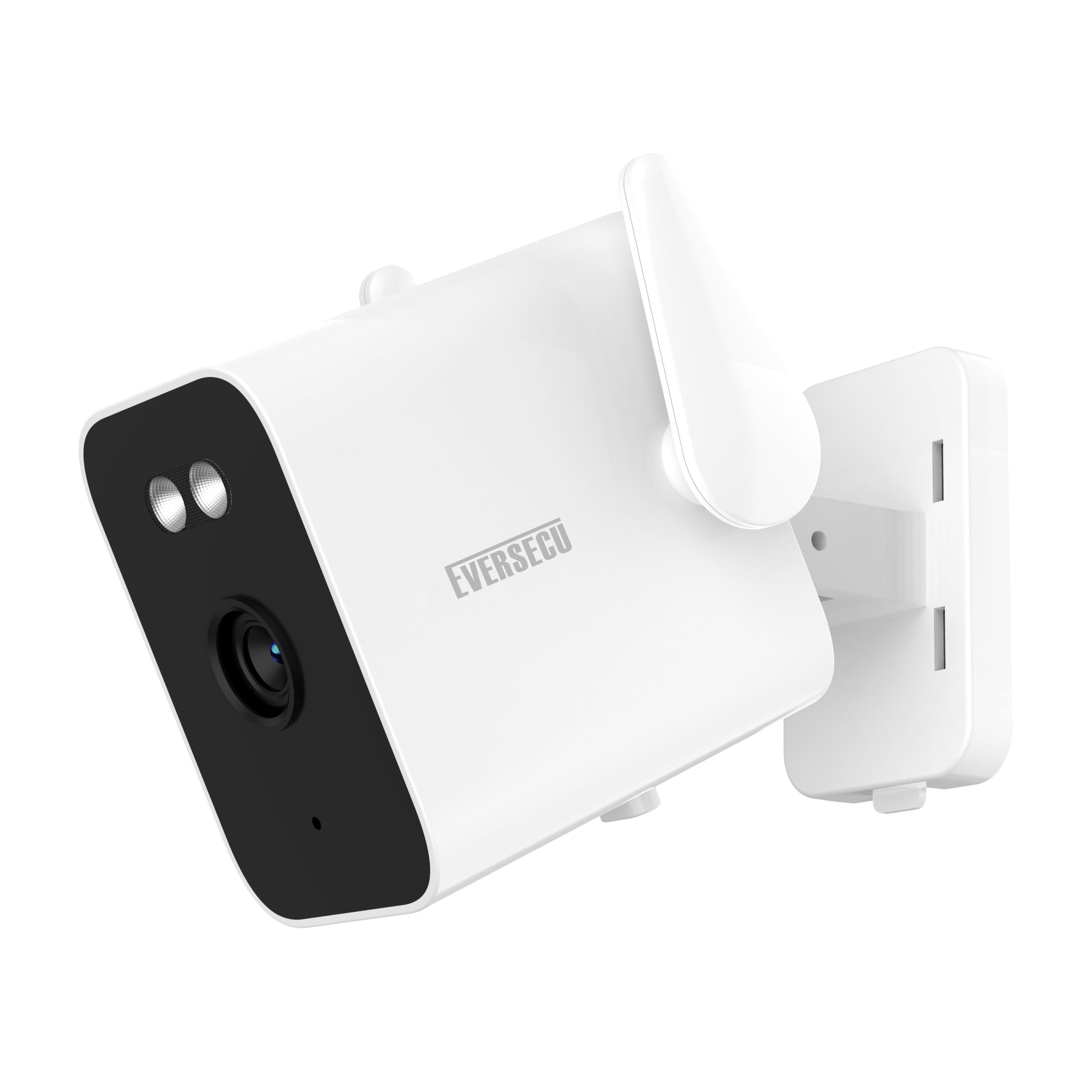
Image 1: EVERSECU Bullet Camera. This image shows the main unit of the EVERSECU Bullet Camera, typically including its lens and housing, ready for installation.
5. Operating the Camera
5.1 Live View
Open the EVERSECU app and select your camera from the device list to access the live video feed. You can view real-time footage from your camera.
5.2 Motion Detection and Alerts
The camera features a motion sensor. When motion is detected, the camera can send push notifications to your smartphone and begin recording. Adjust sensitivity settings within the app to minimize false alarms.
5.3 Night Vision
The camera is equipped with night vision capabilities (Night Color) to provide clear images in low-light conditions. This feature activates automatically.
5.4 Two-Way Audio
Utilize the two-way audio feature through the app to listen to the camera's surroundings and speak through the camera's speaker.
5.5 Recording and Storage
The camera supports local storage via a Micro SD card (up to 128GB, not included) and optional cloud storage services. Recordings are typically triggered by motion detection.
6. Maintenance
6.1 Cleaning
Wipe the camera lens and body with a soft, dry cloth. Do not use harsh chemicals or abrasive cleaners.
6.2 Battery Management
Recharge the camera battery when indicated by the app or when performance degrades. Battery life varies based on usage and environmental factors.
6.3 Firmware Updates
Periodically check the EVERSECU app for available firmware updates. Keeping your camera's firmware updated ensures optimal performance and access to new features.
7. Troubleshooting
- Camera not connecting to Wi-Fi:
- Ensure your Wi-Fi network is 2.4GHz. Check Wi-Fi signal strength at the camera's location. Restart your router and the camera. Re-attempt the pairing process.
- Frequent false alarms:
- Adjust the motion detection sensitivity settings within the EVERSECU app. Consider the camera's placement to avoid triggering by moving branches, shadows, or passing vehicles.
- Poor picture quality:
- Ensure the camera lens is clean. Check your internet connection speed. For night vision, ensure there are no obstructions blocking the infrared LEDs.
- No audio or poor audio quality:
- Check microphone and speaker settings in the app. Ensure there are no physical obstructions blocking the microphone or speaker on the camera.
- Battery not holding charge:
- Ensure you are using the correct 5V power adapter and USB cable. If the issue persists, contact customer support.
8. Specifications
| Feature | Detail |
|---|---|
| Brand | EVERSECU |
| Model | B07H66JSDL |
| Connectivity Technology | Wireless (Wi-Fi) |
| Indoor/Outdoor Usage | Indoor, Outdoor (IP65) |
| Special Features | Motion Sensor, Night Vision (Night Color) |
| Video Capture Resolution | 720p |
| Frame Rate | 25 fps |
| Field Of View | 130 Degrees |
| Battery Power | 3000 mAh |
| Power Source | Battery, 5V DC |
| Storage Options | Micro SD Card (up to 128GB), Cloud Storage |
| Compatible Devices | Smartphone (Android) |
| Mount Type | Wall Mount |
| UPC | 646690668054 |
9. Warranty and Support
For warranty information, technical support, or customer service inquiries, please refer to the official EVERSECU website or contact their customer support directly. Keep your purchase receipt for warranty claims.
Note: Product specifications and features are subject to change without prior notice.