
Introduction
Thank you for choosing the BOBLOV PD50 Body Camera. This manual provides detailed instructions for the setup, operation, and maintenance of your device. Please read this manual thoroughly before using the camera to ensure proper functionality and to maximize its performance.
The BOBLOV PD50 is a high-definition body-worn camera designed for various applications, featuring 1296P WDR recording, night vision capabilities, a wide-angle lens, and a durable design. It is equipped with a 2400mAh battery for extended recording times and supports a dashcam mode for vehicle use.
Package Contents
Please check the package contents upon unboxing to ensure all items are present:
- BOBLOV PD50 Body Camera (32GB internal memory)
- Shoulder Clip
- Belt Clip
- Charger (Power Adapter)
- USB Data Cable
- User Manual

Image: BOBLOV PD50 Body Camera and its included accessories.
Product Overview
Familiarize yourself with the various components and controls of your BOBLOV PD50 Body Camera:

Image: Detailed diagram of the BOBLOV PD50 Body Camera's components and controls.
- Microphone: Captures audio during recording.
- LED Light: Provides illumination.
- Charging Indicator: Shows charging status.
- Working Indicator: Indicates device operation status.
- Location Pointing Light: Laser pointer for aiming.
- IR Light: Infrared LEDs for night vision.
- Speaker: For audio playback.
- Reset Button: To reset the device.
- LCD Screen: Displays menu, live view, and playback.
- Menu Button: Accesses device settings.
- Playback/Confirm Button: Initiates playback or confirms selections.
- Return Button: Navigates back in menus.
- Video Recording Button: Starts/stops video recording.
- Audio Recording Button: Starts/stops audio recording.
- Up/Down Buttons: Navigate menu options.
- Photo Shooting Button: Captures still images.
- HDMI Port: For connecting to external displays.
- USB Port: For charging and data transfer.
- Power Switch: Turns the device on/off.
Setup
1. Charging the Battery
Before first use, fully charge the camera's battery. The 2400mAh battery supports approximately 6 hours of continuous 1080p recording. Using the original cable and 3.8V DC adapter, a full charge takes about 1 hour with Qualcomm Quick Charge 3.0 technology.
- Connect the USB data cable to the camera's USB port.
- Connect the other end of the USB cable to the provided charger.
- Plug the charger into a power outlet.
- The charging indicator will illuminate. It will turn off or change color once charging is complete.

Image: Charging the BOBLOV PD50 Body Camera.
2. Powering On/Off
To power on the camera, press and hold the Power Switch until the screen illuminates. To power off, press and hold the Power Switch again until the device shuts down.
3. Connecting to a Computer
The camera supports plug-and-play functionality with Windows 7/8/10 and Mac operating systems for easy data transfer.
- Ensure the camera is powered on.
- Connect the camera to your computer using the provided USB data cable.
- The camera will be recognized as a removable disk. You can then access and transfer recorded files.

Image: Connecting the BOBLOV PD50 Body Camera to a computer.
Operating Instructions
1. Video Recording
The camera supports 1296P, 1080P, and 720P HD resolutions with a 150-degree wide-angle lens and WDR for clear video capture.
- To start video recording, press the dedicated Video Recording button.
- The working indicator will change to indicate recording is in progress.
- To stop recording, press the Video Recording button again.
- You can select video resolution (1296P, 1080P, 720P) through the camera's menu settings.
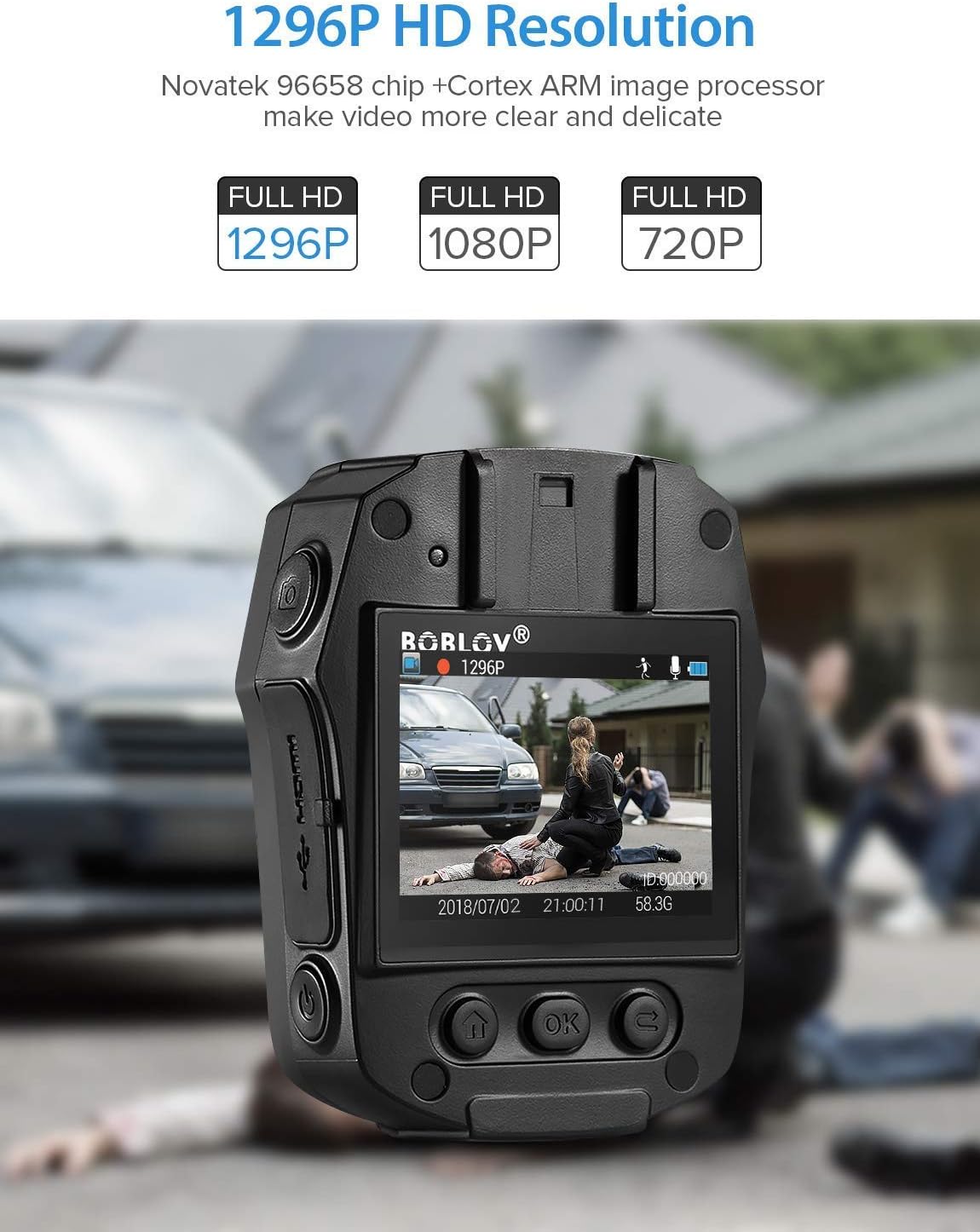
Image: High-definition video recording at 1296P resolution.

Image: The camera's 150-degree wide-angle lens capturing a broad field of view.
2. Audio Recording
To record audio only:
- Press the dedicated Audio Recording button to start.
- Press it again to stop.
3. Photo Shooting
To capture still images:
- Press the dedicated Photo Shooting button.
- The camera will capture a still image.
4. Night Vision (IR LED)
The camera features 850nm high-intensity dual infrared LEDs for night vision, allowing recording up to 30-40 feet in total darkness.
- To activate or deactivate IR night vision, press the IR Light button.
- The IR LEDs will illuminate when active.
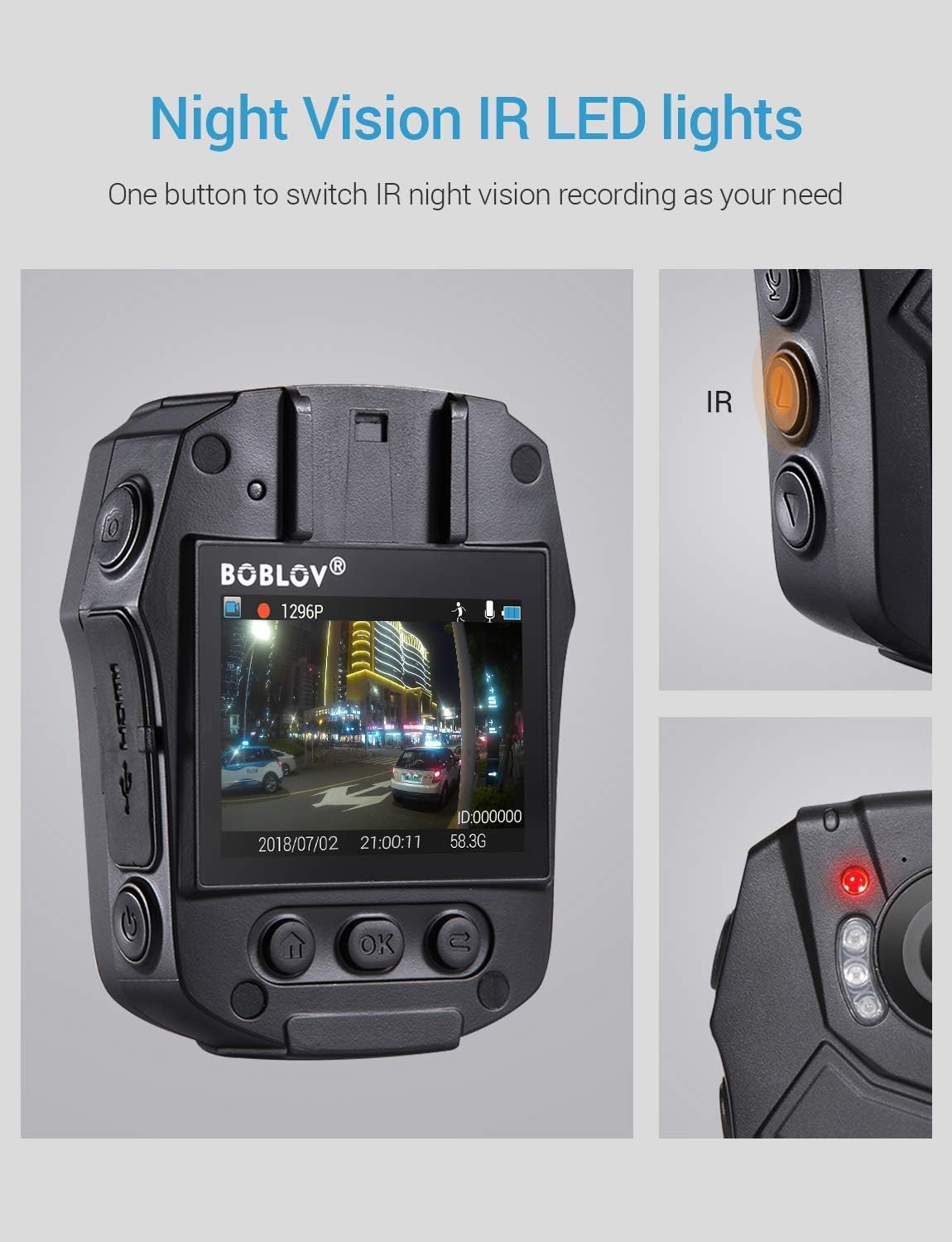
Image: Activating night vision with IR LED lights.
5. Dashcam Mode
In Dashcam mode, the camera automatically starts recording when powered on and saves videos when the engine is turned off (when connected to a vehicle's power supply).
- Enable Dashcam mode in the camera's menu settings.
- Mount the camera securely in your vehicle.
- Connect the camera to your vehicle's power supply.
6. Playback
To review recorded footage and photos:
- Press the Playback/Confirm button to enter playback mode.
- Use the Up/Down buttons to navigate through files.
- Press Playback/Confirm again to view a selected file.
- Press the Return button to exit playback mode.
7. Menu Navigation
To access and adjust camera settings:
- Press the Menu button to enter the settings menu.
- Use the Up/Down buttons to scroll through options.
- Press the Playback/Confirm button to select an option or enter a sub-menu.
- Press the Return button to go back to the previous menu or exit the menu.
Maintenance
1. Cleaning
Regularly clean the camera lens and body to ensure optimal performance. Use a soft, dry cloth for the body and a lens cleaning cloth for the lens. Avoid abrasive materials or harsh chemicals.
2. Storage
Store the camera in a cool, dry place away from direct sunlight and extreme temperatures. Ensure the battery is partially charged (around 50%) if storing for extended periods to prolong battery life.
3. Antivirus Protection
The camera features an antivirus design to detect and destroy viruses within the internal memory. Regularly check for firmware updates from the manufacturer to ensure the latest protection.
Troubleshooting
| Problem | Possible Cause / Solution |
|---|---|
| Camera does not power on. |
|
| Recording stops unexpectedly. |
|
| Poor video quality. |
|
| Computer does not recognize the camera. |
|
| Night vision not working. |
|
Specifications
| Feature | Detail |
|---|---|
| Control Chip | Novatek 96658 |
| CMOS Sensor | Sony IMX291 |
| Pixel | 32 MP |
| Video Recording Frame Rate | 30 FPS / 60 FPS |
| Video Recording Format | MOV / H.264 |
| Supported Audio Format | AAC |
| Synchronous Sound Recording | Supported |
| Screen | 2.0-inch High Definition LCD |
| Loop Video Recording | Supported |
| Internal Memory Capacity | 32 GB |
| Battery Capacity | 2400 mAh |
| Charging Time | Approx. 1 hour (Quick Charge 3.0) |
| Video Recording Duration | Approx. 6 hours (continuous 1080p) |
| Dashcam Mode | Supported |
| Special Features | Infrared Night Vision, LED Light Compensation, Laser Positioning, Portable |
| Product Dimensions (L x W x H) | 80 mm x 60 mm x 32 mm (Body only) |
| Main Body Weight | 112 g |
| Connectivity Technology | Wired (USB) |

Image: Compact size and lightweight design of the BOBLOV PD50 Body Camera.
Warranty and Support
For warranty information and technical support, please refer to the official BOBLOV website or contact their customer service directly. Keep your purchase receipt as proof of purchase for any warranty claims.
Note: Information regarding spare parts availability is currently unavailable.


