
1. Introduction
Thank you for choosing the Meike MK-GT620 2.4GHz Wireless Hot Shoe Flash Trigger Kit. This device is designed to provide stable and creative lighting control for your Nikon Digital SLR camera. It features a 2.4G wireless transmission system, offering a transmission distance of up to 100 meters and supporting various advanced flash functions. This manual will guide you through the setup, operation, and maintenance of your new flash trigger kit.
2. Package Contents
Please verify that all items are present in your package:
- 1 x MK-GT620 Trigger
- 1 x Hot Shoe Stand
- 1 x Pouch
- 1 x Instruction Manual
3. Product Overview
3.1 Key Features
- Built-in 2.4G wireless transmission with 100m range.
- Full support for TTL functions, including I-TTL II autoflash.
- High-speed sync up to 1/8000s.
- Flash exposure compensation (FEC) and flash exposure lock (FEL).
- Wireless remote control with three groups (A/B/C) system.
- Large and clear LCD panel for easy operation.
- LED focus assist light with 12 levels of brightness.
- Manual output from 1/128 to 1/1 in 1/3 stop increments.
- Zoom focal length adjustment from 18-200mm.
3.2 Components and Controls
Familiarize yourself with the main components of the MK-GT620 trigger:

Figure 1: Top view of the MK-GT620 trigger, highlighting the hot shoe and identification labels.

Figure 2: Front view of the MK-GT620 trigger, showing the LCD display and control buttons for settings adjustment.
- Hot Shoe Mount: For attaching to your camera's hot shoe.
- LCD Display: Shows current settings, group status, channel, and ID.
- Group (Gr) Button: Selects flash groups A, B, or C.
- Set Button: Confirms selections or enters setting menus.
- Mode (M) Button: Switches between TTL and Manual flash modes.
- 'i' (Info) Button: Accesses additional information or settings.
- Dial: Navigates menus and adjusts values.
- LED Focus Assist Light: Provides illumination for focusing in low light.
4. Setup
4.1 Battery Installation
The MK-GT620 trigger requires 2 x AA batteries (not included).
- Locate the battery compartment cover on the bottom of the trigger.
- Slide the cover open in the direction indicated by the arrow.
- Insert two AA batteries, ensuring correct polarity (+/-) as marked inside the compartment.
- Close the battery compartment cover securely.
4.2 Mounting the Trigger
The MK-GT620 can be mounted directly onto your camera's hot shoe or used off-camera with the included hot shoe stand.
- Ensure your camera is powered off.
- Slide the trigger's hot shoe mount fully into your camera's hot shoe.
- Tighten the locking wheel (if present) on the trigger to secure it in place.
- Alternatively, attach the trigger to the hot shoe stand for off-camera use.

Figure 3: Examples of trigger installation, including on-camera and in a 2.4G macro setup.
5. Operating Instructions
5.1 Power On/Off
To power on the trigger, slide the power switch to the 'ON' position. To power off, slide it to 'OFF'.
5.2 Wireless Transmission
The MK-GT620 utilizes a 2.4GHz wireless system for reliable communication with compatible flashes. Ensure your receiving flash units are set to the same channel and ID as the trigger.
5.3 Group and Channel Settings
The trigger supports 3 groups (A, B, C) and 16 channels with IDs from 0000-9999. This allows for flexible control over multiple flash units and helps avoid interference.
- Press the Gr button to cycle through groups A, B, C, or to select 'ALL' for controlling all groups simultaneously.
- Use the dial to adjust settings within the selected group.
- To change the channel or ID, navigate to the respective setting on the LCD using the dial and Set button.
5.4 TTL Functions
The MK-GT620 fully supports Nikon's I-TTL II autoflash system, providing automatic flash exposure control.
- Flash Exposure Compensation (FEC): Adjust the flash output from -3 to +3 stops in 1/3 stop increments.
- Flash Exposure Lock (FEL): Lock the flash exposure for consistent results in varying light conditions.
- High-Speed Sync (HSS): Achieve shutter speeds up to 1/8000s, allowing for wider apertures in bright conditions or freezing fast motion.
5.5 Manual Output (M Mode)
For precise control, switch to Manual (M) mode by pressing the Mode button. You can adjust the flash output from 1/128 to 1/1 power in 1/3 stop increments using the dial.
5.6 Zoom Focal Length Adjustment
The trigger allows adjustment of the flash's zoom focal length from 18mm to 200mm to match your lens, optimizing light coverage.
5.7 LED Focus Assist
The built-in LED focus assist light helps your camera achieve focus in low-light environments. It offers 12 levels of brightness adjustment.
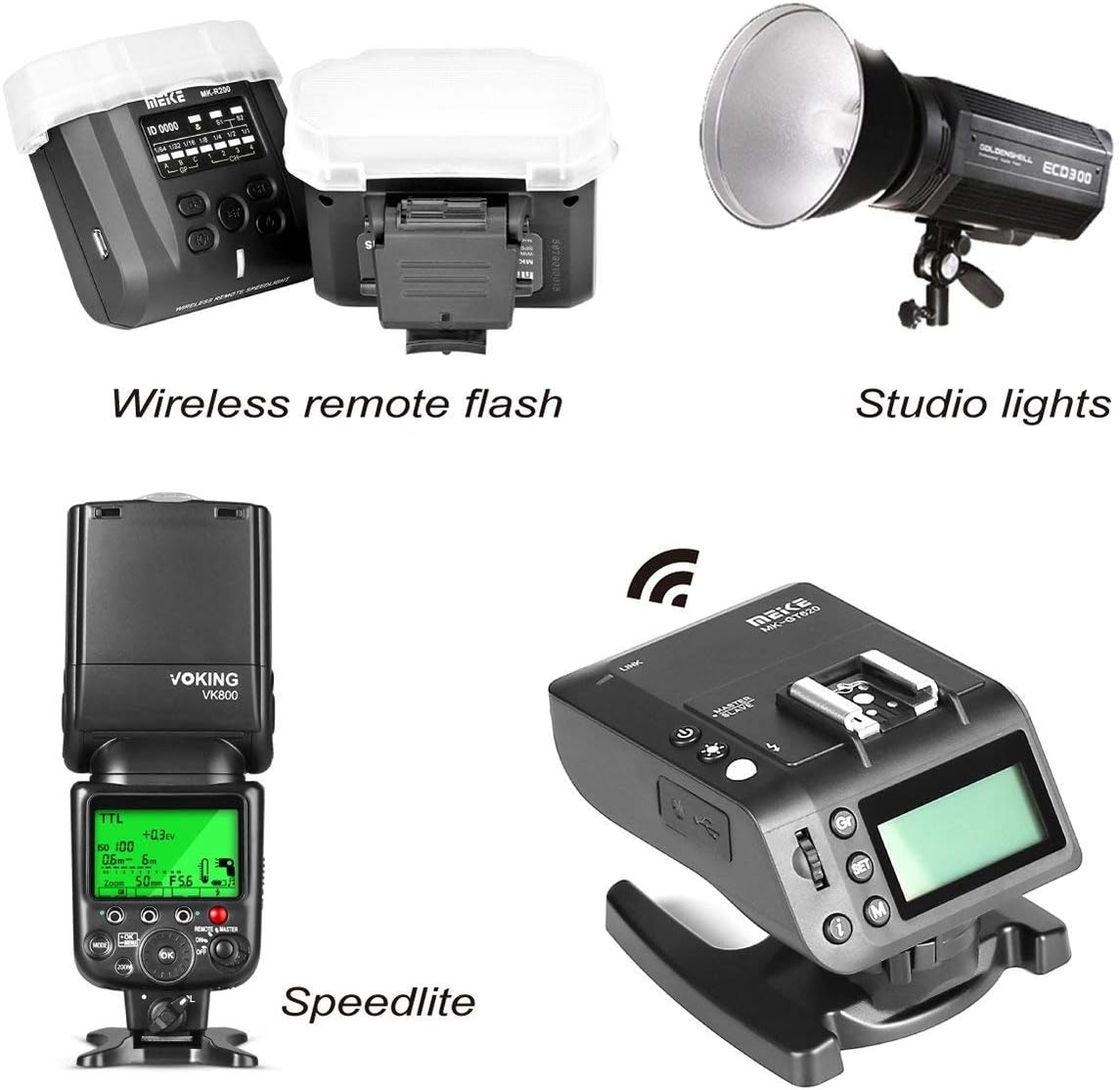
Figure 4: The MK-GT620 trigger can be used to control wireless remote flashes, studio lights, and speedlites.
6. Maintenance and Care
- Keep the device dry. Do not handle with wet hands or immerse in water.
- Clean the device with a soft, dry cloth. Do not use strong detergents or solvents.
- Avoid strong impacts or dropping the device.
- Store the device in a cool, dry place when not in use.
- Remove batteries if the device will not be used for an extended period to prevent leakage.
7. Troubleshooting
| Problem | Possible Cause | Solution |
|---|---|---|
| Trigger does not power on. | Batteries are dead or incorrectly inserted. | Replace batteries or check polarity. |
| Flash does not fire. | Incorrect channel/ID settings; Flash not powered on; Trigger not securely mounted. | Ensure trigger and flash have matching channel/ID. Power on flash. Re-mount trigger securely. |
| Inconsistent flash output. | Interference; Low battery on flash or trigger. | Change channel/ID. Replace batteries. |
| High-speed sync not working. | Camera or flash does not support HSS; HSS not enabled. | Check camera/flash compatibility. Ensure HSS is activated on both trigger and flash. |
8. Specifications
| Feature | Specification |
|---|---|
| Frequency | NRF24L01 2.4GHz |
| Channels/ID | 16 channels / ID 0000-9999 |
| Groups | 3 groups (A/B/C) |
| Battery | 2 x AA batteries |
| Highest Sync Speed | 1/8000 sec |
| Output Interface | 2.5 stereo interface, hot shoe trigger |
| Input Interface | USB port |
| Input Voltage | 2.4V-3.2V |
| LED Light Color Temperature | 5500K±200 Ra 90 |
| LED Focus Assist Power | 1.2~2W (12 levels brightness) |
| M Output | 1/128~1/1 (8 levels in 1/3 increments) |
| TTL Output Adjustment | ±3 level adjustment (in 1/3 increments) |
| Zoom Focal Length | 18-200mm (18, 20, 24, 28, 35, 50, 70, 85, 105, 120, 135, 180, 200mm) |
| Main Body Size | 63(L) x 84(W) x 53.6(H) mm |
| Antenna | Built-in PCB antenna |
| Operating Temperature | -15~65 ℃ |
| Storage Temperature | -30~85 ℃ |
9. Safety Information
- Do not attempt to disassemble or modify the device. This may cause damage and void the warranty.
- Keep the device away from strong magnetic fields.
- Avoid exposing the device to extreme temperatures or direct sunlight for prolonged periods.
- Dispose of batteries properly according to local regulations.
- This device is not waterproof. Protect it from rain, moisture, and splashes.
10. Customer Support
For technical support, warranty information, or service inquiries, please contact your retailer or the manufacturer directly. Please retain your proof of purchase for warranty claims.