
FOXBC FOX314TCT
FOXBC 3-1/4 Inch TCT Carbide Planer Blades Instruction Manual
Model: FOX314TCT
1. Introduction
Thank you for choosing FOXBC 3-1/4 Inch TCT Carbide Planer Blades. These high-quality replacement blades are designed to provide superior cutting performance and durability for a wide range of hand-held planers. This manual provides essential information for safe handling, installation, operation, and maintenance of your new planer blades.

Image 1: FOXBC 3-1/4 Inch TCT Carbide Planer Blades in their retail packaging.
2. Safety Information
Always prioritize safety when working with power tools and sharp objects. Failure to follow these safety guidelines may result in serious injury.
- Wear Personal Protective Equipment (PPE): Always wear safety glasses or goggles to protect your eyes from flying debris. Consider wearing hearing protection and work gloves.
- Disconnect Power: Before installing, removing, or performing any maintenance on planer blades, ensure the power tool is unplugged from the power source.
- Handle Blades Carefully: Planer blades are extremely sharp. Handle them by the non-cutting edges or wear cut-resistant gloves to prevent cuts.
- Inspect Blades: Before each use, inspect blades for any damage, chips, or cracks. Do not use damaged blades.
- Secure Installation: Ensure blades are correctly seated and securely fastened in the planer according to your planer's manufacturer instructions. Loose blades can be extremely dangerous.
- Keep Work Area Clear: Ensure your work area is clean, well-lit, and free of obstructions.
3. Product Overview & Features
FOXBC 3-1/4 Inch TCT Carbide Planer Blades are precision-engineered for optimal performance in various hand-held planers. They are made from Tungsten Carbide Tipped (TCT) material, offering enhanced durability and sharpness compared to standard blades.
- Material: TCT (Tungsten Carbide Tipped) for extended life and sharper cuts.
- Dimensions: 82x29x3mm (3-1/4 inch).
- Design: Double-edged for reversible use, extending blade life.
- Packaging: Supplied in a protective plastic case for safe storage and transport.


Product Features Video
Video 1: This video demonstrates the physical characteristics and sharpness of the FOXBC 3-1/4 Inch TCT Carbide Planer Blades, showing their design and material quality.
4. Compatibility
These FOXBC 3-1/4 Inch TCT Carbide Planer Blades are designed as direct replacements for a variety of popular hand-held planer models. Please verify your planer's specifications before purchase and installation.
Compatible Models Include:
- Makita: 1900B, N1900B, KP0800K, KP0810, 1100, 1902, 1923B, 1923H, KP0800, XPK01Z, XPK02Z (All 3.25” Planers)
- DeWalt: D26676, DW6655, DW677, 678, 680K
- Bosch: 1594, PA1205
- Ryobi: Most Hand-Held Planer models
- And other hand-held planers requiring 3-1/4 inch (82mm) blades.

Image 4: Visual representation of blade compatibility with different planer brands.
5. Setup and Installation
Blade installation procedures vary slightly between planer models. Always refer to your specific planer's instruction manual for detailed steps. The following is a general guide:
- Disconnect Power: Unplug the planer from the power outlet.
- Access Blade Drum: Locate and open the blade drum cover on your planer. This usually involves loosening screws or latches.
- Remove Old Blades: Carefully loosen the blade clamping screws that hold the old blades in place. Use appropriate tools (e.g., hex wrench, screwdriver) as specified by your planer's manual. Remove the old blades, handling them with extreme caution.
- Clean Blade Seat: Thoroughly clean the blade seat and chip deflector area to remove any sawdust, resin, or debris. A clean surface ensures proper blade alignment and prevents vibration.
- Install New Blades: Insert the new FOXBC planer blades into the blade drum. Ensure the cutting edge is facing the correct direction and the blade is properly seated in its slot. Many planers have alignment pins or jigs to assist with this.
- Secure Blades: Tighten the blade clamping screws evenly and securely. Do not overtighten. Ensure both ends of the blade are at the same height relative to the planer base.
- Close Cover: Close and secure the blade drum cover.
- Test Run: Plug in the planer and perform a brief test run on a scrap piece of wood to ensure proper operation and cut quality. Listen for unusual noises or vibrations.

Image 5: Proper handling of a planer blade, emphasizing safety during installation.
6. Operating Instructions
These blades are designed to work with your existing hand-held planer. Always follow the operating instructions provided by your planer's manufacturer. General tips for optimal performance include:
- Proper Depth Setting: Adjust the planing depth according to the material and desired finish. Avoid taking excessively deep cuts, especially on hard materials, to prolong blade life.
- Consistent Feed Rate: Maintain a steady and consistent feed rate to achieve a smooth finish and prevent blade overload.
- Grain Direction: Always plane with the grain of the wood to minimize tear-out and achieve the best results.
- Avoid Obstructions: Ensure the workpiece is free of nails, screws, staples, or other foreign objects that can damage the blades.
7. Maintenance
Proper maintenance extends the life and performance of your FOXBC planer blades.
- Cleaning: After each use, disconnect the planer from power and clean any sawdust or resin buildup from the blades and blade drum using a brush or compressed air. Resin buildup can reduce cutting efficiency.
- Storage: Store blades in their original protective plastic case when not in use. This prevents accidental damage to the cutting edges and protects against corrosion.
- Sharpening: TCT blades can be resharpened by a professional sharpening service. Do not attempt to sharpen them with standard sharpening tools, as this can damage the carbide tips.
- Rotation: These blades are double-edged. When one edge becomes dull, you can reverse the blade to use the fresh cutting edge. Ensure both blades are reversed simultaneously to maintain balance.

Image 6: FOXBC planer blades stored securely in their protective plastic case.
8. Troubleshooting
If you encounter issues with your planer's performance after installing new blades, consider the following common problems and solutions:
| Problem | Possible Cause | Solution |
|---|---|---|
| Rough or uneven finish | Dull or damaged blades; improper blade height; debris on blade seat. | Replace or reverse blades; ensure blades are set to correct height; clean blade seat thoroughly. |
| Excessive vibration or noise | Unbalanced blades; loose blades; damaged blade drum. | Ensure both blades are installed correctly and are identical; tighten blade clamping screws; inspect planer for damage. |
| Blades chipping prematurely | Hitting foreign objects (nails, knots); excessive depth of cut; planing against grain. | Inspect workpiece for obstructions; reduce depth of cut; plane with the wood grain. |
9. Specifications
Detailed specifications for FOXBC 3-1/4 Inch TCT Carbide Planer Blades:
- Blade Material: Tungsten Carbide Tipped (TCT)
- Dimensions (L x W x T): 82mm x 29mm x 3mm (3-1/4 inch x 1.14 inch x 0.12 inch)
- Quantity: Set of 2 blades
- Weight: Approximately 2.82 ounces per set
- Part Number: FOXBC-3 1/4
- Model Number: FOX314TCT


10. Warranty and Support
FOXBC is committed to providing high-quality products. For any questions regarding product compatibility, installation, or performance, please contact FOXBC customer support.
- Manufacturer: FOXBC
- Website: www.foxbc.com (Refer to the product packaging for the most current website or contact information.)
- Warranty: Please refer to the FOXBC official website or product packaging for specific warranty terms and conditions.
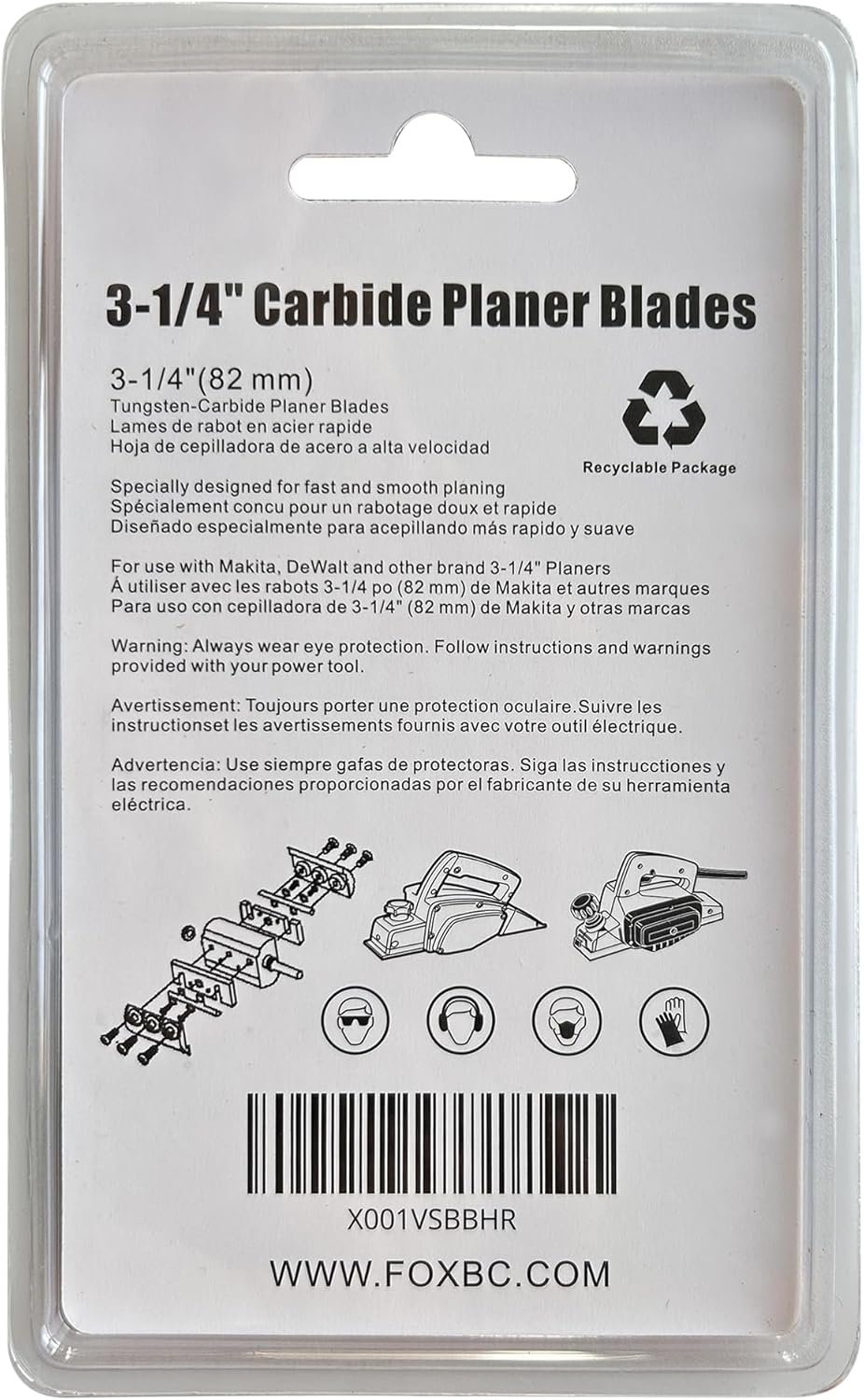
Image 9: Back of the product packaging, showing additional information and the manufacturer's website.
Ask a question about this manual
Ask about setup, troubleshooting, compatibility, parts, safety, or missing instructions. Manuals+ will review the question and use this page’s manual context to help answer it.