Introduction
The Elechomes UC5501 is a versatile 6-liter ultrasonic humidifier designed to improve air quality and comfort in various environments. It features both warm and cool mist options, intelligent humidity control, and a quiet sleep mode, making it suitable for homes, bedrooms, nurseries, and even for plant care.
Key Features
- 6 Liter Capacity: Large tank and 360° adjustable dual nozzles for humidifying up to 750 sq ft, providing up to 60 hours of continuous operation.
- Suitable for Home, Baby and Plants: Balances air quality for healthier skin, better sleep for babies, and thriving plants.
- Enhanced Sleep Mode: Operates quietly with the LED screen off to ensure undisturbed sleep.
- Ultrasonic Cool & Warm Mist: Offers both cool mist for breathability and warm mist for extra heat and comfort during colder months.
- Intelligent Humidity Sensor: Automatically adjusts to your room environment to maintain desired humidity levels.

Image: The Elechomes UC5501 Humidifier, showcasing its sleek black design, digital display, and included remote control.
Setup Guide
Unpacking and Placement
- Carefully remove all components from the packaging.
- Place the humidifier on a flat, stable, and water-resistant surface. Ensure it is away from direct sunlight, heat sources, and electronic devices.
- Maintain a distance of at least 6 inches (15 cm) from walls and other objects to allow for proper mist dispersion.
Filling the Water Tank
- Remove the water tank from the base of the humidifier.
- Invert the water tank and unscrew the water tank cap.
- Fill the tank with clean, cool tap water. Distilled or demineralized water is recommended to prevent mineral buildup and white dust, especially in hard water areas.
- Securely screw the water tank cap back on.
- Place the filled water tank back onto the humidifier base, ensuring it is properly seated.

Image: A visual comparison illustrating the 6L capacity of the Elechomes humidifier against a smaller 3L model, emphasizing its extended runtime and higher mist output.
Operating Instructions
Control Panel and Remote Control
The Elechomes UC5501 can be operated using the touch-sensitive control panel on the front of the unit or via the included remote control.
- ON/OFF Button: Powers the unit on or off.
- Max/Min Button: Adjusts mist output levels.
- Timer Button: Sets an automatic shut-off timer.
- Humidity Button: Sets the desired humidity level.
- Sleep Button: Activates sleep mode, turning off the LED display and reducing operational noise.
- Heating Button: Toggles between cool mist and various warm mist levels.

Image: A user comfortably operating the humidifier with the remote control, demonstrating ease of use from a distance.
Mist Modes and Humidity Control
The humidifier offers both cool and warm mist options, along with an intelligent humidity sensor to maintain optimal room conditions.
- Cool Mist: Provides a refreshing mist for general humidification.
- Warm Mist: Heats the mist for added comfort, especially in colder environments. There are multiple heating levels available.
- Automatic Humidity Control: The built-in sensor detects the current room humidity and adjusts the mist output to reach and maintain your set humidity level.
- 360° Dual Nozzles: The mist nozzles can be rotated independently to direct mist in two different directions, ensuring even distribution.

Image: Icons illustrating the humidifier's 360-degree dual nozzles, warm mist, and cool mist capabilities.
Sleep Mode
Activate Sleep Mode for ultra-quiet operation and to turn off the LED display, ensuring a peaceful environment for sleep. Note that some warm mist settings may require the display to remain on.

Image: The humidifier in sleep mode, indicating its low noise level (below 32dB) and the ability to turn off the LED display for undisturbed rest.
Maintenance and Cleaning
Regular cleaning is essential to ensure optimal performance and hygiene of your humidifier.
Daily Maintenance
- Empty and rinse the water tank and water basin daily.
- Allow all parts to air dry before refilling.
Weekly Cleaning
- Unplug the humidifier and remove the water tank.
- Pour out any remaining water from the tank and water basin.
- To clean the water tank: Fill the tank halfway with water and add 2 tablespoons of white vinegar. Shake vigorously and let it sit for 30 minutes. Rinse thoroughly with clean water.
- To clean the water basin and nebulizer: Gently wipe the water basin and the nebulizer (the small disc that produces mist) with a soft cloth dampened with white vinegar. Rinse with clean water. Do not submerge the base in water.
- Use the provided cleaning brush to remove any mineral buildup in hard-to-reach areas.
- Allow all parts to dry completely before reassembling.
Filter Maintenance
While a filter is not included with the unit, Elechomes offers optional filters that can be attached to the water tank cap. These are particularly useful in areas with hard water to reduce mineral buildup and white dust. Replace filters as recommended by the manufacturer.
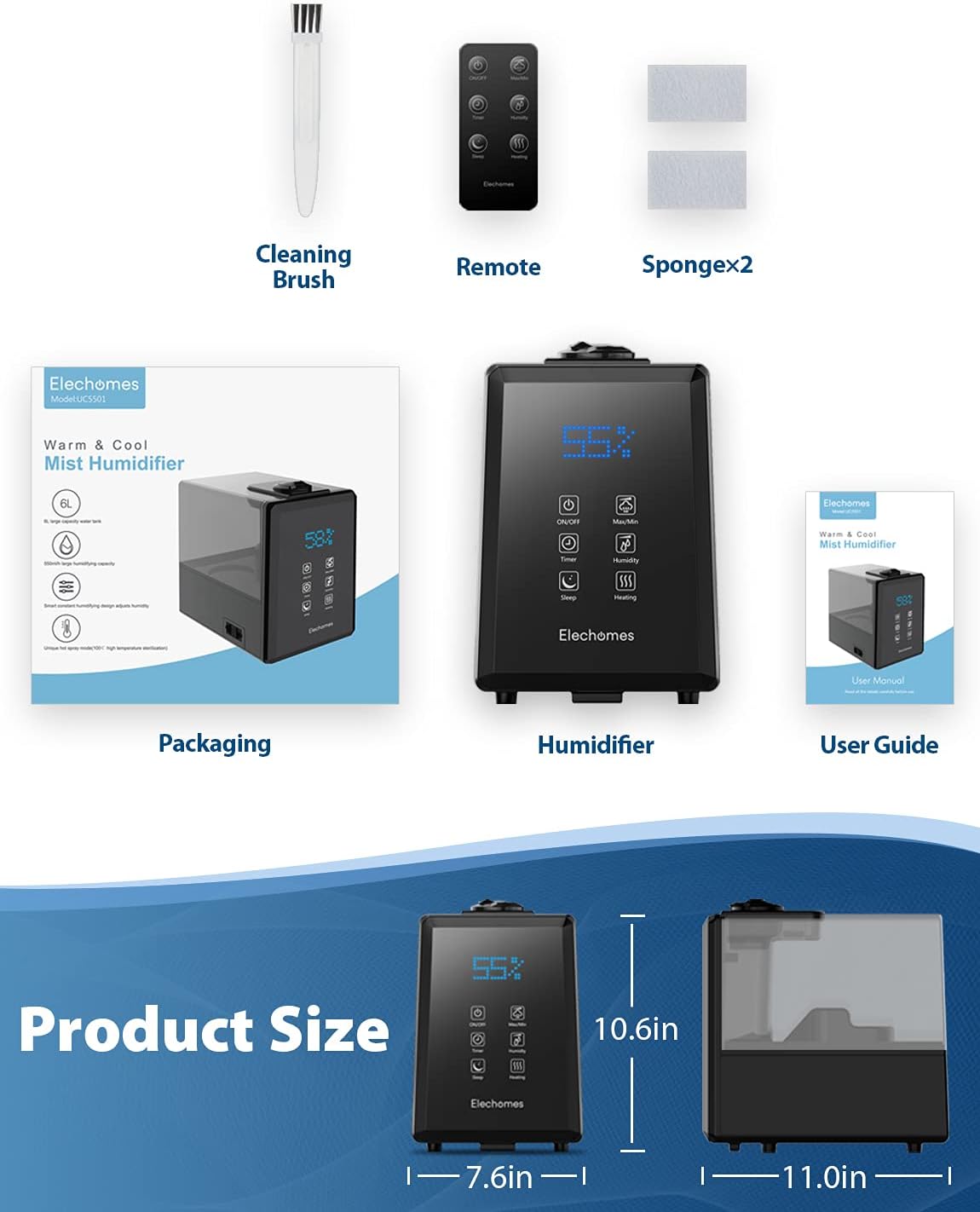
Image: The accessories included with the humidifier, such as the cleaning brush, remote control, and extra sponges.
Troubleshooting
| Problem | Possible Cause | Solution |
|---|---|---|
| No mist or low mist output | Low water level; Mineral buildup on nebulizer; Air outlet blocked. | Refill water tank; Clean the nebulizer and water basin; Ensure air outlet is clear. |
| Water leakage | Water tank cap not secured; Tank not properly seated; Damaged tank. | Ensure tank cap is tightly screwed; Reseat the water tank firmly on the base; Contact customer support if tank is damaged. |
| White dust around humidifier | Hard water used. | Use distilled or demineralized water; Consider using an optional demineralization filter. |
| Inaccurate humidity reading | Sensor obstructed or unit placed too close to a wall/object. | Ensure proper air circulation around the unit; Note that built-in hygrometers may vary slightly from external ones. |
Product Specifications
- Brand: Elechomes
- Model Name: UC5501
- Capacity: 6 Liters
- Operation Mode: Ultrasonic
- Floor Area Coverage: Up to 750 Square Feet
- Special Features: Adjustable Humidity Control, Humidity Sensor, LED Touchscreen, Large Water Tank, Remote Control
- Color: Black
- Product Dimensions: 11.61"D x 11.02"W x 7.67"H
- Item Weight: 5.07 Pounds
- Voltage: 120 Volts
- Wattage: 280 watts
- Control Method: Remote
- Included Components: Cleaning Brush, Remote Control, User Manual
- ASIN: B07H2529KP
- UPC: 192242241577
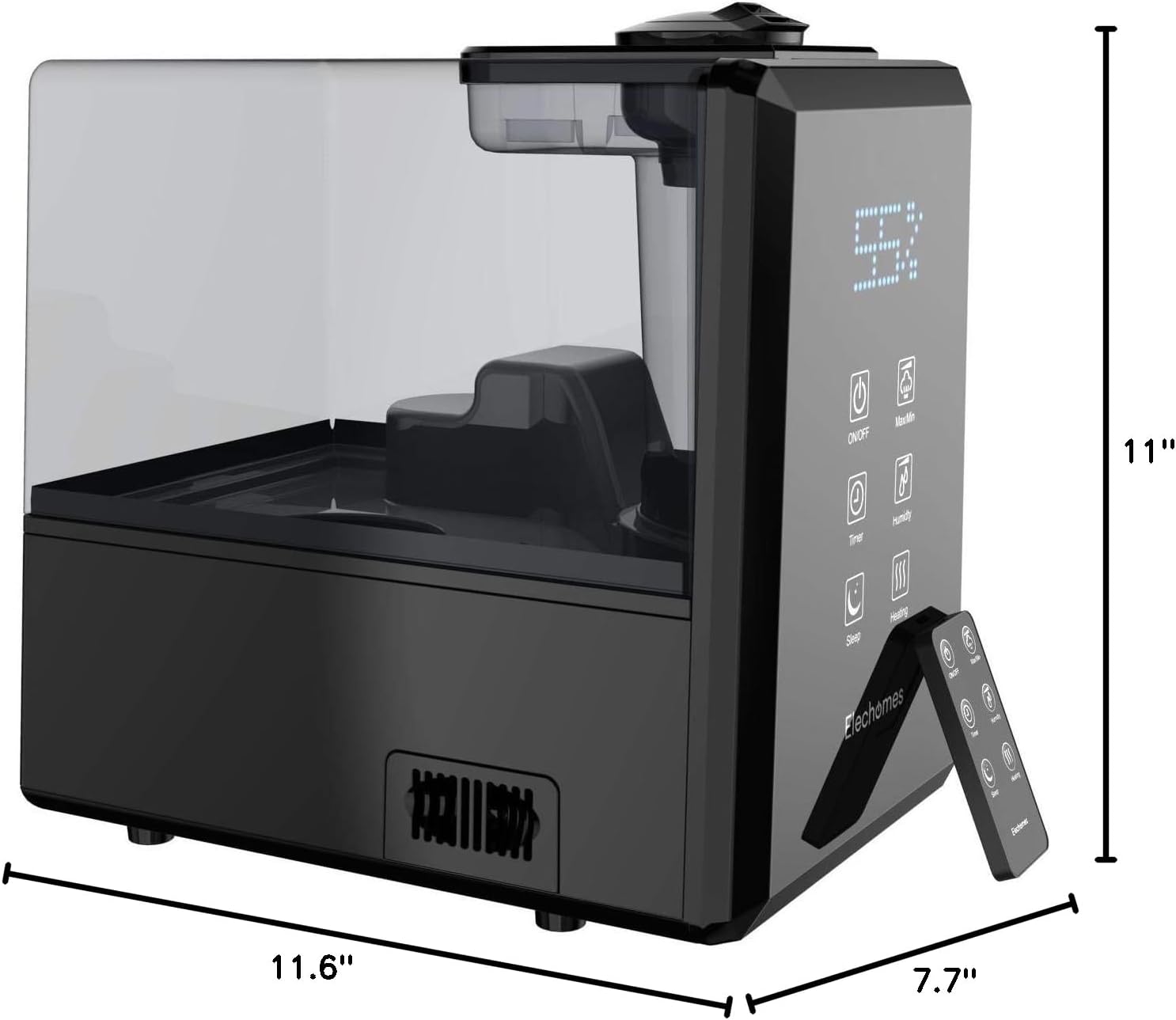
Image: Detailed product dimensions for the Elechomes UC5501 humidifier.
Warranty and Support
For warranty information and customer support, please refer to the official user manual included with your product or visit the Elechomes official website.
A digital version of the user manual is available here.