
Introduction
The Aqua Lung i770R Wrist Dive Computer is designed for advanced divers seeking cutting-edge technology and ease of use. Featuring a high-visibility TFT color screen and a three-button interface, this dive computer provides crucial information such as depth, dive time, PSI, and gas time remaining at a glance. It supports up to four Nitrox mixes and offers hoseless gas integration when paired with an Aqua Lung Transmitter. Divers can wirelessly connect the i770R to their iOS or Android devices via the DiverLog+ App to manage settings, view logbook data, and share dive experiences. The device also includes a 3-axis full tilt compass and a quick-charge USB cable, allowing up to 40% battery recharge within 15 minutes.
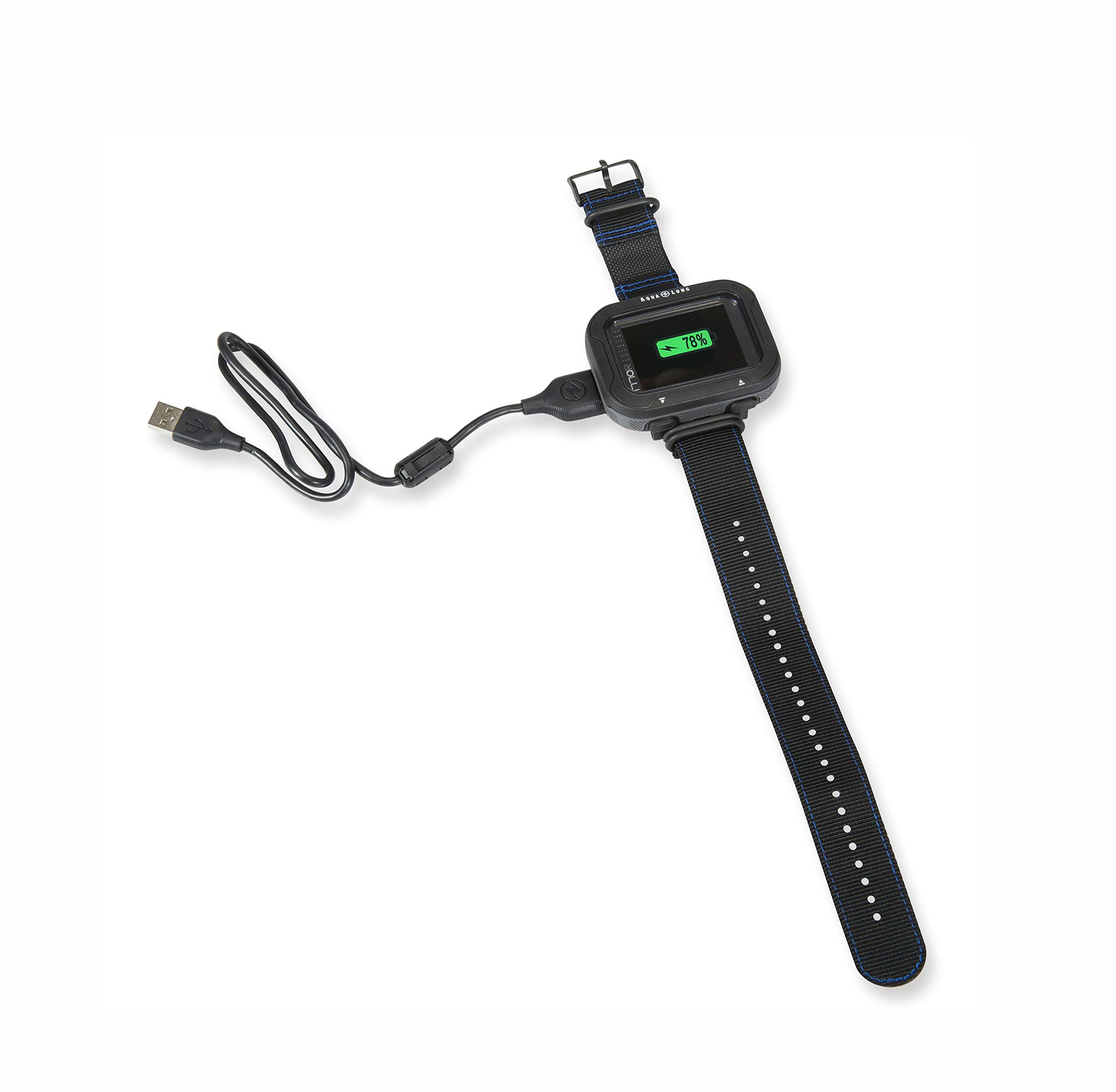
Image: The Aqua Lung i770R Dive Computer, showcasing its vibrant TFT color display with essential dive data.
What's in the Box
Upon unboxing your Aqua Lung i770R Dive Computer, verify that all components are present:
- Aqua Lung i770R Dive Computer
- USB Cable for charging and data transfer
- Wrist strap (for securing the computer to your arm)
- Screen protector (pre-applied or included as spare)
- Small tool kit (for strap attachment/replacement)
- Quick Start Guide and Safety Information
- Quality Assurance Checklist
Setup
- Initial Charge: Connect the i770R to a power source using the provided USB cable. A 15-minute charge can provide up to 40% battery life. Ensure the device is fully charged before its first use.
- Strap Attachment: If not already attached, use the included tool kit to securely fasten the wrist strap to the dive computer. Ensure the pins are fully inserted and locked into place.
- Transmitter Pairing (Optional): For hoseless gas integration, pair your Aqua Lung Transmitter with the i770R. This pairing is a one-time process and remains active for future dives. Refer to the full manual for detailed pairing instructions.
- DiverLog+ App Connection: Download the DiverLog+ App from your device's app store (iOS or Android). Enable Bluetooth on your smartphone and the i770R. Follow the in-app instructions to wirelessly connect your dive computer. This allows for settings control, logbook management, and data sharing.
- Initial Settings: Power on the device by pressing the appropriate button. Navigate through the initial setup menu to configure basic settings such as units of measurement (metric/imperial), time, date, and gas mixes.
Operating the Dive Computer
The i770R features an intuitive three-button interface and a high-visibility TFT color screen for clear data presentation.
- Screen Display: The TFT color screen displays critical dive information including current depth, total dive time, tank pressure (PSI, with optional transmitter), and remaining gas time.
- Navigation: Use the three buttons to navigate through menus, select options, and adjust settings. Typically, one button serves as a 'Menu' or 'Enter' function, while others allow scrolling or selection.
- Gas Management: The computer can manage up to four different Nitrox gas mixes, allowing for advanced dive planning and execution.
- Safety Features: Audible alarms and color-changing segments provide immediate warnings for rapid ascent, decompression limits, and other critical dive parameters. The Automatic Safety Stop Countdown is displayed in minutes and seconds.
- Altitude Adjustment: The i770R automatically adjusts its calculations for altitude, ensuring accurate dive profiles in various environments.
- Pre-Dive Planning: Utilize the pre-dive planning feature to simulate and review planned dives, optimizing safety and enjoyment.
- Digital Compass: A 3-axis full tilt compass with reciprocal heading helps maintain orientation underwater.
- DiverLog+ App Integration: After your dive, sync your i770R with the DiverLog+ App to review your logbook, analyze dive profiles, add notes and photos, and share your experiences.
Maintenance
Proper maintenance ensures the longevity and reliability of your Aqua Lung i770R Dive Computer.
- Cleaning: After each dive, rinse the computer thoroughly with fresh water to remove salt, sand, and other debris. Allow it to air dry completely before storage.
- Charging: Regularly charge the rechargeable lithium battery using the provided USB cable. Avoid overcharging or completely draining the battery for extended periods.
- Storage: Store the dive computer in a cool, dry place away from direct sunlight and extreme temperatures. Use the protective case provided to prevent scratches and impacts.
- Screen Protection: Apply the included screen protector to prevent scratches on the display. Replace it if it becomes damaged or worn.
- Firmware Updates: Periodically check for firmware updates via the DiverLog+ App or the Aqua Lung website to ensure your computer has the latest features and bug fixes.
Troubleshooting
If you encounter issues with your Aqua Lung i770R Dive Computer, consider the following common solutions:
- Device Not Powering On: Ensure the battery is sufficiently charged. Connect the USB cable and allow it to charge for at least 15 minutes before attempting to power it on again.
- Display Issues: If the screen is dim or unresponsive, check the battery level. If fully charged, try a soft reset (refer to the full manual for instructions).
- Connectivity Problems (Bluetooth/Transmitter): Ensure Bluetooth is enabled on both the computer and your mobile device. For transmitter issues, verify the transmitter is active and within range. Re-pairing the devices might resolve the issue.
- Inaccurate Readings: Ensure the computer's settings (e.g., units, gas mixes) are correctly configured for your dive. If issues persist, consult the full user manual or contact Aqua Lung customer support.
For more detailed troubleshooting steps, refer to the comprehensive user manual available on the Aqua Lung website or contact their customer support.
Specifications
| Feature | Detail |
|---|---|
| Model Name | Aqualung i770R Computer with USB Cable |
| Display Type | High-visibility TFT Color Screen |
| Dimensions (Computer) | Approx. 3 x 2 inches (7.6 x 5 cm) |
| Item Weight | 0.8 Pounds (approx. 0.36 kg) |
| Battery Type | Rechargeable Lithium Battery |
| Charging | USB Cable (40% charge in 15 minutes) |
| Gas Capability | Up to four Nitrox mixes |
| Connectivity | Bluetooth (for DiverLog+ App), Hoseless Gas Pressure Transmission |
| Compass | 3-axis Full Tilt Compass with Reciprocal Heading |
| Safety Features | Audible Alarms, Color-Changing Segments, Automatic Safety Stop Countdown |
| Altitude Adjustment | Automatic |
| Pre-Dive Planning | Included feature |
Warranty and Support
The Aqua Lung i770R Dive Computer is covered by a standard manufacturer warranty. For specific details regarding the warranty period, coverage, and terms, please refer to the warranty card included in your product packaging or visit the official Aqua Lung website.
For technical assistance, service, or any questions not addressed in this manual, please contact Aqua Lung customer support or an authorized Aqua Lung dealer. Contact information can typically be found on the Aqua Lung website or in your product documentation.


