
1. Introduction
This manual provides instructions for the safe and efficient operation of your IRIS USA WOOZOO PCF-C18T Oscillating Vortex Fan. Please read this manual thoroughly before use and retain it for future reference.

Image 1.1: Front view of the IRIS USA WOOZOO PCF-C18T Oscillating Vortex Fan with its remote control.
2. Safety Information
To reduce the risk of fire, electric shock, or injury, observe the following safety precautions:
- Always unplug the fan from the power outlet before cleaning or performing any maintenance.
- Do not use the fan near water or in wet locations.
- Keep fingers and other objects away from the fan blades and openings.
- Do not operate the fan with a damaged cord or plug. If the cord or plug is damaged, contact customer support.
- This fan is for indoor use only. Do not use outdoors.
- Ensure the fan is placed on a stable, flat surface to prevent tipping.
- Do not cover the fan or obstruct its airflow during operation.
3. Package Contents
Verify that all items are present in the package:
- IRIS USA WOOZOO PCF-C18T Oscillating Vortex Fan Unit
- Remote Control
- User Manual (this document)
4. Product Features
The IRIS USA WOOZOO PCF-C18T fan is designed to provide efficient air circulation with multiple customizable settings.
- Multidirectional Oscillation: The fan can oscillate horizontally up to 90° and vertically up to 75°, or both simultaneously, to distribute air throughout the room.
- Remote Control: A full-feature remote allows convenient adjustment of all settings from a distance.
- Timer Function: Set the fan to automatically turn off after 1, 2, or 4 hours.
- 3 Speed Settings: Choose from three distinct fan speeds to suit your comfort level.
- Natural Breeze Mode: This mode varies the fan speed intermittently to simulate a natural outdoor breeze.
- Air Circulation: Capable of circulating air up to 74 feet and providing coverage for areas up to 275 square feet.

Image 4.1: Illustration of the fan's ability to circulate air throughout a room.
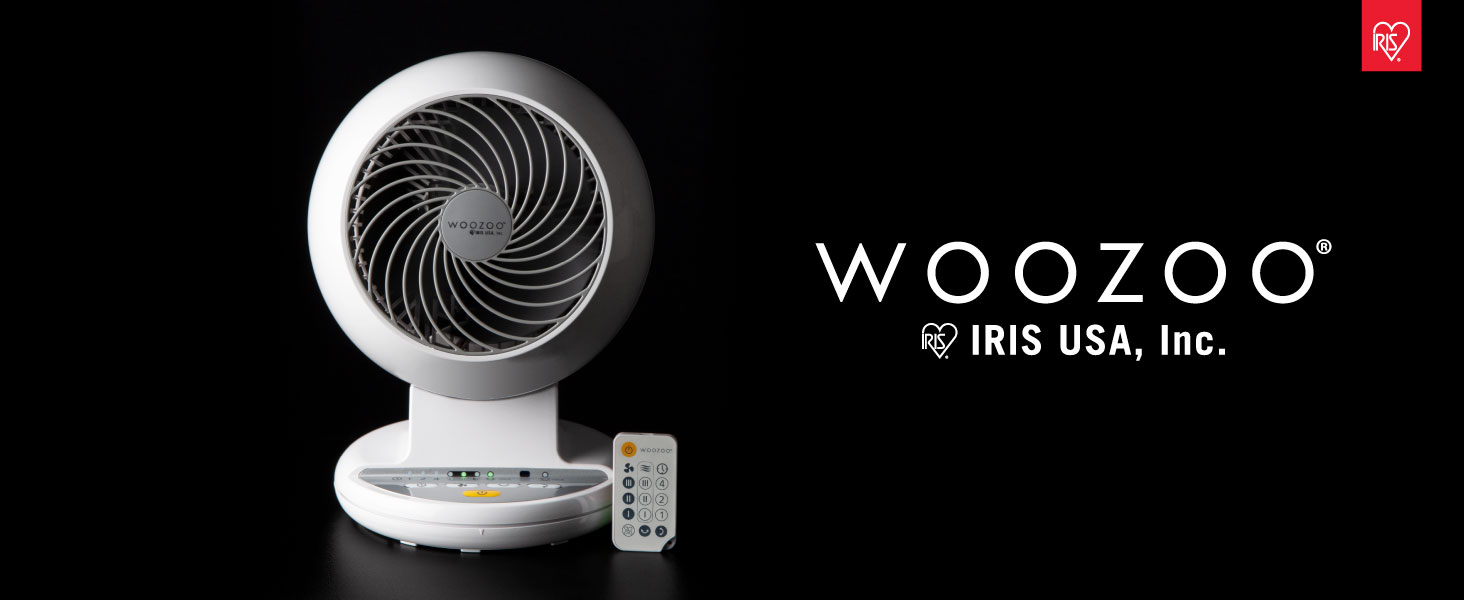
Image 4.2: Diagram illustrating the fan's total room coverage and maximum air distance.
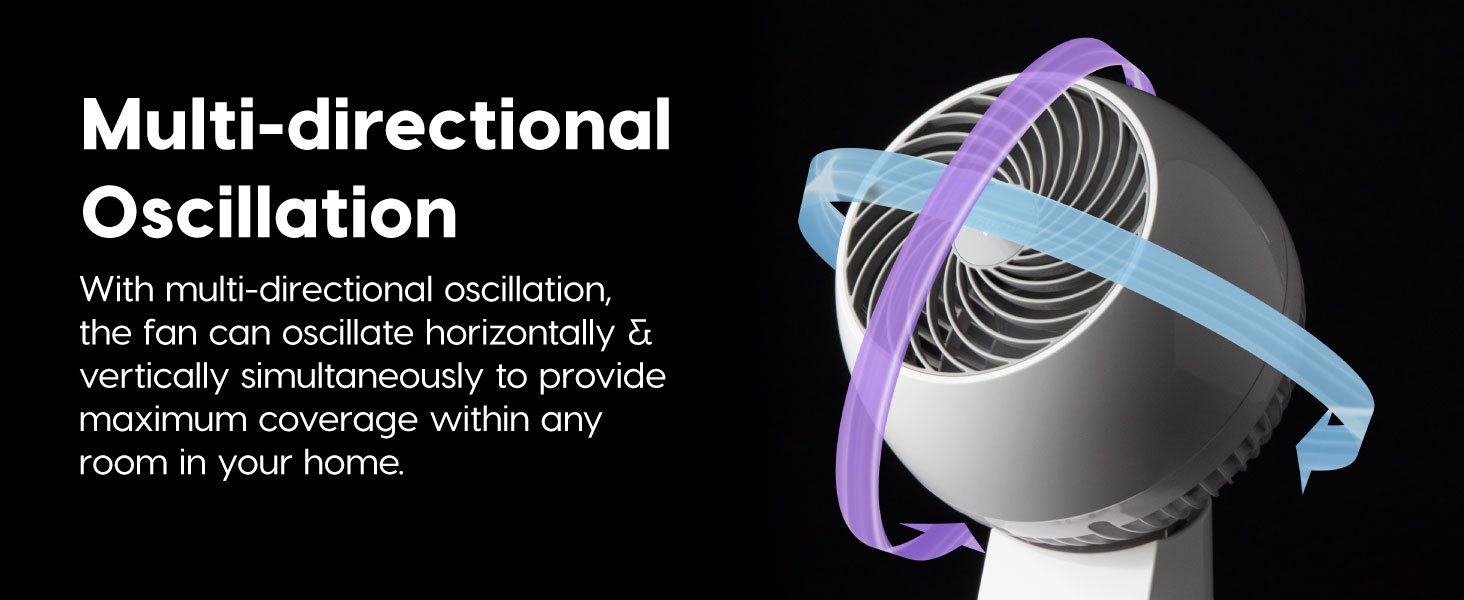
Image 4.3: Exploded view highlighting the internal components designed for optimal airflow.
5. Setup
The IRIS USA WOOZOO PCF-C18T fan requires no assembly.
- Placement: Place the fan on a stable, flat surface in your desired location. Ensure there is adequate space around the fan for optimal airflow and oscillation.
- Power Connection: Plug the power cord into a standard 120V AC electrical outlet.

Image 5.1: The fan positioned on a desk, illustrating typical placement.

Image 5.2: The fan in a living room environment, demonstrating versatile placement options.
6. Operation
The fan can be operated using the control panel on the unit or the included remote control.
6.1 Control Panel

Image 6.1: Detailed view of the fan's control panel buttons and indicators.
6.2 Remote Control

Image 6.2: A hand holding the remote control, showing its compact design.
Image 6.3: Diagram illustrating the various functions controlled by the remote.
6.3 Functions
- Power On/Off: Press the power button (U) to turn the fan on or off.
- Speed Settings: Press the fan speed button (III) to cycle through the 3 speed levels (I, II, III).
- Natural Breeze Mode: Press the natural breeze button (~) to activate this mode. The fan speed will vary to mimic natural wind. Press again to deactivate.
- Oscillation:
- Press the horizontal oscillation button (~) to activate 90° horizontal oscillation.
- Press the vertical oscillation button (~) to activate 75° vertical oscillation.
- Press both buttons to activate multi-directional oscillation.
- Timer: Press the timer button (O) repeatedly to set the auto-off timer for 1, 2, or 4 hours. The corresponding indicator light will illuminate.

Image 6.4: Graph illustrating the varying RPM pattern of the Natural Breeze mode.

Image 6.5: Visual representation of the available timer settings.
7. Maintenance and Cleaning
Regular cleaning helps maintain the fan's performance and extends its lifespan.
- Always unplug the fan before cleaning.
- Wipe the exterior of the fan lightly using a soft, dry cloth.
- For hard-to-remove dirt, dampen a soft cloth with a diluted neutral detergent. Wipe the surface and then dry thoroughly with a clean, dry cloth.
- Do not use abrasive cleaners, solvents, or harsh chemicals, as these may damage the fan's finish.
- Do not immerse the fan in water or allow water to drip into the motor housing.
8. Troubleshooting
If you encounter issues with your fan, refer to the following common problems and solutions:
| Problem | Possible Cause | Solution |
|---|---|---|
| Fan does not turn on. | No power supply. | Ensure the power cord is securely plugged into a working outlet. Check the circuit breaker. |
| Fan does not oscillate. | Oscillation function not activated. | Press the horizontal or vertical oscillation button on the control panel or remote. |
| Remote control is not working. | Batteries are dead or incorrectly inserted. | Replace the remote control batteries (if applicable, battery type not specified in data). Ensure batteries are inserted with correct polarity. |
| Weak airflow. | Fan speed is too low; obstructed intake/output. | Increase the fan speed. Ensure there are no obstructions blocking the fan's intake or output grilles. |
If the problem persists after attempting these solutions, please contact customer support.
9. Specifications
| Feature | Specification |
|---|---|
| Brand | Iris Ohyama |
| Model Name | PCF-C18T |
| Item Model Number | 586806 |
| Color | White |
| Electric Fan Design | Table Fan |
| Power Source | Corded Electric |
| Product Dimensions (D x W x H) | 8.98" x 9.84" x 13.19" |
| Item Weight | 5.29 Pounds |
| Wattage | 72 watts |
| Voltage | 120V |
| Control Method | Remote |
| Indoor/Outdoor Usage | Indoor |
| Assembly Required | No |
| UPC | 762016474588 |

Image 9.1: Size comparison of WOOZOO fan models, including the PCF-C18T.
10. Warranty and Support
For warranty information, please refer to the documentation included with your product packaging or visit the official Iris Ohyama website. For further assistance or technical support, please contact Iris Ohyama customer service.
You can also refer to the official Instructions for Use (IFU) PDF document for additional details: Instructions for Use (PDF)

