
1. Introduction
This manual provides comprehensive instructions for the Armitron Sport Unisex Digital Chronograph Silicone Strap Watch, Model 40/8423. This digital watch features a quartz movement and a multifunctional display, designed for active individuals requiring reliable timekeeping and additional functions.
Key features include a digital display for time, seconds, and day, a chronograph, lap time, alarm, military time option, and a backlight for low-light conditions. The watch is water-resistant to 165 feet (50 meters).

Front view of the Armitron Sport Digital Chronograph Watch, showcasing the digital display and button labels.
2. Watch Overview and Button Functions
Familiarize yourself with the watch's buttons and their primary functions:
- ADJ (Adjust) Button: Used to enter and exit setting modes, and to confirm selections.
- MODE Button: Cycles through different modes (Time, Chronograph, Alarm).
- START/STOP Button: Used to start and stop the chronograph, and to increment values during setting.
- EL (Electroluminescent) Button: Activates the backlight for approximately three seconds.
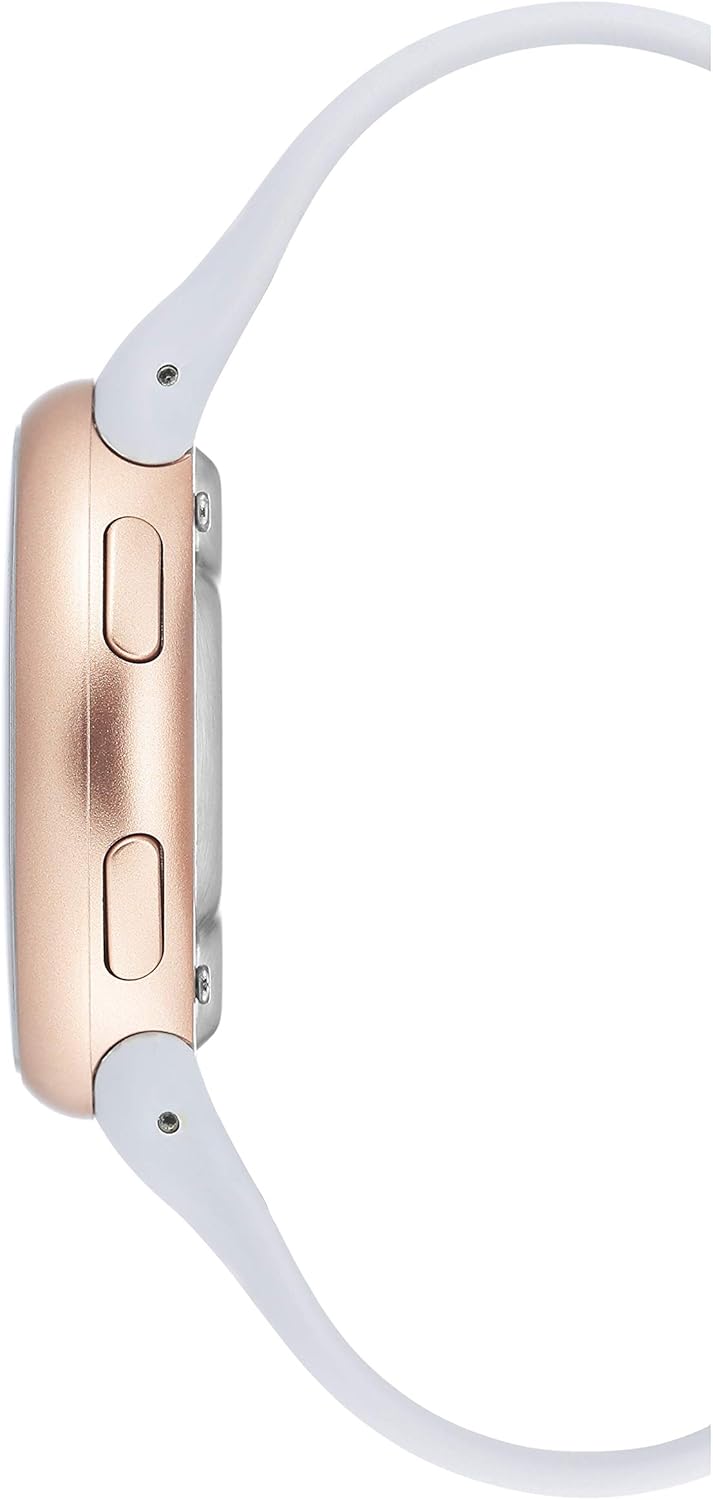
Side view of the watch, highlighting the ADJ and MODE buttons on the left, and START/STOP and EL buttons on the right.
3. Setup and Initial Configuration
3.1 Setting Time and Date
- In Time Mode, press and hold the ADJ button until the seconds begin to flash. This indicates you are in setting mode.
- Press the MODE button to cycle through the settings: Seconds → Hours → Minutes → Year → Month → Day.
- Use the START/STOP button to adjust the flashing value. For seconds, pressing START/STOP will reset them to zero.
- Once all values are set, press the ADJ button to exit the setting mode.
3.2 12/24-Hour Format
While in Time Mode, press the START/STOP button to toggle between 12-hour (AM/PM indicator) and 24-hour (military time) formats.
4. Operating Functions
4.1 Chronograph (Stopwatch)
- From Time Mode, press the MODE button once to enter Chronograph Mode. The display will show '0:00:00'.
- Press START/STOP to begin timing.
- Press START/STOP again to pause the timer. Press it once more to resume.
- To reset the chronograph, ensure it is paused, then press the ADJ button.
4.2 Alarm Setting
- From Time Mode, press the MODE button twice to enter Alarm Mode.
- Press and hold the ADJ button until the alarm hours begin to flash.
- Use the START/STOP button to adjust the hours. Press MODE to switch to minutes.
- Use the START/STOP button to adjust the minutes.
- Press the ADJ button to confirm the alarm time and exit setting mode.
- To activate/deactivate the alarm, in Alarm Mode, press the START/STOP button. An alarm icon will appear/disappear on the display.
4.3 Backlight
Press the EL button at any time to illuminate the display for approximately three seconds, enhancing visibility in low-light conditions.


The Armitron Sport watch worn on a wrist, demonstrating its size and appearance during use.
5. Maintenance
5.1 Water Resistance
This watch is water-resistant to 165 feet (50 meters). This rating means it is suitable for short periods of recreational swimming. It is not recommended for diving, snorkeling, or high-impact water sports. Avoid pressing buttons while the watch is submerged in water to prevent water ingress.

Water Resistance Chart illustrating the capabilities of different water resistance ratings, including 50M (165FT) for swimming.
5.2 Cleaning
Clean the watch case and silicone strap with a soft, damp cloth. Avoid using harsh chemicals or abrasive materials, as these can damage the watch's finish or strap material.
5.3 Battery Replacement
The watch uses 1 Lithium Metal battery (included). When the display becomes dim or functions are erratic, the battery may need replacement. Battery replacement should ideally be performed by a qualified watch technician to ensure water resistance is maintained.
6. Troubleshooting
- Incorrect Time/Date: Refer to Section 3.1 for detailed instructions on setting the time and date. Ensure all values are correctly adjusted and confirmed.
- Display is Dim: Press the EL button to activate the backlight. If the display remains consistently dim even with the backlight, the battery may be low and require replacement.
- Buttons Unresponsive: Ensure no debris is obstructing the buttons. Press firmly but gently. If issues persist, contact customer support.
7. Specifications
- Model Number: 40/8423
- Movement: Quartz
- Display: Digital Multifunctional LCD
- Case Diameter: 43.5mm
- Water Resistance: 165 feet (50M)
- Strap Material: Silicone
- Battery: 1 Lithium Metal (included)
8. Official Product Video
Watch this video for a visual overview of the Armitron Sport Digital Chronograph Watch, Model 40/8423.
This video provides a detailed look at the features and design of the Armitron Sport Unisex Digital Chronograph Watch.
9. Warranty and Support
Armitron watches are manufactured to high standards and come with a limited warranty covering manufacturing defects. For specific warranty details, service inquiries, or additional support, please refer to the warranty card included with your purchase or visit the official Armitron website. You can also visit the Armitron Store on Amazon for more product information.


