
1. Introduction
The Gain Express HTM-238 is a compact, handheld digital meter designed for accurate measurement of both humidity and temperature. It features a dual LCD display with backlight for clear readings in various environments. This device is suitable for a wide range of applications including agriculture, meteorology, household use, laboratories, warehouses, and air conditioning systems.
The meter is equipped with a high-precision sensor for quick response and stable performance, offering MAX/MIN measurements and data hold functions. Its portable design allows for easy carrying and use anywhere.

The HTM-238 meter is versatile for use in offices, schools, homes, and storage facilities.
2. Product Overview
2.1 Components

Front and back view of the HTM-238 meter, highlighting its key components: the sensor, MAX button, Power ON/OFF button, LCD display, mounting point, and battery compartment.
- Sensor: Located at the top, responsible for detecting humidity and temperature.
- Power ON/OFF Button: Used to turn the device on or off.
- MAX Button: Toggles between MAX/MIN readings and data hold.
- LCD Display: Shows current humidity and temperature readings.
- Battery Compartment: Located on the back for battery installation.
2.2 Key Features
- Dual display for simultaneous temperature and humidity readings.
- Compact and lightweight design for portability.
- 3.7cm LCD screen with backlight for clear visibility.
- Simple two-button operation.
- High precision sensor for quick and accurate measurements.
- MAX/MIN measurement and data hold functions.
- Low battery indication.
- Automatic shutdown when not in use.

An overview of the HTM-238's features, including its dual display, MAX/MIN readings, portability, temperature units, low battery indication, simple operation, high precision, backlight, and wide measuring range.
3. Setup
3.1 Unboxing
Upon opening the package, ensure all components are present:
- 1 x Gain Express HTM-238 Humidity & Temperature Meter
- 1 x Instruction Manual
- 1 x 9V Battery
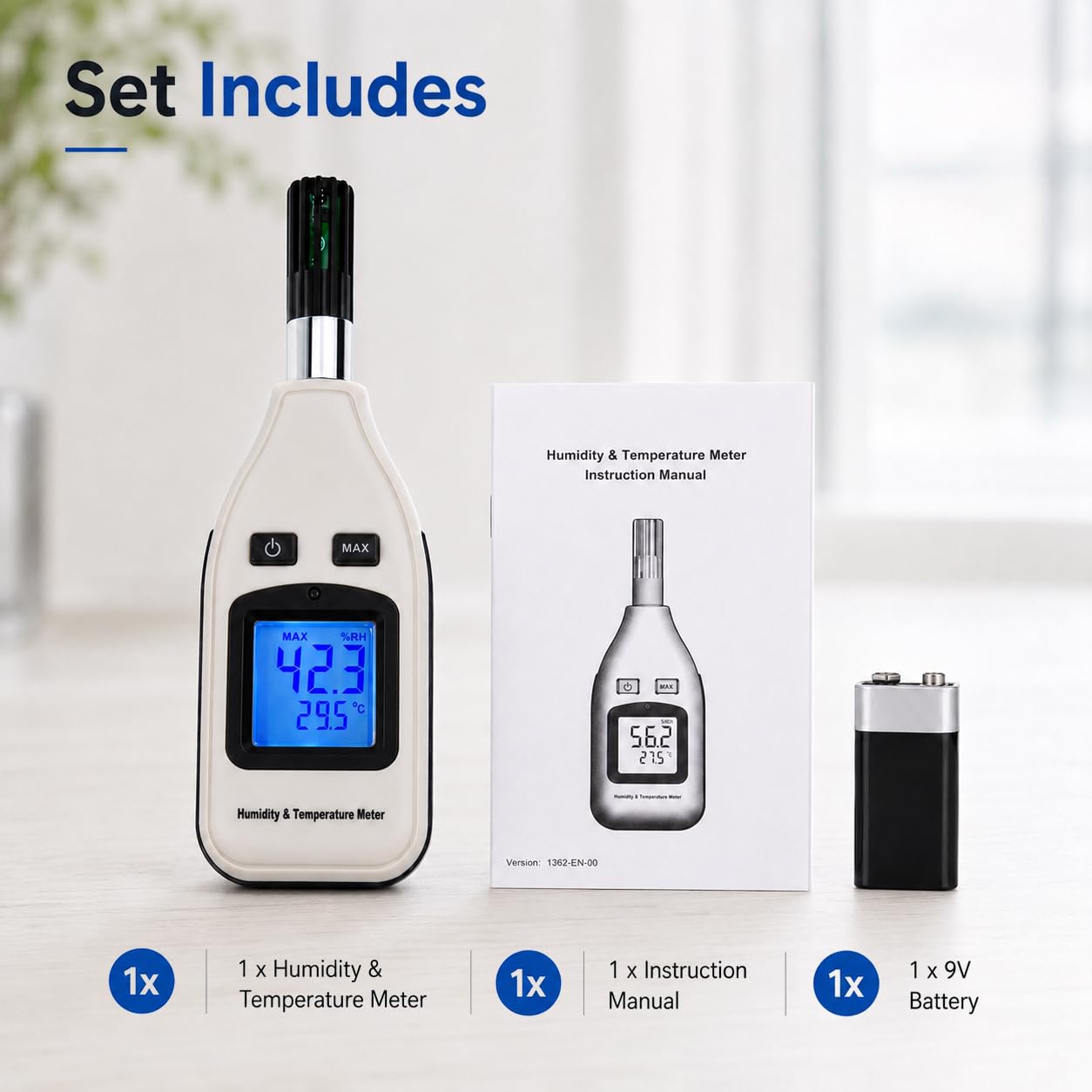
The complete set includes the HTM-238 meter, its instruction manual, and a 9V battery.
3.2 Battery Installation
- Locate the battery compartment on the back of the meter.
- Slide the battery compartment cover downwards to open it.
- Connect the provided 9V battery to the battery connector, observing polarity.
- Place the battery into the compartment.
- Slide the battery compartment cover back into place until it clicks securely.

The HTM-238 is powered by a 9V battery, easily accessible via the rear compartment. Its compact design allows it to fit conveniently into a pocket.
4. Operating Instructions
4.1 Power On/Off
Press the Power ON/OFF button (⏻) to turn the meter on. Press and hold the same button for approximately 2 seconds to turn the meter off. The device will automatically shut down after a period of inactivity to conserve battery life.
4.2 Taking Measurements
Once powered on, the meter will immediately begin displaying current humidity (%RH) and temperature (°C/°F) readings on the LCD. Ensure the sensor at the top of the device is exposed to the environment you wish to measure.

The meter features a dual display, showing humidity (top) and temperature (bottom) readings concurrently.
4.3 Switching Temperature Units (°C/°F)
With the meter powered on, briefly press the Power ON/OFF button (⏻) to toggle between Celsius (°C) and Fahrenheit (°F) temperature units.
4.4 MAX/MIN and Data Hold Function
Press the MAX button to cycle through different display modes:
- Current Reading: Default display.
- MAX: Displays the maximum temperature and humidity recorded since the meter was turned on or reset.
- MIN: Displays the minimum temperature and humidity recorded since the meter was turned on or reset.
- HOLD: Freezes the current readings on the display. Press MAX again to exit HOLD mode and return to current readings.
To reset MAX/MIN values, press and hold the MAX button for approximately 2 seconds while in MAX or MIN display mode.

The display can show the maximum recorded values, minimum recorded values, or hold the current readings.
4.5 Backlight
The LCD display features a backlight for improved visibility in low-light conditions. The backlight activates automatically when the meter is turned on and will turn off automatically after a short period of inactivity to save power.

The clear LCD display with backlight ensures readings are easily visible.
5. Specifications
| Parameter | Value |
|---|---|
| Temperature Range | -30°C to 70°C (-22°F to 158°F) |
| Temperature Accuracy | ±1°C (-30-0°C), ±0.5°C (0-70°C) |
| Temperature Resolution | 0.1°C / 0.2°F |
| Humidity Range | 0% to 100% RH |
| Humidity Accuracy | ±4.5% (0-20% RH), ±3% (20-80% RH), ±4.5% (80-100% RH) |
| Humidity Resolution | 0.1% RH |
| Sampling Rate | 2.5 times/second |
| Power Supply | 9V Battery |
| LCD Diameter | 3.7 cm |
| Item Dimensions (W x H) | 5.98"W x 2.17"H (approx. 15.2 x 5.5 cm) |
| Item Weight | 0.18 kg |

A visual representation of the HTM-238's technical specifications.
6. Maintenance
- Cleaning: Wipe the meter with a soft, dry cloth. Do not use abrasive cleaners or solvents.
- Storage: When not in use for extended periods, remove the battery to prevent leakage. Store the device in a cool, dry place away from direct sunlight and extreme temperatures.
- Sensor Care: Avoid touching the sensor directly or exposing it to harsh chemicals, as this can affect accuracy.
- Battery Replacement: Replace the 9V battery when the low battery indicator appears on the display.
7. Troubleshooting
| Problem | Possible Cause | Solution |
|---|---|---|
| Meter does not power on | Dead or incorrectly installed battery | Check battery polarity or replace with a new 9V battery. |
| Inaccurate readings | Sensor obstruction or damage; extreme environmental conditions; meter not stabilized | Ensure sensor is clean and unobstructed. Allow meter to stabilize in the environment for a few minutes. Avoid using in conditions outside specified ranges. |
| Display is dim or blank | Low battery | Replace the 9V battery. |
| Buttons unresponsive | Temporary software glitch | Remove and reinsert the battery to perform a hard reset. |
8. Official Product Video
Official product video demonstrating the features and applications of the Gain Express Handheld Digital Humidity & Temperature Meter.
9. Warranty and Support
Gain Express products are designed for reliability and performance. For specific warranty information, please refer to the documentation included with your purchase or contact Gain Express customer support directly. Keep your purchase receipt as proof of purchase for any warranty claims.
For technical assistance or inquiries, please visit the official Gain Express website or contact their customer service department.