
1. Introduction
This manual provides essential instructions for the safe and effective use of your Kircuit AC/DC Adapter. Please read this manual thoroughly before using the product and retain it for future reference. This adapter is designed to provide reliable power to compatible electronic devices.
Key Features:
- Input: 100V-240V AC, suitable for global travel.
- Built-in Dynamic IC, Charger IC, and Power fuse for rapid charging and overcharge protection.
- High-quality construction for durability and safety.
2. Safety Information
To ensure safe operation and prevent damage, please observe the following precautions:
- Do not expose the adapter to water, moisture, or extreme temperatures.
- Avoid dropping or subjecting the adapter to strong impacts.
- Do not attempt to disassemble or modify the adapter. This will void the warranty and may cause electric shock or fire.
- Ensure the adapter's output voltage and current match your device's requirements before connecting.
- Unplug the adapter from the wall outlet when not in use for extended periods.
- Keep out of reach of children.

Image: Built-in Safety Protections. The Kircuit adapter incorporates multiple safety features to protect against common electrical hazards.
3. Setup
Follow these steps to set up your Kircuit AC/DC Adapter:
- Verify Compatibility: Confirm that the adapter's output specifications (voltage and current) and connector type (DC barrel plug) match your device's power input requirements.
- Connect to Device: Insert the DC barrel plug of the adapter firmly into the power input port of your electronic device.
- Connect to Power Outlet: Plug the AC prongs of the adapter into a standard wall power outlet (100V-240V AC).
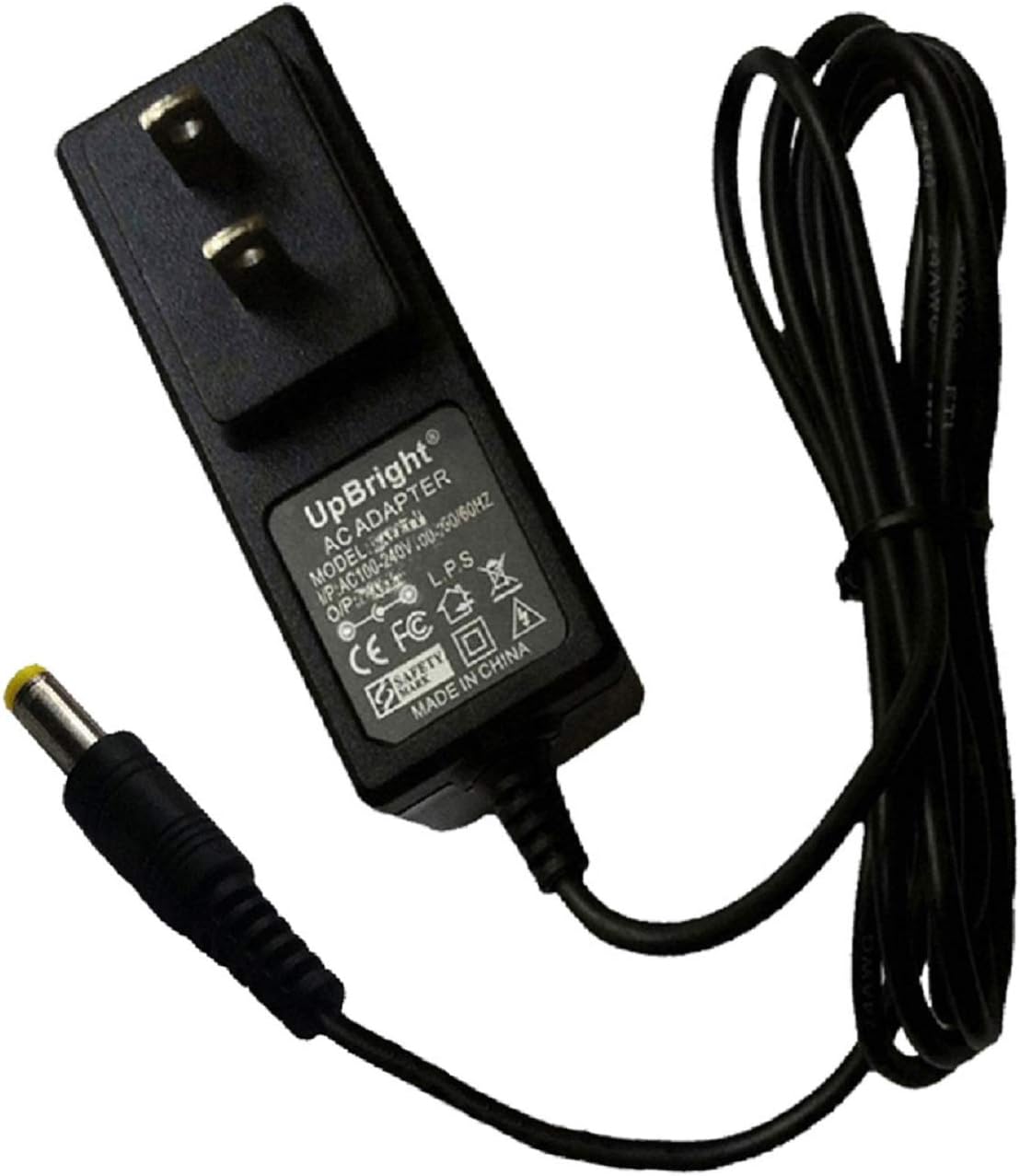
Image: Kircuit AC/DC Adapter. This image shows the adapter unit with its integrated power cable and DC barrel connector.
4. Operation
Once connected, the adapter will begin supplying power to your device. Most devices will indicate charging status through an LED light or on-screen display. The adapter is designed for continuous use within its specified limits.
For international travel, ensure you have the correct regional plug adapter if the included prongs do not fit the local outlets. The product may include various outlet adapters (AU, EU, UK) depending on the package contents.

Image: International Plug Adapters. This image displays various regional plug adapters (AU, EU, UK) that may be included for international compatibility.
5. Maintenance
Proper maintenance ensures the longevity and performance of your adapter:
- Cleaning: Disconnect the adapter from the power outlet and your device before cleaning. Use a soft, dry cloth to wipe the exterior. Do not use liquid cleaners or solvents.
- Storage: Store the adapter in a cool, dry place away from direct sunlight and extreme temperatures. Avoid tightly coiling the cable to prevent damage.
- Inspection: Periodically inspect the cable and connector for any signs of wear, fraying, or damage. If damage is observed, discontinue use immediately.

Image: Durable Cable Design. The power cable is constructed with high-quality materials and thick insulation for enhanced durability and resistance to wear.
6. Troubleshooting
If you encounter issues with your Kircuit AC/DC Adapter, refer to the following common problems and solutions:
| Problem | Possible Cause | Solution |
|---|---|---|
| Device not powering on/charging | Loose connection, incompatible adapter, faulty outlet, damaged cable/adapter. | Ensure all connections are secure. Verify adapter compatibility with your device. Test the outlet with another device. Inspect the cable and adapter for damage. |
| Adapter feels hot | Normal operation under load, insufficient ventilation, overloaded circuit. | A slight warmth is normal. Ensure the adapter has adequate ventilation. If it's excessively hot, disconnect immediately and check for device issues or circuit overload. |
| Intermittent power supply | Loose connection, damaged cable, faulty device port. | Check connections. Inspect cable for damage. Test with another compatible device if possible to isolate the issue. |
7. Specifications
| Feature | Detail |
|---|---|
| Brand | Kircuit |
| Model Number | W180828277 |
| Input Voltage | 100V-240V AC |
| Connector Type | DC Barrel Plug |
| Compatible Devices | Fisher FBX1260, FBX440, gear4 PG548, PG548US, MP3 Players, Smartwatches, Speakers (with matching power requirements) |
| Included Components | 1 adapter (additional regional plugs may be included) |
| Item Weight | 4.8 ounces |
| Package Dimensions | 3.7 x 2.8 x 2.4 inches |
| Special Features | Portable, Travel-friendly design, Overcharge Protection |
8. Warranty and Support
Kircuit products are designed for reliability and performance. For information regarding warranty coverage, please refer to the documentation included with your purchase or contact the seller directly. Keep your proof of purchase for warranty claims.
For technical support or inquiries, please contact your retailer or the manufacturer's customer service channels.