
1. Introduction
This manual provides detailed instructions for the safe and effective assembly, operation, and maintenance of your EMART 8.5 x 10 ft Backdrop Support System and Professional Photography Lighting Kit. Please read this manual thoroughly before use and retain it for future reference.
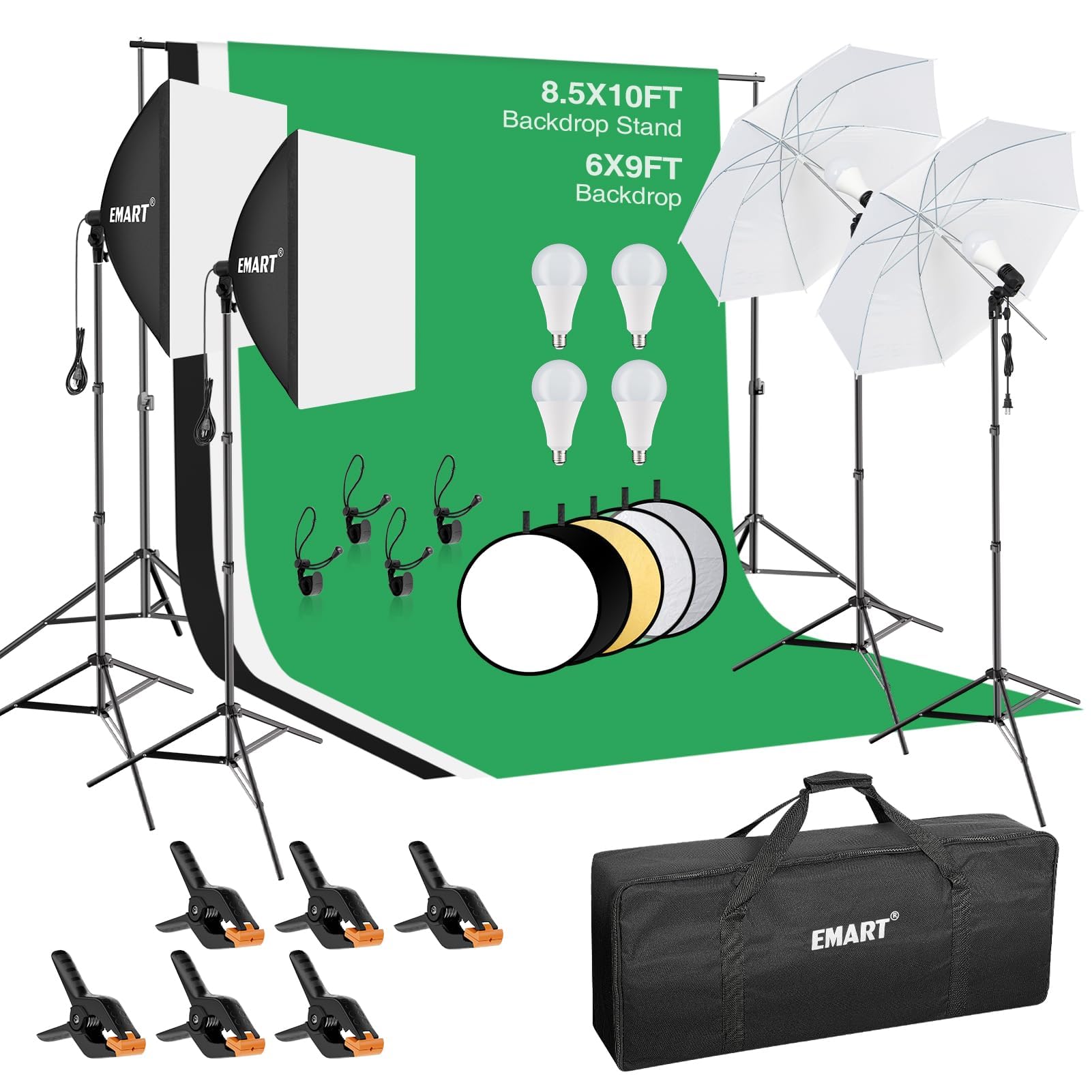
Image 1.1: Overview of the EMART 8.5 x 10 ft Backdrop Support System and Professional Photography Lighting Kit.
2. Package Contents
Verify that all components listed below are present in your package. If any items are missing or damaged, please contact EMART customer support.
- 2 x Support Stands (adjustable height)
- 4 x Crossbar Sections (detachable)
- 3 x 6x9 ft Muslin Backdrops (Black, White, Green)
- 6 x Backdrop Spring Clamps
- 4 x Backdrop Clip Holders
- 4 x 50W LED Bulbs (5500K)
- 2 x Lamp Holders (E26/E27 standard)
- 2 x 33-inch Translucent Umbrellas
- 4 x 7ft Light Stands
- 2 x 24"x24" Softboxes
- 1 x 24" 5-in-1 Reflector
- 1 x Carrying Bag

Image 2.1: All components included in the EMART Photography Lighting Kit.
3. Setup Instructions
3.1. Backdrop Support System Assembly
- Extend the legs of the two support stands to form a stable base. Secure the locking knobs.
- Adjust the height of the support stands to your desired level (from 2.6ft to 8.5ft) and tighten the locking mechanisms.
- Connect the four crossbar sections to create the desired width (from 5ft to 10ft). The crossbar sections interlock.
- Place the assembled crossbar onto the top spigots of the two support stands. Secure them in place.
- Drape one of the 6x9 ft muslin backdrops over the crossbar. Use the provided spring clamps and clip holders to secure the backdrop evenly and prevent wrinkles.

Image 3.1: Diagram illustrating the adjustable dimensions of the backdrop stand and backdrop.
3.2. Lighting Setup (Umbrellas)
- Extend the legs of a 7ft light stand for stability.
- Attach a lamp holder to the top spigot of the light stand and secure it.
- Screw a 50W LED bulb into the lamp holder.
- Insert the shaft of a translucent umbrella into the umbrella mount on the lamp holder. Adjust the angle as needed.
- Repeat for the second umbrella light.

Image 3.2: EMART 5500K 50W LED bulb and translucent umbrella setup.
3.3. Lighting Setup (Softboxes)
- Extend the legs of a 7ft light stand for stability.
- Assemble a 24"x24" softbox by inserting the rods into the speedring and attaching it to the lamp holder.
- Screw a 50W LED bulb into the lamp holder inside the softbox.
- Attach the white diffuser fabric to the front of the softbox.
- Mount the assembled softbox onto the light stand and adjust its height and angle.
- Repeat for the second softbox.

Image 3.3: EMART 24x24 inch softbox components and assembly details.
3.4. Reflector Setup
The 24" 5-in-1 reflector can be used handheld or mounted on a separate stand (not included) to direct and shape light. It includes gold, silver, white, black, and translucent surfaces for various lighting effects.

Image 3.4: EMART 24 inch 5-in-1 reflector with various surfaces.
3.5. Video Guide for Setup
Video 3.5.1: Official EMART guide demonstrating the setup of the Photography Lighting Kit.
Video 3.5.2: Official EMART guide demonstrating the assembly of the 8.5 x 10 ft Backdrop Support System.
4. Operating Instructions
4.1. Using Backdrops
The kit includes black, white, and green muslin backdrops. Choose the appropriate color for your photography or video needs. The black backdrop is ideal for absorbing light and creating dramatic effects, the white for bright, clean backgrounds, and the green for chroma keying (green screen effects).

Image 4.1: EMART 6x9 ft muslin backdrops in three colors.
4.2. Adjusting Lighting
The lamp holders for the umbrellas and softboxes can rotate 180 degrees, allowing for flexible positioning of your light sources. Adjust the height of the light stands to achieve desired lighting angles and effects. The 5500K LED bulbs provide daylight-balanced light, suitable for various shooting scenarios.
4.3. Utilizing the Reflector
The 5-in-1 reflector offers versatility in light manipulation:
- Silver: Increases specular highlights and yields a high-contrast image.
- Gold: Produces a warm fill light, suitable for portraits.
- White: Provides a soft, neutral fill light.
- Black: Blocks unwanted light or creates shadows.
- Translucent: Diffuses light, softening harsh light sources.
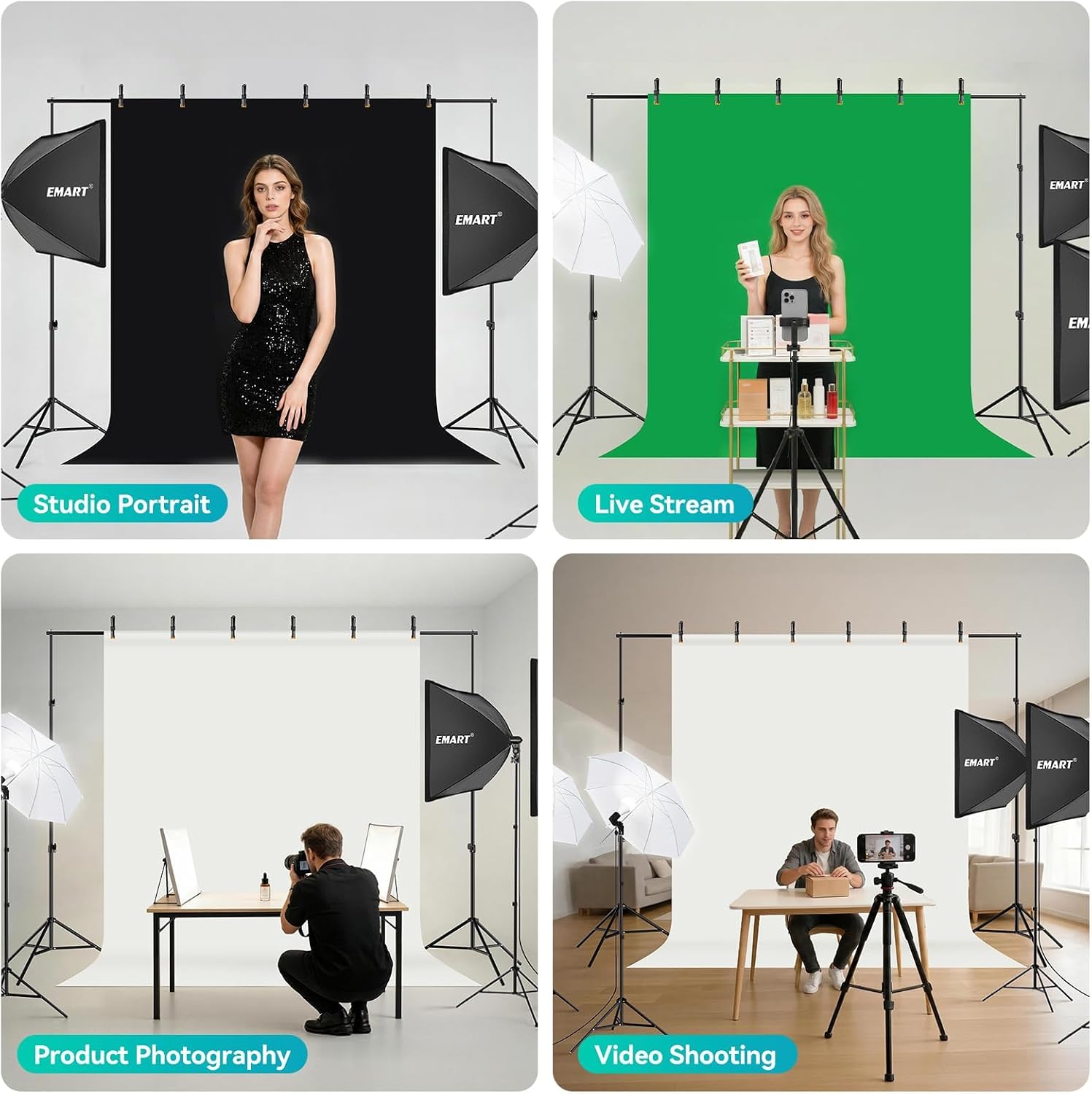
Image 4.3: Examples of the EMART Photography Lighting Kit used for studio portraits, live streaming, product photography, and video shooting.
5. Maintenance
5.1. Backdrop Care
The muslin backdrops are 100% cotton and can be washed. To remove wrinkles, hang the backdrop for 1-2 days or use a steam iron on the reverse side. Avoid direct high heat on the fabric.
5.2. Equipment Cleaning
Wipe down stands and light fixtures with a soft, dry cloth. Avoid using abrasive cleaners or solvents. Ensure all electrical components are unplugged before cleaning.
5.3. Storage
Disassemble the backdrop support system and lighting components after each use. Store all items in the provided carrying bag to protect them from dust and damage. Ensure bulbs are cool before handling and storing.
6. Troubleshooting
| Problem | Possible Cause | Solution |
|---|---|---|
| Backdrop is wrinkled | Transport or storage compression | Hang the backdrop for 1-2 days. Use a steam iron on the reverse side. |
| Lights not turning on | Bulb not screwed in properly, power outlet issue, faulty bulb | Ensure bulb is securely screwed. Check power connection. Test bulb in another working fixture or replace if necessary. |
| Backdrop stand unstable | Legs not fully extended or locking mechanisms not tightened | Fully extend all legs and tighten all locking knobs on the support stands. Ensure the crossbar is properly seated. |
| Softbox/Umbrella not diffusing light evenly | Diffuser not properly attached, light source misaligned | Ensure the diffuser is stretched smoothly across the front. Adjust the bulb position within the fixture. |
7. Specifications
- Brand: EMART
- Model Number: EM-ULK45BSK
- Backdrop Stand Max Height: 8.5 ft
- Backdrop Stand Max Width: 10 ft
- Backdrop Material: 100% Cotton Muslin
- Backdrop Dimensions: 6 x 9 ft (each)
- Light Source Type: 50W LED Bulb
- Color Temperature: 5500 Kelvin (Daylight Balanced)
- Color Rendering Index (CRI): 80
- Voltage: 120 volts AC
- Softbox Size: 24" x 24"
- Umbrella Size: 33 inches
- Reflector Size: 24 inches (5-in-1)
- Light Stand Max Height: 7 ft
- Material (Stands): Aluminum
- UPC: 673257861153
8. Warranty and Support
This EMART product comes with a 1-Year Warranty from the date of purchase. This warranty covers manufacturing defects and material flaws under normal use. It does not cover damage caused by misuse, accidents, unauthorized modifications, or normal wear and tear.
For warranty claims, technical support, or missing parts, please contact EMART customer service through the retailer where the product was purchased or visit the official EMART website for contact information.
Please retain your proof of purchase for warranty validation.


