
Introduction
This manual provides essential instructions for the proper installation, operation, and maintenance of your Ventev 2.4/5 GHz 6dBi Directional WiFi Antenna, Model 274556. Please read this guide thoroughly before using the product to ensure optimal performance and safety.
Safety Information
- Ensure all connections are secure before powering on any connected equipment.
- Do not install the antenna during a lightning storm.
- Mount the antenna in a location that provides clear line-of-sight to the intended coverage area and is protected from extreme weather conditions if not rated for outdoor use.
- Avoid placing the antenna near sources of electromagnetic interference.
- Handle the antenna and cables with care to prevent damage.
Package Contents
Verify that all items are present in your package:
- Ventev 2.4/5 GHz 6dBi Directional WiFi Antenna (Model 274556)
- Four (4) RPSMA Plugs (pre-attached to cables)
- Mounting Hardware (specific components may vary, refer to packaging for details)
Setup
Follow these steps to set up your Ventev directional WiFi antenna:
- Choose a Mounting Location: Select a stable and secure location for mounting the antenna. Consider factors such as signal path, environmental conditions, and accessibility for maintenance.
- Install Mounting Hardware: Securely attach the provided mounting hardware to your chosen surface according to the specific instructions included with the mounting kit. Ensure the mount is level and capable of supporting the antenna's weight.
- Attach Antenna to Mount: Carefully attach the Ventev antenna to the installed mounting hardware. Adjust the antenna's orientation to face the desired coverage area.
- Connect RPSMA Plugs: The antenna comes with four pre-attached cables, each terminating in an RPSMA plug. Connect these plugs to the corresponding RPSMA ports on your compatible wireless access point or router. Ensure each connection is finger-tight to prevent signal loss.
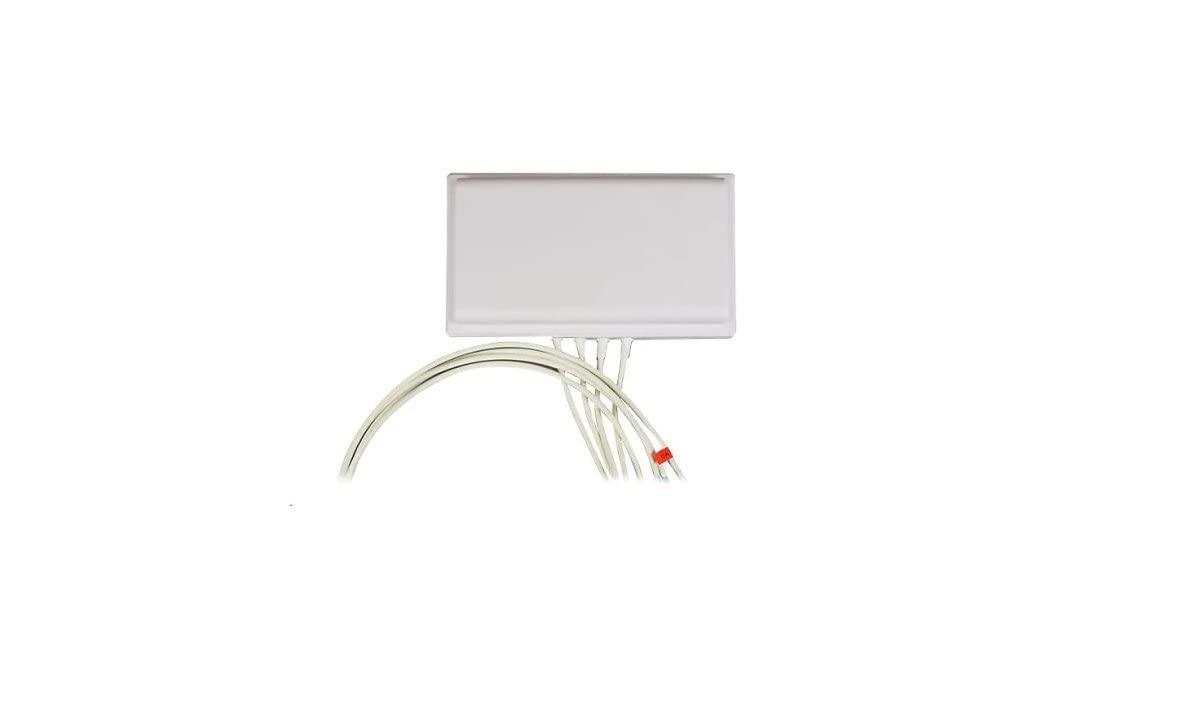
This image displays the Ventev directional WiFi antenna, a rectangular white unit, with four white coaxial cables extending from its base, each terminating in an RPSMA connector. The antenna is designed for dual-band 2.4/5 GHz operation and includes mounting hardware.
Operating Instructions
The Ventev 2.4/5 GHz 6dBi Directional WiFi Antenna is designed to enhance wireless signal coverage in a specific direction. Once installed and connected to a compatible wireless device, the antenna operates automatically.
- Directional Focus: This antenna provides a focused signal beam. For optimal performance, ensure the antenna is oriented directly towards the area where improved signal strength is desired.
- Dual-Band Operation: The antenna supports both 2.4 GHz and 5 GHz WiFi frequencies, allowing it to work with a wide range of wireless devices and networks.
- Signal Optimization: If signal strength is not as expected, minor adjustments to the antenna's angle and direction may be necessary. Consult your wireless access point's documentation for signal monitoring tools.
Maintenance
Regular maintenance helps ensure the longevity and performance of your antenna:
- Cleaning: Periodically clean the antenna's exterior with a soft, damp cloth. Avoid using harsh chemicals or abrasive materials.
- Inspection: Annually inspect the antenna, cables, and mounting hardware for any signs of wear, corrosion, or damage. Ensure all connections remain secure.
- Cable Management: Ensure cables are not kinked, pinched, or exposed to excessive strain. Proper cable routing can prevent damage and maintain signal integrity.
Troubleshooting
If you encounter issues with your Ventev antenna, consider the following:
- No Signal or Weak Signal:
- Verify all RPSMA connections are secure and properly seated.
- Check the antenna's orientation. Ensure it is pointed correctly towards the desired coverage area.
- Confirm that the connected wireless access point or router is functioning correctly.
- Inspect cables for any visible damage or kinks.
- Intermittent Connection:
- Ensure there are no new obstructions between the antenna and the receiving devices.
- Check for potential sources of interference (e.g., other electronic devices, large metal objects).
- Re-seat all cable connections.
If problems persist, consult the documentation for your wireless access point or contact Ventev support.
Specifications
| Model Number | 274556 |
| Brand | Ventev |
| Frequency Range | 2.4 GHz / 5 GHz (Dual-Band) |
| Gain | 6 dBi |
| Antenna Type | Directional WiFi Antenna |
| Connectors | 4 x RPSMA Plugs |
| Package Dimensions | 12 x 10 x 4 inches |
| Item Weight | 1.98 pounds |
| Manufacturer | Ventev |
| Date First Available | November 9, 2021 |
Warranty and Support
For warranty information and technical support, please refer to the official Ventev website or contact Ventev customer service directly. Keep your purchase receipt as proof of purchase.