
Introduction
The TKSTAR TK806 is a compact and portable GPS tracking device designed for vehicles such as cars, SUVs, trucks, and boats. It utilizes GSM/GPS dual-mode positioning to provide real-time location data with high accuracy. This manual provides detailed instructions for the setup, operation, and maintenance of your TK806 GPS tracker.
Package Contents
Please verify that all items are present in your package:
- 1 x TKSTAR TK806 GPS Tracker Unit
- 1 x Relay
- 1 x Power ACC Oil/Electric Control Line (4-pin)
- 1 x User Manual (this document)
Key Features
- Real-time Tracking: GSM/GPS dual-mode positioning with accuracy up to 5 meters.
- Compact Design: Smallest form factor for easy concealment.
- ACC Alarm: Receive alerts when vehicle ignition is turned on.
- Remote Control: Features for remote power off and control.
- Multiple Alarm Modes: Includes power failure, low power, vibration, and offline alarms.
- Electric Fence: Set geographical boundaries for alerts.
- Wide Voltage Range: Operates within 9V-95V.
- Free APP and Web Platform: Access real-time tracking and historical routes.

Image: The TKSTAR TK806 GPS tracker unit highlighting its compact size (80mm x 38mm x 17mm), light weight (50.6g), precise positioning (5m accuracy), automatic defense, electric fence, wide voltage range, remote power off, and multiple alarm modes.
Setup
1. SIM Card Installation
The TK806 tracker requires a 2G SIM card (850/900/1800/1900MHz). 3G or 4G SIM cards are not supported. Ensure the SIM card has sufficient credit and GPRS data enabled for online tracking features.
2. Wiring Diagram
Connect the tracker to your vehicle's power system using the provided wiring harness. Refer to the diagram below for correct connections. Incorrect wiring can damage the device or vehicle electronics.

Image: Detailed wiring diagram showing connections for the TKSTAR TK806 GPS tracker. It illustrates connecting the red wire to the storage battery positive, black wire to ground, orange wire to ACC, and yellow wire to the oil pump via a relay and fuse.
3. Device Placement
For optimal performance, install the tracker in a location with clear sky visibility for GPS signal reception, but also discreetly hidden. Common installation points include under the dashboard, inside the interior dome light, or on the trunk.
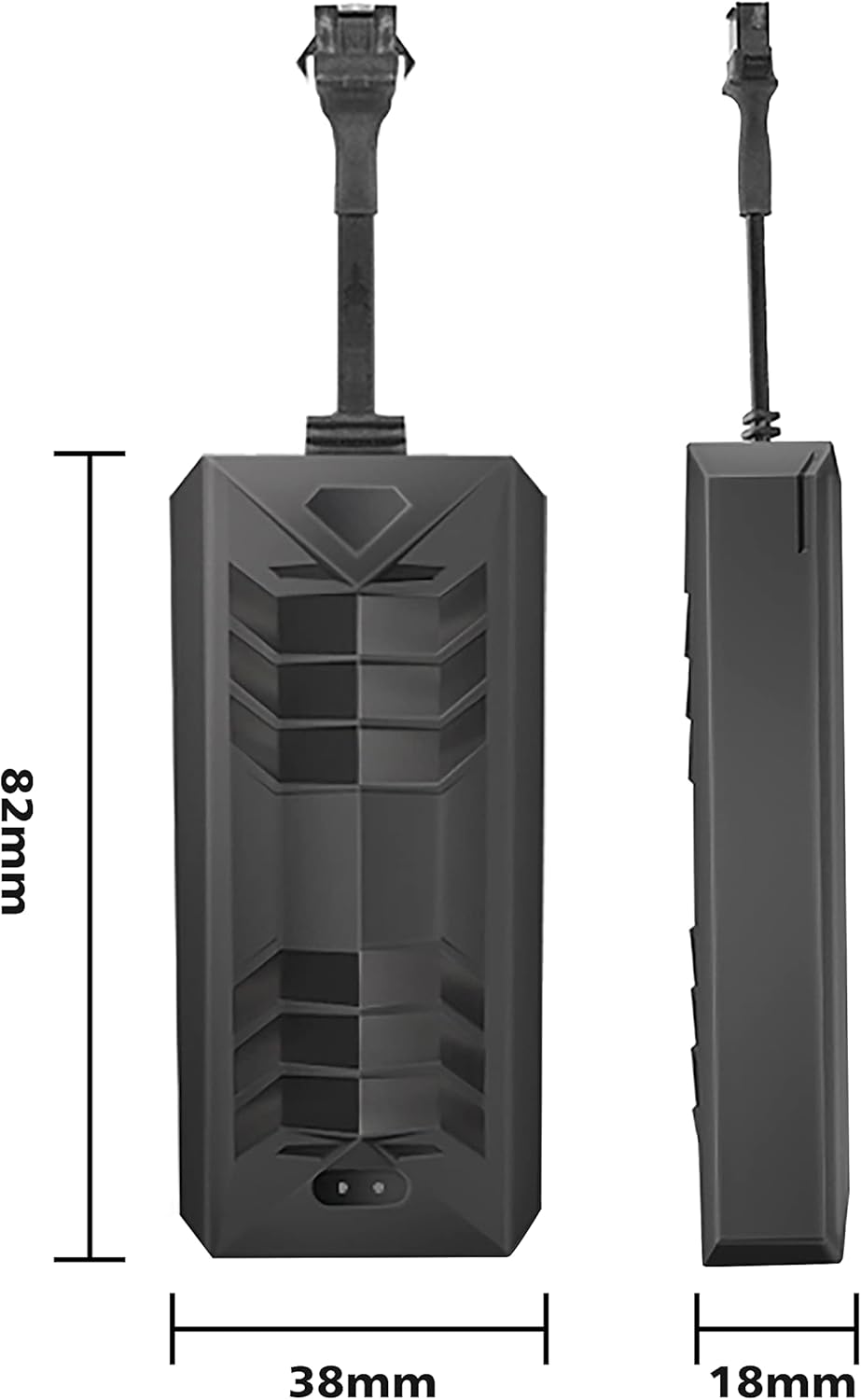
Image: Diagram illustrating various recommended installation locations for the GPS tracker in different vehicle types, including cars, trucks, motorcycles, and scooters. Suggested locations include under the dashboard, inside the dome light, on the trunk, or below the front windshield.
4. APP/Web Platform Configuration
To enable online tracking, you need to configure the APN settings for your SIM card and then log in to the designated APP or web platform. Refer to the specific instructions provided with your SIM card carrier for APN details.
Operating Instructions
1. Real-time Tracking
You can locate the tracker by calling its SIM phone number or sending a text message. The unit will respond with an SMS text message containing a Google Maps link to its current location. For continuous online tracking, use the dedicated mobile application or web platform after setting up GPRS and APN.
2. History Route Playback
The tracking platform allows you to view the historical movement routes of the device. This feature is accessible through the mobile application or web interface.

Image: A mobile application screenshot demonstrating the 'History Route Playback' feature, allowing users to view past location records of the selected device by specifying dates and times.
3. ACC Alarm Function
Once connected to the vehicle's ACC line, you can enable the ACC alarm. The tracker will send an "ACC on" SMS message to the designated administrator and SOS numbers when the vehicle's ignition is turned on, providing an anti-theft alert.

Image: An illustration of the 'ACC Condition Monitoring' feature. It shows a hand pressing a car's engine start/stop button, and a mobile phone displaying an "ACC Alarm" notification, indicating that the device sends an alert when the vehicle's ignition starts.
4. Electric Fence
Set up virtual geographic boundaries (geofences) through the tracking platform. You will receive alerts if the tracker enters or exits these predefined areas.
5. Remote Cut Oil/Electric
This feature allows for remote control over the vehicle's oil or electric supply, providing an additional layer of security. Use this function responsibly and only when necessary.
Maintenance
- Keep the device dry. Moisture can damage internal circuits.
- Avoid extreme temperatures.
- Do not attempt to open or modify the device, as this will void the warranty.
- Ensure the SIM card is active and has sufficient credit/data for continuous operation.
- Regularly check wiring connections for security and integrity.
Troubleshooting
- No Signal/Offline: Check SIM card installation, ensure 2G network coverage, and verify SIM card is active with data.
- Inaccurate Location: Ensure the device has a clear view of the sky for GPS signal. If indoors or in dense areas, LBS (Location Based Service) may be used, which is less precise.
- Device Not Powering On: Verify power connections to the vehicle battery and ACC line. Check the fuse in the wiring harness.
- No SMS Response: Check if the SIM card has credit for sending SMS. Ensure the correct phone number is being called/messaged.
- APP/Web Platform Issues: Confirm APN settings are correct. Check internet connectivity on your phone/computer.
Specifications
| Model | TK806 |
| Dimensions | 80mm x 38mm x 17mm |
| Weight | 50.6 g |
| Positioning Accuracy | Up to 5 meters (GPS) |
| Network | GSM/GPRS 2G (850/900/1800/1900MHz) |
| Operating Voltage | 9V-95V DC |
| Internal Battery | 150mAh (for power saving) |
| Material | Plastic |
| Compatible Devices | Smartphone (for app access) |
Warranty
Please refer to your purchase documentation or contact the seller for specific warranty information regarding the TKSTAR TK806 GPS Tracker.
Support
For technical assistance or further inquiries, please contact the manufacturer or your point of purchase. Ensure you have your product model number (TK806) and purchase details available when seeking support.


