
1. Introduction
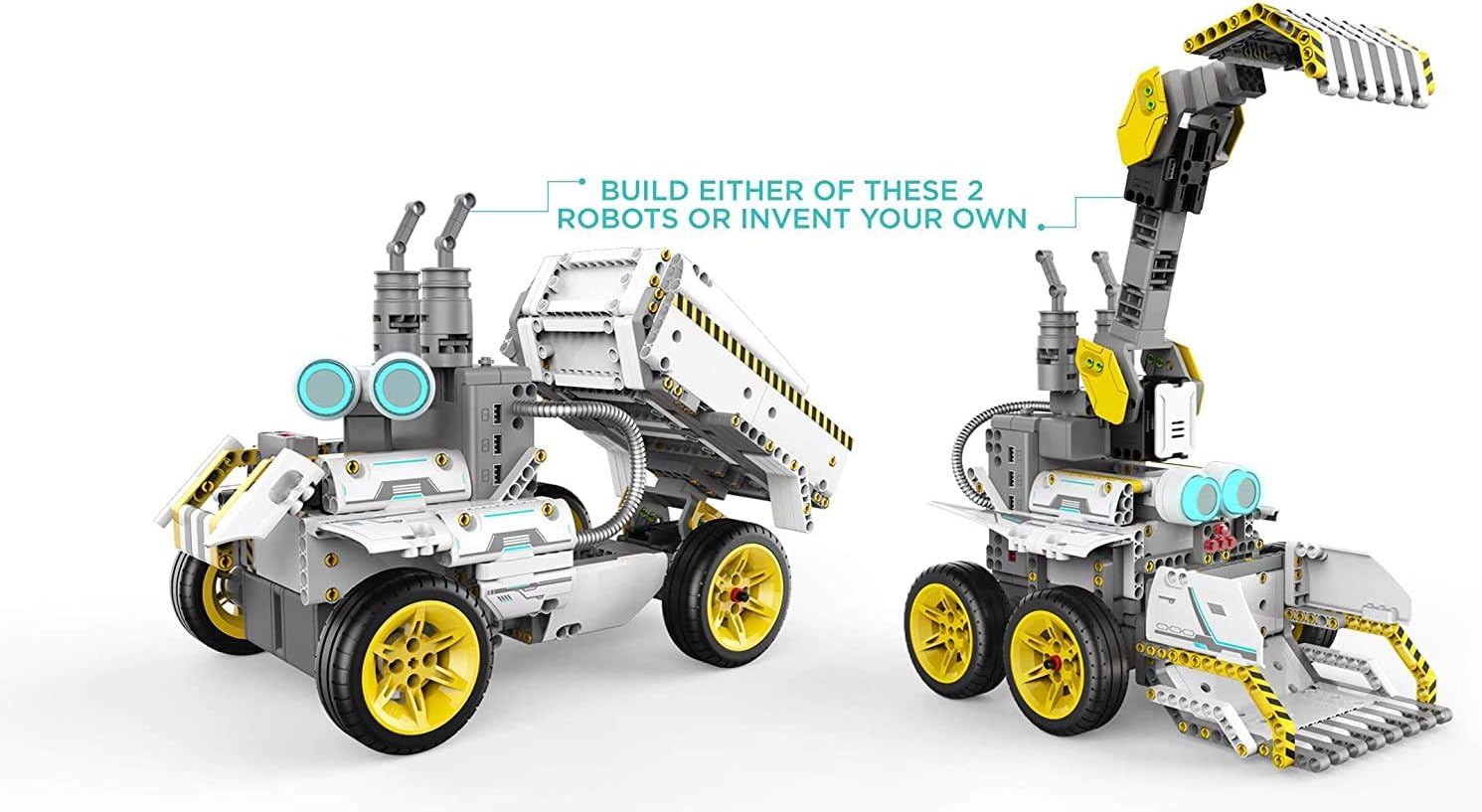
The UBTECH JIMU Robot BuilderBots Overdrive Kit is an app-enabled building and coding STEM learning kit designed to engage users in constructing and programming their own robotic creations. This kit allows for the assembly of various robot models, including DozerBot and DirtBot, or the design of unique custom robots using the provided 410 parts and connectors.
The JIMU app provides interactive 3D, 360-degree building instructions and a Blockly coding platform to program the robots for diverse actions and challenges.
2. Safety Information
WARNING: CHOKING HAZARD - Small parts. Not for children under 3 years.
Always supervise children during assembly and operation. Ensure all connections are secure before powering on the robot. Keep the robot away from water and extreme temperatures.
3. Getting Started: Assembly and Setup
Follow these steps to assemble your JIMU Robot:
- Download the JIMU App: Search for the 'JIMU Robot' app on your mobile device's app store (iOS or Android).
- Power On: Ensure the main control box is charged and powered on.
- Connect to App: Open the JIMU app and follow the on-screen instructions to connect your device to the robot via Bluetooth.
- Access Building Instructions: Within the app, select the desired robot model (e.g., DozerBot or DirtBot) to view the step-by-step, 3D, 360-degree animated building instructions. No additional tools are required for assembly.
- Assemble Your Robot: Carefully follow the visual instructions in the app to connect the structural pieces, servos, and character pieces.

4. Operating Your Robot
Once assembled, your JIMU Robot can be controlled and programmed through the dedicated app.
4.1. Basic Control
Use the app's control interface to drive your robot, move its arms, or activate specific functions. The app provides a virtual joystick and buttons for direct manipulation.
4.2. Programming with Blockly
The JIMU app features a Blockly coding platform, allowing you to program complex sequences of actions for your robot. This visual programming language uses drag-and-drop blocks to create commands.
- Create Custom Actions: Combine various movement, sensor, and light blocks to design unique behaviors.
- Blockly Coding Challenges: Engage with in-app challenges to test and improve your programming skills.
- PRP (Pose, Record, Play) Function: Manually pose your robot into a sequence of positions, record them, and then play back the recorded actions.

4.3. Official Product Video
5. Maintenance
To ensure the longevity and optimal performance of your JIMU Robot, follow these maintenance guidelines:
- Cleaning: Use a soft, dry cloth to wipe down the robot's surfaces. Avoid using harsh chemicals or abrasive materials.
- Battery Care: Charge the robot's battery regularly. Do not overcharge or leave the battery completely drained for extended periods.
- Connection Check: Periodically inspect all physical connections and cables to ensure they are securely attached.
- Storage: Store the robot in a cool, dry place away from direct sunlight and extreme temperatures when not in use.
6. Troubleshooting
If you encounter issues with your JIMU Robot, consider the following troubleshooting steps:
- Robot Not Responding: Check if the robot is powered on and fully charged. Ensure the app is connected via Bluetooth. Restart both the robot and the app.
- App Connection Issues: Verify Bluetooth is enabled on your device. Try restarting your device and the robot. Ensure the app is updated to the latest version.
- Movement Problems: Check for any obstructions in the robot's path or moving parts. Ensure all servo connections are firm. Review your code in the Blockly platform for logical errors.
- Parts Falling Off: Re-examine the building instructions in the app to ensure all parts are correctly and securely attached.
For persistent issues, refer to the in-app help section or contact UBTECH customer support.
7. Specifications
| Feature | Detail |
|---|---|
| Product Dimensions | 10 x 12 x 2.5 inches |
| Item Weight | 1.98 pounds |
| Item Model Number | JRA0203 |
| Manufacturer Recommended Age | 8 years and up |
| Batteries | 1 Lithium Polymer battery required (included) |
| Manufacturer | UBTECH ROBOTICS CORP |
| Release Date | September 17, 2018 |
8. Warranty and Support
For information regarding product warranty, returns, or technical support, please visit the official UBTECH Robotics website or contact their customer service department. Details can often be found within the JIMU app's help section or on the product packaging.


