
Dr.meter HT-420-V
Dr.meter HT-420 Rechargeable Electric Air Pump User Manual
Model: HT-420-V | Brand: Dr.meter
1. Introduction
Thank you for choosing the Dr.meter HT-420 Rechargeable Electric Air Pump. This portable and versatile device is designed for quick inflation and deflation of various inflatables, and also functions as a portable power bank. Please read this manual thoroughly before use to ensure proper operation and maintenance.
Package Contents:
- Dr.meter HT-420 Electric Air Pump
- 3 Nozzle Attachments (S, M, L)
- USB Type-C Charging Cable
- User Manual

Figure 1: Dr.meter HT-420 Electric Air Pump and included accessories.
2. Key Features
- Cordless & Rechargeable: Equipped with a powerful 4000mAh lithium battery for instant inflation. Features a built-in Type-C port for convenient charging at home or in a vehicle. A full charge provides approximately 30 minutes of operation.
- 3 Nozzle Sizes: Includes small (0.28in), medium (0.35in), and large (0.57in) nozzles to fit various inflatable valves, ensuring compatibility with a wide range of items.
- Powerful & Fast: Delivers 250L/min airflow and 0.44PSI pressure for rapid inflation and deflation, saving time and effort.
- Ultra-compact: Designed for portability, it is small enough to fit easily into a backpack, suitcase, or tool kit.
- Doubles as a Portable Charger: Features a 5V 1500mAh USB output port, allowing it to charge mobile phones, tablets, laptops, and other compatible devices.
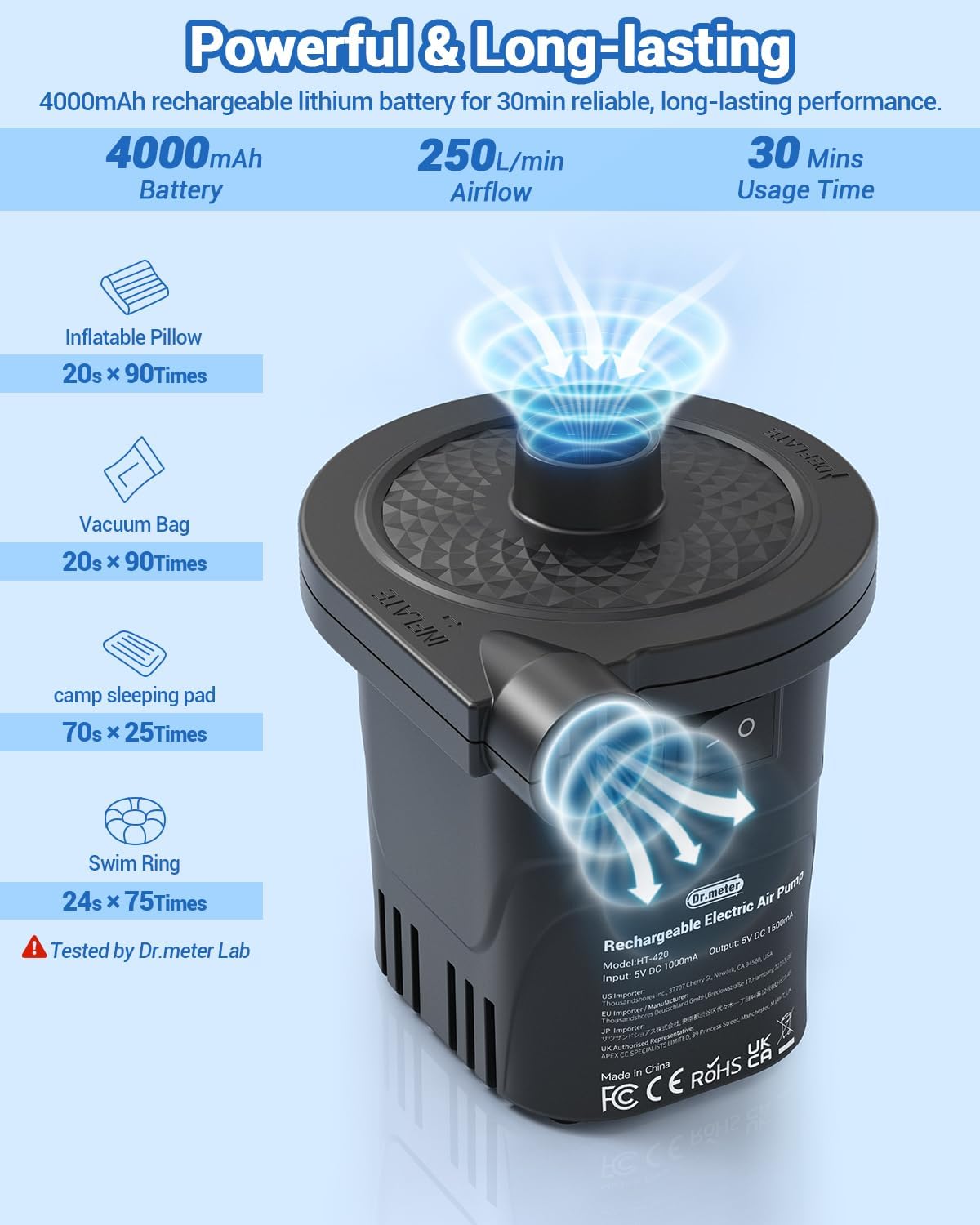
Figure 2: Illustration of the pump's powerful airflow and long-lasting battery.

Figure 3: The three included nozzle sizes for various applications.
3. Setup
Charging the Air Pump:
- Before first use, fully charge the air pump.
- Connect the provided USB Type-C charging cable to the pump's charging port.
- Connect the other end of the USB cable to a compatible USB power source (e.g., wall adapter, car charger, power bank).
- The battery indicator lights will illuminate to show charging progress. All lights will be solid when fully charged.

Figure 4: The air pump can be charged via wall outlet, car charger, or mobile power bank.
4. Operating Instructions
Inflation:
- Select the appropriate nozzle size for your inflatable item.
- Attach the selected nozzle firmly to the inflation port (usually marked "INFLATE" or with an arrow pointing outwards).
- Insert the nozzle into the valve of the inflatable item.
- Flip the power switch to the "ON" position to begin inflation.
- Once the item is fully inflated, switch the pump to "OFF" and remove the nozzle.
Deflation:
- Select the appropriate nozzle size for your inflatable item.
- Attach the selected nozzle firmly to the deflation port (usually marked "DEFLATE" or with an arrow pointing inwards).
- Insert the nozzle into the valve of the inflatable item.
- Flip the power switch to the "ON" position to begin deflation.
- Once the item is fully deflated, switch the pump to "OFF" and remove the nozzle.
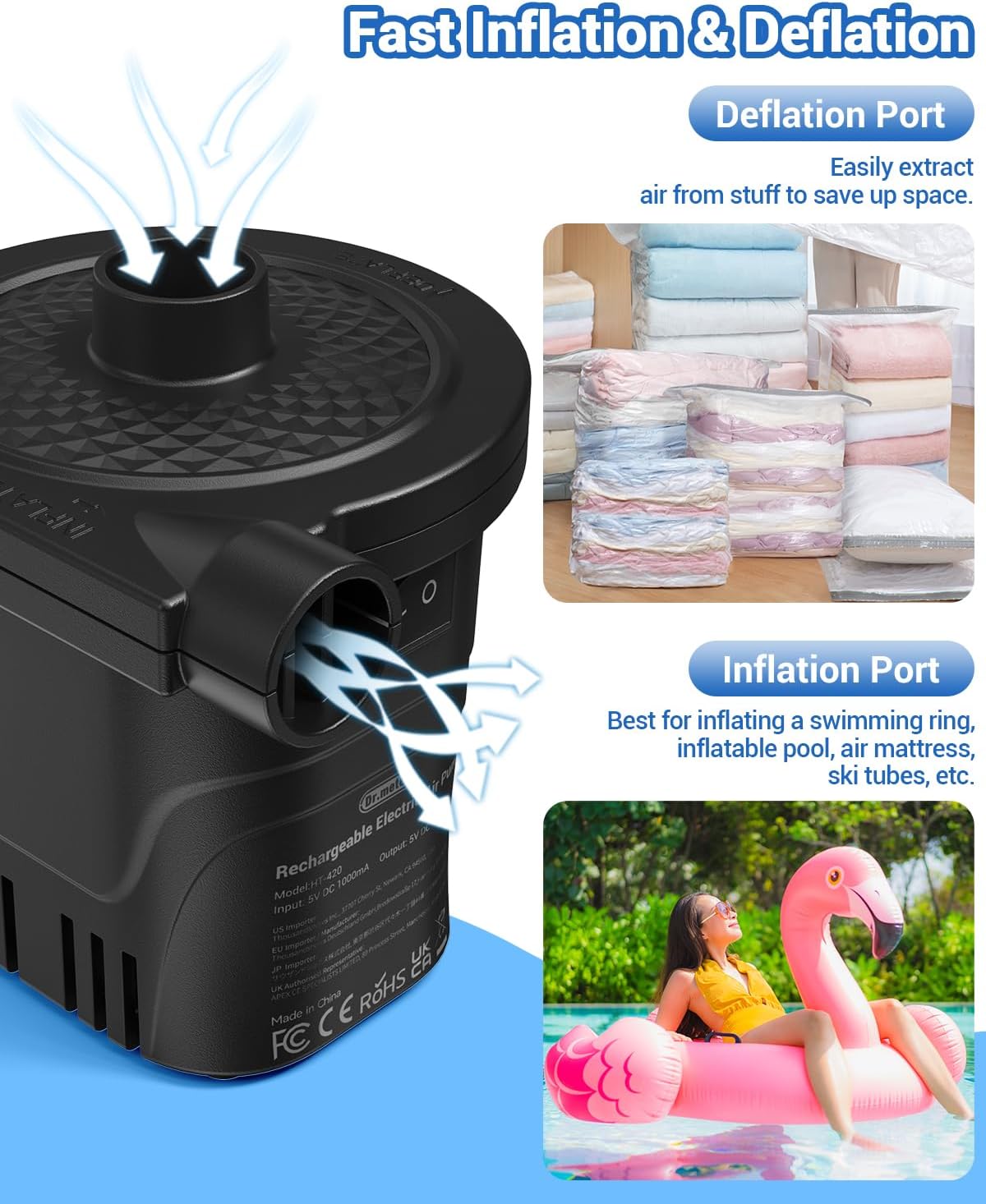
Figure 5: Clearly marked inflation and deflation ports for easy use.
Using as a Power Bank:
- Locate the USB output port (5V 1500mAh) on the side of the pump.
- Connect your device's charging cable to this USB output port.
- The pump will automatically begin charging your device.
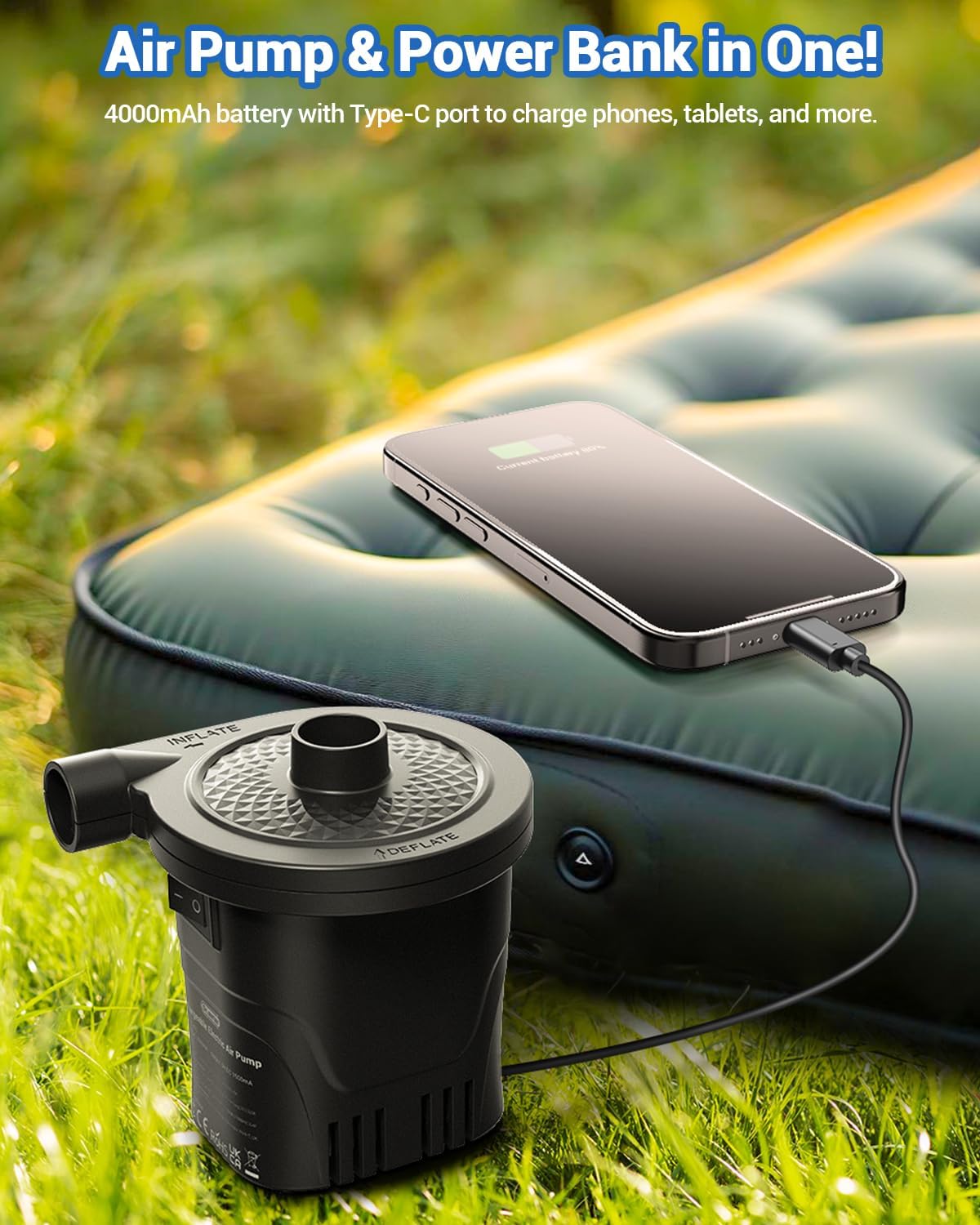
Figure 6: The air pump can also serve as a portable power bank for your devices.
Official Product Videos:
Video 1: "How to use Dr.meter rechargeable electric air pump?" - This video demonstrates the basic operation of the Dr.meter air pump, including inflation and deflation processes, and highlights its features.
Video 2: "Dr.meter Rechargeable Air Pump" - A concise overview of the Dr.meter rechargeable air pump, showcasing its design and functionality.
5. Maintenance
- Cleaning: Wipe the exterior of the pump with a soft, dry cloth. Do not use abrasive cleaners or immerse the unit in water.
- Storage: Store the pump and its accessories in a cool, dry place, away from direct sunlight and extreme temperatures. Ensure the pump is fully charged before long-term storage to preserve battery life.
- Nozzle Care: Keep nozzles clean and free from debris to ensure efficient airflow.
6. Troubleshooting
| Problem | Possible Cause | Solution |
|---|---|---|
| Pump does not turn on. | Low battery or no charge. | Charge the air pump fully. |
| Weak airflow. | Incorrect nozzle size or clogged nozzle/port. | Ensure correct nozzle is used and ports are clear of obstructions. Check battery level. |
| Device not charging when connected to power bank port. | Pump battery is low or device is not compatible. | Charge the air pump. Ensure your device is compatible with 5V 1500mAh output. |
| Pump overheats. | Continuous operation for too long. | Turn off the pump and allow it to cool down for at least 15-20 minutes before resuming use. Avoid prolonged continuous operation. |
7. Specifications
- Model: HT-420-V
- Battery Capacity: 4000mAh Lithium Battery
- Air Flow Capacity: 250 L/min
- Maximum Pressure: 0.44 PSI
- Power Source: Battery Powered
- USB Output: 5V 1500mAh
- Dimensions: 4.48"L x 3.93"W x 4.56"H
- Item Weight: 10.9 ounces (approx. 0.68 lbs)
- Color: Black
8. Warranty & Support
For warranty information or technical support, please refer to the product packaging or visit the official Dr.meter website. You can also contact Dr.meter customer service directly for assistance.
Official Dr.meter Store: Dr.meter Amazon Store
Ask a question about this manual
Ask about setup, troubleshooting, compatibility, parts, safety, or missing instructions. Manuals+ will review the question and use this page’s manual context to help answer it.