Introduction
This manual provides essential information for the setup, operation, and maintenance of your HCDZ Replacement Remote Control. This remote is designed as a direct replacement for various LG TV models, offering immediate functionality without the need for complex programming.
Key Features:
- Infrared (IR) replacement remote control.
- No programming required; works immediately upon battery insertion.
- Compatible with specified LG TV models.
Package Contents:
- 1 x HCDZ Replacement Remote Control.
- Note: Batteries and additional instructions are not included.
Setup
To begin using your HCDZ Replacement Remote Control, follow these simple steps to install the batteries.
Battery Installation
- Locate the battery compartment on the back of the remote control.
- Slide the battery compartment cover downwards or press the latch and lift to open.
- Insert two (2) AAA batteries (not included) into the compartment. Ensure the positive (+) and negative (-) terminals of the batteries match the polarity indicators inside the compartment.
- Replace the battery compartment cover by sliding it back into place until it clicks securely.

Figure 1: Inserting batteries into the remote control. Note the correct orientation of the positive and negative terminals.
Once batteries are correctly installed, the remote control is ready for use with your compatible LG TV.
Operating Instructions
The HCDZ Replacement Remote Control operates using infrared (IR) technology. For optimal performance, ensure a clear line of sight between the remote control and the IR sensor on your LG TV.
Basic Operation
- Power Button: Press to turn the TV on or off.
- Channel Buttons (CH+/CH-): Press to change channels up or down.
- Volume Buttons (VOL+/VOL-): Press to increase or decrease the volume.
- Mute Button: Press to mute or unmute the TV audio.
- Input/Source Button: Press to cycle through available input sources (HDMI, AV, etc.).
- Navigation Buttons (Up, Down, Left, Right, OK/Enter): Use these buttons to navigate menus and confirm selections on your TV screen.
- Menu/Settings Button: Access the TV's main menu or settings.
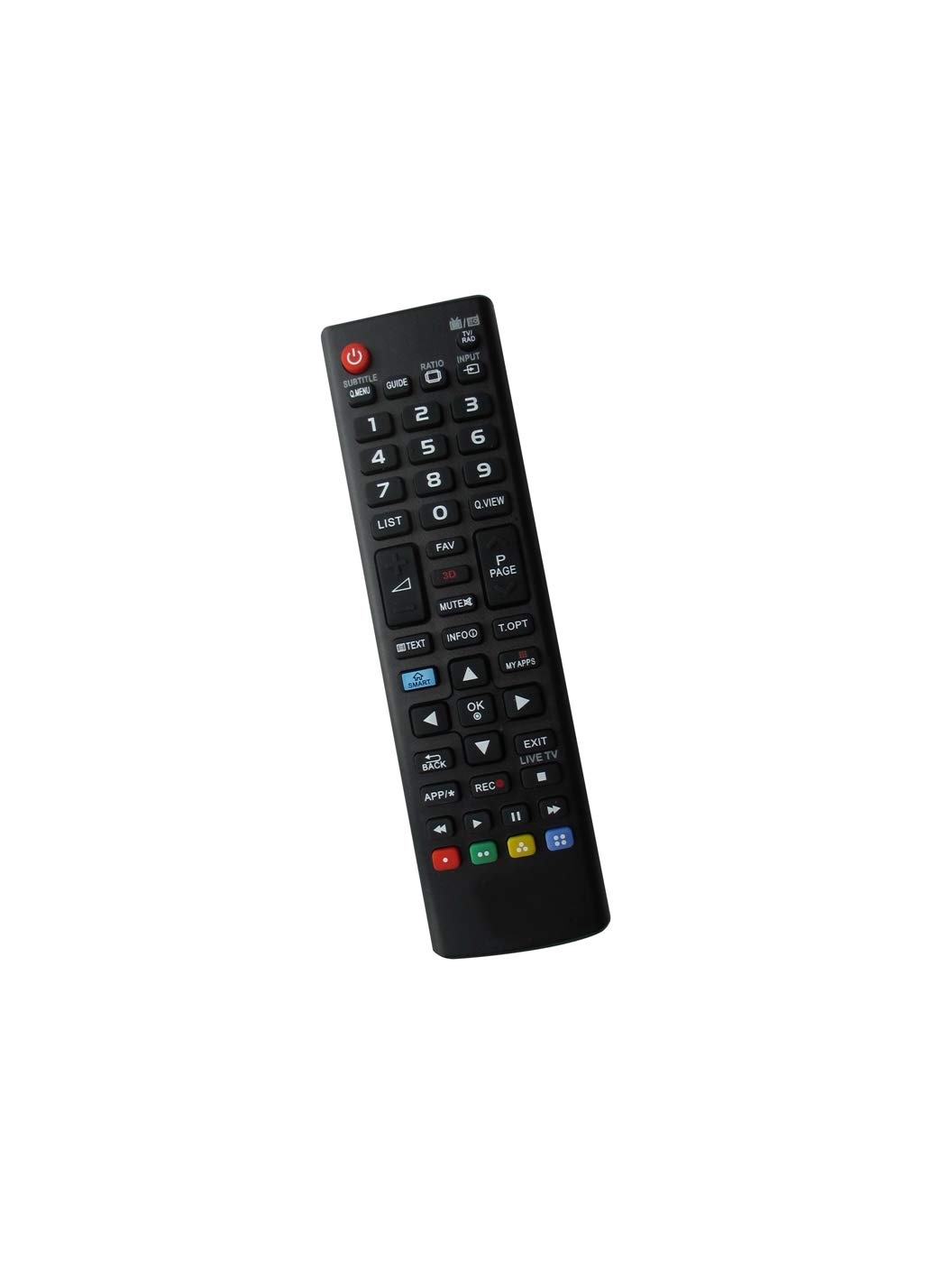
Figure 2: Rear view of the HCDZ Replacement Remote Control, highlighting its design.
Refer to your LG TV's original user manual for specific functions of advanced buttons, as this replacement remote replicates standard functions.
Maintenance
Proper care will extend the life of your remote control.
- Cleaning: Wipe the remote control with a soft, dry cloth. Do not use liquid cleaners or abrasive materials, as they may damage the surface or internal components.
- Battery Replacement: Replace batteries when the remote's response becomes sluggish or stops working. Always replace both batteries at the same time with new ones of the same type (AAA).
- Storage: If the remote control will not be used for an extended period, remove the batteries to prevent leakage, which can cause damage. Store in a cool, dry place away from direct sunlight and extreme temperatures.
- Avoid Drops: Protect the remote from physical impact, as drops can damage internal circuitry.
Troubleshooting
If you encounter issues with your remote control, try the following solutions:
- Remote Not Responding:
- Ensure batteries are inserted correctly with the correct polarity (+/-).
- Replace old batteries with new ones.
- Check for any obstructions between the remote control and the TV's IR sensor.
- Ensure you are within the effective range of the TV's IR sensor.
- Specific Buttons Not Working:
- This could indicate low battery power; try replacing the batteries.
- Inspect the button for any physical damage or debris that might be preventing it from pressing correctly.
- TV Not Responding to Remote:
- Verify that the remote control is compatible with your specific LG TV model.
- Ensure the TV's IR sensor is not blocked or covered.
- Try restarting your TV by unplugging it from the power outlet for a few minutes, then plugging it back in.
If these steps do not resolve the issue, please refer to the support section.
Specifications
| Feature | Detail |
|---|---|
| Model Number | HCDZ-X011688 |
| Brand | HCDZ |
| Compatible Devices | Television (LG models: 32LJ500B, 24LJ4540-WU, 32LJ550M, 32LK540BPUA) |
| Connectivity Technology | Infrared (IR) |
| Max Number of Supported Devices | 1 |
| Special Feature | Ergonomic |
| Item Weight | 2.39 ounces |
| Package Dimensions | 7.5 x 4.8 x 0.9 inches |
Warranty
No specific warranty information is provided with this replacement remote control. For details regarding returns, exchanges, or any potential product guarantees, please refer to the seller's return policy on the platform where the product was purchased or contact the seller directly.
Support
If you require further assistance or have questions not covered in this manual, please contact the seller through the platform where you purchased the HCDZ Replacement Remote Control. Provide your order details and a clear description of the issue for prompt support.
You may also visit the HCDZ Store on Amazon for additional product information or to contact the brand directly.