
Twinkle Star ES-LCL-10M
Twinkle Star 200 LED 66 FT Copper Fairy String Lights User Manual
Model: ES-LCL-10M | Brand: Twinkle Star
1. Product Overview
The Twinkle Star 200 LED 66 FT Copper Fairy String Lights are designed to provide versatile and ambient lighting for various indoor and outdoor settings. Featuring 200 warm white LEDs on a durable copper wire, these lights offer 8 different lighting modes and convenient control via USB power and an included remote control. Their waterproof design ensures safe usage in diverse environments.
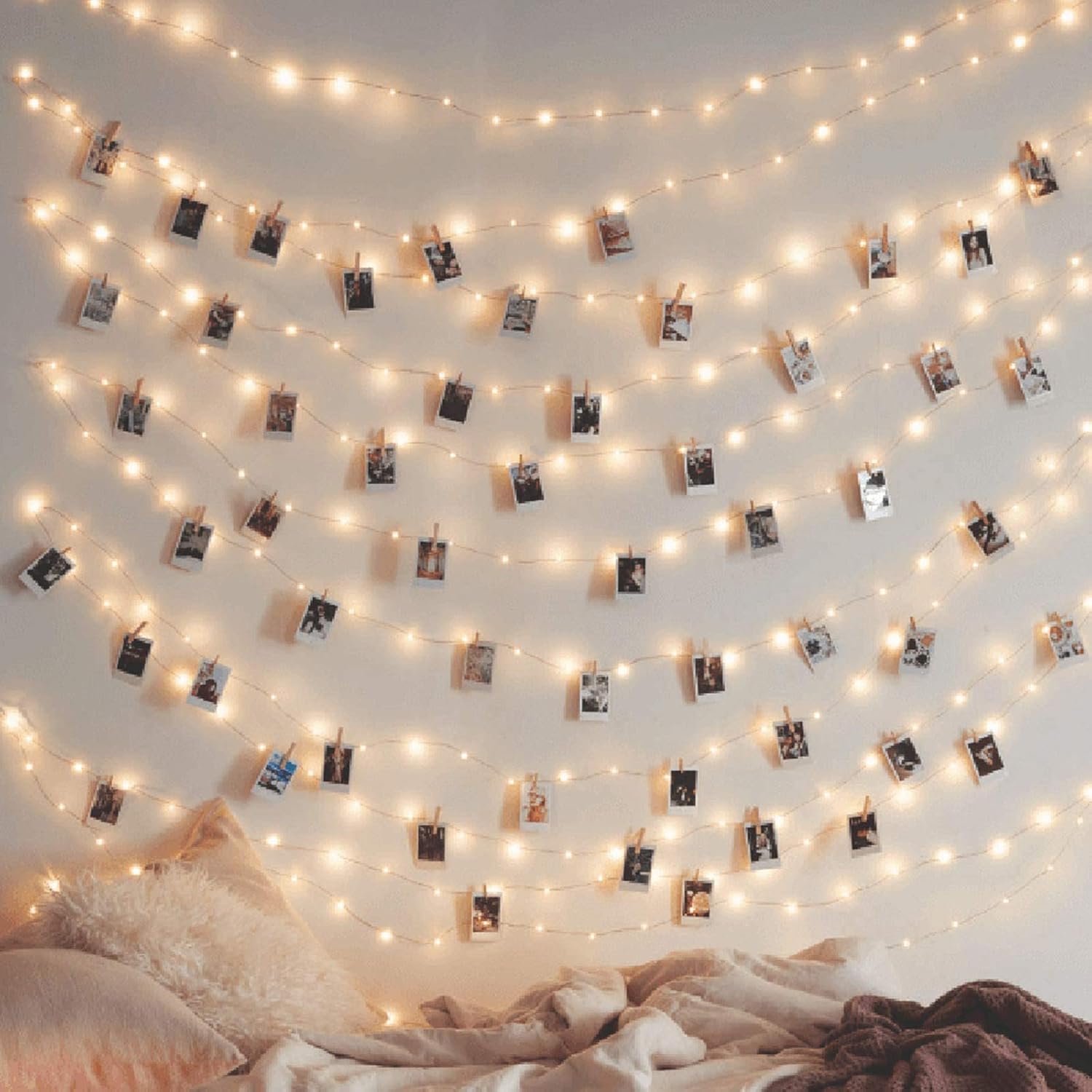
Image: The Twinkle Star 200 LED 66 FT Copper Fairy String Lights, showcasing their warm white glow and flexible copper wire design.
2. Safety Information
- Ensure the USB power source provides the correct voltage (3 Volts) to prevent damage.
- Although the wire parts are waterproof, the USB connector is not. Protect the USB connector from water exposure.
- Do not attempt to modify or repair the lights. Refer to qualified personnel for service.
- Keep out of reach of small children to prevent entanglement or ingestion of small parts.
- Unplug the lights from the power source when not in use or before cleaning.
- Avoid excessive bending or twisting of the copper wire to prevent breakage.
3. Package Contents
Verify that all items are present in the package:
- 1 x Twinkle Star 200 LED 66 FT Copper Fairy String Lights
- 1 x Remote Control
- 1 x USB Power Connector with Mode Button

Image: Illustration of the package contents, including the string lights, remote control, and USB power connector.
4. Setup Instructions
- Unpack the Lights: Carefully uncoil the copper wire string lights. Due to their delicate nature, unwrap them slowly to avoid tangling.
- Connect to Power: Insert the USB connector of the string lights into a compatible USB power source. This can be a USB port on a computer, a USB wall adapter (phone charger), or a USB power bank.

Image: Diagram showing various USB power sources compatible with the string lights, such as laptops, wall adapters, and power banks.
- Position the Lights: Arrange the lights as desired for your decoration. The flexible copper wire allows for easy shaping around objects, along walls, or within containers.
5. Operating Instructions
5.1 Power On/Off
- Via USB Button: Press the button located on the USB connector to cycle through the lighting modes and turn the lights on/off.
- Via Remote Control: Press the "ON" button to turn the lights on and the "OFF" button to turn them off.
5.2 Lighting Modes
The lights feature 8 distinct lighting modes. You can switch between these modes using either the button on the USB connector or the remote control.
- Combination
- In Waves
- Sequential
- Slogs (Slow Glow)
- Chasing/Flash
- Slow Fade
- Twinkle/Flash
- Steady On

Image: The remote control, showing buttons for power, timer, mode selection (1-8), and brightness adjustment.
5.3 Brightness Adjustment (Remote Control Only)
Use the brightness buttons on the remote control to adjust the intensity of the lights:
- DIM +: Increases brightness.
- DIM -: Decreases brightness.
5.4 Timer Function (Remote Control Only)
Press the "TIMER" button on the remote control to activate the built-in timer. Once activated, the lights will stay on for 6 hours and then turn off automatically for 18 hours, repeating the cycle daily.
6. Maintenance
- Cleaning: Disconnect from power before cleaning. Gently wipe the copper wire and LEDs with a soft, dry cloth. Do not use harsh chemicals or abrasive cleaners.
- Storage: When not in use, carefully coil the string lights to prevent tangling. Store them in a cool, dry place away from direct sunlight and extreme temperatures.
- Battery Replacement (Remote): The remote control uses 1 CR2 battery. If the remote's range decreases or it stops responding, replace the battery. Ensure correct polarity when inserting the new battery.
7. Troubleshooting
| Problem | Possible Cause | Solution |
|---|---|---|
| Lights do not turn on. | No power, loose connection, faulty USB port. | Ensure USB is securely plugged in. Try a different USB port or power adapter. Check if the power source is active. |
| Remote control not working. | Dead battery, obstruction, out of range. | Replace the CR2 battery in the remote. Ensure no obstructions between remote and USB receiver. Point remote directly at the USB receiver. |
| Lights flicker or dim unexpectedly. | Unstable power supply, damaged wire. | Use a stable USB power source. Inspect the copper wire for visible damage. If damaged, discontinue use. |
| Cannot change modes. | Remote issue or USB button issue. | Try using the button on the USB connector. If using remote, ensure battery is good and it's pointed correctly. |
8. Specifications
| Feature | Detail |
|---|---|
| Model Number | ES-LCL-10M |
| Light Source | LED |
| Number of LEDs | 200 |
| Light Length | 66 feet (approx. 20 meters) |
| Wire Material | Copper |
| Light Color | Warm White |
| Power Source | USB Powered (Corded Electric) |
| Voltage | 3 Volts |
| Wattage | 3 watts |
| Control Method | Remote Control, USB Button |
| Special Features | 8 Lighting Modes, Timer Function, Dimmable, Waterproof (wire parts) |
| Indoor/Outdoor Usage | Indoor, Outdoor |
| Remote Battery | 1 x CR2 (required for remote) |
9. Warranty and Support
Twinkle Star products come with a full product warranty. For warranty claims, technical support, or any inquiries regarding your Twinkle Star 200 LED 66 FT Copper Fairy String Lights, please contact our customer support team.
Customer Support:
- Visit the official Twinkle Star Store on Amazon: Twinkle Star Store
- Refer to your purchase documentation for specific contact details.
Our customer support team is available 24/7 to assist you.
Ask a question about this manual
Ask about setup, troubleshooting, compatibility, parts, safety, or missing instructions. Manuals+ will review the question and use this page’s manual context to help answer it.