
1. Introduction
Thank you for choosing the AudioPipe APSP-1050 10-inch Dynamic Mid-Range Car Audio Loudspeaker. This speaker is designed to deliver powerful and clear audio performance in your vehicle. With 700 Watts MAX power and 350 Watts RMS, it features an 8 Ohm impedance and a 2.5-inch Kapton voice coil, all housed within a durable steel basket. This manual provides essential information for proper installation, operation, and maintenance to ensure optimal performance and longevity of your speaker.

Figure 1: Front view of the AudioPipe APSP-1050 loudspeaker, showcasing the cone and AudioPipe branding.
2. Safety Information
- Always disconnect the vehicle's battery before performing any electrical work.
- Ensure proper wiring and connections to prevent short circuits and damage to the speaker or amplifier.
- Install the speaker securely to prevent movement during vehicle operation, which could cause injury or damage.
- Avoid exposing the speaker to excessive moisture or extreme temperatures.
- Do not operate the speaker beyond its rated power limits (700W MAX, 350W RMS) to prevent damage.
- Consult a professional car audio installer if you are unsure about any installation steps.
3. Package Contents
Verify that all items are present in the package before beginning installation:
- 1 x AudioPipe APSP-1050 10-inch Dynamic Mid-Range Car Audio Loudspeaker
- 1 x Instruction Manual (this document)
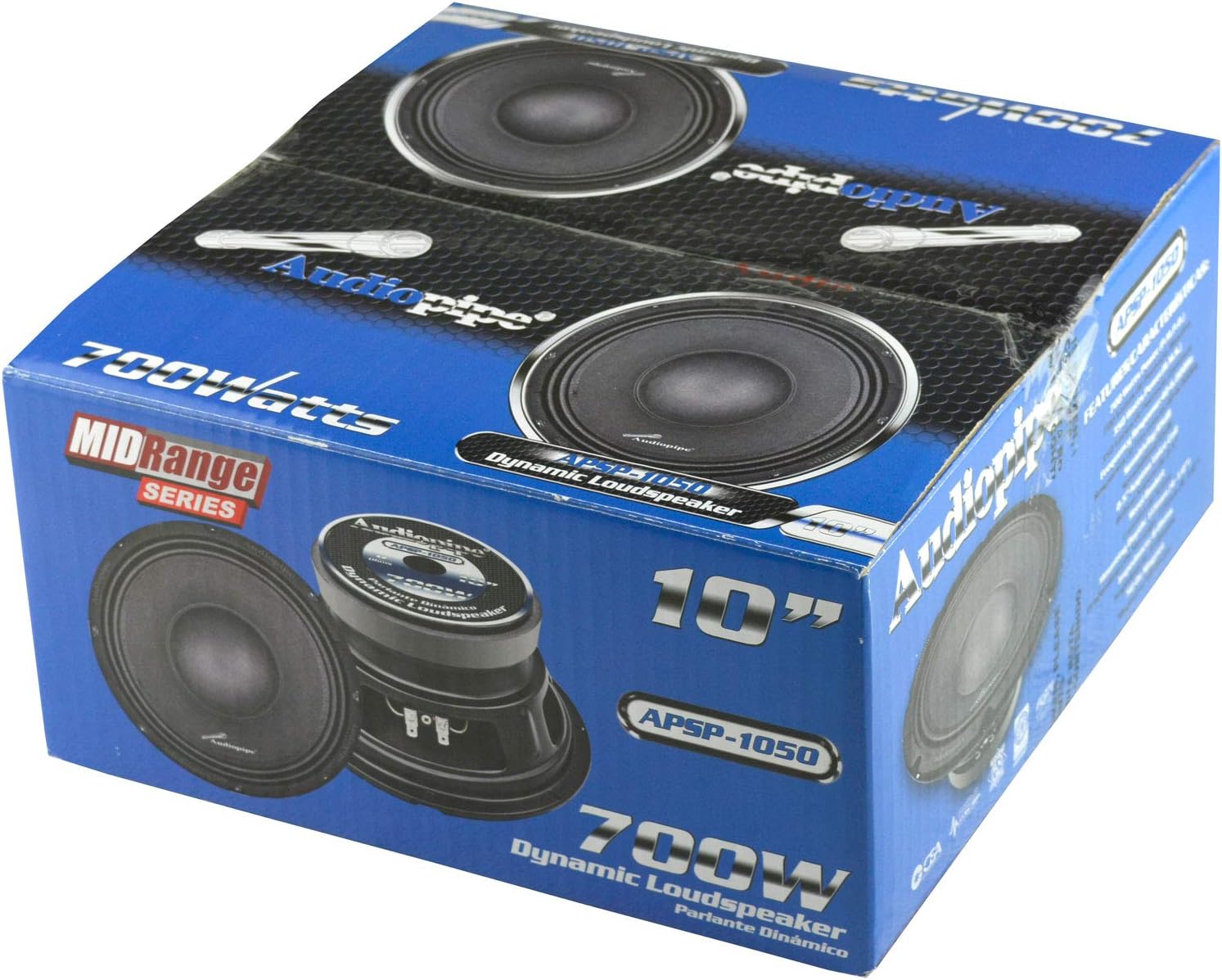
Figure 2: Example of the product packaging for the AudioPipe APSP-1050 speaker.
4. Setup and Installation
Proper installation is crucial for optimal performance. Follow these steps carefully:
- Mounting Location: Select a suitable mounting location in your vehicle that can accommodate the speaker's dimensions and provides adequate enclosure volume for optimal sound. The installation depth required is 4.5 inches.
- Preparation: Ensure the mounting surface is clean and free of obstructions. If cutting a new opening, use appropriate tools and safety gear.
- Wiring: Connect the speaker to your amplifier using high-quality speaker wire. The APSP-1050 has an 8 Ohm impedance. Ensure your amplifier is stable at this impedance. Connect the positive (+) terminal of the speaker to the positive (+) output of the amplifier, and the negative (-) terminal of the speaker to the negative (-) output of the amplifier.
- Secure Mounting: Once wired, carefully place the speaker into the mounting opening and secure it using appropriate screws. Ensure a tight fit to prevent vibrations and air leaks.
- Testing: After installation, reconnect the vehicle's battery and test the speaker at a low volume. Gradually increase the volume to ensure proper function and sound quality.

Figure 3: Rear view of the APSP-1050 speaker, highlighting the positive and negative terminals for wiring connections.

Figure 4: Side profile of the APSP-1050 speaker, illustrating its mounting depth and steel basket construction.
5. Operating Instructions
The AudioPipe APSP-1050 is designed for dynamic mid-range audio reproduction. To achieve the best sound quality and ensure the longevity of your speaker, consider the following:
- Power Matching: Ensure your amplifier's output power is appropriately matched to the speaker's RMS rating (350 Watts RMS). Overpowering or underpowering can lead to speaker damage.
- Crossover Settings: Utilize your amplifier or head unit's crossover settings to filter out frequencies outside the speaker's optimal range (40 to 6,000 Hz). This protects the speaker and improves sound clarity.
- Volume Control: Avoid prolonged listening at extremely high volumes that cause audible distortion. Distortion indicates the speaker is being overdriven, which can cause permanent damage.
- Break-in Period: Allow a short break-in period (typically 10-20 hours of normal use) for the speaker's suspension to loosen, which can improve overall sound performance.
6. Maintenance
To keep your AudioPipe APSP-1050 loudspeaker in excellent condition:
- Cleaning: Gently wipe the speaker cone and frame with a soft, dry cloth. Avoid using harsh chemicals or excessive moisture.
- Inspection: Periodically check the speaker for any signs of damage, such as tears in the cone or surround, or loose connections.
- Environmental Protection: Protect the speaker from direct sunlight, extreme heat, and moisture, which can degrade materials over time.
7. Troubleshooting
If you experience issues with your speaker, refer to the following common problems and solutions:
| Problem | Possible Cause | Solution |
|---|---|---|
| No Sound | Loose or incorrect wiring; Amplifier off or faulty; Head unit issue. | Check all wiring connections. Ensure amplifier is powered on and functioning. Verify head unit output. |
| Distorted Sound | Overpowering the speaker; Incorrect amplifier gain settings; Damaged speaker. | Reduce volume. Adjust amplifier gain. Check speaker for physical damage. Ensure proper crossover settings. |
| Weak Bass | Incorrect enclosure; Phase issue; Low-pass filter set too high. | Ensure speaker is in a suitable enclosure. Check speaker polarity. Adjust low-pass filter on amplifier/head unit. |
| Intermittent Sound | Loose connections; Faulty wiring; Amplifier overheating. | Inspect all connections. Replace damaged wiring. Ensure amplifier has adequate ventilation. |
8. Specifications
| Feature | Specification |
|---|---|
| Brand | Audiopipe |
| Model Number | APSP-1050 |
| Speaker Size | 10 Inches |
| Maximum Output Power | 700 Watts |
| RMS Power | 350 Watts |
| Impedance | 8 Ohms |
| Frequency Response | 40 to 6,000 Hz |
| Sensitivity | 95 dB |
| Voice Coil | 2.5 Inch Kapton |
| Enclosure Material | Steel |
| Installation Depth | 4.5 Inches |
| Item Weight | 5.17 Kilograms |
| Connectivity Technology | RCA or Speaker Wire |
9. Warranty and Support
The AudioPipe APSP-1050 loudspeaker comes with a limited warranty. For specific warranty terms and conditions, please refer to the warranty card included with your product or visit the official Audiopipe website. For technical support or service inquiries, please contact Audiopipe customer service.
You can find more information about Audiopipe products and support at the Audiopipe Store on Amazon.