
1. Introduction
This manual provides detailed instructions for the installation, operation, and maintenance of your Tonton 2K Wireless Security Camera System. Please read this manual thoroughly before using the product to ensure proper setup and functionality.

2. What's in the Box
Verify that all components are present upon unpacking:
- 1 x 2K NVR with 1TB HDD
- 6 x 3MP Cameras
- 1 x 12V 2A Power Supply for NVR
- 6 x 12V 1A Power Supply for Cameras
- 6 Pack Screws

3. Setup
3.1 Initial Connection
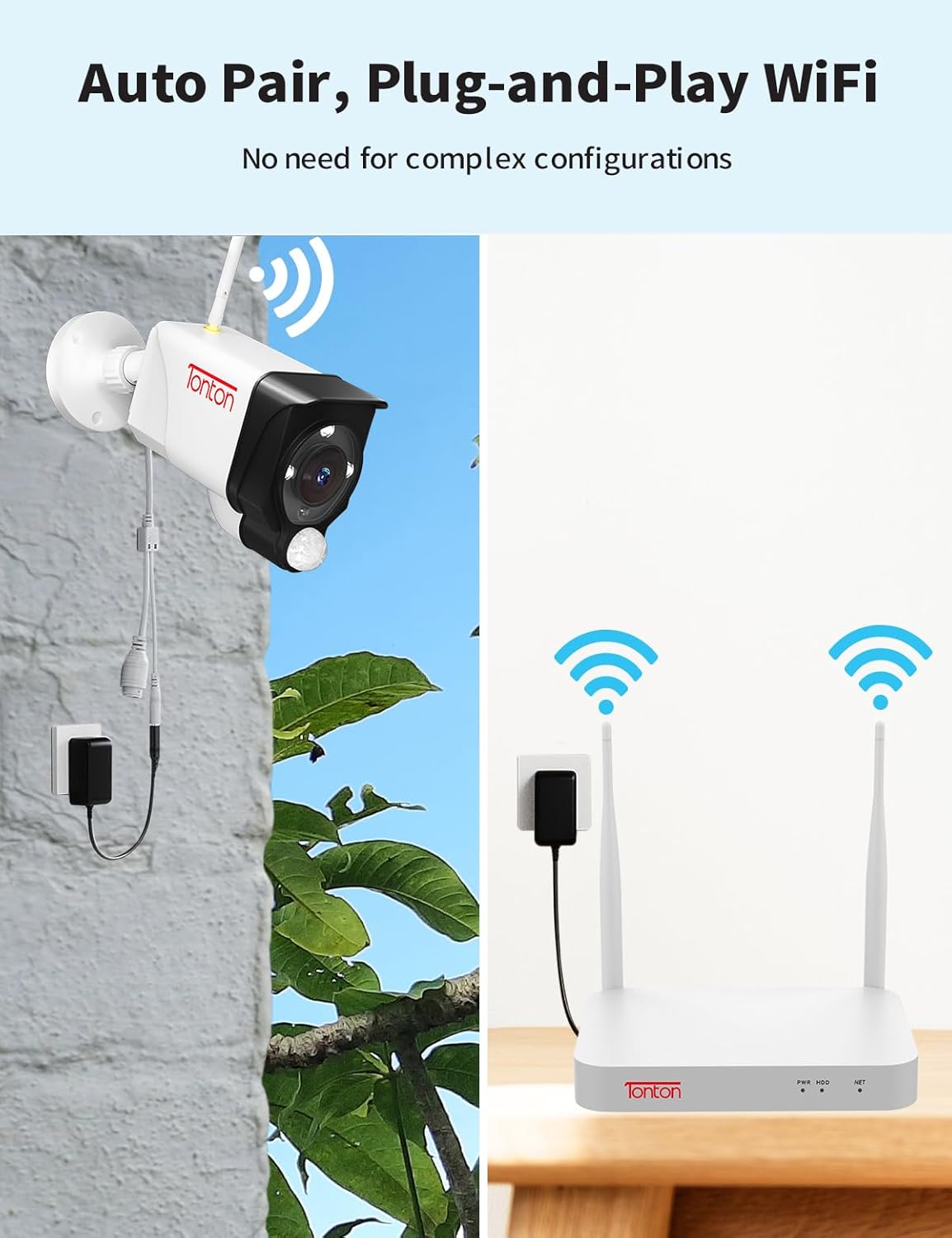
The Tonton security camera system is designed for plug-and-play operation. Cameras automatically pair with the NVR. Each camera requires a power source.
- Connect the NVR to a power source using the provided 12V 2A power supply.
- Connect each 3MP camera to a power source using its dedicated 12V 1A power supply.
- For remote access, connect the NVR to your router via WiFi or an Ethernet cable. The NVR has a built-in network card for direct WiFi connection.
- Connect the NVR to a monitor (not included) using an HDMI cable to view the live feed.


3.2 Camera Placement
Outdoor cameras feature a 360° adjustable bracket for flexible positioning. Before permanent installation, test the camera's WiFi connection and field of view.
3.3 Mobile App Setup (EseeCloud)
To access your system remotely, download the 'EseeCloud' app:
- Download the 'EseeCloud' app from your device's app store.
- Register an account and log in.
- Scan the device QR code on your NVR to add it to the app.

For PC software ('ismkit'), please contact customer support for download instructions.
3.4 How the Wireless Camera System Works
This video demonstrates the operational principles of the Tonton wireless camera system, showing how cameras connect to the NVR and how the system functions.
4. Operating Instructions
4.1 Continuous Recording
The system supports 24/7 continuous recording. The pre-installed 1TB hard drive can store over 30 days of video. When the hard drive is full, it will automatically overwrite the oldest recordings.

4.2 AI Human Detection and Alerts
The system utilizes PIR, motion, and AI humanoid detection sensors to minimize false alarms. When human motion is detected, you will receive mobile notifications and email alerts.

4.3 Two-Way Audio
Each camera features two-way audio, allowing you to hear and speak through the camera using the mobile app.

4.4 Night Vision Modes
The cameras offer three night vision modes: full color, infrared, and smart mode (default). The spotlight and siren alarm can illuminate your yard and deter intruders, recording color videos even at night.

4.5 Alexa Integration
The system is compatible with Amazon Alexa, allowing voice commands for viewing camera feeds.

This video provides instructions on how to integrate and operate the Tonton security camera system with Amazon Alexa.
5. Maintenance
- Regular Cleaning: Periodically clean camera lenses with a soft, damp cloth to ensure clear image quality.
- Firmware Updates: Check the EseeCloud app or Tonton website for available firmware updates to ensure optimal performance and security.
- Connection Check: Regularly verify that all cameras are powered and connected to the NVR. Ensure the NVR has a stable internet connection for remote access.
- Hard Drive Management: The 1TB HDD automatically overwrites old footage. For longer retention, consider upgrading the hard drive (up to 6TB) or backing up important recordings.
6. Troubleshooting
- No Image/Video: Ensure cameras and NVR are powered on and connected. Check all cables and power adapters.
- Poor Wireless Signal: Ensure cameras are within range of the NVR. Consider repositioning cameras or the NVR, or using the WiFi repeater function of the cameras.
- False Alarms: Adjust detection sensitivity settings in the NVR or app. Utilize custom motion detection areas to exclude irrelevant zones.
- Remote Access Issues: Verify the NVR is connected to the internet. Check router settings and ensure the EseeCloud app is updated.
- Contact Support: If issues persist, refer to the support section for contact information.
7. Specifications
| Feature | Detail |
|---|---|
| Brand | Tonton |
| Model Number | D5309HN8-W |
| Connectivity Technology | Wireless |
| Video Capture Resolution | 2K, 3MP (2304*1296) |
| Number of Channels | 10 |
| Memory Storage Capacity | 1 TB (expandable up to 6TB) |
| Power Source | Corded Electric (12V DC) |
| Item Dimensions (L x W x H) | 13.31 x 16.34 x 7.48 inches |
| Recommended Uses | Indoor, Outdoor, Home, Business |
| Compatible Devices | Cameras, Personal Computers, Smartphones, TV, Tablets |
| Special Features | PIR Sensor, Spotlight, 2 Way Audio, Metal Housing, 110 degree Viewing Angle, IP66 Weatherproof, Color Night Vision, 360 degree adjustable bracket, AI Humanbody Detection, Email/NVR/APP alerts, Remote Viewing, Smart Search Playback, USB backup, Cloud Storage Support, Privacy Mask Area (up to 4 areas), Works with Alexa |
| Low Light Technology | Night Color |
| Focal Length | F=3.6mm |
| Night Vision Range | Up to 100 Feet |
| Frame Rate | 15fps |
| Recording Mode | Event, Schedule |
| Video Compression | H.265+ |
| UPC | 654913788847 |
8. Warranty and Support
For technical support or inquiries, please contact Tonton customer service:
- Email: sales@tontonsecurity.com
- Manufacturer Email: kontakt@tontonsecurity.com
You can also visit the official Tonton store for more information and resources: Tonton Amazon Store.

The product is manufactured by Guangzhou Juan Intelligent Tech Joint Stock Co., Ltd Tonton security.

