
Introduction
This manual provides detailed instructions for the safe and efficient use of your Anker Roav SmartCharge F0 Bluetooth FM Transmitter. Please read this manual thoroughly before using the device and retain it for future reference.

Image: The Anker Roav SmartCharge F0 device, showing its dual USB ports, LED display, and control buttons, designed to plug into a car's cigarette lighter socket.
Safety Information
Please observe the following safety guidelines to prevent injury or damage to the device:
- Do not expose the device to extreme temperatures, direct sunlight, or high humidity.
- Avoid dropping or subjecting the device to strong impacts.
- Do not disassemble, modify, or attempt to repair the device yourself. Refer all servicing to qualified personnel.
- Keep the device away from water and other liquids.
- Ensure proper ventilation when in use to prevent overheating.
- Dispose of the device and its components according to local regulations. Do not dispose of with household waste.
- Avoid using the device in vehicles where it may obstruct the driver's view or interfere with vehicle controls.
Product Overview
The Roav SmartCharge F0 is a versatile car accessory that combines a Bluetooth FM transmitter with a dual-port USB car charger. It allows you to stream audio from your smartphone to your car's FM radio and make hands-free calls, all while charging your devices.
Key Features:
- Stable Transmission: Reliable Bluetooth and FM connections for audio streaming.
- Clear Sound: Boosted FM signal and static-cancellation technology for an optimal listening experience.
- Rapid Charging: Dual USB ports with PowerIQ for high-speed charging. (Note: Qualcomm Quick Charge not supported).
- Hands-Free Calling: Bluetooth 4.2 with echo-cancellation for clear calls.
Components:
- FM Transmitter Body: Plugs into your car's cigarette lighter socket.
- LED Display: Shows the current FM frequency.
- Dual USB Charging Ports: For charging mobile devices.
- Control Buttons:
- Previous Track / Frequency Down (<<)
- Call Button / Play/Pause / Frequency Set (Phone icon)
- Next Track / Frequency Up (>>)
- Microphone: For hands-free calling.
Setup
- Plug In the Device:
Insert the SmartCharge F0 into your car's cigarette lighter socket. The LED display will light up.
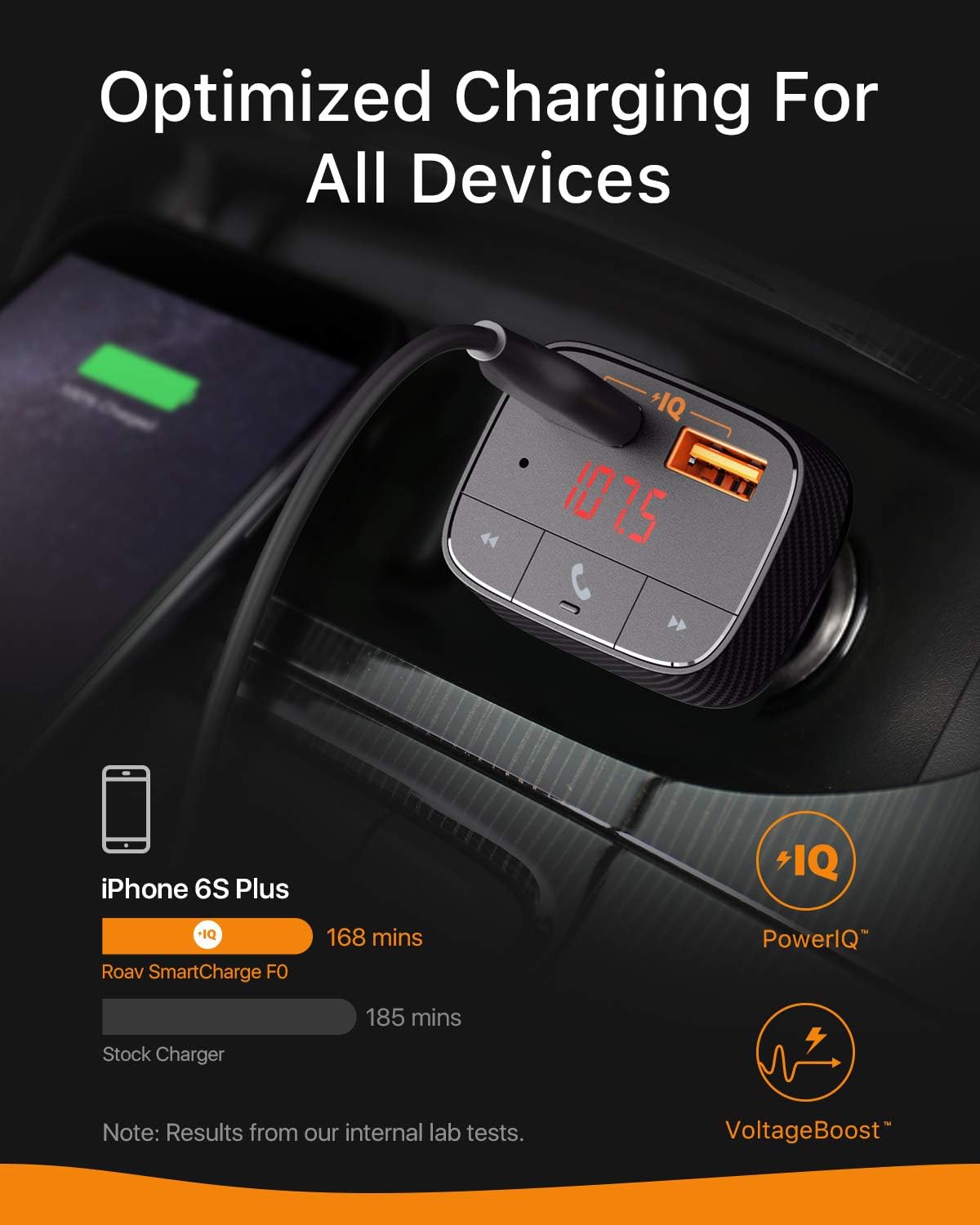
Image: The SmartCharge F0 plugged into a car's power outlet, with a smartphone connected via USB cable for charging, demonstrating its charging capability.
- Tune Your Car Radio:
Tune your car's FM radio to an unoccupied frequency. An unoccupied frequency is one that has no strong radio station broadcasting on it, resulting in static or silence.

Image: The SmartCharge F0 emitting an enhanced FM signal, indicating its ability to broadcast audio clearly to your car's radio.
- Set the SmartCharge F0 Frequency:
Press and hold the Call button (phone icon) on the SmartCharge F0 until the FM frequency on the LED display starts flashing. Use the "<<" and ">>" buttons to adjust the frequency to match the unoccupied frequency you found on your car radio. Once set, press the Call button again to confirm.
- Pair with Bluetooth:
On your smartphone, enable Bluetooth and search for available devices. Select "Roav SmartCharge F0" from the list to pair. Once paired, a voice prompt will confirm the connection.

Image: The SmartCharge F0 wirelessly connected to a smartphone via Bluetooth, illustrating its capability to broadcast music from the phone to the car's audio system.
Operating Instructions
Playing Music:
- Once paired, open your music app on your smartphone and start playing audio. The sound will be transmitted to your car's FM radio.
- Use the "<<" and ">>" buttons on the SmartCharge F0 to skip to the previous or next track.
- Press the Call button (phone icon) to play or pause music.
Hands-Free Calling:
- Answering a Call: When an incoming call rings, press the Call button (phone icon) once to answer.
- Ending a Call: During a call, press the Call button (phone icon) once to end the call.
- Rejecting a Call: Press and hold the Call button (phone icon) for 2 seconds to reject an incoming call.
- Redialing: Double-press the Call button (phone icon) to redial the last number.

Image: A hand pressing the call button on the SmartCharge F0, with a smartphone screen showing an active call, highlighting the hands-free calling feature.
Charging Devices:
- Connect your device's USB charging cable to either of the two USB ports on the SmartCharge F0.
- The PowerIQ technology will automatically detect and deliver the optimal charging speed for your connected device.
Maintenance
- Cleaning: Use a soft, dry cloth to clean the surface of the device. Do not use liquid cleaners or aerosols.
- Storage: When not in use for extended periods, store the device in a cool, dry place away from direct sunlight.
- Handling: Avoid pulling the device out by the cable when disconnecting. Always grasp the body of the SmartCharge F0.
Troubleshooting
| Problem | Possible Cause | Solution |
|---|---|---|
| Static or poor audio quality | FM frequency interference; weak signal. | Find a new, unoccupied FM frequency on your car radio and match the SmartCharge F0 to it. Ensure the volume on both the device and car radio is appropriately set. |
| Bluetooth not connecting | Device not in pairing mode; Bluetooth off on phone; previously paired with another device. | Ensure Bluetooth is enabled on your phone. Forget "Roav SmartCharge F0" from your phone's Bluetooth list and re-pair. Restart both the SmartCharge F0 (by unplugging and replugging) and your phone. |
| Charging is slow or not working | Cable issue; device not fully inserted; device requires more power than supplied. | Try a different USB cable. Ensure the SmartCharge F0 is fully inserted into the cigarette lighter socket. Note that Qualcomm Quick Charge is not supported. |
| Call quality is poor | Microphone interference; background noise. | Ensure the microphone is not obstructed. Reduce background noise in the car if possible. |
Specifications
| Feature | Detail |
|---|---|
| Model Number | R5113 |
| Product Dimensions | 1.89"L x 1.5"W x 2.66"H |
| Item Weight | 1.44 ounces |
| Connectivity Technologies | Bluetooth, USB |
| Bluetooth Version | 4.2 |
| Power Source | DC power supply (Car cigarette lighter) |
| Special Features | Car Charger, Dual USB Ports, Hands-Free Calling, FM Transmitter |
| Color | Black |
| Manufacturer | Anker |

Image: The compact design of the SmartCharge F0, shown next to a credit card to illustrate its small size.
Warranty and Customer Support
The Roav SmartCharge F0 comes with a 12-month worry-free warranty. For any product-related inquiries, technical support, or warranty claims, please contact our friendly customer service team.
You can find more information and support resources by visiting the official ROAV store on Amazon:


