
Introduction
This manual provides detailed instructions for the safe and effective use of your PMD Beauty Smart Facial Cleansing Device. Please read this manual thoroughly before operating the device and retain it for future reference. The PMD Clean device utilizes SonicGlow Technology to deeply cleanse the skin and an anti-aging massager to enhance product absorption.
Product Overview
The PMD Beauty Smart Facial Cleansing Device is an electric facial brush designed for comprehensive skincare. It features a soft silicone brush head for cleansing and a ridged back side for massaging. The device is powered by SonicGlow Technology, delivering up to 7,000 vibrations per minute.

Image: The PMD Beauty Smart Facial Cleansing Device, highlighting its ergonomic design and silicone brush head.

Image: Illustration of SonicGlow Technology, detailing its function in breaking down dirt and oil.
Key Features:
- SonicGlow Technology: Breaks down dirt and oil from within pores with 7,000 vibrations per minute.
- Silicone Brush Head: Hygienic, odor-resistant, and requires no replacement heads.
- Anti-Aging Massager: The back side of the device is designed to massage serums and moisturizers into the skin.
- Waterproof Design: Safe for use in the shower or at the sink (IPX7 rated).
- Ergonomic Handle: Designed for comfortable and secure grip during use.
Setup
Battery Installation
- Unscrew the bottom cap of the device by twisting it counter-clockwise.
- Insert one AA battery into the compartment, ensuring correct polarity (+/-).
- Screw the bottom cap back on clockwise until securely tightened.
Initial Cleaning
Before first use, rinse the silicone brush head under warm water. The device is waterproof, allowing for easy cleaning.
Operating Instructions
The PMD Clean device offers both cleansing and massaging functions. It is recommended for use twice daily.
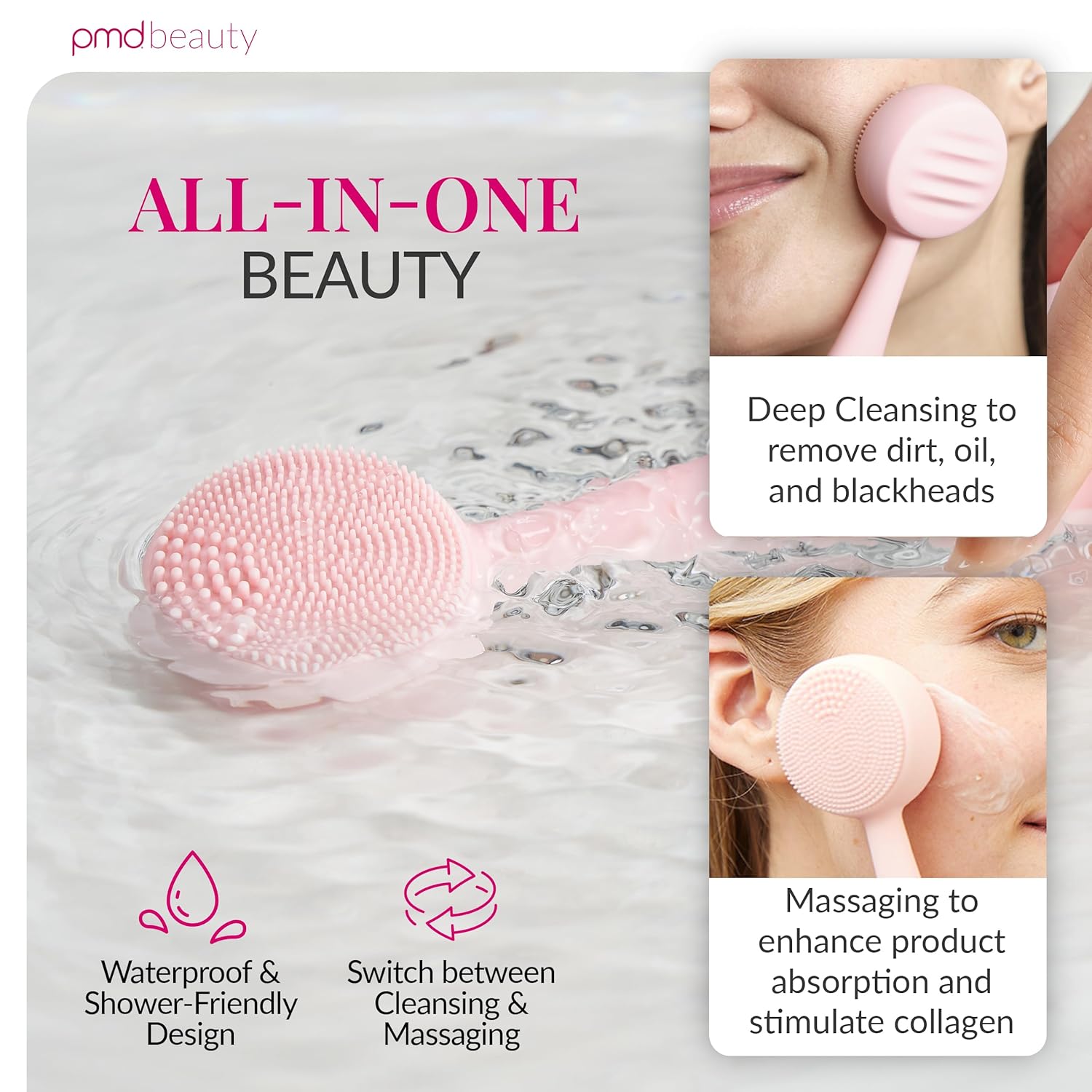
Image: The device demonstrating its dual functionality for deep cleansing and massaging.
Cleansing Mode
- Apply Cleanser: Dampen your face and apply your preferred facial cleanser directly to your skin or to the silicone brush head.
- Power On: Press the power button to turn on the device. The device will start in cleansing mode.
- Cleanse: Move the device in gentle circular motions across your face. Focus on areas requiring deeper cleansing. The device has multiple vibration settings; press the power button repeatedly to cycle through them.
- Rinse: After cleansing, rinse your face thoroughly with water and pat dry. Rinse the device under water to clean the silicone brush head.

Image: Visual guide for applying cleanser, cleansing the face, and massaging with the device.
Massaging Mode (Anti-Aging)
- Apply Skincare: After cleansing, apply your favorite serums or moisturizers to your face.
- Flip Device: Turn the device over to use the ridged anti-aging massager side.
- Massage: Gently glide the massager over your skin, allowing the vibrations to help absorb your skincare products.
Turning Off the Device
To turn off the device, continue pressing the power button until it cycles through all settings and powers down. The device will automatically shut off after a certain period of inactivity.
Maintenance and Care
Cleaning the Device
- After each use, rinse the silicone brush head and the entire device under warm running water.
- You may use a mild soap to clean the silicone if necessary.
- Pat the device dry with a clean towel or allow it to air dry.
- Do not use abrasive cleaners or harsh chemicals, as these can damage the silicone.
Storage
Store the device in a clean, dry place away from direct sunlight and extreme temperatures. Ensure the battery compartment is securely closed to maintain its waterproof seal.
Battery Replacement
When the device's performance diminishes, replace the AA battery following the installation steps outlined in the "Setup" section.
Troubleshooting
| Problem | Possible Cause | Solution |
|---|---|---|
| Device does not turn on. | Battery is dead or incorrectly installed. | Replace the AA battery or ensure it is installed with correct polarity. |
| Vibrations are weak. | Low battery power. | Replace the AA battery. |
| Device is difficult to turn off. | This is normal operation. | Press the power button repeatedly to cycle through all settings until the device powers down. |
Specifications
- Model Name: Smart Facial Cleansing Device
- Model Number: 4001
- Brand: PMD Beauty
- Material: Silicone
- Power Source: 1 AA Battery (included)
- Dimensions: 1.5 x 1.5 x 6.5 inches
- Weight: 4.8 ounces
- Water Resistance: IPX7 (Waterproof)
- UPC: 855394003843, 811485035094
Warranty Information
The PMD Beauty Smart Facial Cleansing Device comes with an unmatched 20-year warranty. For detailed terms and conditions, please refer to the warranty card included with your product or visit the official PMD Beauty website.

Image: PMD Clean devices illustrating the product's durability and warranty.
Support
For further assistance, product registration, or to view frequently asked questions, please visit the official PMD Beauty website or contact their customer support directly. Contact information can typically be found on the product packaging or the official website.