
NPET K32
NPET K32 Wireless Gaming Keyboard User Manual
Model: K32 | Brand: NPET
1. Introduction
The NPET K32 is a high-performance wireless gaming keyboard designed for an immersive gaming and typing experience. It features vibrant RGB backlighting, a comfortable wrist rest, and durable, spill-resistant construction. This manual provides essential information for setting up, operating, maintaining, and troubleshooting your keyboard.
2. Package Contents
Please check the package for the following items:
- NPET K32 Wireless Gaming Keyboard
- USB Receiver
- USB Cable (for charging)
3. Product Overview

Main product view of the NPET K32 wireless gaming keyboard with RGB lighting and a wrist rest, showing the included USB receiver.
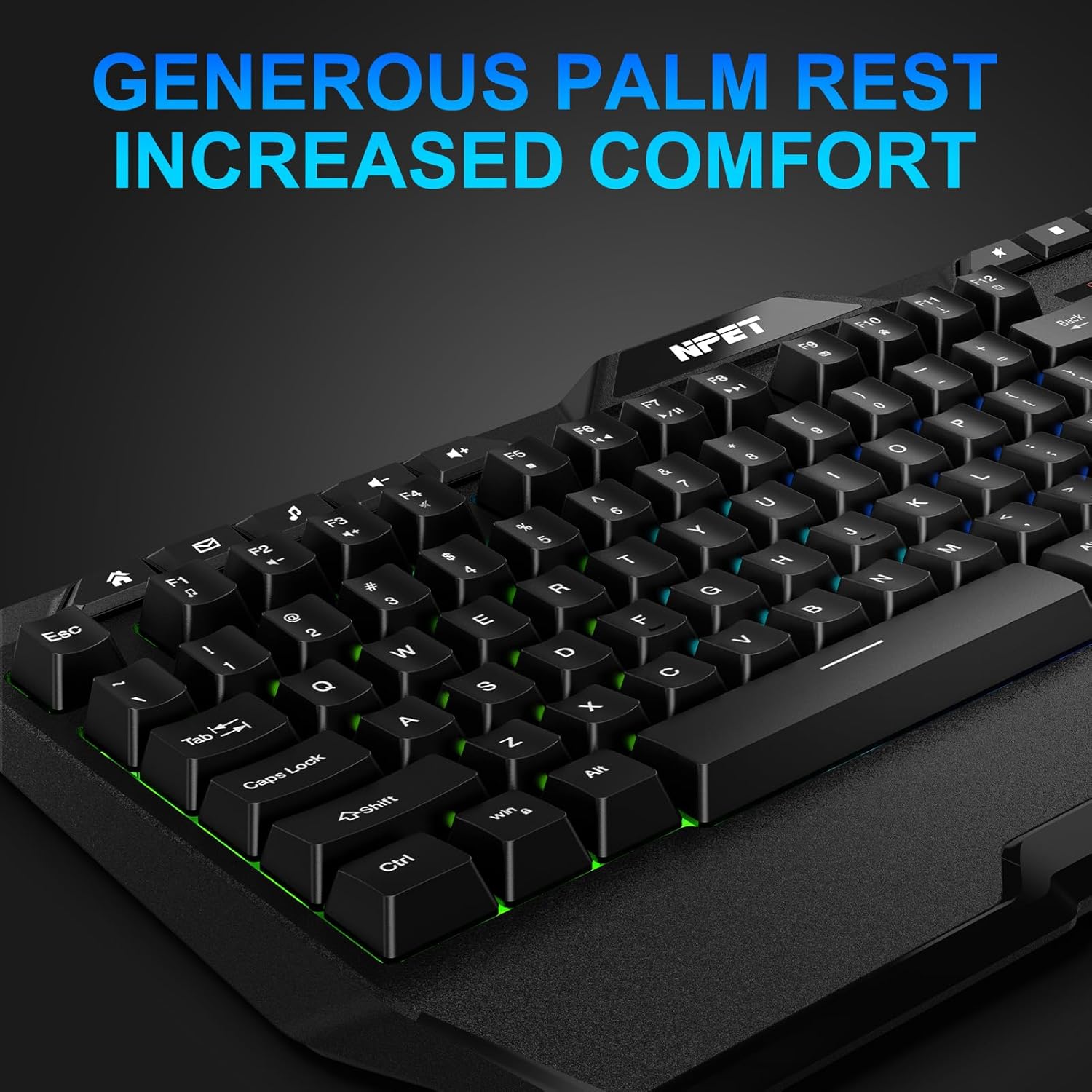
Close-up view of the NPET K32 keyboard highlighting the integrated palm rest for increased comfort during use.

Image showing the NPET K32 keyboard and its USB receiver, emphasizing "Instant Connectivity" and "Plug & Play" functionality.

The NPET K32 keyboard with text indicating "Super Extended Battery Life," showing "Up to 17 Hours" and "3000mAh Rechargeable" battery capacity.
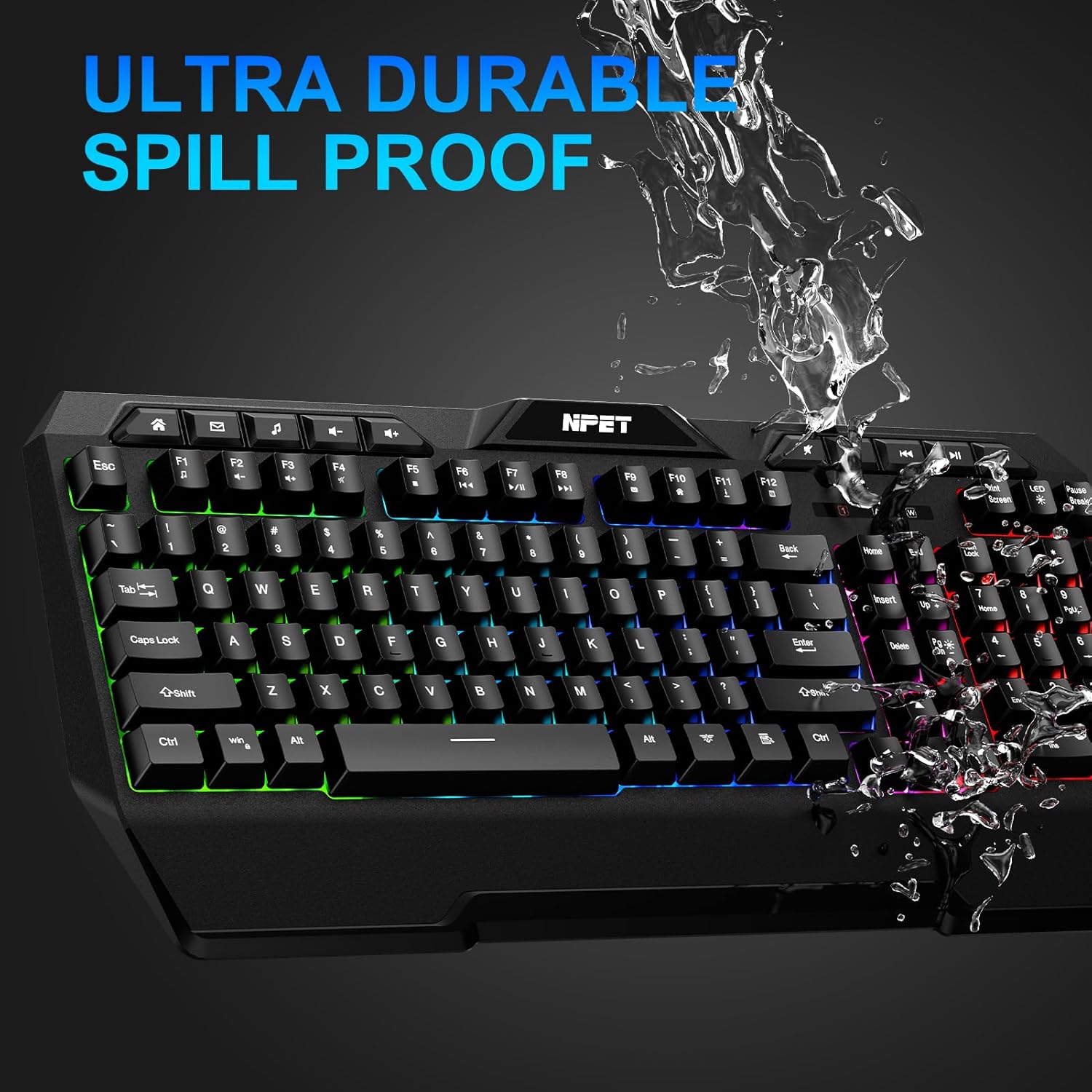
The NPET K32 keyboard with water splashing over it, illustrating its "Ultra Durable Spill Proof" design.

The NPET K32 keyboard with text highlighting "26 Keys Anti-Ghosting" and the "WIN-LOCK FUNCTION" feature.
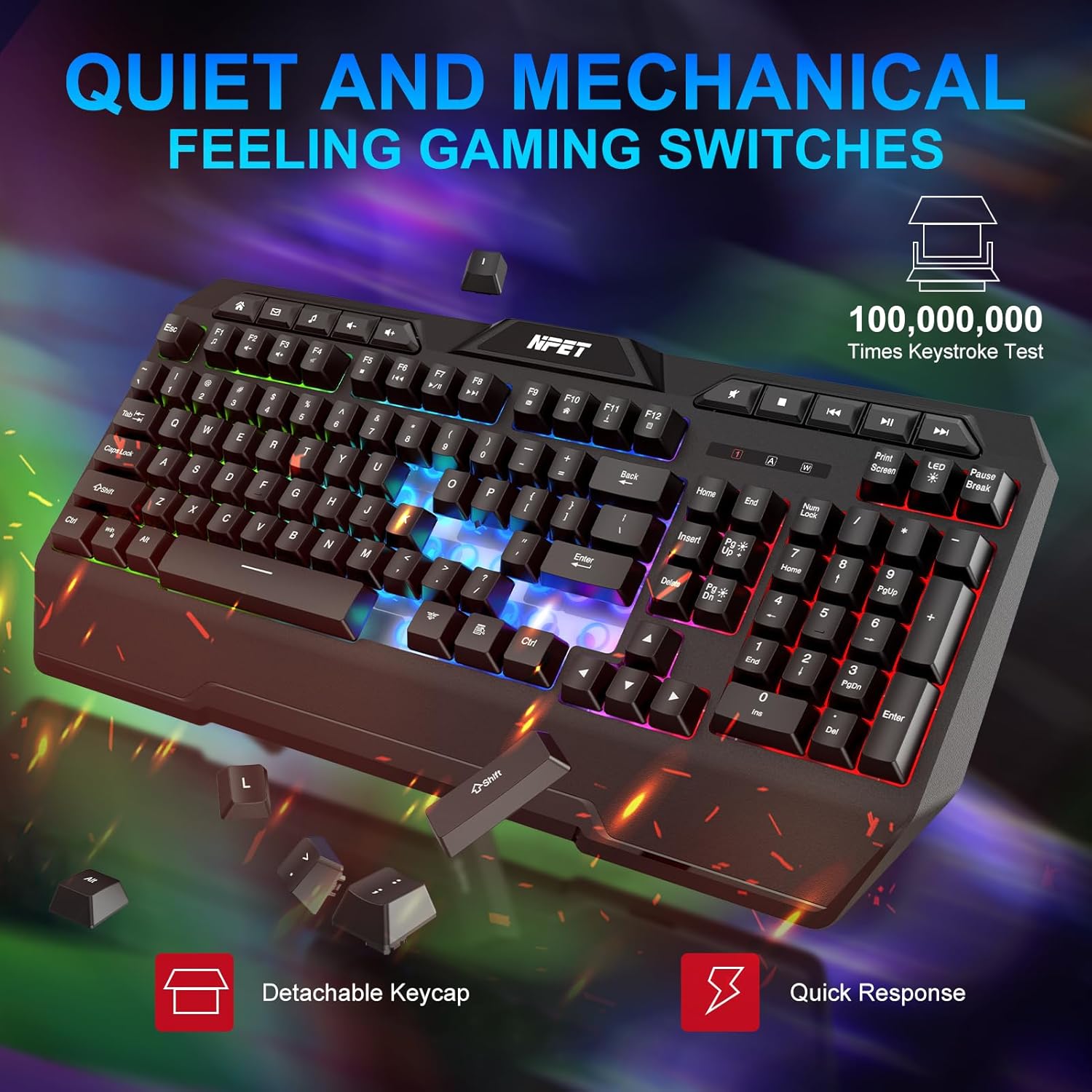
Close-up of the keyboard keys with text "Quiet and Mechanical Feeling Gaming Switches," mentioning "100,000,000 Times Keystroke Test," "Detachable Keycap," and "Quick Response."

The NPET K32 keyboard on a desk with a gaming mouse, showcasing "Stunning RGB Effects" and vibrant backlighting.

Three individuals engaged in gaming, with the NPET K32 keyboard visible on one of the desks, illustrating "Gaming Grace Performance."
4. Setup
- Charge the Keyboard: Before first use, connect the keyboard to a USB power source using the provided USB cable to ensure it is fully charged. The charging indicator will show the charging status.
- Connect the USB Receiver: Locate the USB receiver, typically stored in a compartment on the keyboard. Plug the USB receiver into an available USB port on your computer or gaming console.
- Power On: Turn on the keyboard using the power switch, usually located on the back or side of the keyboard. The keyboard should automatically connect to the receiver.
- Driver Installation: The NPET K32 is a plug-and-play device and does not require additional driver installation for basic functionality. Your operating system will automatically recognize the device.
5. Operating Instructions
Basic Usage
Once connected, the keyboard is ready for use. Simply begin typing or using it for gaming. The integrated wrist rest provides ergonomic support during extended sessions.
RGB Backlighting Control
The NPET K32 features customizable RGB backlighting. Use the dedicated LED control keys to cycle through various lighting modes, including Breath, Rainbow, and LED Off. Refer to the keyboard's specific key legends for exact controls.
Multimedia Hotkeys
The keyboard includes dedicated multimedia hotkeys for quick access to functions such as volume control, media playback, and more. These are typically located along the top row of the keyboard.
Win-Lock Function
To prevent accidental interruptions during gaming, the keyboard features a Win-Lock function. This disables the Windows key. Activate or deactivate this function using the designated key combination (often Fn + Win key).
6. Features
- Wireless Connectivity: Utilizes 2.4GHz wireless technology for a stable and responsive connection.
- RGB Backlighting: Features 5-zone RGB illumination with various effects including Breath and Rainbow modes.
- Rechargeable Battery: Equipped with a 3000mAh rechargeable battery, providing up to 17 hours of usage on a single charge.
- Spill Resistance: Designed to withstand accidental spills, offering enhanced durability.
- Anti-Ghosting: Supports 26-key anti-ghosting to ensure accurate registration of multiple simultaneous key presses.
- Quiet Switches: Engineered with low-friction switches for near-silent operation and a comfortable typing experience.
- Ergonomic Design: Includes an integrated palm rest for improved comfort during prolonged use.
7. Maintenance
- Cleaning: Use a soft, dry cloth to wipe down the keyboard surface. For deeper cleaning, use a can of compressed air to remove dust and debris from between the keys. Avoid using harsh chemicals or abrasive materials.
- Battery Care: To prolong battery life, avoid fully discharging the keyboard frequently. Charge the keyboard when the battery indicator is low. Store the keyboard in a cool, dry place when not in use for extended periods.
- Spill Management: In case of a liquid spill, immediately disconnect the keyboard from its power source and turn it off. Invert the keyboard to drain the liquid and allow it to air dry completely before reconnecting.
8. Troubleshooting
- Keyboard not responding:
- Ensure the keyboard is powered on.
- Check if the USB receiver is securely plugged into a working USB port.
- Verify the keyboard battery has sufficient charge. Recharge if necessary.
- Try plugging the USB receiver into a different USB port.
- Restart your computer or gaming console.
- RGB lighting not working:
- Ensure the keyboard is powered on and connected.
- Press the dedicated LED control keys to cycle through lighting modes or turn the lights on.
- Check if the battery is low, as some lighting features may be limited when the battery is critically low.
- Keys are sticky or unresponsive:
- Clean the keyboard thoroughly, especially around the affected keys, using compressed air.
- Ensure no debris is lodged under the keycaps.
9. Specifications
| Feature | Detail |
|---|---|
| Product Dimensions | 18"L x 6"W x 1"H (18 x 6 x 1 inches) |
| Item Weight | 1.32 pounds |
| Model Number | K32 |
| Batteries | 1 Lithium Ion battery required (included) |
| Compatible Devices | Gaming Console, PC, Mac |
| Connectivity Technology | Wireless (2.4GHz USB Receiver) |
| Keyboard Description | Gaming |
| Recommended Uses | Gaming |
| Special Features | Wrist Rest, Rechargeable, Water Resistant, Backlit, Ergonomic, Integrated Stand, Spill Proof |
| Color | Black |
| Keyboard Backlighting | RGB (5-zone illumination) |
10. Warranty and Support
The NPET K32 Wireless Gaming Keyboard comes with a 2-Year NPETtech Guarantee. This includes hassle-free return and replacement on all NPETtech electronic devices.
For any questions, concerns, or support needs, please contact NPET customer service. Our team is dedicated to providing fast and friendly assistance.
For more information and support, please visit the official NPET store: NPET Store on Amazon
Related documentsK32


Ask a question about this manual
Ask about setup, troubleshooting, compatibility, parts, safety, or missing instructions. Manuals+ will review the question and use this page’s manual context to help answer it.