1. Introduction
This manual provides essential instructions for the proper installation, operation, and maintenance of your ECOVACS DO3G-KTB Wiper Accessory Set. This accessory is designed to enhance the cleaning capabilities of your compatible ECOVACS DEEBOT robot vacuum cleaner by adding a mopping function.
1.1 What's Included
- 1 x Water Tank
- 3 x Cleaning Cloths
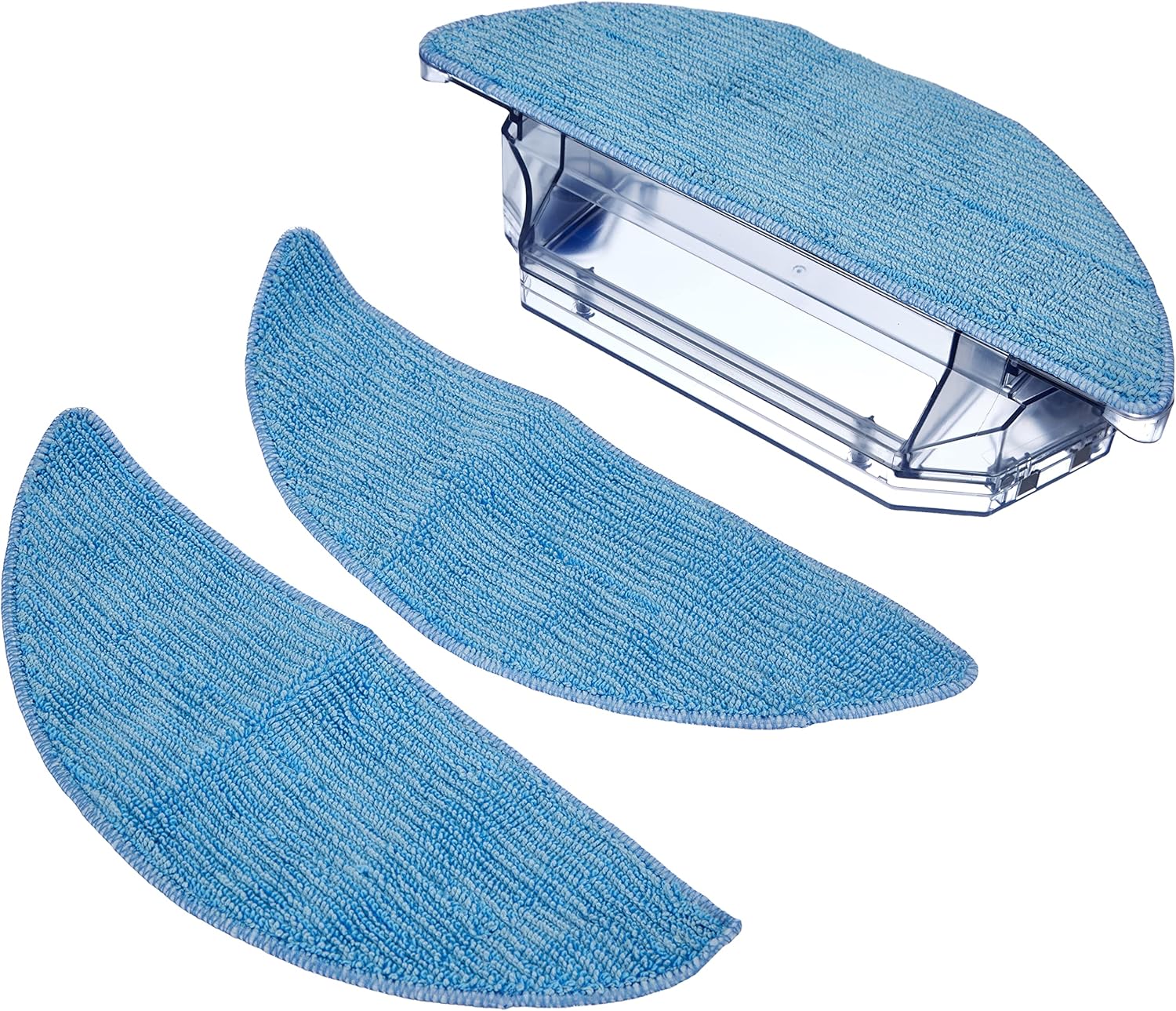
Figure 1.1: The complete ECOVACS DO3G-KTB Wiper Accessory Set, including the water tank and three cleaning cloths.
1.2 Compatibility
This Wiper Accessory Set is specifically designed for use with the following ECOVACS DEEBOT models:
- DEEBOT 600
- DEEBOT 601
- DEEBOT 605
2. Setup and Installation
The Wiper Accessory Set is designed for easy assembly without the need for additional tools.
2.1 Attaching the Cleaning Cloth
- Ensure the water tank is clean and dry before attaching the cloth.
- Align one of the cleaning cloths with the bottom of the water tank.
- Press the cloth firmly onto the Velcro strips located on the underside of the water tank until it is securely attached.

Figure 2.1: Securely attach the cleaning cloth to the Velcro strips on the water tank.
2.2 Filling the Water Tank
- Locate the blue rubber stopper on the top of the water tank.
- Carefully open the stopper.
- Fill the water tank with clean tap water. Do not overfill; observe the maximum fill line indicated on the tank.
- Securely close the rubber stopper to prevent leaks.

Figure 2.2: Open the blue stopper to fill the water tank with water.
2.3 Installing the Accessory Set onto the DEEBOT
- Turn your DEEBOT robot vacuum cleaner upside down.
- Locate the designated slot for the wiper accessory on the underside of the robot.
- Slide the assembled water tank with the attached cleaning cloth into the slot until it clicks securely into place.
- Ensure the accessory is firmly seated before operating the DEEBOT.

Figure 2.3: The fully assembled wiper accessory, ready to be installed into the DEEBOT.
3. Operating Instructions
Once the Wiper Accessory Set is installed, your DEEBOT is ready to perform its mopping function. Refer to your DEEBOT's main instruction manual for specific operating modes and scheduling.
- Ensure the water tank is filled before starting a mopping cycle.
- For optimal results, it is recommended to vacuum the area first before initiating a mopping cycle.
- The DEEBOT will automatically dispense water onto the cleaning cloth as it moves, providing a light damp mop.
4. Maintenance
Regular maintenance of your Wiper Accessory Set ensures optimal performance and extends its lifespan.
4.1 Cleaning the Water Tank
- Remove the water tank from the DEEBOT.
- Empty any remaining water from the tank.
- Rinse the inside of the water tank with clean water. Do not use harsh detergents or abrasive cleaners.
- Allow the water tank to air dry completely before refilling or storing.
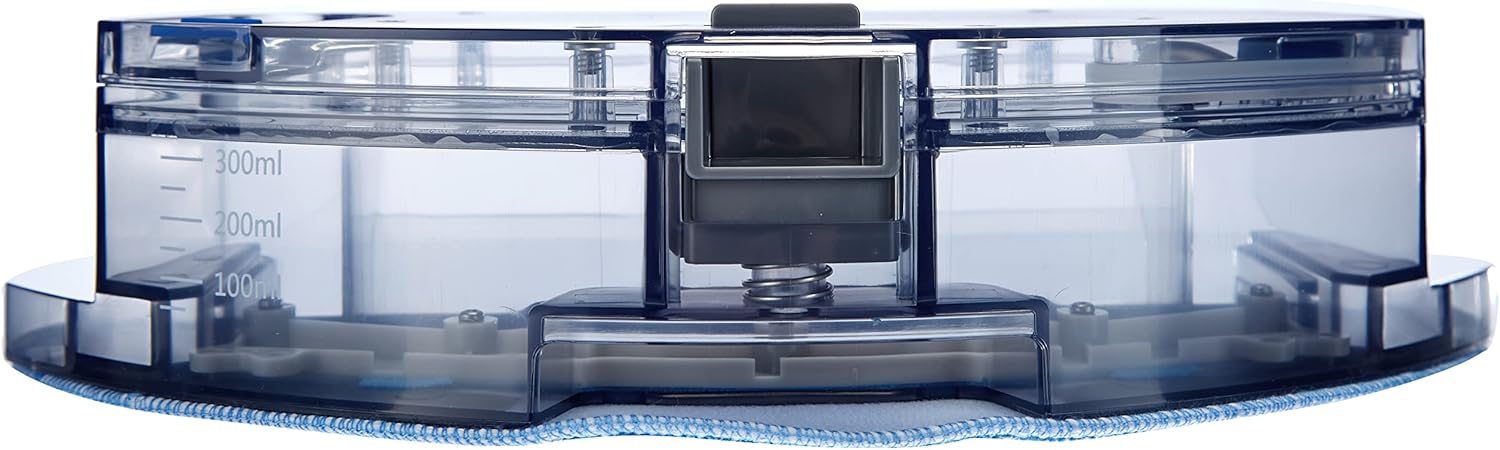
Figure 4.1: The water tank features clear volume markings for accurate filling.
4.2 Cleaning and Replacing Cleaning Cloths
- Remove the used cleaning cloth from the water tank.
- Hand wash the cleaning cloth with mild detergent and warm water, or machine wash on a gentle cycle.
- Allow the cloth to air dry completely before reuse.
- Replace cleaning cloths when they show signs of wear, tear, or reduced cleaning effectiveness. Using worn cloths can affect mopping performance.

Figure 4.2: Detail of the cleaning cloth's microfiber texture.
5. Troubleshooting
If you encounter issues with your Wiper Accessory Set, consider the following common solutions:
- No water dispensing: Ensure the water tank is properly filled and securely installed. Check that the rubber stopper is correctly sealed.
- Poor mopping performance / Streaks: The cleaning cloth may be dirty or worn. Clean or replace the cloth. Ensure the floor is free of large debris before mopping.
- Accessory not staying in place: Verify that the water tank is fully inserted into the DEEBOT's designated slot and has clicked into position.
6. Specifications
| Feature | Detail |
|---|---|
| Model Number | DO3G-KTB |
| Product Dimensions | 11.22 x 2.95 x 4.72 inches (28.5 x 7.5 x 12 cm) |
| Item Weight | 12.5 ounces (354 grams) |
| Manufacturer | ECOVACS |
| Compatibility | DEEBOT 600, 601, 605 |

Figure 6.1: Approximate dimensions of the wiper accessory.
7. Warranty and Support
For warranty information, technical support, or to purchase replacement parts, please refer to the official ECOVACS website or contact ECOVACS customer service directly. Keep your purchase receipt as proof of purchase.
You can find more information and contact details on the official ECOVACS website: www.ecovacs.com


