
Introduction
The YaeCCC V12 705 is a high-power 4-channel car audio stereo amplifier designed to enhance your in-car audio experience. This manual provides detailed instructions for the proper installation, safe operation, and routine maintenance of your amplifier. Please read this manual thoroughly before attempting installation or operation to ensure optimal performance and longevity of the product.
Package Contents
Upon opening the package, please verify that all items listed below are present and in good condition:
- 1 x YaeCCC 4 Channel Car Amplifier (Model: V12 705)
- 4 x Mounting Screws
- 1 x English User Manual (this document)

Image: The YaeCCC V12 705 amplifier shown alongside its included accessories: four mounting screws and the user manual.
Product Features
- Reliable quality 4-channel car amplifier for enhanced audio.
- Capable of connecting to up to 4 speakers.
- Features 6-phase high frequency, intermediate frequency, and low frequency regulation for precise audio control.
- Equipped with double low frequency output, suitable for driving subwoofers up to 160W rated power.
- Integrated fuse protection safeguards the amplifier and your car's electrical system from thermal, overload, and short circuit conditions.
Specifications
| Model | V12 705 |
| MAX Power | 4ohm 120W |
| RMS Power | 4ohm 60W |
| THD (Total Harmonic Distortion) | <0.02% |
| Bridged Power | 200W/4CH |
| Frequency Response | 20Hz~20KHz |
| Operating Voltage | 12V |
| Impedance | 4Ω |
| Maximum Power | 3800W (950W x 4) |
| Dimensions (L x W x H) | 32CM x 26CM x 6CM (12.6 x 10.2 x 2.4 inches approx.) |
| Material | Aluminum Alloy |
| Mounting Type | Surface Mount |

Image: The YaeCCC V12 705 amplifier with its length (32cm), width (26cm), and height (6cm) clearly indicated.
Setup and Installation
Proper installation is crucial for the performance and safety of your amplifier. It is recommended that installation be performed by a qualified professional.
1. Mounting Location
Choose a mounting location that is dry, well-ventilated, and protected from direct sunlight and excessive heat. Ensure there is sufficient space around the amplifier for air circulation. The amplifier is designed for surface mounting.

Image: Top view of the YaeCCC V12 705 amplifier, showcasing its sleek design and control panel.
2. Wiring Connections
All wiring should be done with the vehicle's battery disconnected to prevent short circuits. Use appropriate gauge wiring for power, ground, and speaker connections.
Power Connections:
- B+ (12V Power): Connect directly to the positive terminal of the car battery using a fuse (not included, but essential for protection) as close to the battery as possible.
- GND (Ground): Connect to a clean, unpainted metal surface of the vehicle chassis. Ensure a good electrical connection.
- REM (Remote Turn-On): Connect to the remote output of your head unit. This wire turns the amplifier on and off with your car stereo.
Speaker Connections:
Connect your speakers to the designated speaker terminals. This amplifier supports 4-channel output and can be bridged for higher power output to subwoofers.

Image: Rear panel of the YaeCCC V12 705 amplifier, displaying the power input terminals (GND, REM, B+) and the speaker output terminals for front and rear speakers, including bridging options.
Audio Input Connections:
Connect the RCA output cables from your head unit to the amplifier's RCA input jacks (CH1/2 and CH3/4).

Image: Front panel of the YaeCCC V12 705 amplifier, featuring the RCA input jacks (Low Input CH1/2, CH3/4) and various control knobs for audio adjustment.
Operating Instructions
Once the amplifier is correctly installed and wired, you can proceed with adjusting its settings for optimal audio performance.
Control Panel Overview:

Image: A detailed close-up of the amplifier's control panel, showing the GAIN, L.P.F (Low Pass Filter), and H.P.F (High Pass Filter) adjustment knobs for channels 1/2 and 3/4.
- GAIN (Input Level): Adjusts the input sensitivity of the amplifier to match the output of your head unit. Start at minimum and slowly increase until desired volume is achieved without distortion.
- L.P.F (Low Pass Filter): Controls the upper frequency limit for the output. Useful for subwoofers, allowing only low frequencies to pass.
- H.P.F (High Pass Filter): Controls the lower frequency limit for the output. Useful for full-range speakers, allowing only high frequencies to pass.
- Crossover Switch: Selects between Full, LPF, or HPF modes for each channel pair.
- SUPER BASS: Provides a bass boost for enhanced low-frequency response.
- TREBLE: Adjusts the high-frequency response.
Initial Power-Up:
- Ensure all connections are secure and correct.
- Set all gain controls on the amplifier to minimum.
- Turn on your head unit and set its volume to about 75% of maximum.
- Slowly increase the gain controls on the amplifier until you hear slight distortion, then back off slightly.
- Adjust the L.P.F, H.P.F, SUPER BASS, and TREBLE controls to fine-tune the sound to your preference.
Maintenance
To ensure the longevity and optimal performance of your YaeCCC amplifier, follow these maintenance guidelines:
- Cleaning: Regularly wipe the amplifier's exterior with a soft, dry cloth. Avoid using harsh chemicals or abrasive cleaners.
- Ventilation: Ensure that the cooling fins and ventilation slots are free from dust and debris. Blocked vents can lead to overheating.
- Connections: Periodically check all wiring connections for tightness and corrosion. Loose connections can cause performance issues or damage.
- Fuse: If the amplifier stops working, check the external fuse (if installed) and the internal fuse on the amplifier. Replace with a fuse of the same rating only.
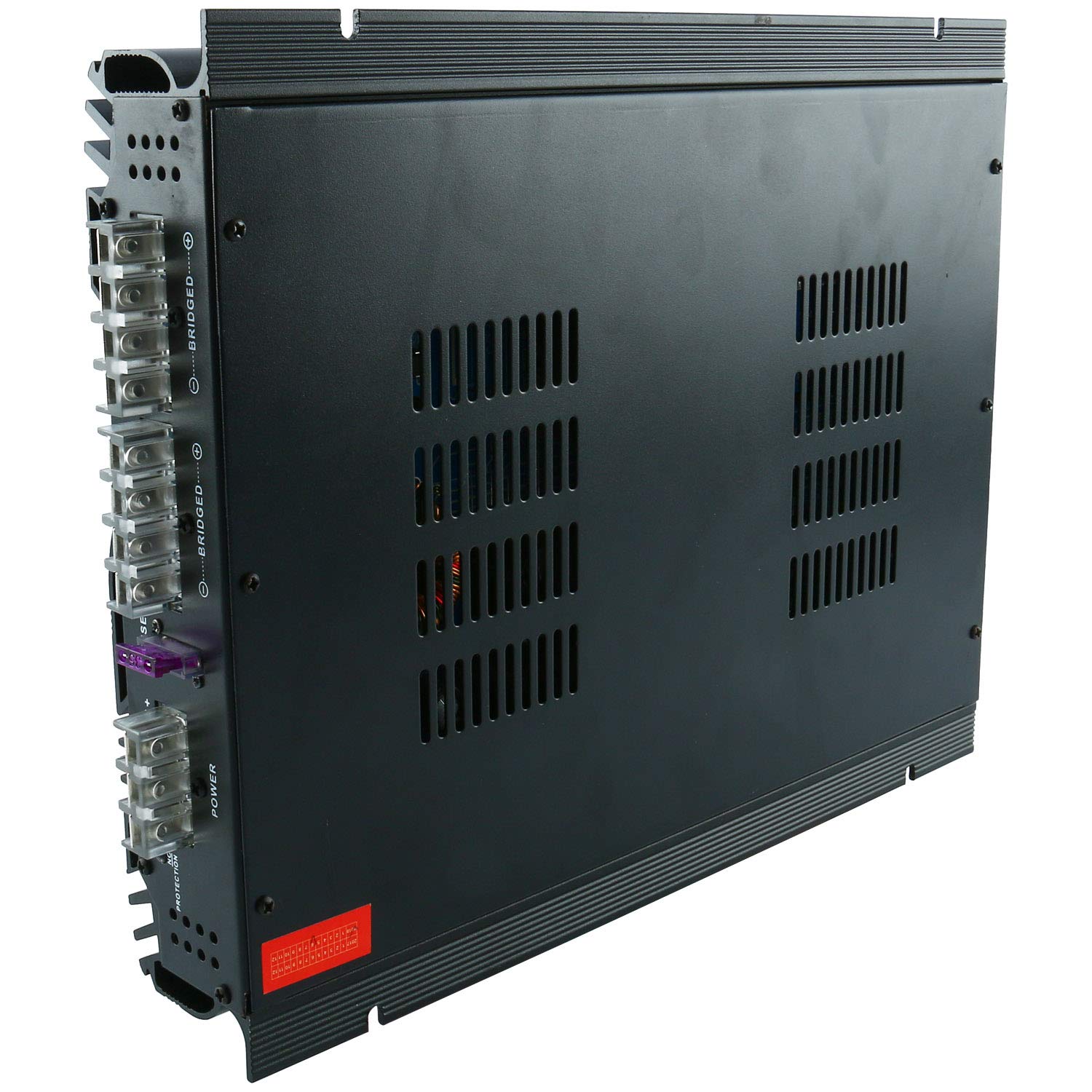
Image: Side view of the YaeCCC V12 705 amplifier, highlighting the heat sink fins designed for efficient cooling.

Image: View of the internal circuit board of the YaeCCC V12 705 amplifier, showing its electronic components and layout.
Troubleshooting
If you encounter issues with your amplifier, refer to the following common problems and solutions:
| Problem | Possible Cause | Solution |
|---|---|---|
| No Power / Amplifier Not Turning On |
|
|
| No Sound Output |
|
|
| Distorted Sound |
|
|
| Amplifier Overheating |
|
|
Warranty and Support
For warranty information and technical support, please refer to the contact details provided by your retailer or visit the official Yaeccc website. Keep your purchase receipt as proof of purchase for any warranty claims.
Manufacturer: Yaeccc
Date First Available: August 7, 2018
For further assistance, you may visit the Yaeccc Store on Amazon.