
1. Introduction
This manual provides detailed instructions for the proper use and maintenance of your Edifier W820BT Bluetooth Headphones. Please read this manual thoroughly before using the product to ensure optimal performance and longevity.
2. Package Contents
Verify that all items listed below are included in your package. If any items are missing or damaged, please contact Edifier customer support.
- Edifier W820BT Bluetooth Headphones
- Charging Cable (USB)
- Audio Cable (3.5mm)
- User Manual (this document)
3. Product Overview
The Edifier W820BT headphones are designed for comfort and extended listening, featuring Bluetooth v4.1 connectivity and a long-lasting battery.
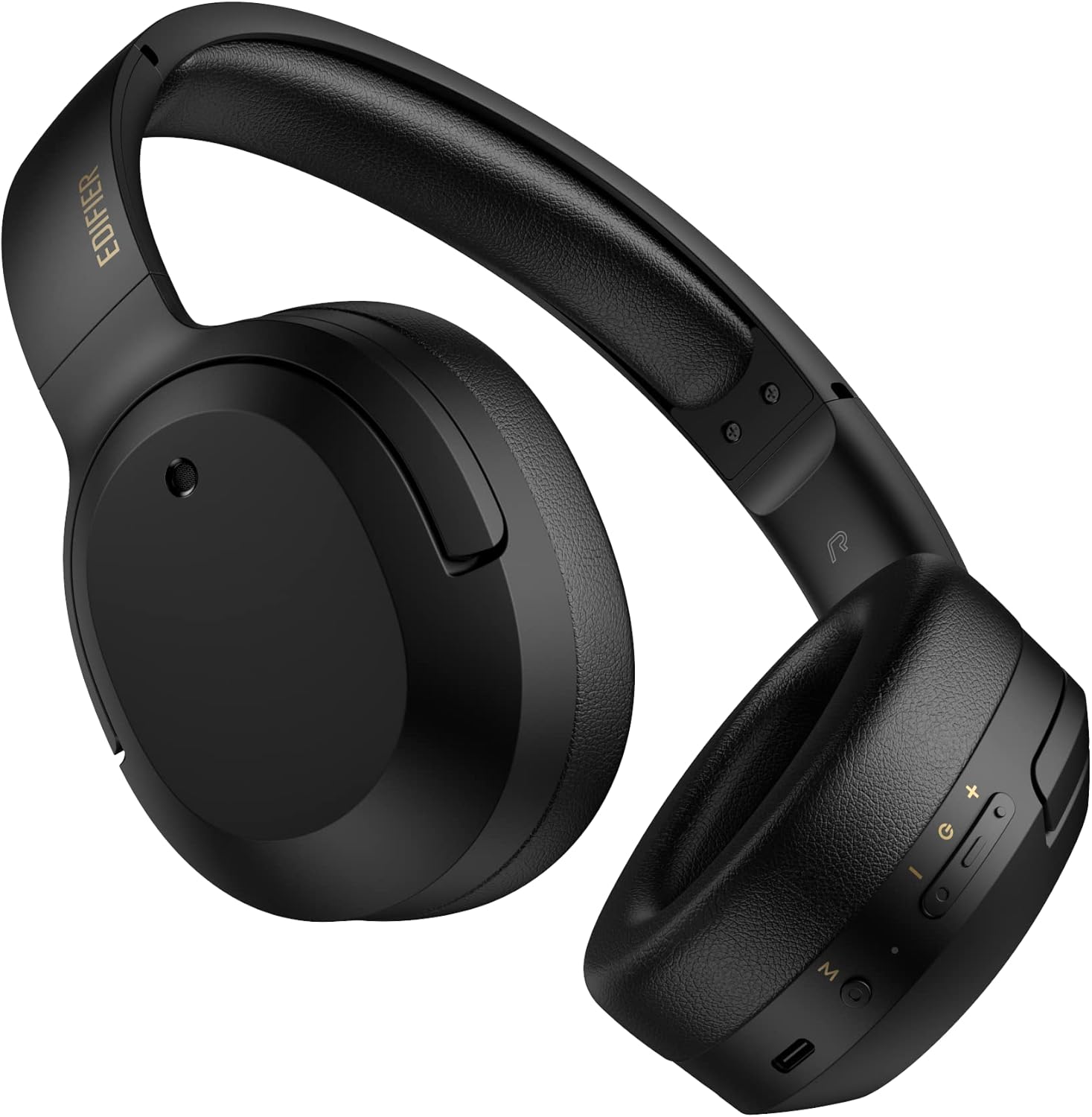
Figure 3.1: Front view of the Edifier W820BT Bluetooth Headphones.

Figure 3.2: Side view of the Edifier W820BT Bluetooth Headphones, highlighting the control buttons.
Key Features:
- Bluetooth V4.1 with CSR Technology for stable wireless connection.
- Up to 80 hours of battery life.
- Foldable design for portability.
- Soft leather ear pads for comfort.
- Durable and flexible steel headband.
- On-ear controls for media playback and calls.
4. Setup
4.1 Charging the Headphones
Before first use, fully charge the headphones.
- Connect the micro-USB end of the charging cable to the charging port on the headphone (located on the right earcup).
- Connect the USB-A end of the charging cable to a USB power adapter (not included) or a computer's USB port.
- The LED indicator will illuminate during charging and turn off once fully charged.
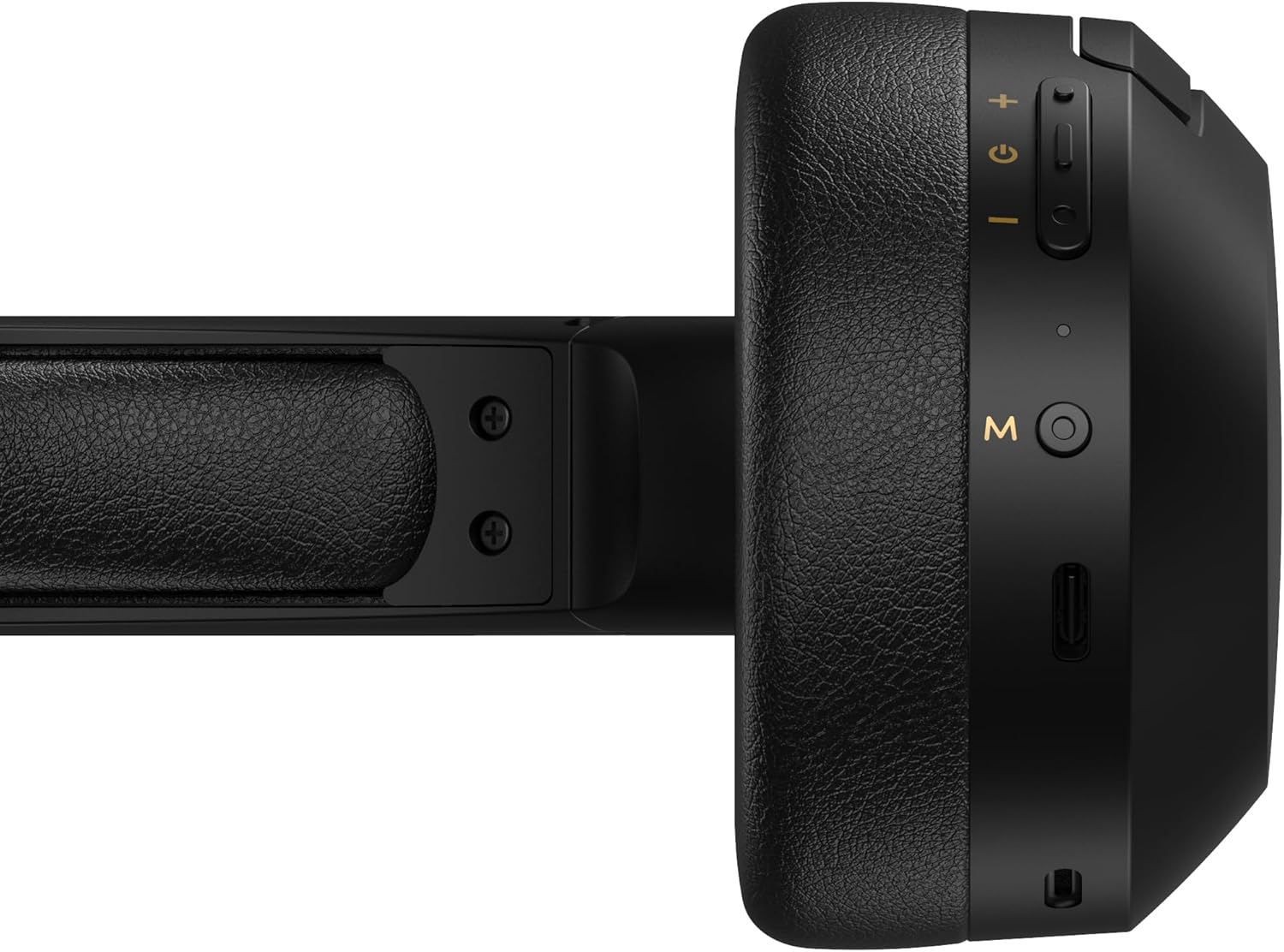
Figure 4.1: Close-up of the charging port and control buttons on the right earcup.
4.2 Powering On/Off
- To Power On: Press and hold the multi-function button (usually marked with a power icon or 'M') for approximately 3 seconds until the LED indicator flashes blue.
- To Power Off: Press and hold the multi-function button for approximately 5 seconds until the LED indicator flashes red and then turns off.
4.3 Bluetooth Pairing
To connect your headphones to a Bluetooth-enabled device:
- Ensure the headphones are powered off.
- Press and hold the multi-function button for approximately 5-7 seconds until the LED indicator flashes red and blue alternately. This indicates pairing mode.
- On your device (smartphone, tablet, computer), enable Bluetooth and search for available devices.
- Select "EDIFIER W820BT" from the list of found devices.
- Once paired, the LED indicator will flash blue slowly.
Note: The headphones will automatically attempt to reconnect to the last paired device when powered on.
5. Operating Instructions
5.1 On-Ear Controls
The control buttons are located on the right earcup.
| Button/Action | Function |
|---|---|
| Multi-function Button (M) |
|
| Volume Up (+) |
|
| Volume Down (-) |
|
5.2 Wired Connection
The W820BT headphones can also be used with a wired connection.
- Connect one end of the 3.5mm audio cable to the audio input jack on the left earcup of the headphones.
- Connect the other end of the 3.5mm audio cable to the audio output jack of your device.
- The headphones will automatically switch to wired mode. Bluetooth functionality will be disabled.

Figure 5.1: Connecting the 3.5mm audio cable for wired listening.
6. Maintenance
- Clean the headphones with a soft, dry cloth. Do not use abrasive cleaners or solvents.
- Avoid exposing the headphones to extreme temperatures, humidity, or direct sunlight.
- Store the headphones in a cool, dry place when not in use. The foldable design allows for compact storage.
- Do not disassemble the headphones. This will void the warranty.
7. Troubleshooting
If you encounter issues with your Edifier W820BT headphones, refer to the following common problems and solutions:
| Problem | Solution |
|---|---|
| Cannot power on | Ensure the headphones are charged. Connect to a power source using the charging cable. |
| Cannot pair via Bluetooth |
|
| No sound |
|
| Poor sound quality |
|
8. Specifications
| Feature | Detail |
|---|---|
| Model Name | W820BT |
| Connectivity Technology | Wireless (Bluetooth), Wired (3.5mm Jack) |
| Bluetooth Version | 4.1 |
| Battery Life | Up to 80 Hours |
| Earpiece Shape | Over Ear |
| Material | Steel (headband) |
| Item Weight | 1.14 pounds (approx. 517g) |
| Product Dimensions | 9.25 x 7.64 x 3.41 inches |
| Manufacturer | Edifier |
9. Warranty and Support
Edifier provides a one-year warranty in the USA and Canada for the W820BT headphones. For warranty claims or technical support, please contact Edifier customer service.
For more information, visit the official Edifier website or refer to your purchase documentation.
10. Video Demonstration
Watch the official product video for a visual guide on the Edifier W820BT Bluetooth Headphones' features and usage.
Video 10.1: Official product overview of the Edifier W820BT Bluetooth Headphones, demonstrating features like battery life, comfort, foldable design, and on-ear controls.


