
Introduction
This manual provides essential information for the setup, operation, and maintenance of your Arcade1Up Street Fighter II Classic 3-in-1 Home Arcade Machine. This unit is designed to bring the iconic arcade gaming experience into your home, dorm room, or office. It features commercial-grade construction, original artwork, and authentic controls for an immersive experience.
Key Features
- 3 Games in 1: Includes Street Fighter II Champion Edition, Street Fighter II The New Challengers, and Street Fighter II Turbo.
- Classic Upright Cabinet Design: Standing just under 4ft tall.
- Authentic Arcade Controls: Two-player joystick/button configuration.
- Upgraded Display: 17-inch Color LCD screen.
- Coinless Operation: Enjoy unlimited play without coins.
- Adjustable Volume: Control audio levels for your environment.
- On-Screen Game Selection Menu: Easily switch between games.
Setup
The Arcade1Up Street Fighter II machine is designed for straightforward assembly. It is recommended to have two people for assembly due to the size and weight of the components. The unit plugs into a standard AC outlet.
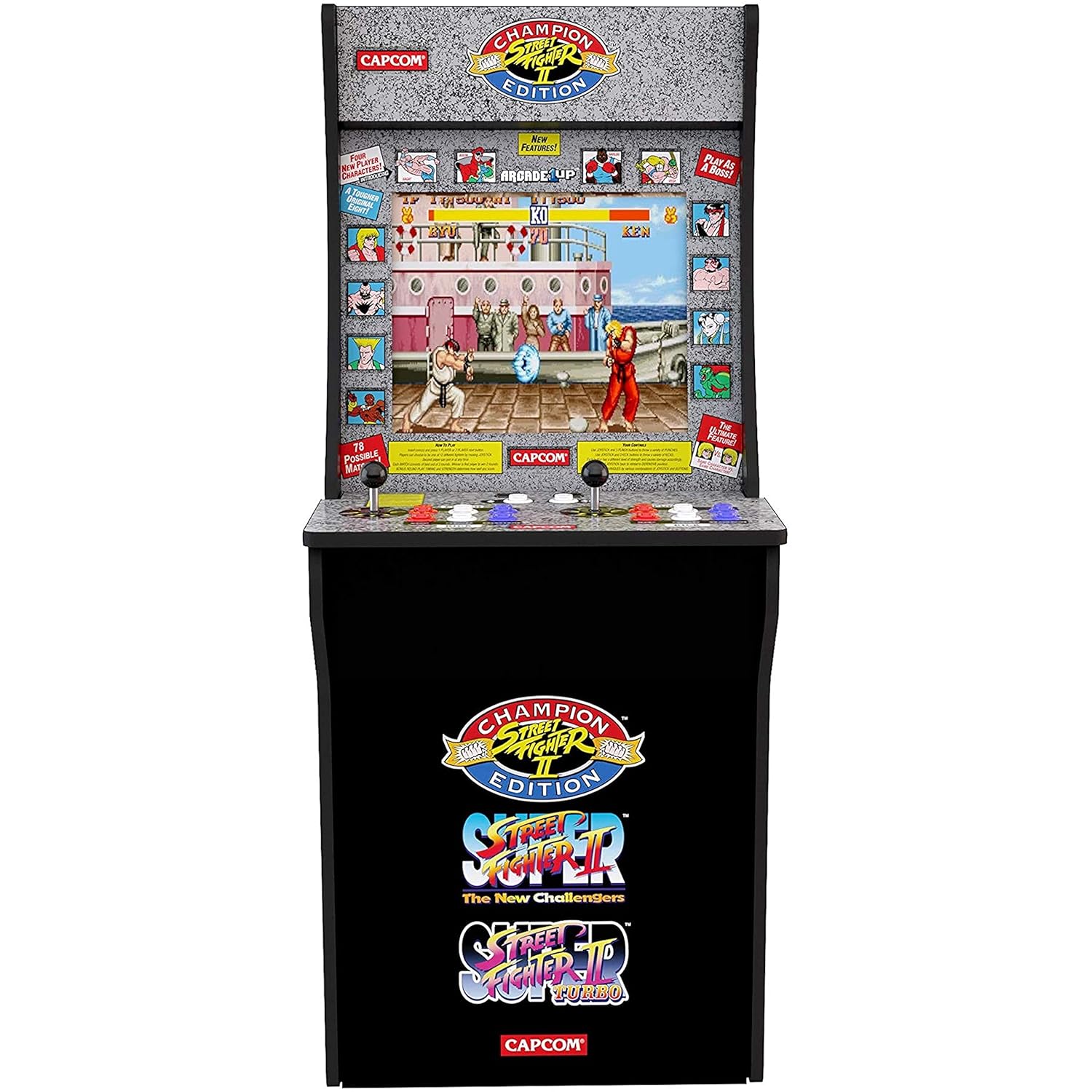
Figure 1: Fully assembled Arcade1Up Street Fighter II Home Arcade Machine.
The cabinet features a classic upright design. For optimal playing height, especially for taller users, a compatible riser (sold separately) can be used to elevate the machine. The dimensions of the unit are approximately 45.8 inches (H) x 22.75 inches (W) x 19 inches (D), with a weight of 58.5 pounds.
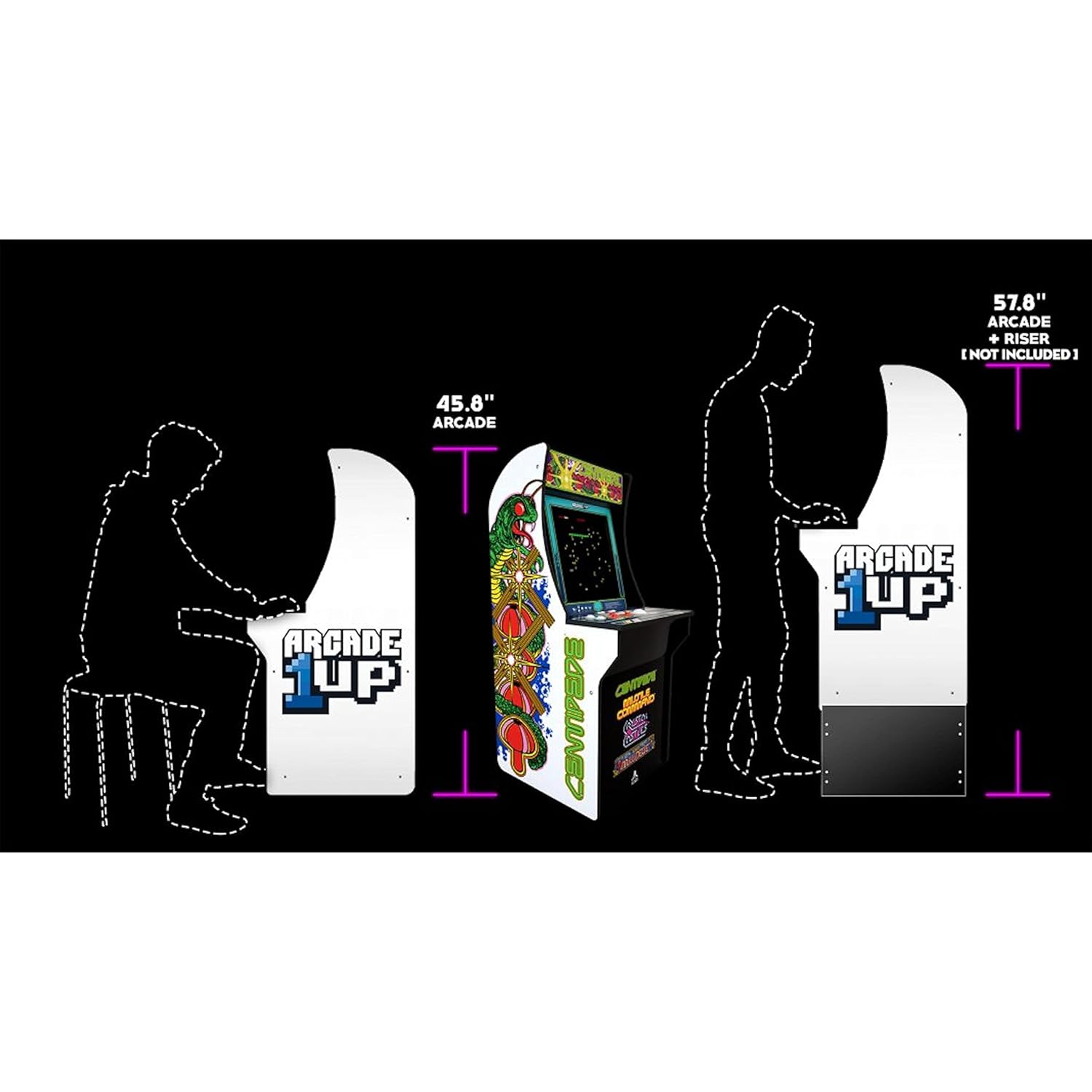
Figure 2: Diagram illustrating the dimensions of the Arcade1Up machine, showing its height relative to a seated and standing player, and with an optional riser.
Operating Instructions
Power On/Off and Volume
Locate the ON/OFF switch on the control panel to power the unit. The volume can be adjusted using the dedicated volume controls, allowing you to set the audio level to your preference.
Game Selection
Upon powering on, navigate the on-screen game selection menu using the joysticks. Select your desired game from the three included Street Fighter II titles: Champion Edition, The New Challengers, or Turbo.
Controls
The machine features authentic arcade controls for two players. Each player has a joystick for movement and a set of six buttons for various actions (Jab, Strong, Fierce Punch; Short, Forward, Roundhouse Kick). These controls are highly responsive, ensuring precise gameplay.

Figure 3: Detailed view of the two-player control panel, showing joysticks and action buttons.
Games Included
Your Arcade1Up Street Fighter II Home Arcade Machine comes pre-loaded with three classic fighting games:
- Street Fighter II Champion Edition: The original classic with enhanced character balance.
- Street Fighter II The New Challengers: Introduces new characters and gameplay mechanics.
- Street Fighter II Turbo: Features increased game speed and new special moves.
Video 1: Official overview of the ARCADE1UP Street Fighter - Classic 3-in-1 Home Arcade, showcasing gameplay and features.
Specifications
| Feature | Detail |
|---|---|
| Model Number | 6658 |
| Dimensions (H x W x D) | 45.8” x 22.75” x 19” |
| Item Weight | 58.5 Pounds |
| Screen Size | 17 inches (Color LCD) |
| Controller Type | Button Control, Joystick |
| Games Included | Street Fighter II Champion Edition, Street Fighter II The New Challengers, Street Fighter II Turbo |
| Power Source | AC Outlet |
| Manufacturer | Arcade1Up |
Maintenance
To ensure the longevity and optimal performance of your Arcade1Up machine, follow these maintenance guidelines:
- Cleaning: Use a soft, dry cloth to wipe down the cabinet and screen. Avoid abrasive cleaners or solvents that could damage the finish or display.
- Environment: Keep the machine in a dry, temperature-controlled environment. Avoid direct sunlight, extreme temperatures, and high humidity.
- Liquid Contact: Prevent any liquids from spilling onto the control panel or into the machine's vents.
- Power: Always unplug the machine from the AC outlet before performing any cleaning or maintenance.
Troubleshooting
If you encounter any issues with your Arcade1Up machine, refer to the following common troubleshooting steps:
- No Power: Ensure the power cord is securely plugged into both the machine and a working AC outlet. Check the ON/OFF switch.
- No Display: Verify the power is on. If the screen remains black, try powering off and on again.
- Controls Unresponsive: Check for any obstructions around the joysticks or buttons. Power cycle the machine.
- No Sound: Ensure the volume is not set to minimum or muted. Adjust the volume controls.
For persistent issues not resolved by these steps, please contact customer support.
Warranty and Support
Your Arcade1Up Street Fighter II Home Arcade Machine comes with a manufacturer's warranty. Please refer to the warranty card included with your product for specific terms and conditions. For customer support, technical assistance, or warranty claims, please visit the official Arcade1Up website or contact their customer service department directly.
You can find additional support and contact information by visiting the ARCADE1UP Store on Amazon.


