
1. Introduction
This manual provides essential information for the proper use and installation of your VSYSTO Camera Extension Cable. This cable is specifically designed to extend the reach of cameras used with VSYSTO dash cam systems, particularly for motorcycle applications. Please read these instructions carefully before installation to ensure correct setup and optimal performance.
2. Important Safety Information
- Compatibility: This extension cable is only compatible with VSYSTO products. Using it with non-VSYSTO cameras or dash cam systems may result in incompatibility or damage.
- Cable Routing: When installing, ensure the cable is routed away from moving parts, high-heat areas, and sharp edges to prevent damage. Secure the cable properly to avoid interference with vehicle operation.
- Water Resistance: While designed for outdoor use, ensure all connections are secure and protected from direct water exposure where possible to maintain integrity.
- Power Disconnection: Always disconnect power to your dash cam system before connecting or disconnecting the extension cable.
3. Package Contents
- VSYSTO Camera Extension Cable (6.5ft)
4. Product Overview
The VSYSTO Camera Extension Cable is a 6.5-foot (approximately 2-meter) cable designed to provide additional length for connecting your VSYSTO dash cam cameras to the main recording unit. It features male-to-female XLR-type connectors, ensuring a secure and reliable connection for video signal transmission.
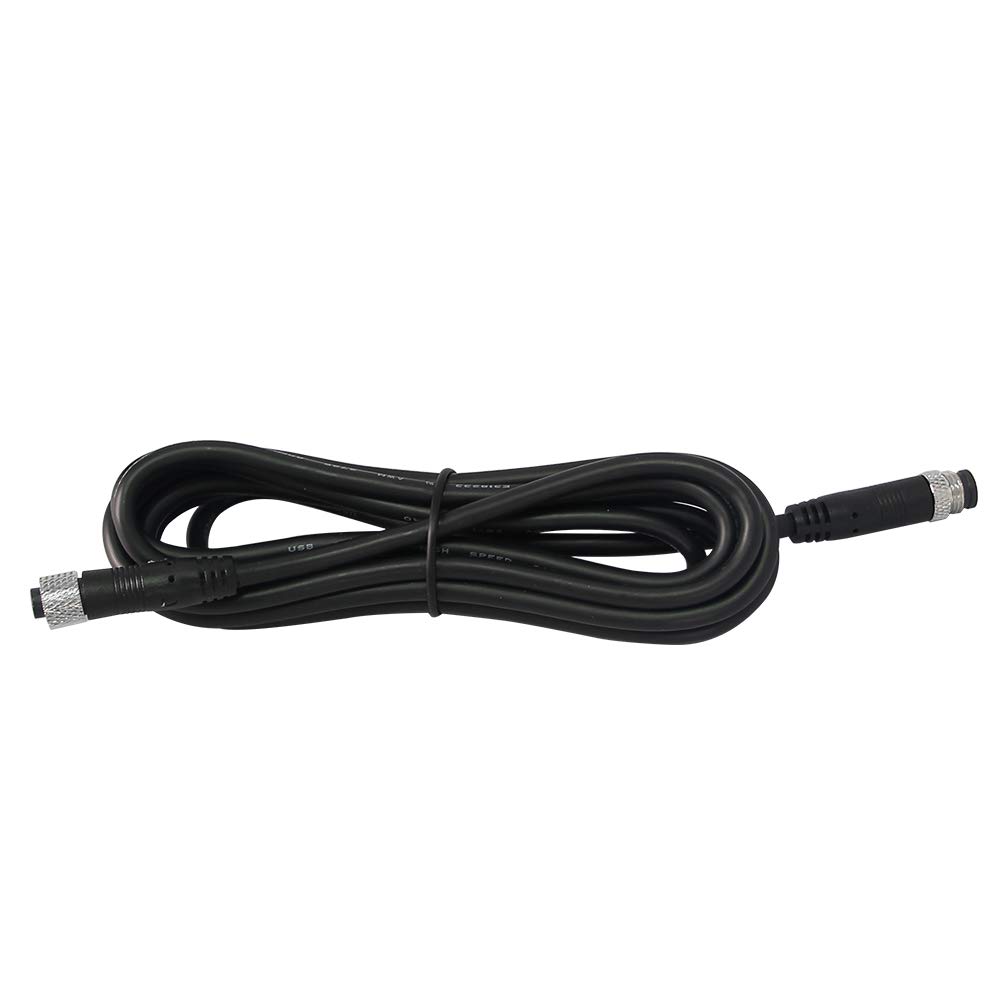
Image: Coiled VSYSTO Camera Extension Cable, showing its length and connectors.

Image: VSYSTO Camera Extension Cable, illustrating the male and female connector ends.
5. Setup and Installation
- Verify Compatibility: Confirm that your dash cam system and cameras are VSYSTO brand products. This cable is not universal.
- Determine Required Length: Before installation, measure the distance between your camera and the main recording unit to ensure the 6.5ft extension cable provides sufficient length. If a different length is needed, please contact VSYSTO support.
- Disconnect Power: Turn off your motorcycle and disconnect the power supply to your VSYSTO dash cam system.
- Connect the Extension Cable:
- Locate the existing camera cable connection point on your dash cam's main unit.
- Connect the female end of the extension cable to the camera input on the main unit.
- Connect the male end of the extension cable to your VSYSTO camera's cable.
- Secure Cable Routing: Carefully route the extension cable along your motorcycle frame, avoiding areas of high heat, sharp edges, or moving parts. Use cable ties or clips (not included) to secure the cable firmly, preventing it from snagging or vibrating loose during operation.
- Reconnect Power: Once all connections are secure and the cable is properly routed, reconnect power to your dash cam system.
- Test Functionality: Power on your dash cam system and verify that the camera connected via the extension cable is functioning correctly and displaying video.
6. Operating Instructions
The VSYSTO Camera Extension Cable operates passively by extending the reach of your camera's signal. No specific operational steps are required for the cable itself beyond proper installation. Once installed, ensure your dash cam system recognizes the connected camera and records footage as expected.
7. Maintenance
- Regular Inspection: Periodically inspect the cable for any signs of wear, fraying, cuts, or damage, especially at connection points and along its routed path.
- Cleaning: If necessary, gently wipe the cable with a clean, damp cloth. Avoid using harsh chemicals or abrasive cleaners.
- Connection Check: Ensure all cable connections remain tight and secure to prevent signal loss or intermittent operation.
- Environmental Protection: While durable, prolonged exposure to extreme weather conditions (e.g., intense UV, heavy rain, extreme cold) can degrade cable materials over time. Consider additional protection if operating in such environments.
8. Troubleshooting
If you experience issues after installing the extension cable, consider the following:
- No Camera Signal/Display:
- Verify all connections are fully seated and secure at both the camera and the main unit.
- Ensure the extension cable is not damaged (e.g., pinched, cut).
- Confirm the cable is compatible with your specific VSYSTO dash cam model.
- Test the camera directly with its original cable (if possible) to rule out a camera malfunction.
- Intermittent Signal:
- Check for loose connections.
- Inspect the cable for internal damage that might not be visible externally.
- Incorrect Cable Length: If the cable is too short or too long for your specific installation, please contact VSYSTO customer support for assistance with finding the correct length.
If troubleshooting steps do not resolve the issue, please contact VSYSTO customer support for further assistance.
9. Specifications
| Feature | Specification |
|---|---|
| Brand | VSYSTO |
| Model | CEC-1 |
| Cable Type | Extension Cable |
| Length | 6.5 feet (approx. 2 meters) |
| Connector Type | XLR |
| Connector Gender | Male-to-Female |
| Number of Pins | 2 |
| Compatible Devices | VSYSTO Cameras for Dash Cams |
| Recommended Use | Vehicle Dash Cam Installation |
| Indoor/Outdoor Usage | Indoor, Outdoor |
10. Warranty and Support
For warranty information, technical support, or to inquire about other cable lengths, please refer to the official VSYSTO website or contact VSYSTO customer service directly. Contact details are typically provided with your original VSYSTO dash cam purchase or can be found on the VSYSTO brand store page.
VSYSTO Customer Service: Visit the VSYSTO Store on Amazon