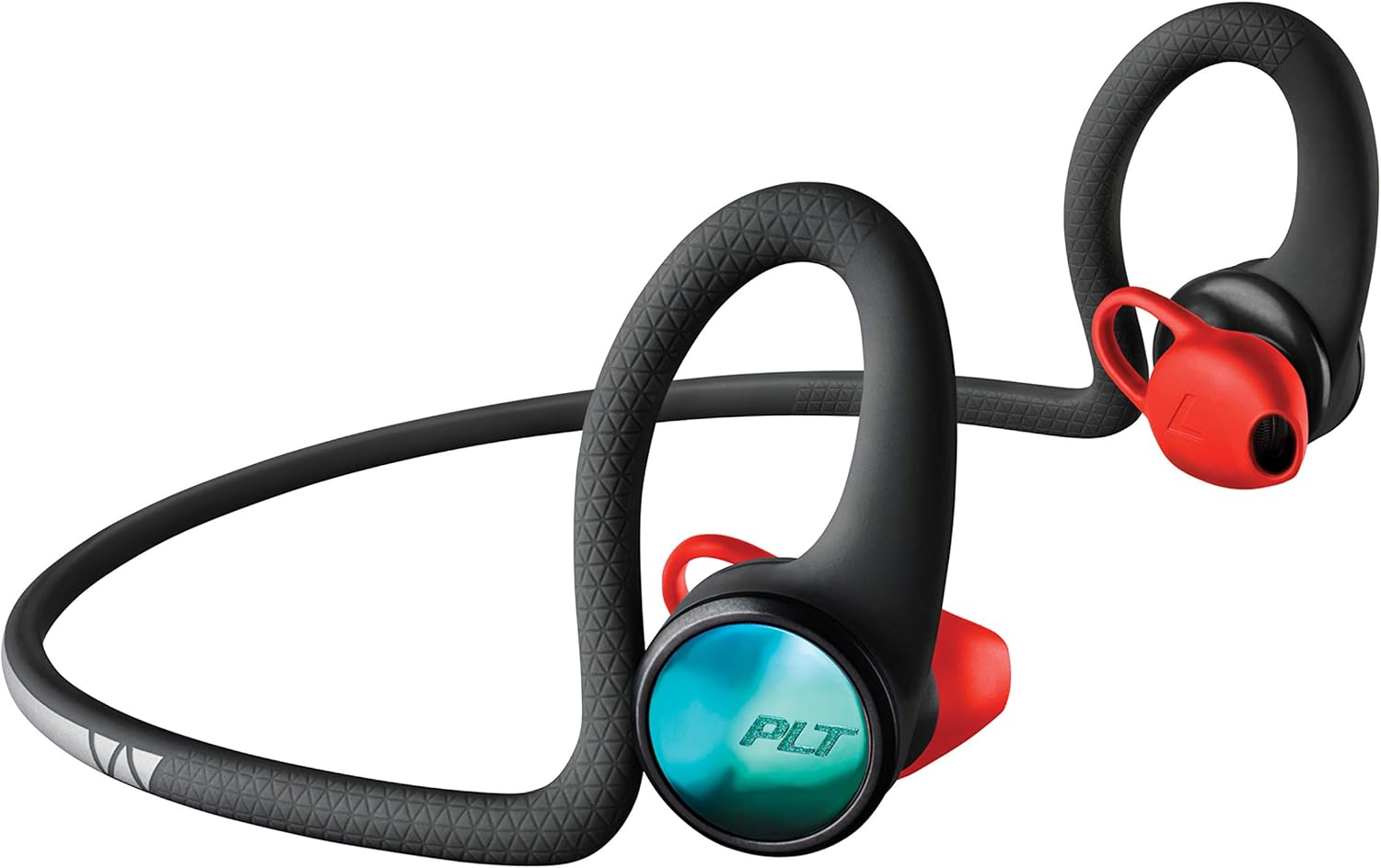
Plantronics BackBeat FIT 2100 Wireless Headphones User Manual
Model: 212200-99 | Brand: Plantronics
Product Overview
The Plantronics BackBeat FIT 2100 wireless sport earbuds are designed for outdoor use, offering a rugged and ultra-stable experience. They feature Always Aware ear tips, which allow users to hear their surroundings for enhanced safety during training. Constructed with waterproof and sweatproof materials, these earbuds provide a secure fit with earloops that remain stable during rigorous exercise. Their lightweight design ensures comfort, and with up to seven hours of wireless listening, they are suitable for extended workout sessions.
Image: Plantronics BackBeat FIT 2100 Wireless Headphones, showcasing their sleek design and earloop structure.
What's in the Box
Headset
USB cable
Quick Start Guide
Setup
1. Charging the Headphones
Before first use, fully charge your BackBeat FIT 2100 headphones. Use the provided USB cable to connect the headphones to a power source. The charging port is located on one of the earbuds, typically covered by a small tab to ensure water resistance.
The headphones are designed to provide up to 7 hours of listening time on a full charge.
Image: Visual representation highlighting the 7-hour battery life of the headphones.
2. Achieving Optimal Fit
For the best sound performance and a secure, comfortable fit, drape the headphones around the back of your head. The earloops are designed to keep the earbuds stable during activity.
Image: Diagram illustrating the correct way to wear the BackBeat FIT 2100 headphones, with the band draped behind the head.
Rotate the eartip between a plus and minus 20° range to achieve an optimal fit and sound experience. This adjustment helps ensure the earbud sits correctly in your ear without blocking the ear canal entirely, thanks to the Always Aware design.
Image: Close-up view of the unique eartip design, which allows ambient sound to pass through for safety.
3. Bluetooth Pairing
The BackBeat FIT 2100 headphones connect to your device via Bluetooth 5.0. Ensure your device's Bluetooth is enabled and follow the pairing instructions in the Quick Start Guide or your device's manual. The headphones are compatible with most Bluetooth-enabled devices.
For optimal wireless performance, maintain a distance of up to 10 meters (33 feet) from your connected device.
Image: A person exercising outdoors, demonstrating the wireless range and freedom of movement provided by the headphones.
Operating Instructions
1. Controls and My Tap Feature
The headphones feature touch controls for media management. Utilize the new My Tap feature through the Plantronics BackBeat app to customize functions. You can set a timer, start a stopwatch, or select your favorite playlist directly from your earbuds without interrupting your workout.
Image: Detail of the earbud highlighting the touch-sensitive area for the My Tap feature, which allows app-controlled customizations.
2. Always Aware Ear Tips
The Always Aware ear tips are designed to let in ambient sound, allowing you to simultaneously listen to music and hear your surroundings. This feature is crucial for safer training in any environment, especially outdoors.
For a visual demonstration of the product's features, including the Always Aware ear tips, please watch the official product video below:
Video: Official product video showcasing the Plantronics BackBeat FIT 2100 Wireless Headphones, highlighting features like Always Aware ear tips, secure fit, and sweatproof/waterproof design.
Maintenance
1. Cleaning
To maintain optimal performance and hygiene, regularly clean your headphones. Use a soft, damp cloth to wipe down the earbuds and the neckband. Avoid using harsh chemicals or abrasive materials.
2. Water and Sweat Resistance
The BackBeat FIT 2100 headphones are IP57 rated, making them durable, sweatproof, and waterproof. This protection safeguards the earphones from sweat, rain, and spills, allowing them to withstand rigorous workouts. After exposure to water or heavy sweat, ensure the charging port is dry before charging.
Image: The headphones shown with water droplets, emphasizing their IP57 rating for sweat and water resistance.
3. Storage
Store your headphones in a cool, dry place away from extreme temperatures and direct sunlight. Avoid tangling the cable to prevent damage.
Troubleshooting
Problem
Possible Solution
Headphones not turning on.
Ensure the headphones are fully charged. Connect to a power source using the USB cable and allow sufficient charging time.
Cannot pair with device.
Ensure Bluetooth is enabled on your device.
Make sure the headphones are in pairing mode (refer to Quick Start Guide for specific steps).
Move the headphones closer to your device (within 10 meters).
Forget the device from your phone's Bluetooth settings and try pairing again.
Poor audio quality or intermittent connection.
Reduce the distance between headphones and device.
Avoid obstacles (walls, large objects) that may interfere with the Bluetooth signal.
Check for interference from other wireless devices.
Ensure the headphones are fully charged.
Eartips feel uncomfortable or fall out.
Adjust the eartip rotation (within ±20°) to find the most comfortable and secure fit. Ensure the earloops are properly positioned around your ears.
Specifications
Feature
Detail
Model Number
212200-99
Connectivity Technology
Wireless (Bluetooth 5.0)
Bluetooth Range
Up to 10 meters (33 feet)
Battery Life
Up to 7 hours listening time
Water Resistance Rating
IP57 (Sweatproof and Waterproof)
Control Method
Touch (Media Control)
Ear Placement
In Ear with Secure-Fit Earloops
Special Features
Always Aware ear tips, My Tap customization via BackBeat app, Lightweight, Sports-and-exercise focused
Plantronics Bluetooth Headset Pairing Guide Learn how to pair your Plantronics Bluetooth headset with your mobile device. This guide covers various Plantronics headset models and provides step-by-step instructions for successful Bluetooth pairing.
Plantronics BackBeat FIT 2100 Series User Guide User guide for the Plantronics BackBeat FIT 2100 Series wireless earbuds, covering setup, pairing, usage, controls, features, and support information.
Plantronics BackBeat FIT 350 Wireless Sports Earphones Explore the Plantronics BackBeat FIT 350, ultra-lightweight wireless sports earphones designed for active lifestyles. Featuring stable-fit ear loops, IPX5 water resistance, and up to 6 hours of playback, these earphones offer comfort and performance.
Plantronics BackBeat PRO 2 & Special Edition User Guide Get detailed instructions for setting up and using your Plantronics BackBeat PRO 2 and BackBeat PRO 2 Special Edition wireless headphones, including features like ANC, Open Listening, and Bluetooth pairing.