
1. Introduction
This manual provides essential information for the safe and efficient operation, installation, and maintenance of your Sauter Goreli Digital 500W White Towel Dryer. Please read these instructions carefully before installation and use, and retain them for future reference.
2. Safety Instructions
- Ensure the electrical supply matches the specifications on the product label.
- Do not operate the appliance with a damaged cord or plug.
- Keep the appliance away from water and moisture. Do not immerse in water.
- This appliance is not intended for use by persons (including children) with reduced physical, sensory, or mental capabilities, or lack of experience and knowledge, unless they have been given supervision or instruction concerning use of the appliance by a person responsible for their safety.
- Children should be supervised to ensure that they do not play with the appliance.
- Do not cover the towel dryer while in operation, as this may cause overheating.
- Installation must be performed by a qualified electrician in accordance with local wiring regulations.
3. Setup and Installation
3.1 Unpacking
Carefully remove the towel dryer from its packaging. Inspect the unit for any signs of damage. Retain packaging materials for potential future transport or returns.
3.2 Mounting
The towel dryer must be securely mounted to a wall. Use the provided mounting brackets and hardware. Ensure the wall surface is capable of supporting the weight of the unit. Maintain adequate clearance from other objects and surfaces as specified in the installation guide (not provided in this general manual).
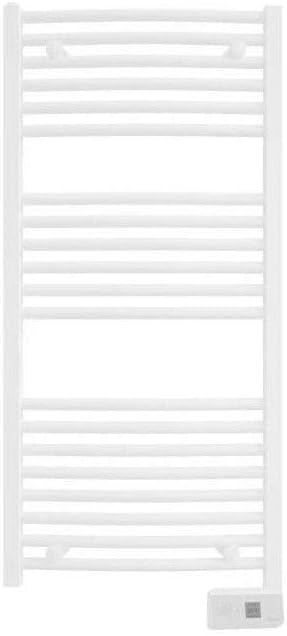
Figure 1: Front view of the Sauter Goreli Digital 500W White Towel Dryer. This image displays the vertical orientation of the towel dryer with multiple horizontal bars for hanging towels, and a digital control panel located at the bottom right.
3.3 Electrical Connection
Connect the towel dryer to a suitable electrical outlet. Ensure the circuit is protected by a residual current device (RCD) if required by local regulations. The appliance is designed for a 230V, 50Hz power supply. Consult a qualified electrician for proper wiring and connection.
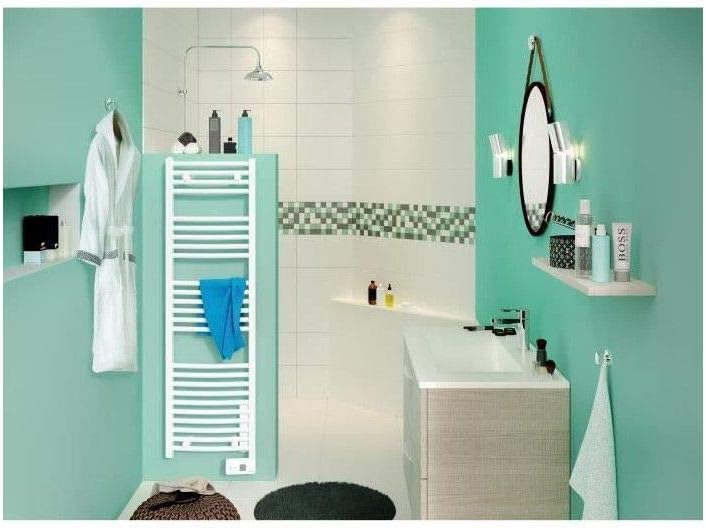
Figure 2: The Sauter Goreli Digital 500W White Towel Dryer installed in a modern bathroom setting. The image shows the unit mounted on a light green wall, demonstrating its integration into a typical bathroom environment.
4. Operating Instructions
4.1 Control Panel Overview
The towel dryer features a digital control panel located at the bottom of the unit. This panel typically includes a display, power button, temperature adjustment buttons, and a timer function button.
4.2 Power On/Off
Press the power button on the control panel to turn the unit on or off. The digital display will illuminate when the unit is active.
4.3 Temperature Setting
Use the temperature adjustment buttons (usually '+' and '-') to set your desired temperature. The display will show the selected temperature. The unit will then heat to maintain this temperature.
4.4 Timer Function
Activate the timer function by pressing the timer button. You can typically set the dryer to operate for a specific duration (e.g., 1 hour, 2 hours). Refer to the on-screen prompts or specific icons on the digital display for timer settings.
5. Maintenance
5.1 Cleaning
Before cleaning, ensure the towel dryer is switched off and unplugged from the power supply. Allow the unit to cool completely. Wipe the surfaces with a soft, damp cloth. Do not use abrasive cleaners, solvents, or harsh chemicals, as these can damage the finish.
5.2 General Care
Regularly check the power cord for any signs of damage. Ensure the mounting brackets remain secure. No user-serviceable parts are inside the unit. For any internal issues, contact a qualified service technician.
6. Troubleshooting
- Unit does not turn on: Check if the power cord is securely plugged into a working outlet. Verify the circuit breaker has not tripped.
- No heat: Ensure the unit is powered on and the temperature setting is above the ambient room temperature. Check if the timer function is active and has not expired.
- Error code on display: If an error code appears, switch off the unit, unplug it, wait a few minutes, and then plug it back in and restart. If the error persists, contact customer support.
- Inadequate drying: Ensure towels are not excessively wet and are distributed evenly across the bars. Avoid overloading the unit.
7. Specifications
| Brand | Sauter |
| Model Number | 3410532400518 |
| Power Output | 500W |
| Color | White |
| Item Weight | 13.8 Kilograms |
| ASIN | B07FNCKK1P |
8. Warranty and Support
For information regarding warranty coverage, technical support, or service, please refer to the warranty card included with your product or visit the official Sauter website. Keep your proof of purchase for warranty claims.