
Introduction
The CallToU Wireless Caregiver Pager System is designed to provide reliable communication between caregivers and individuals requiring assistance, such as patients, seniors, and the elderly. This system allows caregivers the flexibility to attend to other tasks while remaining responsive to calls for help. It features a portable watch receiver and wireless call buttons, ensuring alerts are received promptly.
- Wireless Caregiver Pager System: Includes wireless call buttons and a portable watch pager for efficient monitoring.
- Easy and Simple to Use: A simple touch of the SOS call button initiates a call for assistance.
- Easy to Carry: The wireless watch receiver has a working range of 500+ feet and can be carried anywhere. Call buttons can be worn around the neck or wall-mounted.
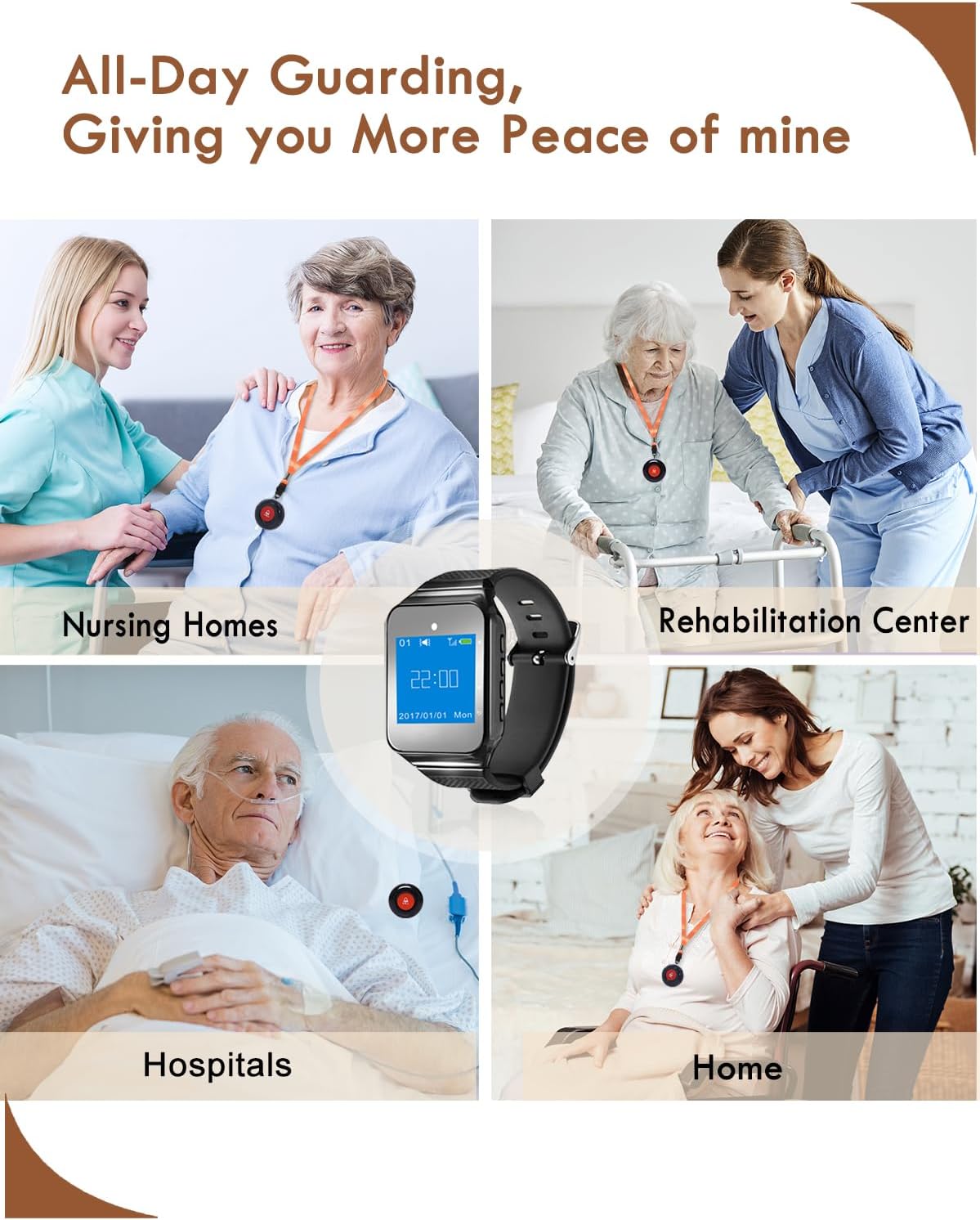
- Nursing Home / Hospital Call Bell System: The system supports up to 500 transmitter buttons, suitable for home care, nursing homes, hospitals, and rehabilitation centers.
- Never Miss Any Call: Features 4 alert sound options, 5 adjustable volume levels (0-120db), and strong vibration, with up to 72 hours of standby time.
Product Components

The complete CallToU Wireless Caregiver Pager System, featuring the wrist watch receiver and two call buttons.

The portable watch receiver features a TFT color screen and offers 4 ringtone modes: Ring & Vib, Ring, Vibrate, and Mute.
The SOS call button is designed for easy activation and can be worn with a lanyard or mounted.

The call button is waterproof, ensuring durability and reliability in various environments.
Setup & Pairing
- Charge the Watch Receiver: Before first use, fully charge the watch receiver using the provided USB cable. A red indicator light will show charging status.
- Power On/Off: To power on, long press the 'Setup Key' (top button on the side of the watch) until the screen lights up. To power off, long press the 'Back Key' (bottom button on the side of the watch) until the screen turns off.
- Initial Pairing (if not pre-paired):
- In standby mode, long press the 'Setup Key' to enter the system settings menu.
- Navigate to 'Add Buttons' using the 'Up/Down Keys' (arrow buttons).
- Press the 'Setup Key' to select. The watch will prompt you to press the transmitter button.
- Press the 'CALL' button on the SOS call button. The watch will beep and display a success message if pairing is successful.
- Repeat for all call buttons.
- Set Date & Time:
- From the settings menu, navigate to 'Date & Time'.
- Use the 'Up/Down Keys' to adjust values and the 'Setup Key' to move between fields (hour, minute, year, month, day, week).
- Press the 'Back Key' to exit and save settings.
Operating Instructions
- Making a Call: When assistance is needed, simply press the large 'CALL' button on the transmitter.
- Receiving Alerts: The watch receiver will alert the caregiver with a sound, vibration, or both, depending on the selected prompt mode. The screen will display the call number (e.g., '0002 Call').
- Clearing Alerts: Short press the 'Down Key' on the watch receiver to clear the current call information from the screen.
- Adjusting Volume/Alert Mode:
- From the settings menu, navigate to 'Prompt Mode'.
- Select desired mode: 'Buzzer+Light', 'Only Light', 'Vibration+Light', or 'Vibration+Buzzer+Light'.
- Volume can be adjusted through the settings menu or dedicated volume buttons if available.
Maintenance
- Charging the Watch Receiver: Regularly charge the watch receiver to ensure continuous operation. The watch has a standby time of up to 72 hours.
- Call Button Battery Replacement: The call buttons use 12V batteries. If the small red light on the call button comes on, or if the watch no longer alerts when the button is pressed, the battery may need replacement.

To replace the battery, use a bracket opener or small tool to carefully pry open the call button casing. Replace the 12V battery and reassemble.
- Cleaning: Wipe the devices with a soft, dry cloth. Avoid using harsh chemicals or abrasive cleaners.
- Storage: Store the system in a cool, dry place away from direct sunlight and extreme temperatures when not in use for extended periods.
Troubleshooting
| Malfunction | Cause | Solution |
|---|---|---|
| 1. Press the transmitter, the watch does not respond | 1. The transmitter is not registered 2. The transmitter is lower battery 3. Airplane mode enabled | 1. Add transmitter (refer to Add buttons) 2. Replace the battery of transmitter 3. Disable airplane mode (refer to Airplane Mode) |
| 2. Short range | The transmitter is lower battery | Replace the battery of transmitter |
| 3. No vibrate or no sound when get a in-call | Not setup calling prompt | Enter prompt setting menu to setup (refer to Prompt Mode) |
| 4. Transmitter of other manufacturers does not display function well | Key value does not match | Rematch the key value (refer to Keys define) |
| 5. Automatically shut down | 1. Power is too low 2. Setup power timer | 1. Please charge 2. Delete unnecessary power timer (refer to Power Timer) |
Specifications
- Voltage: 12 Volts
- Control Method: Touch
- Mounting Type: Wall Mount
- Maximum Range: 500 Feet (approx. 150 meters in open area)
- Sensor Technology: Contact Sensor
- UPC: 680580280223
- Manufacturer: CallToU
- Package Dimensions: 4.8 x 4.06 x 3.54 inches
- Item Weight: 8.8 ounces
- ASIN: B07FL9T4BY
- Batteries: 2 x 12V batteries required (included)
- Color: Black
- Power Source: Battery Powered
- Battery Description: Alkaline
Warranty and Support
For warranty information and customer support, please refer to the documentation included with your product or contact CallToU directly through their official support channels. Keep your proof of purchase for any warranty claims.


