
Huazheng HZBB-10B
Huazheng HZBB-10B Three Phase Transformer Turns Ratio Tester User Manual
Model: HZBB-10B
1. Introduction
The Huazheng HZBB-10B Intelligent Tester is designed for accurate measurement of transformer ratio and connection groups. It incorporates an ARM processor and a 5-inch high-definition color touch screen for intuitive operation. This compact and lightweight device is capable of outputting single-phase, two-phase, or three-phase standard Sine signals or high-frequency Sine signals with adjustable phase frequency. It is particularly suited for testing special transformers such as Z-type, rectifier, Scott, or anti-Scott transformers. The HZBB-10B utilizes an advanced algorithm to ensure precise three-phase transformer ratio measurements without requiring power supply balance adjustments, completing measurements in approximately 3 seconds. Data can be exported via USB or data cable.
2. Safety Information
Always adhere to the following safety precautions to prevent injury and damage to the equipment:
- Ensure the tester is properly grounded before operation.
- Do not operate the device in wet or damp conditions.
- Verify all connections are secure and correct before applying power.
- Avoid touching live terminals during operation.
- Refer to the transformer's specifications and safety guidelines before testing.
- Only qualified personnel should operate and maintain this equipment.
- Disconnect power before cleaning or servicing the unit.
3. Product Overview
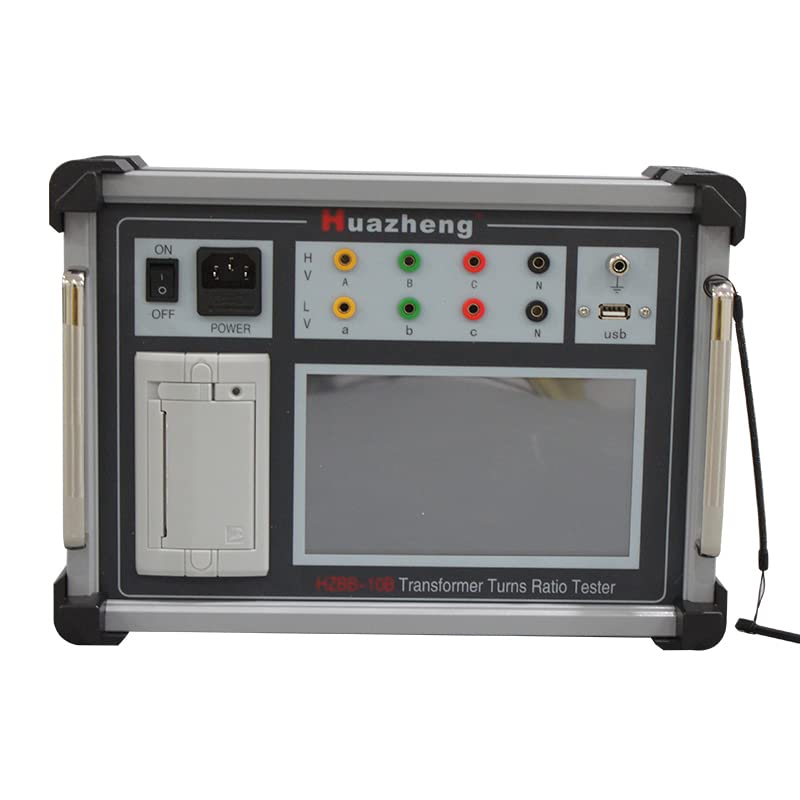
Figure 3.1: Front view of the HZBB-10B Tester. This image displays the main control panel, including the power switch, input/output terminals (HV A, B, C, N and LV a, b, c, N), USB port, and the large touch screen display.
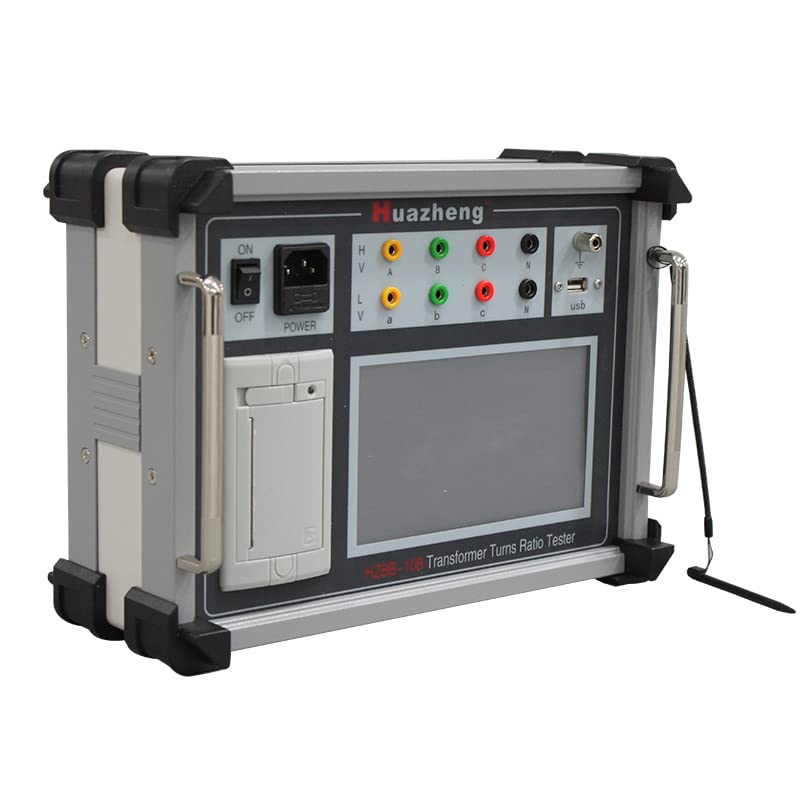
Figure 3.2: Angled front view of the HZBB-10B Tester. This perspective shows the sturdy casing and integrated handles, designed for portability and protection.

Figure 3.3: Side angled view of the HZBB-10B Tester. This image highlights the stylus, which is attached to the side of the unit for convenient touch screen operation.
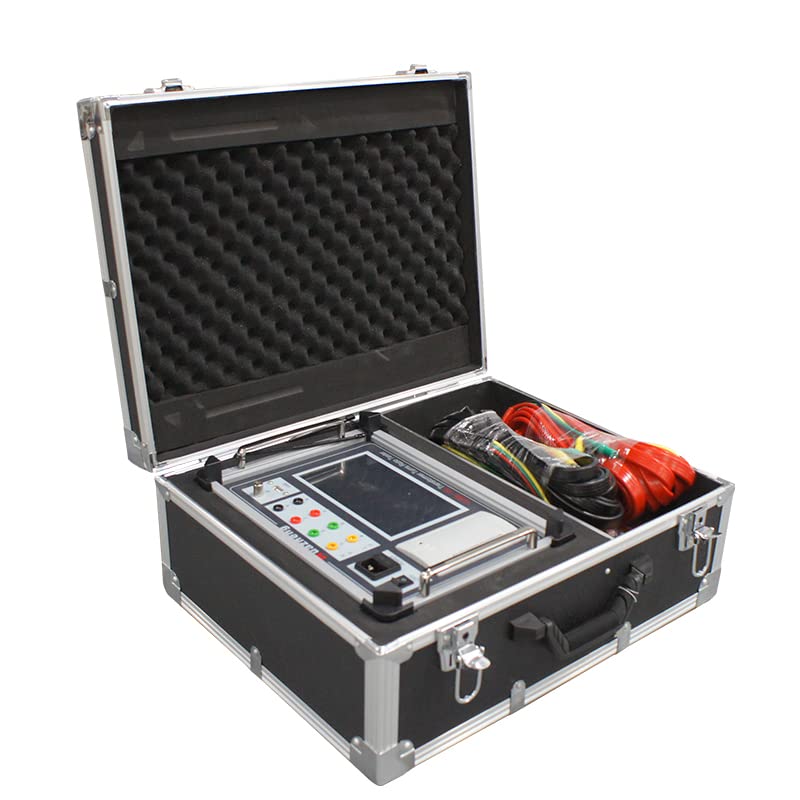
Figure 3.4: HZBB-10B Tester and accessories in carrying case. The image shows the tester and its cables securely stored within a protective, foam-lined case, indicating portability and protection during transport.
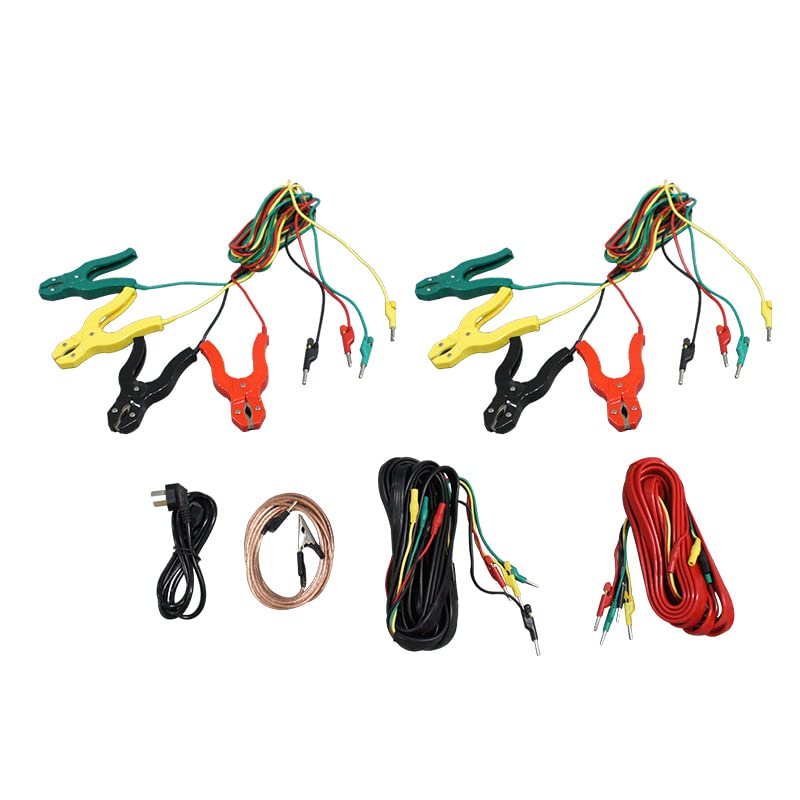
Figure 3.5: Connection cables and accessories. This image displays the comprehensive set of cables provided with the tester, including those with alligator clips for high and low voltage connections, and a power cord.
4. Setup
Follow these steps to set up the HZBB-10B Tester for operation:
- Unpacking: Carefully remove the tester and all accessories from the carrying case. Inspect for any visible damage.
- Power Connection: Connect the provided power cord to the "POWER" input on the tester and then to a suitable AC power outlet. Ensure the power switch is in the "OFF" position before connecting.
- Grounding: Connect the grounding terminal of the tester to a reliable earth ground. This is crucial for safety.
- Connecting to Transformer:
- Identify the high voltage (HV) and low voltage (LV) terminals on the transformer to be tested.
- Connect the HV test leads (A, B, C, N) from the tester to the corresponding high voltage terminals of the transformer.
- Connect the LV test leads (a, b, c, N) from the tester to the corresponding low voltage terminals of the transformer.
- Ensure all connections are firm and correct according to the transformer's winding configuration.
5. Operating Instructions
The HZBB-10B features a user-friendly touch screen interface. Follow these general steps for operation:
- Power On: After completing all connections, switch the "ON/OFF" button to the "ON" position. The device will power on and display the main menu on the touch screen.
- Select Test Mode: From the main menu, use the touch screen to navigate and select the desired test mode (e.g., Three-Phase Ratio Test, Single-Phase Test, Connection Group Test).
- Input Parameters: Enter any required parameters for the test, such as nominal voltage, winding configuration, or test frequency, using the on-screen keyboard or numerical input.
- Start Test: Initiate the test by pressing the "Start" or "Measure" button on the touch screen. The tester will automatically apply the necessary signals and perform the measurement.
- View Results: The measurement results, including turns ratio and connection group, will be displayed on the screen. The advanced algorithm ensures quick and accurate results, typically within 3 seconds for three-phase measurements.
- Save Data: If desired, save the test results to the internal memory or export them via the USB port to a USB drive. Data can also be transferred to a computer using a data cable.
- Power Off: After completing all tests, switch the "ON/OFF" button to the "OFF" position and disconnect all test leads and the power cord.
5.1 Special Transformer Testing
The HZBB-10B is equipped to handle special transformers like Z-type, rectifier, Scott, or anti-Scott transformers. Specific test procedures for these types can be selected from the menu, allowing the device to generate appropriate single-phase, two-phase, or three-phase sine signals with adjustable phase frequency.
6. Maintenance
Proper maintenance ensures the longevity and accuracy of your HZBB-10B Tester:
- Cleaning: Use a soft, dry cloth to clean the exterior of the device, including the touch screen. Do not use abrasive cleaners or solvents.
- Storage: When not in use, store the tester and its accessories in the provided carrying case in a cool, dry, and dust-free environment.
- Cable Inspection: Regularly inspect all test leads and the power cord for signs of wear, cuts, or damage. Replace damaged cables immediately.
- Calibration: For optimal accuracy, it is recommended to have the device calibrated by authorized service personnel periodically, as per manufacturer guidelines.
- Software Updates: Check the manufacturer's website for any available firmware or software updates to ensure optimal performance and new features.
7. Troubleshooting
This section provides solutions to common issues you might encounter:
| Problem | Possible Cause | Solution |
|---|---|---|
| Device does not power on. | No power supply; faulty power cord; internal fuse blown. | Check power outlet and cord connection. Try a different outlet. If problem persists, contact service. |
| Inaccurate measurement results. | Incorrect connections; uncalibrated device; external interference. | Verify all test lead connections. Ensure proper grounding. Consider professional calibration. |
| Touch screen unresponsive. | Software glitch; screen damage; excessive pressure. | Restart the device. Ensure the screen is clean. Use the provided stylus for precise input. If unresponsive, contact service. |
| Data export failure. | Faulty USB drive; incorrect file format; cable issue. | Try a different USB drive. Ensure the drive is formatted correctly (e.g., FAT32). Check USB cable connection. |
8. Specifications
| Feature | Detail |
|---|---|
| Model | HZBB-10B |
| Brand | Huazheng |
| Measurement Range | 0.8 - 20000 (Turns Ratio) |
| Processor | ARM processor, 168MHz frequency |
| Memory | 128MB (expandable to 4GB with memory card) |
| Display | 5-inch high-definition color touch screen |
| Output Signal | Programmable single-phase, two-phase, or three-phase Sine signal (standard or high-frequency) with adjustable phase frequency |
| Measurement Speed | Approx. 3 seconds for three-phase transformer ratio and wiring method |
| Data Export | USB drive or data cable to PC |
| Power Source | Electric |
| Manufacturer | Huazheng Electric Manufacturing(Baoding) Co.,Ltd |
| Date First Available | July 13, 2018 |
| UPC | 705346079771 |
9. Warranty and Support
Specific warranty information for the Huazheng HZBB-10B Tester is typically provided with the product packaging or can be obtained directly from Huazheng Electric Manufacturing(Baoding) Co.,Ltd. Please retain your purchase receipt for warranty claims.
For technical support, service, or inquiries regarding calibration, please contact the manufacturer or your authorized distributor. Contact details are usually available on the manufacturer's official website or in the product documentation.
Related documentsHZBB-10B


Ask a question about this manual
Ask about setup, troubleshooting, compatibility, parts, safety, or missing instructions. Manuals+ will review the question and use this page’s manual context to help answer it.