
1. Introduction and Overview
The Aqua-Vu Micro Stealth 4.3 is a compact and portable underwater camera system designed for anglers. It provides real-time underwater viewing, making it ideal for scouting fish, observing habitats, and enhancing your fishing experience in various conditions, including ice fishing and open water.
- Pocket-Sized Underwater Camera: Ultra-portable design with a compact 4.3-inch LCD screen; fits in your coat or boat compartments for easy access.
- Clear Viewing in Any Condition: Full-color camera with Super Wide 135° field of view, adjustable brightness, contrast, and saturation; auto infrared lights activate in murky water or low-light conditions for constant clarity.
- Rugged Cable for Ice & Boat Use: 50 ft abrasion-resistant, depth-marked cable resists cuts from sharp ice holes and boat edges; built-in spool makes deployment and storage fast and tangle-free.
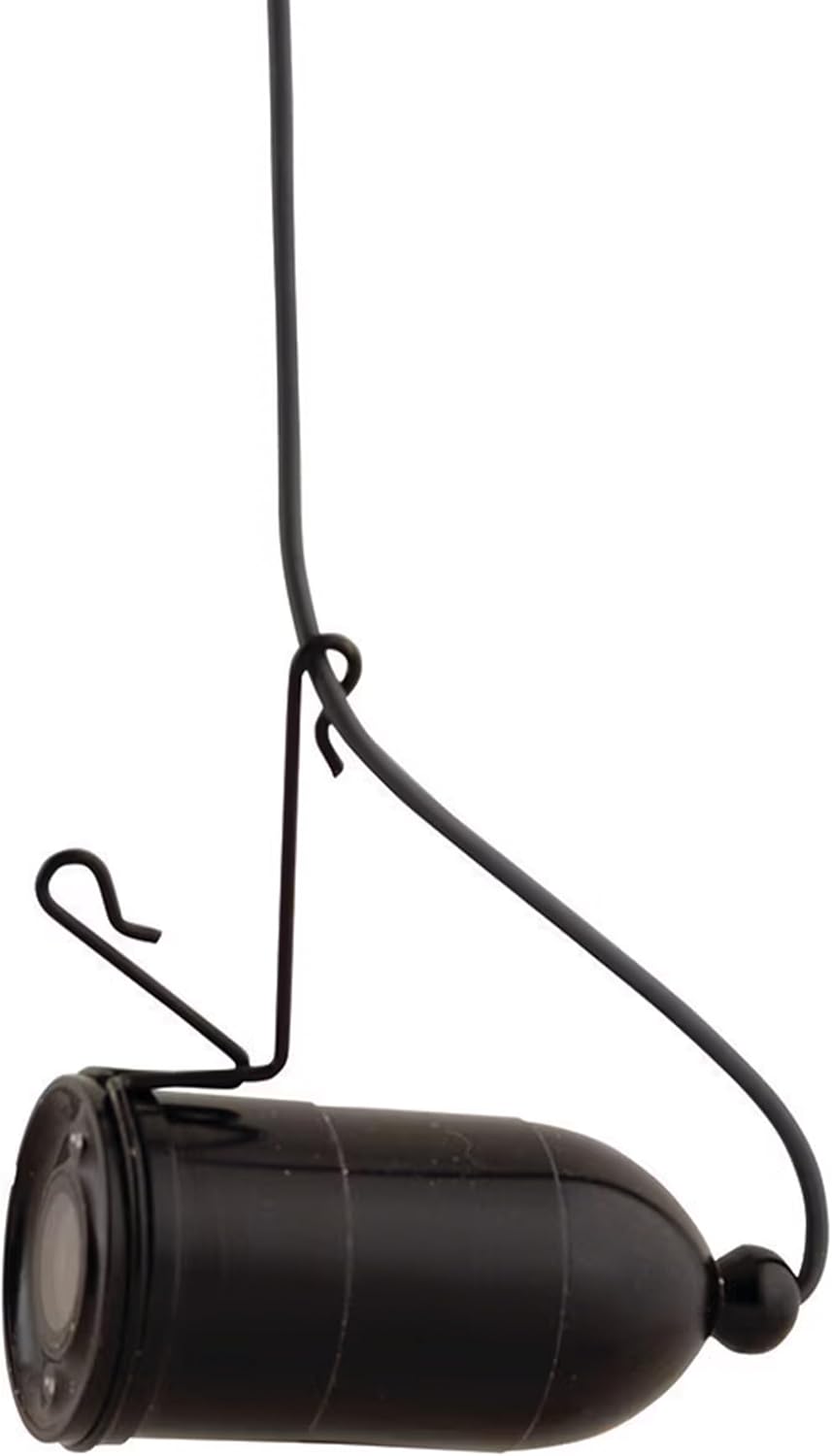
- Quiet and Adjustable Camera: Trolling fin and weight system allows you to glide quietly through the water. Easily tilt the camera flat, up, or down for precise underwater viewing — perfect for scouting panfish, bass, or walleye.
- Simple Controls & Lasting Power: Easy operation with clear +/- controls and battery status indicator; up to 6 hours runtime on a USB chargeable battery, and 1-year warranty included.


2. Setup
2.1 Initial Charging
Before first use, fully charge the internal lithium-ion battery using the provided USB charging system. The unit features a battery status indicator to monitor charge levels.
2.2 Camera Assembly and Cable Management
The camera comes with a built-in cable spool for easy deployment and retrieval of the 50 ft cable. The trolling fin and weight system are designed to allow for quiet gliding and adjustable camera angles.


2.3 Connecting to External Devices (Optional)
The Micro Stealth 4.3 is RAM Mount Compatible, allowing for flexible mounting options. While this specific model does not feature direct video output for external displays, other Aqua-Vu models may offer such connectivity. The following video demonstrates connecting a similar Aqua-Vu camera (Multi-Vu Revolution) to a Garmin unit, illustrating general principles of external integration for compatible systems.
3. Operating Instructions
3.1 Powering On/Off
Locate the power button on the unit. Press and hold to power on or off. The LCD screen will display the Aqua-Vu logo upon startup.
3.2 Deploying the Camera
Unwind the desired length of cable from the built-in spool. Carefully lower the camera head into the water. The depth-marked cable helps you know the camera's position.
3.3 Adjusting Camera View and Settings
Use the trolling fin and weight system to tilt the camera flat, up, or down for optimal viewing. The Super Wide 135° field of view captures a broad underwater scene. Use the unit's controls to adjust brightness, contrast, and saturation for the clearest image.


3.4 Auto Infrared Lights
The camera features auto infrared lights that activate automatically in murky water or low-light conditions to maintain visibility. These lights are designed to provide constant clarity without manual adjustment.
4. Maintenance
4.1 Cleaning
After each use, especially in saltwater, rinse the camera head and cable with fresh water. Wipe the LCD screen with a soft, lint-free cloth. Ensure all components are dry before storage.
4.2 Charging
Recharge the unit using the provided USB charger. The battery offers up to 6 hours of runtime on a single charge. Avoid overcharging or completely draining the battery for optimal longevity.

4.3 Storage
Store the Aqua-Vu Micro Stealth 4.3 in a cool, dry place away from direct sunlight and extreme temperatures. Ensure the cable is neatly wound on the spool to prevent tangles and damage.
5. Troubleshooting
- No Image on Screen: Ensure the unit is fully charged and powered on. Check all connections if using external accessories (though this model is primarily standalone).
- Unclear Image: Adjust brightness, contrast, and saturation settings. In very murky water, visibility may be limited even with IR lights. Ensure the camera lens is clean.
- Short Battery Life: Ensure the unit is fully charged before use. Extreme cold can reduce battery performance.
- Cable Tangles: Always wind the cable neatly onto the built-in spool after use.
6. Specifications
| Feature | Detail |
|---|---|
| Brand | Aqua-Vu |
| Model Name | Micro Stealth 4.3 (Black & Blue) |
| Power Source | Battery Powered |
| Screen Size | 4.3 Inches |
| Display Type | LCD |
| Maximum Measuring Depth | 50 Feet |
| Mounting Type | Panel Mount (RAM Mount Compatible) |
| UPC | 656169665149 |
| Item Package Dimensions L x W x H | 10 x 6.5 x 2.5 inches |
| Package Weight | 0.61 Kilograms |
| Material | Other |
| Suggested Users | Unisex-adult |
| Manufacturer | Aqua-Vu |
| Date First Available | April 19, 2025 |
7. What's in the Box
- Viewfinder
- Camera
- 50 Ft of Cable
- Cable Spool
- Fin & Clip System
- Charging System
8. Warranty and Support
8.1 Product Warranty
The Aqua-Vu Micro Stealth 4.3 includes a 1-year limited warranty from the manufacturer. Please retain your proof of purchase for warranty claims.
8.2 Extended Protection Plans
Optional extended protection plans are available for purchase to provide additional coverage beyond the standard manufacturer's warranty. These plans typically offer:
- 3-Year Protection Plan
- 2-Year Protection Plan
- Complete Protect (monthly billing for eligible past and future purchases)
For more details on protection plans or to purchase, please refer to the product's retail page or contact customer support.


