Introduction
This manual provides essential information for the safe and efficient operation of your Skyworth 49 M20 Full HD LED Smart TV. Please read it thoroughly before using the product and retain it for future reference.
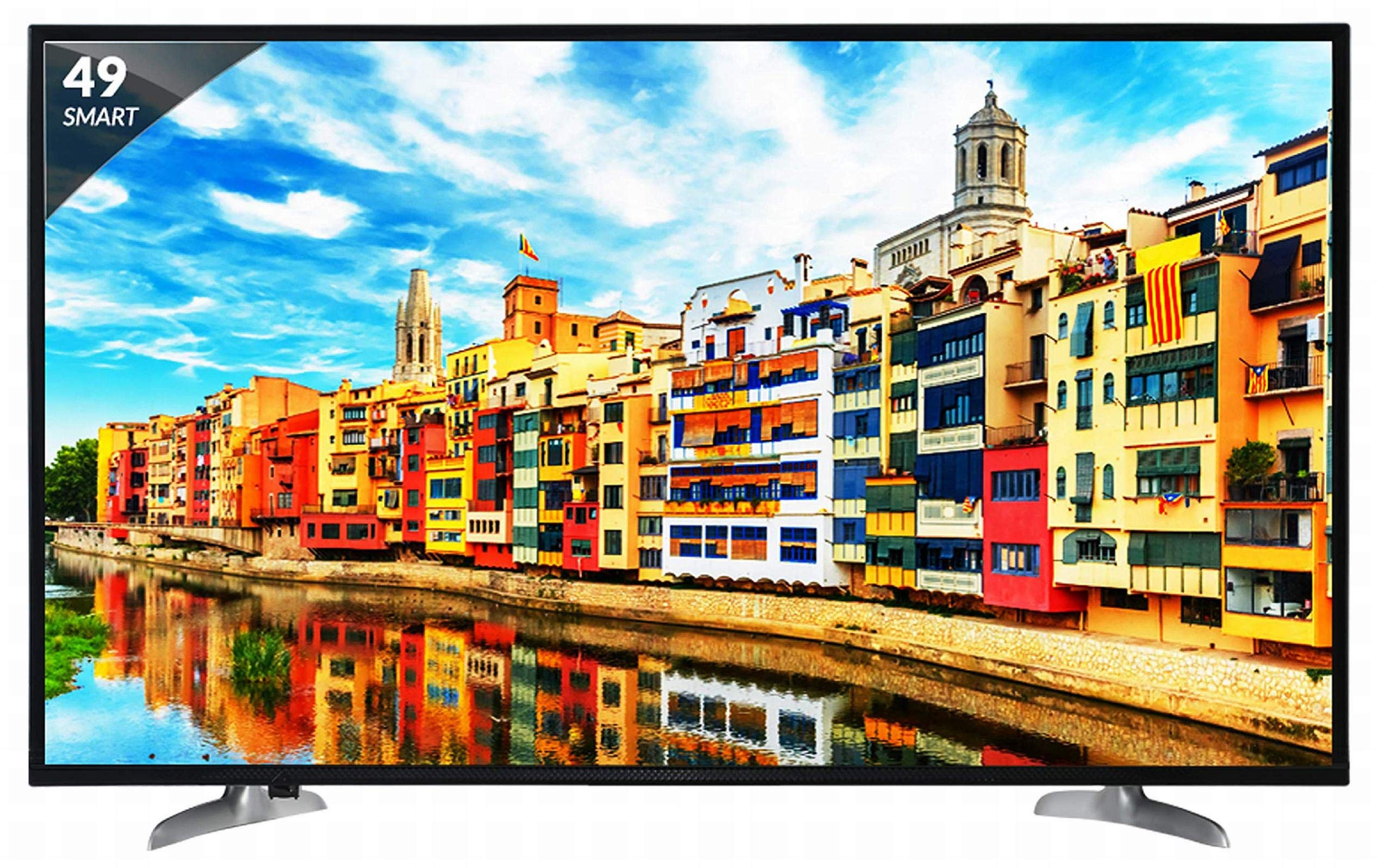
Figure 1: Front view of the Skyworth 49 M20 Full HD LED Smart TV.
Setup and Installation
Unpacking the TV
Carefully remove all components from the packaging. Ensure all items listed below are present.
What's in the Box:
- 1 LED TV
- 1 Table Top Stand
- 1 Wall Mount Bracket
- 1 User Manual
- 1 Warranty Card
- 1 Remote Control
- 2 AAA Batteries
- 1 Power Cable / Power Supply Adapter
Video 1: Unboxing and initial overview of the Skyworth 49 M20 Smart TV.
Stand Installation
If using the table-top stand, attach it securely to the base of the TV using the provided screws. Refer to the diagram for correct orientation.
Wall Mounting
For wall mounting, use the included wall mount bracket. It is recommended to seek professional assistance for wall mounting to ensure safety and proper installation. Contact Skyworth at 18001210108 for installation services.

Figure 2: Side view of the TV, illustrating the slim design and stand attachment points.
Connectivity
Your Skyworth 49 M20 TV offers various ports for connecting external devices.
Available Ports:
- 3 HDMI Ports: For connecting set-top boxes, Blu-Ray players, gaming consoles, and other HDMI-enabled devices.
- 2 USB Ports: For connecting hard drives, USB flash drives, and other USB devices to play media files.
- 1 VGA Port: For connecting laptops or desktop computers.

Figure 3: Rear panel of the TV, highlighting the various input and output ports.

Figure 4: Detailed view of the connectivity ports including HDMI, USB, and VGA.
Operating Your Smart TV
Powering On/Off
Connect the power cable to the TV and a power outlet. Press the power button on the remote control or on the TV to turn it on or off.
Initial Setup Wizard
Upon first power-on, the TV will guide you through an initial setup process, including language selection, network connection, and channel scanning.
Smart TV Features
The Skyworth 49 M20 is an Android-based Smart TV with built-in Wi-Fi, offering access to a variety of applications and online content.
- Built-in Wi-Fi: Connect to your home network for internet access.
- Netrange App Store: Download and install applications for movies, music, games, and more.
- Install APK: Allows installation of additional applications via APK files.
- Sky Share: Share media files (videos, pictures) from your mobile phone to the TV.
- Home Network: Access media content from other devices on your home network.
- Supported Internet Services: Includes Twitter and YouTube.

Figure 5: The Smart TV home screen interface, showing various app icons.

Figure 6: The Netrange App Store interface, displaying available applications.
Video 2: Overview of the Skyworth Full HD IPS Smart LED TV features, including display, smart functions, and connectivity.
Display and Audio
Display Technology
The TV features a 49-inch Full HD (1920x1080p) IPS LED panel with a 60 Hz refresh rate. The IPS technology provides a wide 178-degree viewing angle, ensuring consistent picture quality from various positions.
Audio System
Equipped with 20 Watts output and down-firing speakers, the TV delivers clear audio. DTS Sound technology enhances the audio experience.
Technical Specifications
| Feature | Detail |
|---|---|
| Model | 49 M20 |
| Screen Size | 49 Inches (124.5 cm) |
| Display Technology | IPS LED Panel |
| Resolution | Full HD (1920 x 1080p) |
| Refresh Rate | 60 Hertz |
| Viewing Angle | 178 Degrees |
| Operating System | Android |
| Processor | ARM Quad Core Processor |
| GPU | Dual Core 3D GPU |
| RAM | 512MB |
| ROM | 4GB |
| Connectivity | 3 HDMI, 2 USB, 1 VGA, Built-in Wi-Fi |
| Audio Output | 20 Watts |
| Sound Technology | DTS Sound, Down Firing Speakers |
| Product Dimensions (LxWxH) | 111.1 x 27.1 x 68.9 cm |
| Item Weight | 16 kg |
| Batteries | 2 AAA batteries (included for remote) |

Figure 7: Summary of key TV features including screen size, connectivity, display, sound, and smart TV capabilities.
Troubleshooting
This section addresses common issues you might encounter with your TV. For more complex problems, please contact customer support.
No Power
- Ensure the power cable is securely connected to both the TV and a working power outlet.
- Check if the power outlet is functioning by plugging in another device.
- Verify that the power indicator light on the TV is on.
No Picture/Sound
- Confirm the correct input source is selected (e.g., HDMI 1, AV).
- Check all cable connections (HDMI, AV, etc.) between the TV and external devices.
- Ensure the volume is not muted or set too low.
Wi-Fi Connection Issues
- Restart your Wi-Fi router and the TV.
- Ensure the TV is within range of your Wi-Fi router.
- Verify the Wi-Fi password entered is correct.
Remote Control Not Working
- Replace the AAA batteries in the remote control.
- Ensure there are no obstructions between the remote control and the TV's IR sensor.
Care and Maintenance
Cleaning the Screen
Gently wipe the screen with a soft, lint-free cloth. For stubborn marks, slightly dampen the cloth with water or a specialized screen cleaner. Avoid using harsh chemicals or abrasive materials.
General Cleaning
Wipe the TV's frame and stand with a soft, dry cloth. Do not spray cleaning liquids directly onto the TV.
Ventilation
Ensure adequate ventilation around the TV to prevent overheating. Do not block the ventilation openings on the back of the TV.
Warranty and Support
Warranty Information
Your Skyworth 49 M20 TV comes with a 2-year standard manufacturer warranty from Skyworth. Please retain your purchase invoice for warranty claims.
Customer Support
For installation, wall mounting, product demonstration, or any service-related queries, please contact Skyworth directly at 18001210108. Provide the product's model name (49 M20) and seller's details from your invoice.
This product is eligible for replacement/refund within 10 days of delivery in case of any product defects, damage, or features not matching the description provided.


