
1. Introduction
This manual provides essential information for the safe and effective use, installation, and maintenance of your FOXBC 12-inch planer blades. These blades are designed as replacements for Delta 22-540 and Delta TP300 planers.
2. Safety Information
WARNING: Always disconnect the planer from the power source before installing, removing, or performing any maintenance on the blades.
- Wear appropriate personal protective equipment (PPE), including safety glasses and gloves, when handling planer blades.
- Planer blades are extremely sharp. Handle them with extreme care to prevent injury.
- Ensure the planer is stable and secured before beginning any work.
- Keep children and bystanders away from the work area.
- Refer to your planer's original instruction manual for specific safety guidelines related to your machine.
3. Product Components
Your FOXBC planer blade set includes:
- Two (2) 12-inch High Speed Steel (HSS) planer blades.
- A protective plastic storage case.
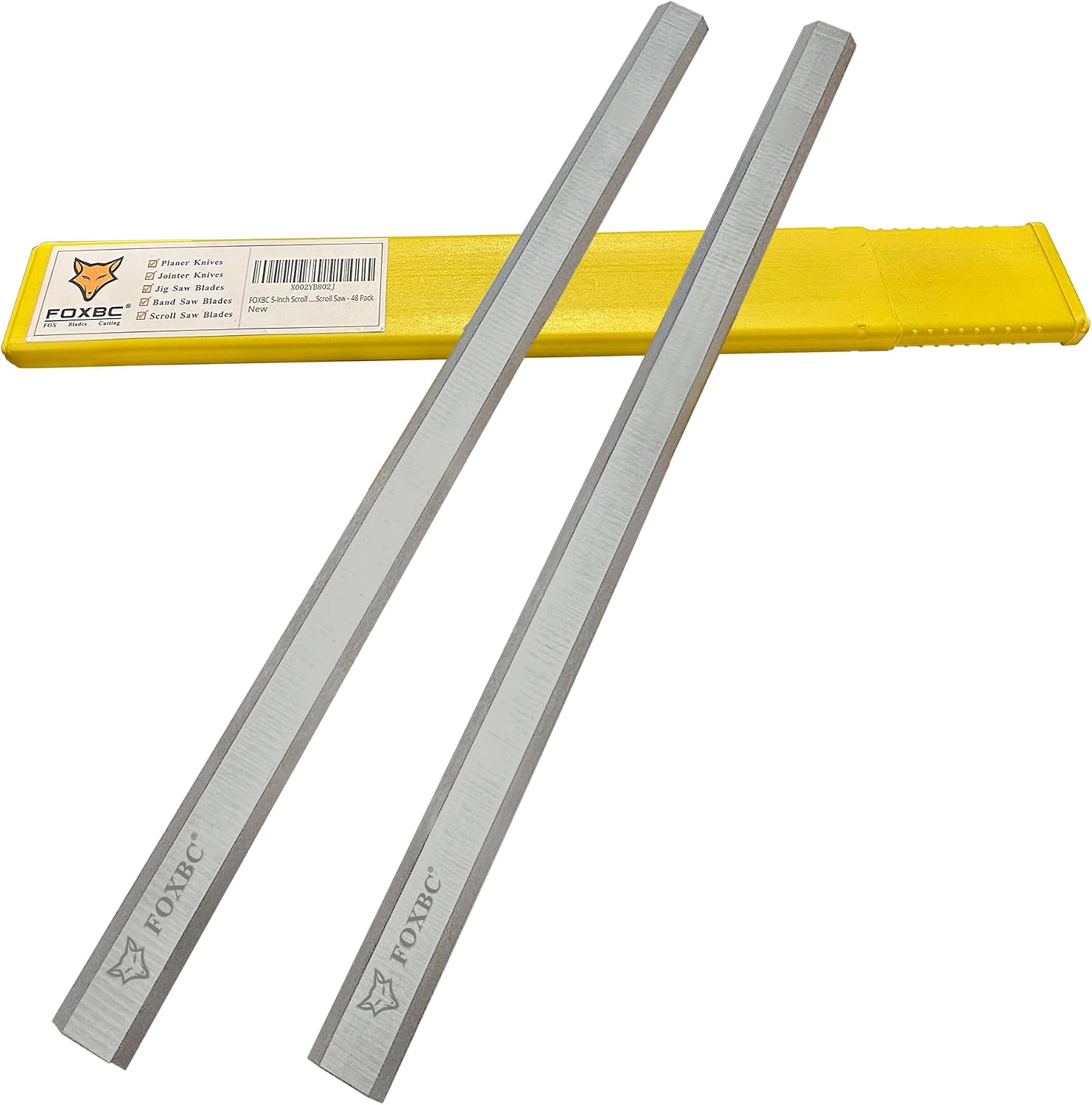
Image 3.1: FOXBC 12-inch planer blades with protective case.
These blades are double-edged and reversible, offering extended cutting life.
4. Compatibility
These FOXBC 12-inch planer blades are specifically designed for direct replacement in the following planer models:
- Delta 22-540 Planer (replaces Delta part number 22-547)
- Delta TP300 Planer

Image 4.1: Visual representation of planer blade compatibility with Delta TP300 and 22-540 models.
Always verify your planer model number before purchasing and installing replacement blades.
5. Setup and Installation
IMPORTANT: Ensure the planer is unplugged from the power source before proceeding.
- Access the Cutterhead: Consult your planer's manual for instructions on how to safely access the cutterhead where the blades are installed. This typically involves removing guards or covers.
- Remove Old Blades: Loosen the blade clamping screws that secure the old blades. Carefully remove the dull or damaged blades. Dispose of old blades responsibly.
- Clean the Cutterhead: Thoroughly clean any sawdust, resin, or debris from the cutterhead and blade seating areas. A clean surface ensures proper blade seating and alignment.
- Install New Blades: Place the new FOXBC planer blades into the cutterhead slots. Ensure the cutting edge is facing the correct direction.
- Set Blade Height: Proper blade height setting is critical for optimal performance and safety. It is highly recommended to use a blade setting jig or tool specifically designed for your planer model. Refer to your planer's manual for the precise blade projection specifications and setting procedure.
- Secure Blades: Once the blades are correctly positioned and set, tighten the blade clamping screws evenly and securely. Do not overtighten.
- Reassemble Planer: Replace all guards and covers that were removed. Ensure all components are securely fastened before restoring power.

Image 5.1: Detail of the double-edged FOXBC planer blade.
Incorrect blade installation can lead to poor planing results, premature blade wear, and potential safety hazards.
6. Operation
After installing new blades, perform a test cut on a scrap piece of wood to verify proper setup and cutting quality. Adjust blade height if necessary.
- Always feed wood into the planer at a consistent rate.
- Avoid taking excessively deep cuts, as this can strain the blades and the planer motor.
- Ensure the workpiece is free of foreign objects like nails or screws, which can damage the blades.
- For optimal results, alternate the side of the blade used by reversing them when one edge becomes dull.
7. Maintenance
- Cleaning: After each use, clean the blades and cutterhead to remove sawdust and resin buildup. Resin can cause friction and reduce cutting efficiency. Use a suitable blade cleaner if necessary.
- Inspection: Regularly inspect the blades for nicks, dullness, or damage. Damaged blades should be replaced immediately to prevent further issues or safety risks.
- Storage: When not in use, store the blades in their protective plastic case in a dry environment to prevent corrosion and accidental contact.
- Reversing Blades: These blades are double-edged. When one edge becomes dull, you can reverse the blade to utilize the fresh cutting edge. Follow the installation steps (Section 5) carefully when reversing blades.

Image 7.1: FOXBC brand marking on the planer blade.
8. Troubleshooting
If you experience issues with your planer after installing new blades, consider the following:
- Poor Cut Quality (Tear-out, Ripples): This often indicates improperly set blade height or dull blades. Recheck blade installation and height settings. Ensure blades are clean.
- Excessive Vibration or Noise: Unevenly installed blades or an unbalanced cutterhead can cause vibration. Ensure blades are seated correctly and clamping screws are tightened evenly.
- Planer Stalling or Overheating: Blades may be dull, or you might be taking too deep a cut. Reduce the depth of cut or reverse/replace blades.
- Blades Not Cutting: Verify blades are installed with the cutting edge facing the correct direction and are properly exposed.
9. Specifications
| Feature | Specification |
|---|---|
| Blade Length | 12-15/32 inches (approx. 317 mm) |
| Blade Width | 3/4 inches (approx. 19 mm) |
| Blade Thickness | 1/16 inches (approx. 1.6 mm) |
| Material | High Speed Steel (HSS) |
| Blade Edge | Double-edged, Reversible |
| Quantity | Set of 2 blades |
| Compatibility | Delta 22-540, Delta TP300 |
| Usage | Wood Cutting |
10. Warranty and Support
For any questions regarding your FOXBC planer blades, including product performance or compatibility, please contact FOXBC customer support. Refer to the product packaging or the FOXBC official website for current contact information.
FOXBC is committed to providing high-quality cutting tools. Please retain your proof of purchase for any warranty claims.
