
1. Introduction
This instruction manual provides essential information for the safe and effective use of your Electrolux Vario 500 Neutral Vacuum Cleaner Brush. Please read this manual thoroughly before first use and keep it for future reference. This brush is designed to be compatible with a range of AEG, Electrolux, and Tornado vacuum cleaner models, enhancing your cleaning experience on various floor types.
2. Product Overview
The Electrolux Vario 500 Neutral brush is a versatile floor tool designed for efficient cleaning. It features an adjustable mechanism to adapt to different floor surfaces, ensuring optimal performance and protection for your floors.
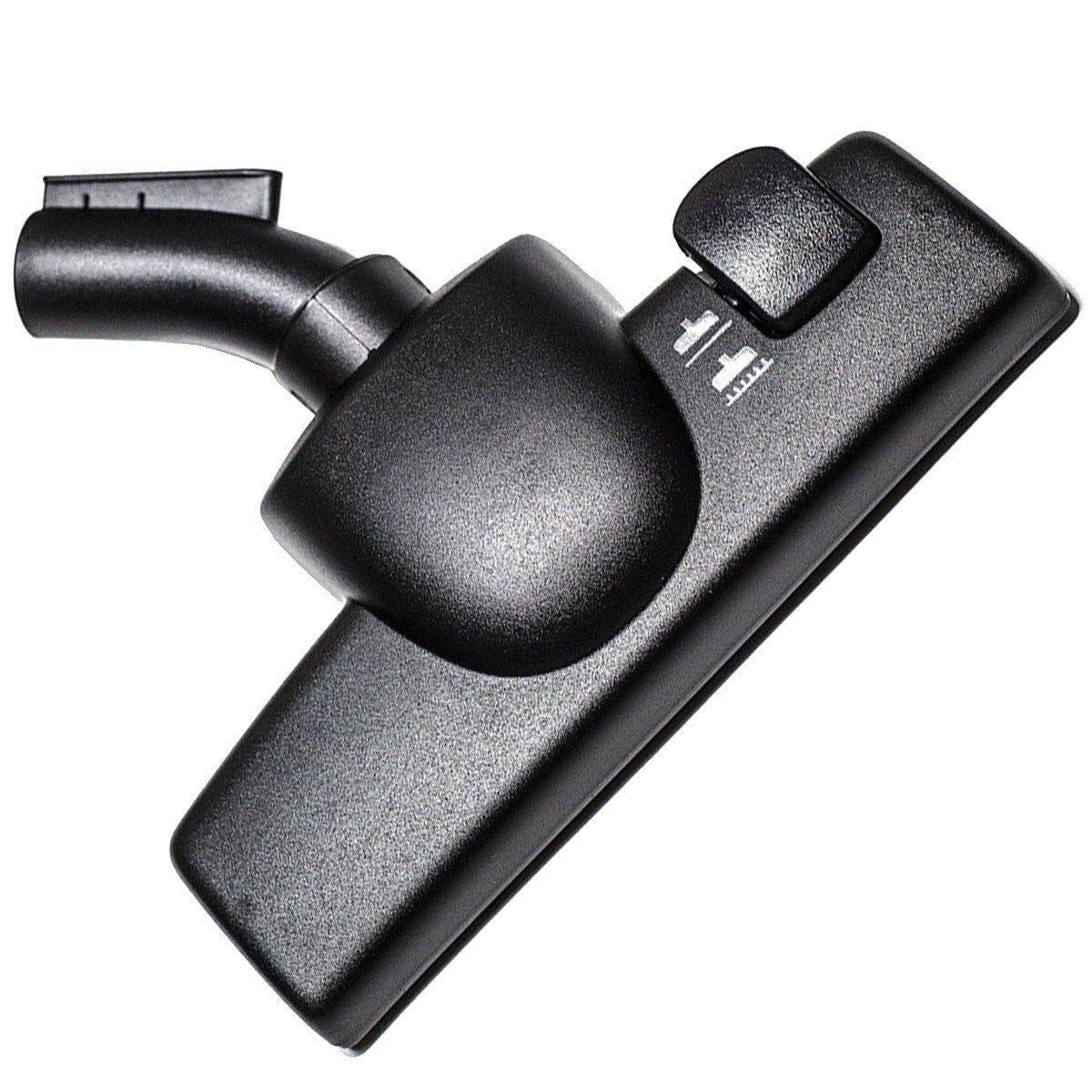
Figure 1: Electrolux Vario 500 Neutral Vacuum Cleaner Brush. This image shows the top view of the gray vacuum cleaner brush head with its attachment neck and a floor type selector switch on the right side.
Key Features:
- Adjustable Floor Type Selector: Easily switch between carpet and hard floor modes.
- Durable Construction: Made for long-lasting performance.
- Wide Compatibility: Designed for various Electrolux, AEG, and Tornado vacuum cleaner models.
3. Setup
Before using the brush, ensure your vacuum cleaner is unplugged from the power outlet.
- Identify the Connection Point: Locate the end of your vacuum cleaner's wand or hose where accessories are attached.
- Attach the Brush: Insert the neck of the Vario 500 Neutral brush firmly into the connection point of your vacuum cleaner's wand or hose. Ensure it clicks securely into place to prevent air leaks and maintain suction power.
- Verify Connection: Gently pull on the brush to confirm it is securely attached.

Figure 2: Side view of the brush head. This image shows the side profile of the gray vacuum cleaner brush, highlighting the attachment point and the lower profile of the brush head.
4. Operating Instructions
The Vario 500 Neutral brush is designed for optimal cleaning on both hard floors and carpets. Use the selector switch on the brush head to adjust for the surface you are cleaning.
- For Hard Floors (e.g., wood, tile, laminate): Move the selector switch to the position that retracts the brush bristles (often indicated by a hard floor icon or a flat surface icon). This prevents scratching and allows the vacuum to glide smoothly.
- For Carpets and Rugs: Move the selector switch to the position that extends the brush bristles (often indicated by a carpet icon or brush icon). The bristles help agitate carpet fibers to dislodge dirt and debris for more effective cleaning.
Always ensure the correct setting is selected before vacuuming to protect your floors and achieve the best cleaning results.
5. Maintenance
Regular maintenance ensures the longevity and performance of your vacuum cleaner brush.
- Cleaning the Brush: Periodically check the bristles for tangled hair, threads, or debris. Use scissors to carefully cut away any tangled material.
- Checking for Blockages: Ensure the air passage within the brush head and its neck is clear. Remove any obstructions that may reduce suction.
- Washing: The brush head is generally not designed for wet washing. If cleaning is necessary, wipe the exterior with a damp cloth and ensure it is completely dry before reattaching to the vacuum.
6. Troubleshooting
If you encounter issues with your brush, refer to the following common problems and solutions:
| Problem | Possible Cause | Solution |
|---|---|---|
| Reduced suction at the brush head | Blockage in the brush head or vacuum hose; improper attachment. | Check for and remove any blockages. Ensure the brush is securely attached to the vacuum wand/hose. |
| Poor cleaning performance | Incorrect floor setting; worn bristles; debris tangled in bristles. | Verify the selector switch is in the correct position for the floor type. Clean any tangled debris from the bristles. If bristles are significantly worn, consider replacing the brush. |
| Brush scratching hard floors | Incorrect floor setting (bristles extended); debris stuck to the underside. | Ensure the selector switch is set to the hard floor position (bristles retracted). Check the underside of the brush for any embedded grit or debris. |
7. Specifications
- Brand: Electrolux
- Model Number: 1099025114, 4055
- Item Weight: 350 g
- Manufacturer: ELECTROLUX
- Compatible Models: 9001683441, 1099025114, 61EKW01 POW24TRIO VAMPYR 900081305 - TO 6160, 900081306 - TO 6170, 900081307 - TO 6180, 900081308 - TO 6190, 900170701 - Z2230, 900170703 - Z2230, 900171001 - Z2210, 900173101 - Z2235, 900190000 - VAMPYR5010ELECTR., 900190001 - VAMPYR5030ELECTR., 900190002 - VAMPYR5100ELECTR., 900190003 - VAMPYR5010.1ELECTR, 900190004 - VAMPYR5030.1ELECTR, 900190005 - VAMPYR5100.1ELECTR, 900190006 - VAMPYREXQUISIT1201, 900190007 - VAMPYRCOMPACTELECT, 900190008 - VAMPYREXQUISIT1202, 900190009 - VAMPYR5030.9ELECTR, 900190011 - VAMPYRCOMPACTELECT, 900190015 - VAMPYR5010.5ELECTR, 900190016 - VAMPYR5100.5ELECTR, 900190018 - VAMPYR5010.2ELECTR, 900190019 - VAMPYR5011.2ELECTR, 900190021 - VAMPYR5005.0ELECTR, 900190026 - VAMPYR5030.0ELECTR, 900190027 - VAMPYR5030.1ELECTR, 900190030 - ÖKOVAMPYRROSSO, 900190031 - ÖKOVAMPYRROSSO1, 900190032 - ÖKOVAMPYR5050.0, 900190033 - VAMPYRROSSOZA, 900190034 - VAMPYRSUNELECTRONI, 900190035 - VAMPYRCOMPACTELECT, 900190036 - VAMPYR5000ELECTRON, 900190038 - VAMPYR5010.8ELECTR, 900190039 - VAMPYRROSSO.5, 900190041 - VAMPYR5030.6ELECTR, 900190042 - VAMPYR5600.0ELECTR, 900190043 - VAMPYRCROMAEXCLUSI, 900190045 - VAMPYR5020ELECTR., 900190046 - VAMPYR5020.1ELECTR, 900190047 - VAMPYR5040ELECTR., 900190048 - VAMPYR5040.1ELECTR, 900190049 - VAMPYR5035ELECTR, 900190050 - VAMPYREXQUISIT500, 900190051 - VAMPYREXQUISI500.1, 900190052 - VAMPYREXQUISI500.2, 900190057 - VAMPYRSUN.3ELECTR., 900190059 - VAMPYR5040.2ELECTR, 900190060 - VAMPYRCROMA.3, 900190061 - VAMPYRCROMA.5ELEC., 900190062 - VAMPYR5040ELECTR, 900190063 - VAMPYR5040.7ELECTR, 900190064 - VAMPYRCOMPACT.1ELEC, 900190200 - VAMPYR6100ELECTR., 900190201 - VAMPYR6200ELECTR., 900190202 - VAMPYR6209ELECTR., 900190203 - VAMPYR6400ELECTR., 900190205 - ÖKO-VAMPYR6150ELEC, 900190206 - ÖKO-VAMPYR6159ELEC, 900190207 - ÖKO-VAMPYR6450ELEC, 900190208 - VAMPYR6100ELECTR., 900190209 - VAMPYR6200ELECTR., 900190210 - VAMPYR6209.3ELECTR, 900190211 - VAMPYR6450.3ELECTR, 900.
8. Warranty Information
This product is covered by the standard manufacturer's warranty. Please refer to your vacuum cleaner's main instruction manual or the Electrolux official website for detailed warranty terms and conditions applicable to accessories. Keep your proof of purchase for any warranty claims.
9. Support and Contact Information
For further assistance, technical support, or inquiries regarding compatible models, please contact Electrolux customer service or your local authorized dealer.
Customer Service: 0 892 700 737
You may also visit the official Electrolux website for additional resources and support.


