
1. Introduction
Thank you for choosing the LeeKooLuu RV Backup Camera System. This system is designed to enhance your driving and reversing experience by providing clear, reliable rear and side views. Featuring advanced wireless technology, a high-definition monitor, and durable cameras, it offers a stable and convenient solution for various large vehicles.
Key features of your system include:
- Newly upgraded dual antenna technology for stable, interference-free wireless signal up to 660ft in open areas.
- Multiple split screen modes (single, two, four) on the 7-inch monitor, supporting up to 4 cameras.
- IP69K waterproof cameras with 18 infrared lights and Sony CCD Sensor for clear day and night vision.
- Plug-and-Play installation, eliminating the need for complex wiring between camera and monitor.
- Built-in DVR recorder with loop recording capability.
2. Package Contents
Please verify that all items listed below are included in your package:
- 1 x 7 Inch Monitor
- 2 x Wireless Backup Cameras
- 2 x Power Cords
- 1 x Cigarette Lighter Adapter
- 1 x Sunshade
- 1 x Windshield Mount
- 1 x U Bracket
- 4 x Antennas
- 1 x User Manual (this document)
- Other necessary parts for installation

Image: Overview of the LeeKooLuu RV Backup Camera System components.
3. Safety Information
Always prioritize safety during installation and operation. Ensure all connections are secure and properly insulated. Do not attempt to operate the system if any components are damaged. Consult local regulations regarding the use of backup camera systems while driving.
4. Setup and Installation
This system is designed for straightforward installation. No need to run long cables between the camera and monitor due to its wireless design.
4.1 Camera Installation
The cameras are IP69K waterproof and can be mounted externally. Connect the camera's power cord to a 12V-24V DC power source, such as backup lights, running lights, or tail lights. Ensure proper polarity. For Furrion pre-wired RVs, an adapter is available to simplify installation.

Image: Illustration of potential camera placements on an RV and truck, including side view and license plate camera options. The system supports up to four cameras.

Image: The IP69K waterproof camera, designed to withstand challenging weather conditions.
4.2 Monitor Installation
The 7-inch monitor can be powered via the included cigarette lighter adapter or by connecting directly to ACC/Fuse/Radio power sources. Two mounting methods are provided:
- Windshield Mount: Use the suction cup mount to attach the monitor to your vehicle's windshield.
- U Bracket: Use the U-shaped bracket for dashboard or surface mounting.

Image: Different mounting options for the monitor and the camera's adjustable angle.
5. Operating Instructions
5.1 Monitor Functions
The 7-inch monitor provides a clear 1080P display with a high refresh rate for stable images. Use the touch keys or physical buttons to navigate the menu.
- Display Modes: Switch between single camera view, two-split screen, or four-split screen mode. The monitor can display feeds from up to four cameras simultaneously.
- Image Flip: The image can be flipped between mirror (rear view) and facing (front view), as well as inverted mirror and inverted front image. This allows for flexible camera placement and viewing preferences.
- Recording Function: The system includes a built-in DVR recorder with loop recording. This feature automatically overwrites the oldest video files with the newest ones when the memory card is full, ensuring continuous recording.
- Adjustments: Adjust brightness, contrast, saturation, and enable/disable DIY guidelines directly from the monitor menu.
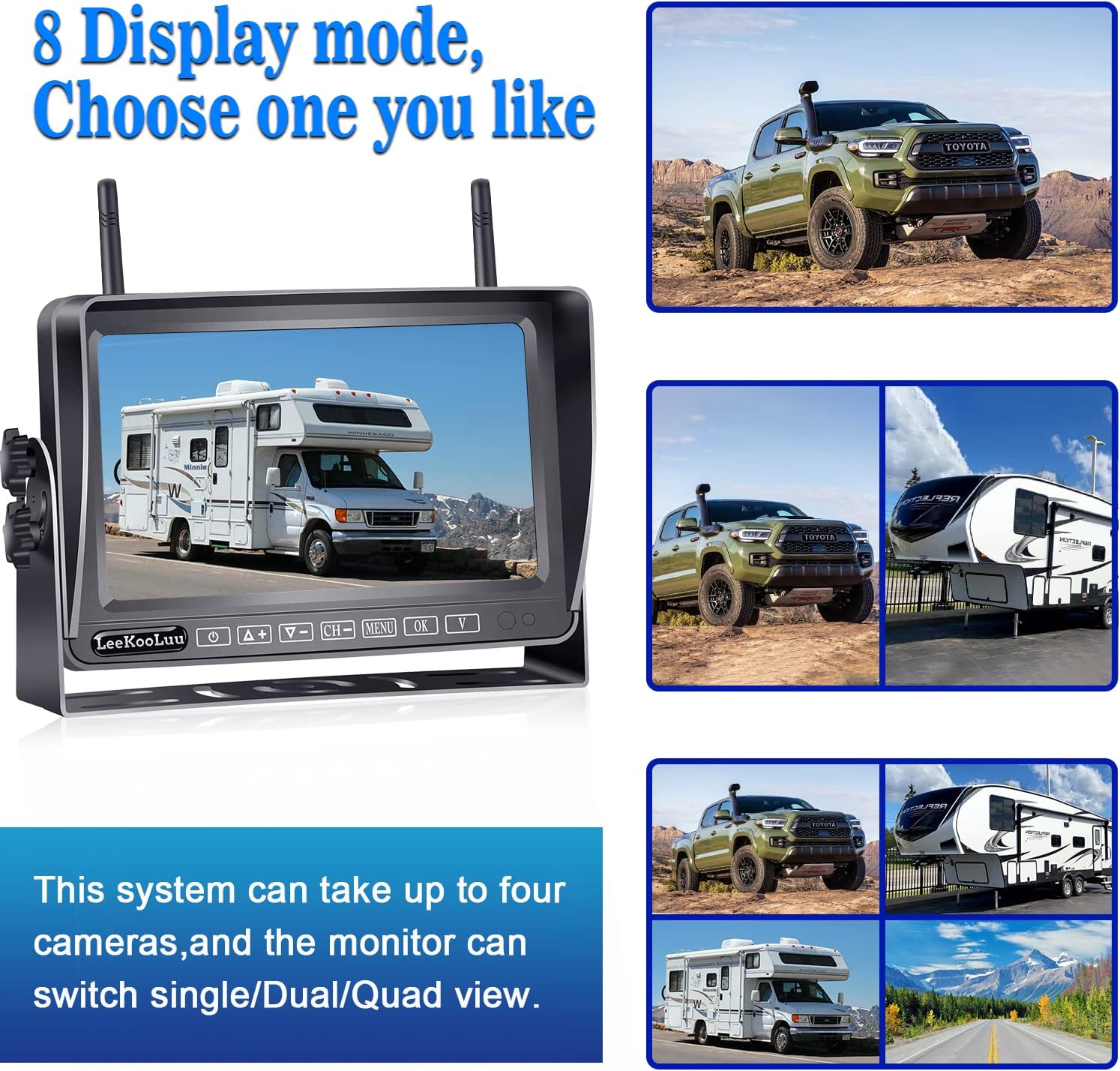
Image: The monitor's capability to display single, dual, or quad camera views.

Image: Demonstrates the four image flip options available on the monitor.

Image: Explanation of the seamless loop recording feature.
5.2 Camera Features
- Night Vision: Equipped with 18 infrared lights, the cameras provide clear night vision, ensuring visibility even in low-light conditions.
- Wide Viewing Angle: The cameras offer a wide viewing angle, minimizing blind spots and providing a comprehensive view of the area behind your vehicle.
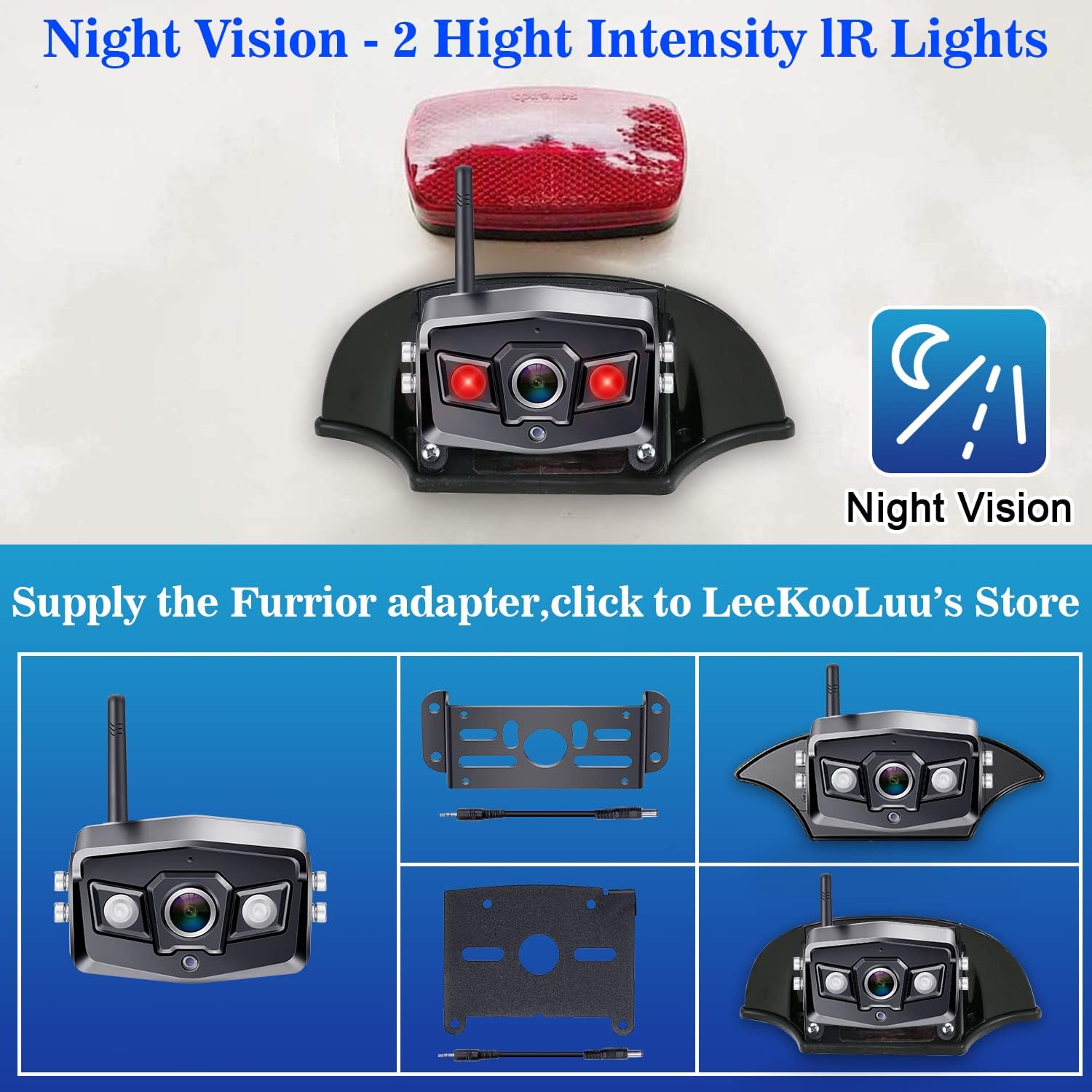
Image: The camera's night vision capability with high-intensity IR lights.
6. Maintenance
To ensure the longevity and optimal performance of your LeeKooLuu RV Backup Camera System, follow these maintenance guidelines:
- Cleaning: Regularly clean the camera lenses and monitor screen with a soft, damp cloth. Avoid abrasive cleaners that could scratch surfaces.
- Connections: Periodically check all power connections and cable integrity to ensure they are secure and free from corrosion.
- Storage: If storing the vehicle for an extended period, consider disconnecting the system from power to prevent battery drain.
7. Troubleshooting
If you encounter issues with your system, please refer to the following common problems and solutions:
- No Signal/Intermittent Signal: Ensure cameras and monitor are powered on. Check antenna connections on both devices. Verify that the distance between the camera and monitor is within the effective range (under 240ft on vehicle, 660ft in open area). Minimize obstructions between the camera and monitor.
- No Image on Monitor: Check power connections to both the monitor and cameras. Ensure the correct camera channel is selected on the monitor.
- Image Quality Issues: Clean camera lenses. Adjust brightness, contrast, and saturation settings on the monitor. Ensure cameras are securely mounted and not vibrating.
- Recording Not Working: Ensure a compatible memory card is inserted correctly into the monitor. Check if the loop recording function is enabled in the settings.
For further assistance, please contact LeeKooLuu customer support.
8. Specifications
| Feature | Specification |
|---|---|
| Product Dimensions | 8 x 2 x 8 inches (Monitor) |
| Item Weight | 4.8 pounds |
| Model Number | V-07 |
| Screen Size | 7 Inches |
| Display Technology | LCD |
| Video Capture Resolution | 1080p |
| Voltage | 12 Volts |
| Optical Sensor Technology | CCD |
| Waterproof Rating | IP69K (Camera) |
| Special Features | Real 1080P Resolution, DVR Recording, Loop Recording, Digital Wireless Signal, Night Vision, Split Screen (up to 4 cameras), Adjustable Guidelines, Image Flip |
9. Warranty and Support
LeeKooLuu provides a 2-year warranty for this RV backup camera system. We also offer life-time technical support to ensure your satisfaction. If you encounter any issues or have questions regarding the use, installation, or maintenance of your system, please do not hesitate to contact our customer support team.
For support, please refer to the contact information provided with your product packaging or visit the official LeeKooLuu website.