
Introduction
Thank you for choosing the Piscifun Fish Gripper with Digital Scale. This device is designed to provide a secure grip on fish and accurate weight measurements, enhancing your fishing experience. Crafted from high-grade stainless steel, it offers durability and reliable performance in various fishing conditions.
Product Features
- Unmatched Durability: Constructed from high-grade stainless steel, designed for tough freshwater and saltwater conditions.
- High Capacity: Capable of weighing fish up to 60lb (27kg).
- All-Weather Performance: Water-resistant construction ensures functionality in various weather conditions.
- Easy-to-Read Display: Features a built-in LCD light and a large, clear display for accurate measurements, even in low light.
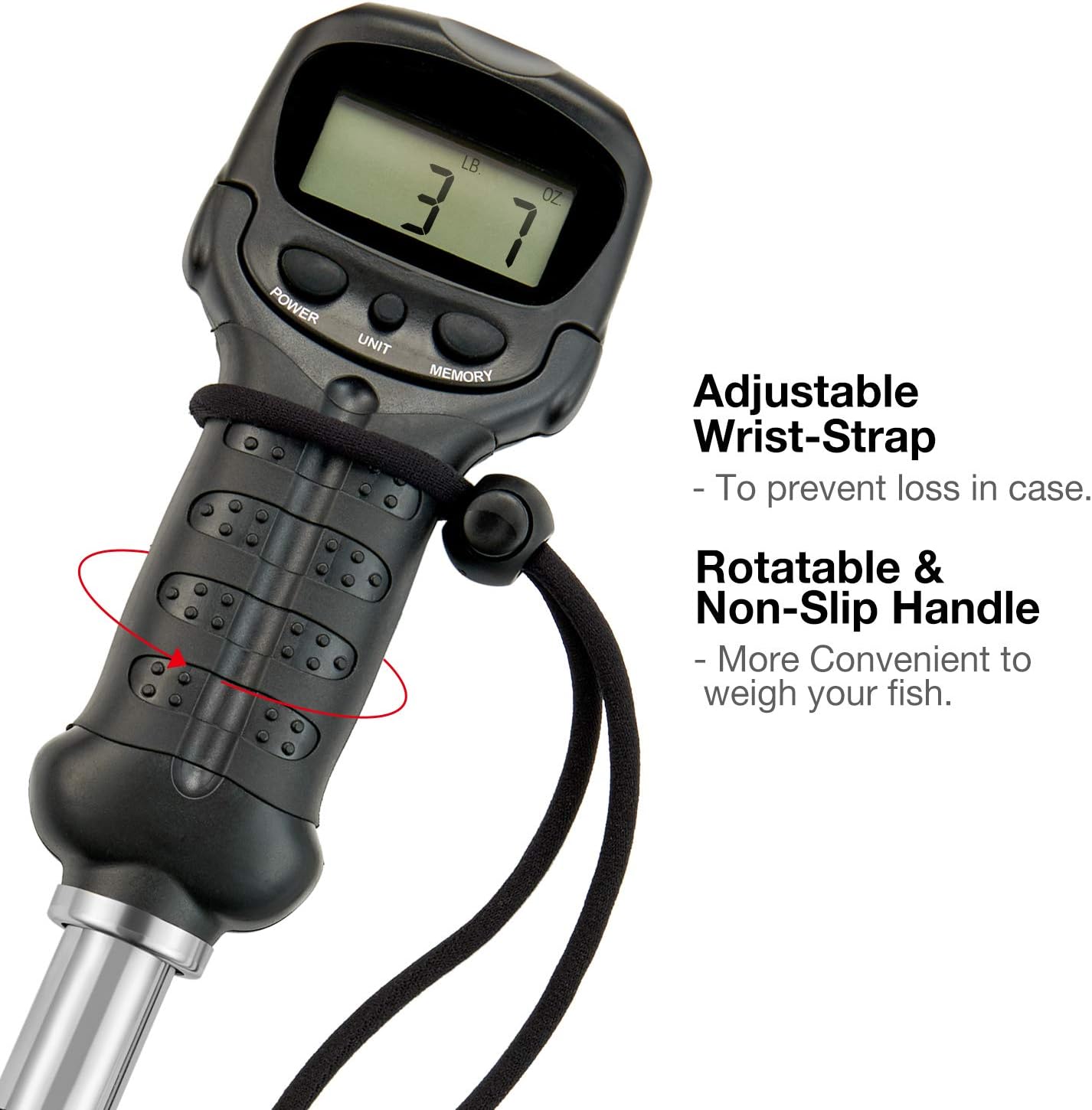
- 360° Rotating Handle: Provides complete control over measurements.
- Memory Function: Saves up to 10 weight measurements.
- Dual Mode: Easily switch between Kilograms (KG) and Pounds (LBS).
- Power-Saving Features: Includes auto-shutoff and a low battery indicator.
Setup
Battery Installation
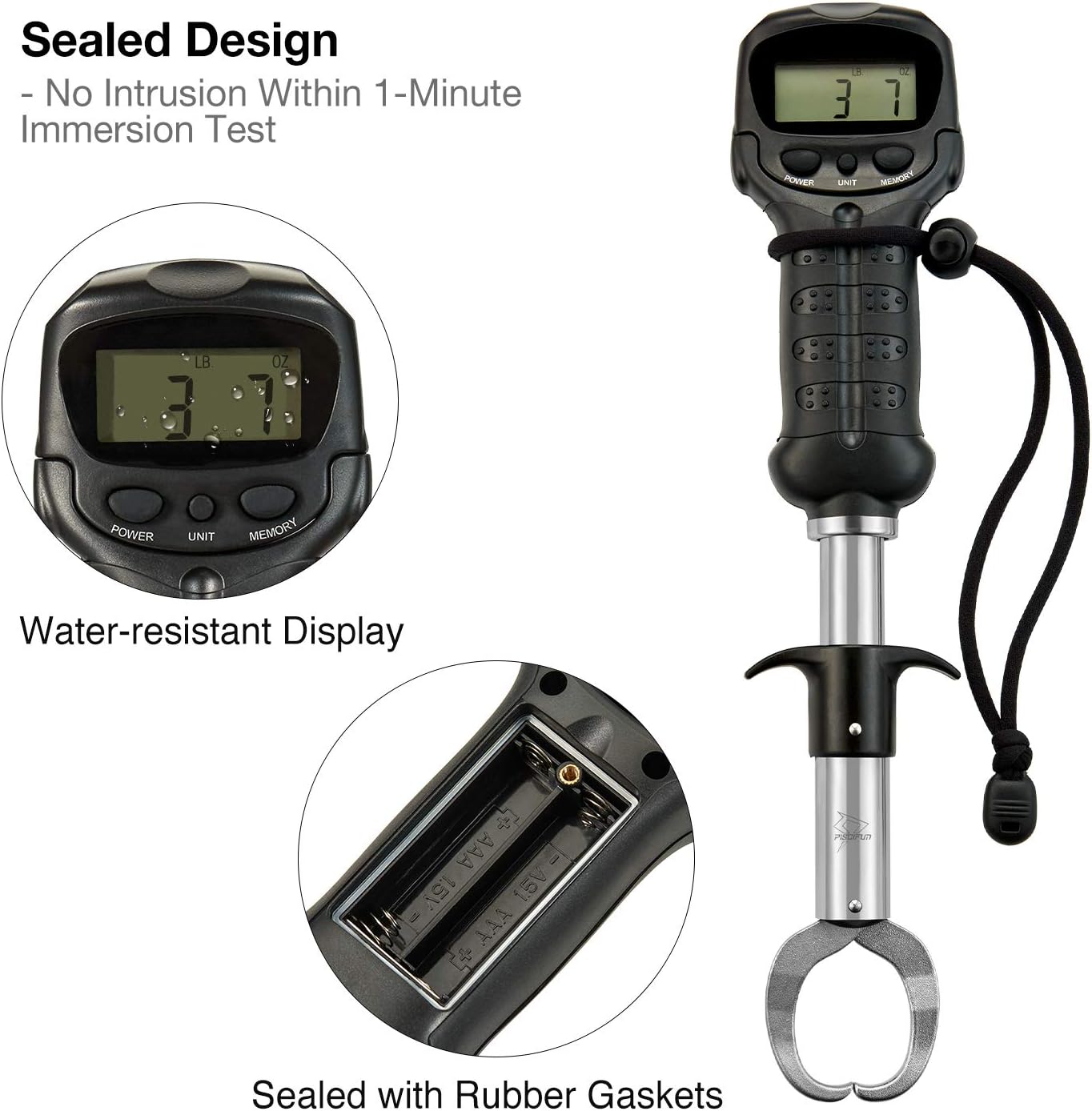
The digital scale and LCD display require two AAA batteries for operation. Ensure correct polarity when inserting the batteries.
- Locate the battery compartment on the back of the scale unit.
- Open the battery compartment cover.
- Insert two AAA batteries, observing the positive (+) and negative (-) indicators.
- Securely close the battery compartment cover.
Operating Instructions
Powering On/Off
- To power on, press the POWER button. The display will show "0.00".
- To power off, press and hold the POWER button for a few seconds until the display turns off. The device also features an auto-shutoff function to conserve battery life.
Selecting Units (KG/LBS)
To switch between Kilograms (KG) and Pounds (LBS):
- With the device powered on, press the UNIT button to toggle between the available measurement units.
Gripping a Fish
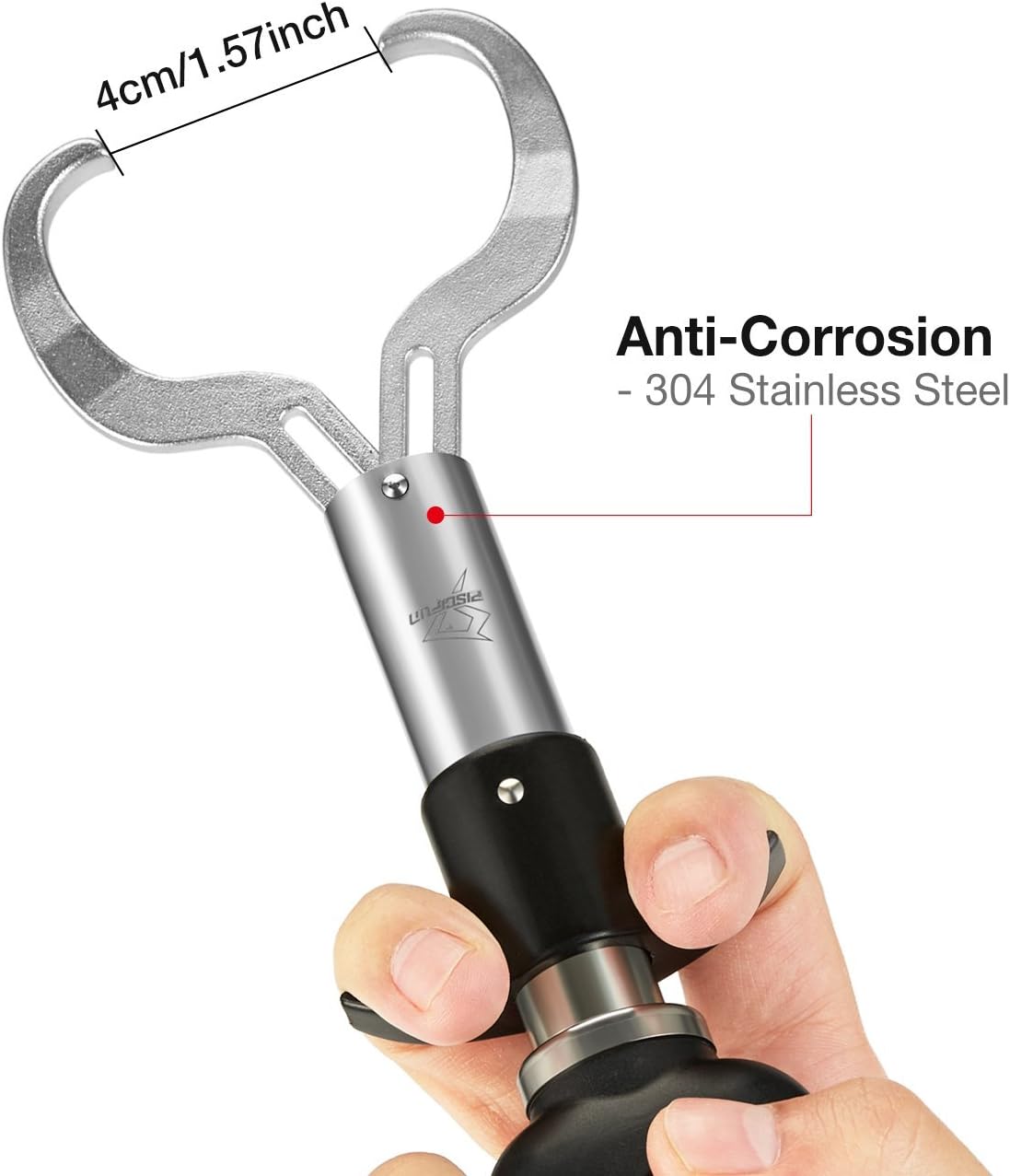
The fish gripper features a robust stainless steel clip for secure handling of fish.
- Press the trigger to open the gripper jaws.
- Carefully place the jaws around the fish's lower jaw.
- Release the trigger to securely close the jaws on the fish.
Weighing a Fish
For accurate weight measurement, keep the fish as still as possible during weighing.
- Securely grip the fish using the gripper.
- Hold the gripper vertically, allowing the fish to hang freely.
- The weight will be displayed on the LCD screen. The 360° rotating handle allows for easy viewing from any angle.
- To reset the scale for a new measurement, briefly press the POWER button to clear the previous reading to "0.00".

Memory Function
The scale can store up to 10 weight measurements.
- After a stable weight is displayed, press the MEMORY button to save the current reading.
- To recall saved measurements, repeatedly press the MEMORY button.
Adjustable Wrist Strap
The integrated adjustable wrist strap helps prevent accidental loss of the gripper, especially when handling active fish or in wet conditions.
Water Resistance
The Piscifun Fish Gripper is designed with water-resistant construction, including sealed components and rubber gaskets, to ensure functionality even when exposed to water. It has passed a one-minute immersion test.
Maintenance
- After each use, especially in saltwater, rinse the gripper with fresh water to remove salt and debris.
- Ensure the gripper is dry before storing.
- Periodically check the battery compartment for any signs of corrosion and replace batteries as needed.
Troubleshooting
Inaccurate Weight Readings
- Ensure the fish is held still and the gripper is vertical during weighing. Movement can cause deviations.
- Verify that the scale is zeroed before each measurement. Press the POWER button briefly to reset to "0.00".
- Check battery levels. Low batteries can affect accuracy.
Display Not Turning On
- Check if the batteries are correctly installed and fully charged. Replace if necessary.
- Ensure the POWER button is pressed firmly.
Specifications
| Feature | Detail |
|---|---|
| Brand | Piscifun |
| Model | Piscifun-TL020 |
| Weight Capacity Maximum | 60 pounds (27 kg) |
| Material Type | Stainless Steel |
| Display Type | LED |
| Power Source | 2 x AAA Batteries |
| Special Features | Dual Display Mode, Large Display, Memory Function, Water-Resistant |
| Item Weight | 0.26 kg |
Warranty and Support
Piscifun products are designed for quality and durability. For any questions, technical assistance, or warranty claims, please contact Piscifun customer support through their official website or the retailer where the product was purchased. Please retain your proof of purchase for warranty purposes.