
Introduction
Welcome to the world of Silverlit Duke, your interactive robotic puppy. Duke is designed to provide an engaging experience with its ability to learn and respond to voice commands. This manual provides essential information for setting up, operating, maintaining, and troubleshooting your Duke Robotic Puppy.

Image: Front view of the Silverlit Duke Robotic Puppy, showcasing its black and white body with a red collar.
Package Contents
Upon unboxing, please ensure all components are present:
- 1 x Silverlit Duke Robotic Puppy
- 1 x Smart Bone accessory
- 1 x Instruction Manual (this document)
Setup
Battery Installation
Duke requires 4 AA batteries (not included) for operation. Follow these steps to install the batteries:
- Locate the battery compartment on the underside of the Duke Robotic Puppy.
- Using a small Phillips head screwdriver, unscrew the battery compartment cover.
- Insert 4 new AA batteries, ensuring correct polarity (+/-) as indicated inside the compartment.
- Replace the battery compartment cover and secure it with the screw.
Warning: Do not mix old and new batteries. Do not mix alkaline, standard (carbon-zinc), or rechargeable (nickel-cadmium) batteries.
Operating Instructions
Powering On/Off
To power on Duke, locate the ON/OFF switch, usually near the battery compartment. Switch it to the 'ON' position. To power off, switch it to 'OFF'.
Voice Commands
Duke responds to 12 different voice commands. Ensure you speak clearly and directly to Duke for optimal recognition. Duke can be personalized with its Smart Bone, allowing for renaming and specific trick learning.

Image: Duke Robotic Puppy holding its Smart Bone, which is used for personalization and trick learning.
Some common actions and features include:
- Voice Recognition: Responds to commands in any local language.
- Touch Sensor: Located on Duke's head, allows for interactive petting.
- Infrared Sensor: Helps Duke detect its surroundings.
- Obstacle Detection: Enables Duke to navigate and avoid obstacles.
- Dual Color LED Eyes: Expressive eyes that change color.
- Lifelike Poses: Duke can perform over 10 lifelike poses and movements.

Image: A hand interacting with Duke's head, highlighting the touch sensor functionality.
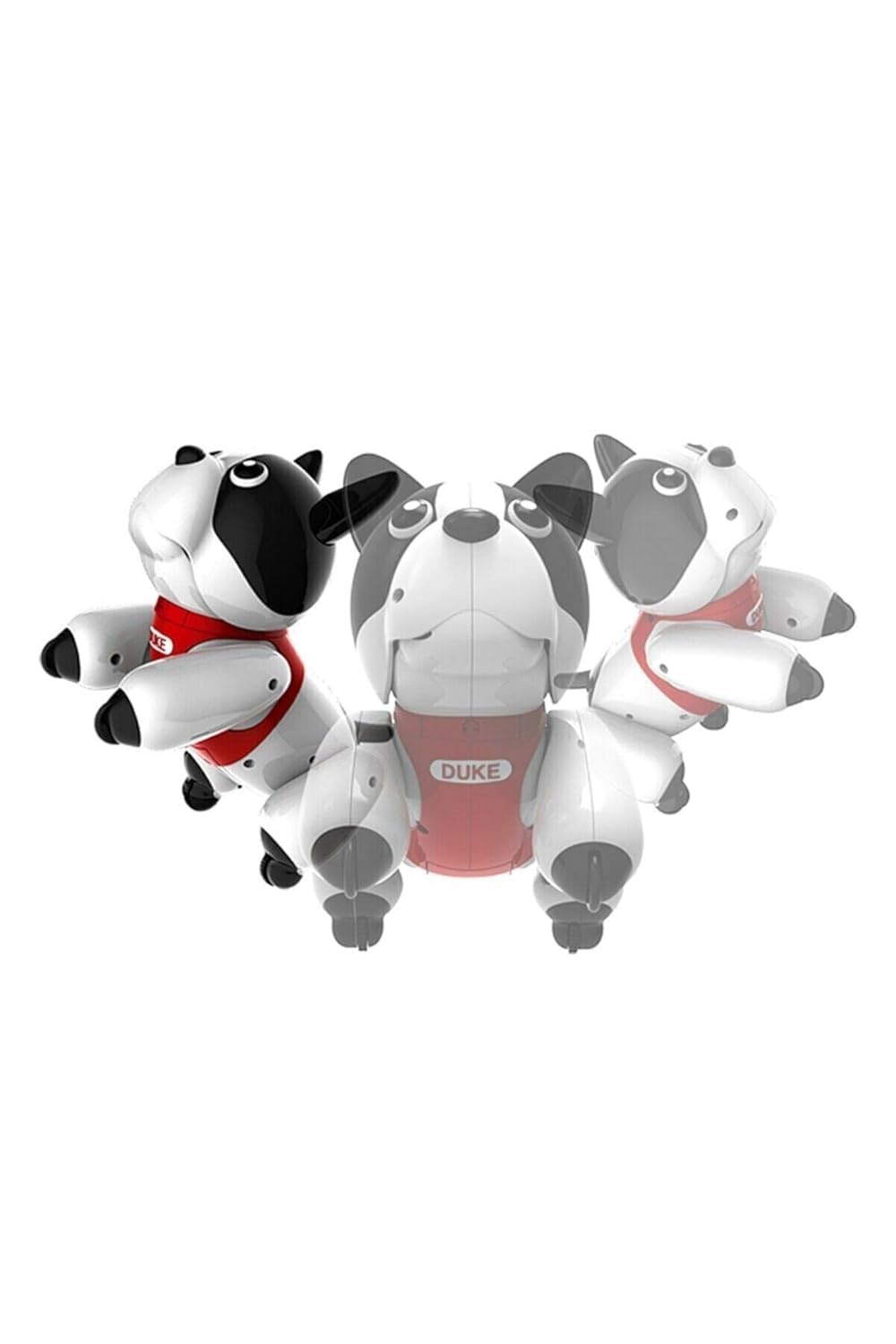
Image: Multiple views of Duke in various poses, illustrating its range of motion and lifelike actions.
Maintenance
Cleaning
To clean your Duke Robotic Puppy, gently wipe its surface with a dry, soft cloth. Do not use water or cleaning solutions, as this may damage the electronic components.
Battery Care
If Duke will not be used for an extended period, remove the batteries to prevent leakage and potential damage to the toy.
Troubleshooting
| Problem | Possible Cause | Solution |
|---|---|---|
| Duke does not turn on. | Batteries are low or incorrectly installed. | Replace with new AA batteries, ensuring correct polarity. |
| Duke does not respond to voice commands. | Voice not clear, too far away, or background noise. | Speak clearly and closer to Duke. Reduce background noise. Ensure Duke is powered on. |
| Duke is not moving smoothly. | Low battery power or obstruction. | Replace batteries. Check for any debris or obstructions around Duke's legs/wheels. |
Specifications
| Feature | Detail |
|---|---|
| Model Number | 88557 |
| Brand | SilverLit |
| Dimensions (LxWxH) | 13 x 22 x 21 cm |
| Item Weight | 450 g |
| Material | Plastic |
| Batteries Required | 4 x AA (not included) |
| Recommended Age | 5 - 8 years |
| Features | Voice Recognition, Touch Sensor, Infrared Sensor, Obstacle Detection, Dual Color LED Eyes, 10+ Lifelike Poses |
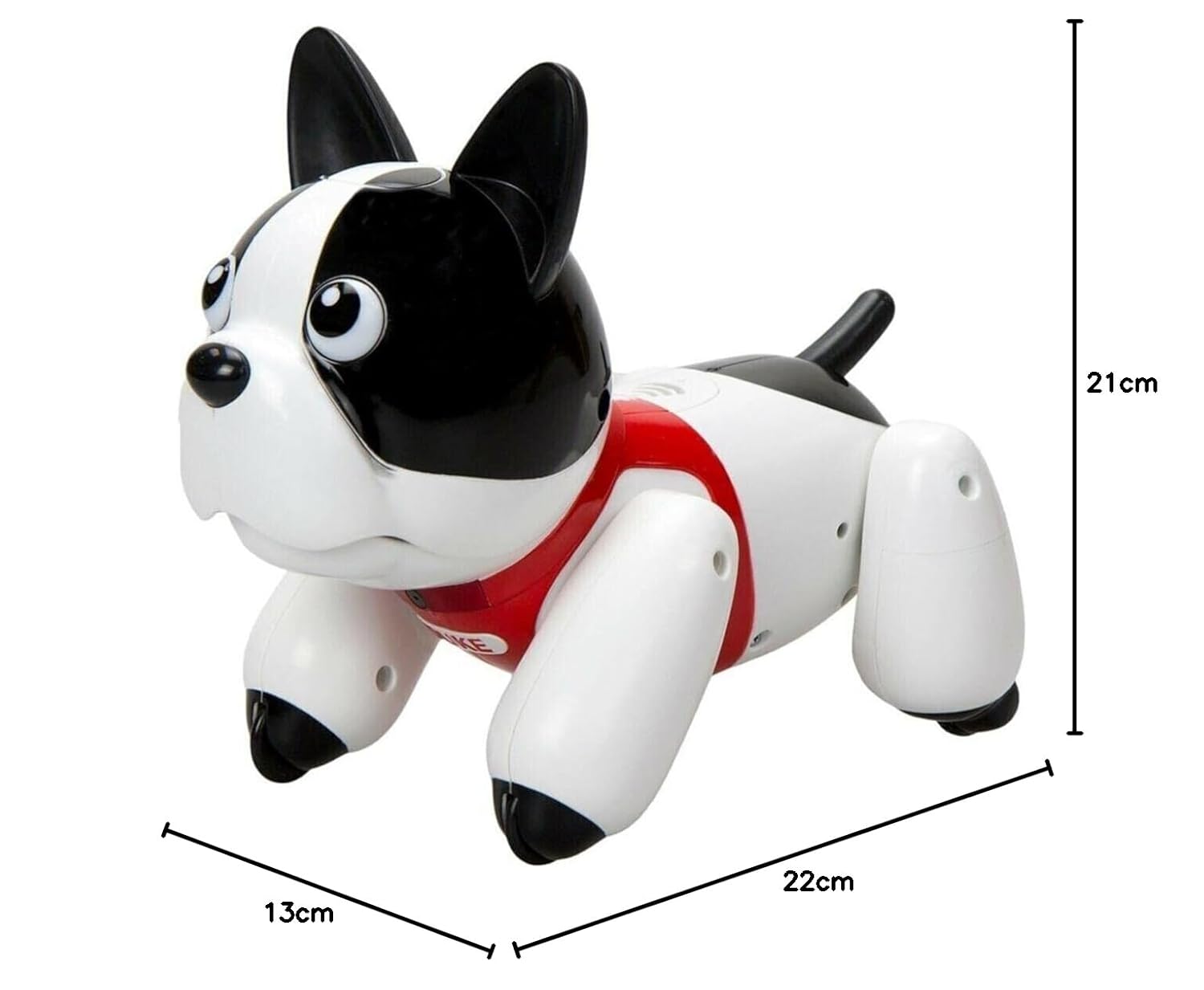
Image: Diagram showing the dimensions of the Duke Robotic Puppy (13cm x 22cm x 21cm).
Warranty and Support
Manufacturer Information
Manufactured by: Silverlit, SilverLit Toys Manufactory Ltd. CAUSEWAY BAY, HONG KONG
Customer Support
For any queries, technical support, or warranty claims, please contact:
Innovation & Inventions LLP
C-98, Okhla Industrial Area, Phase-1, Delhi-110020
Email: support@innovationandinventions.com