
1. Introduction
This manual provides instructions for the Silverlit Tooko Remote Control Truck with a detachable trailer and a free-wheel bulldozer. This toy features multi-directional control, sound effects, and an articulated bucket on the bulldozer, designed for engaging play.
2. Safety Information
WARNING:
- Not suitable for children under 36 months due to small parts. Choking hazard.
- Adult supervision is recommended during play.
- Do not mix old and new batteries. Do not mix alkaline, standard (carbon-zinc), or rechargeable (nickel-cadmium) batteries.
- Remove batteries when the toy is not in use for extended periods.
3. Package Contents
- 1 x Remote Control Truck
- 1 x Detachable Trailer
- 1 x Free Wheel Bulldozer with articulated bucket
- 1 x Remote Control Unit
Batteries are not included and must be purchased separately.
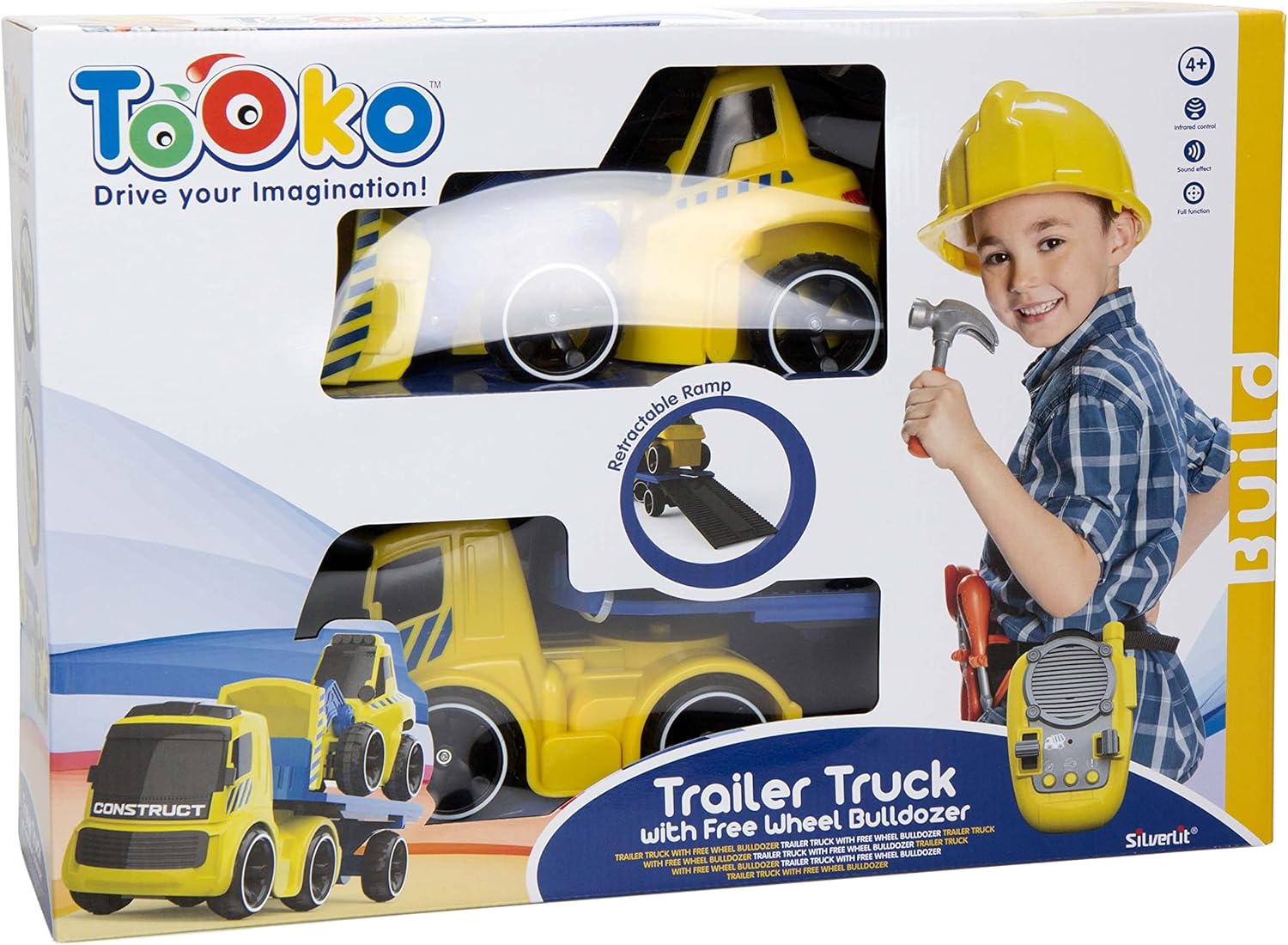
Image 3.1: The product packaging, illustrating the remote control truck, its trailer, the bulldozer, and the remote control unit included in the set.
4. Setup
4.1 Battery Installation
Ensure the toy is switched off before installing batteries.
- For the Remote Control Truck:
- Locate the battery compartment on the underside of the truck.
- Use a screwdriver to open the battery compartment cover.
- Insert 3 x 'AA' batteries (not included), ensuring correct polarity (+/-).
- Replace the cover and secure it with the screw.
- For the Remote Control Unit:
- Locate the battery compartment on the back of the remote control.
- Use a screwdriver to open the battery compartment cover.
- Insert 3 x 'AAA' batteries (not included), ensuring correct polarity (+/-).
- Replace the cover and secure it with the screw.
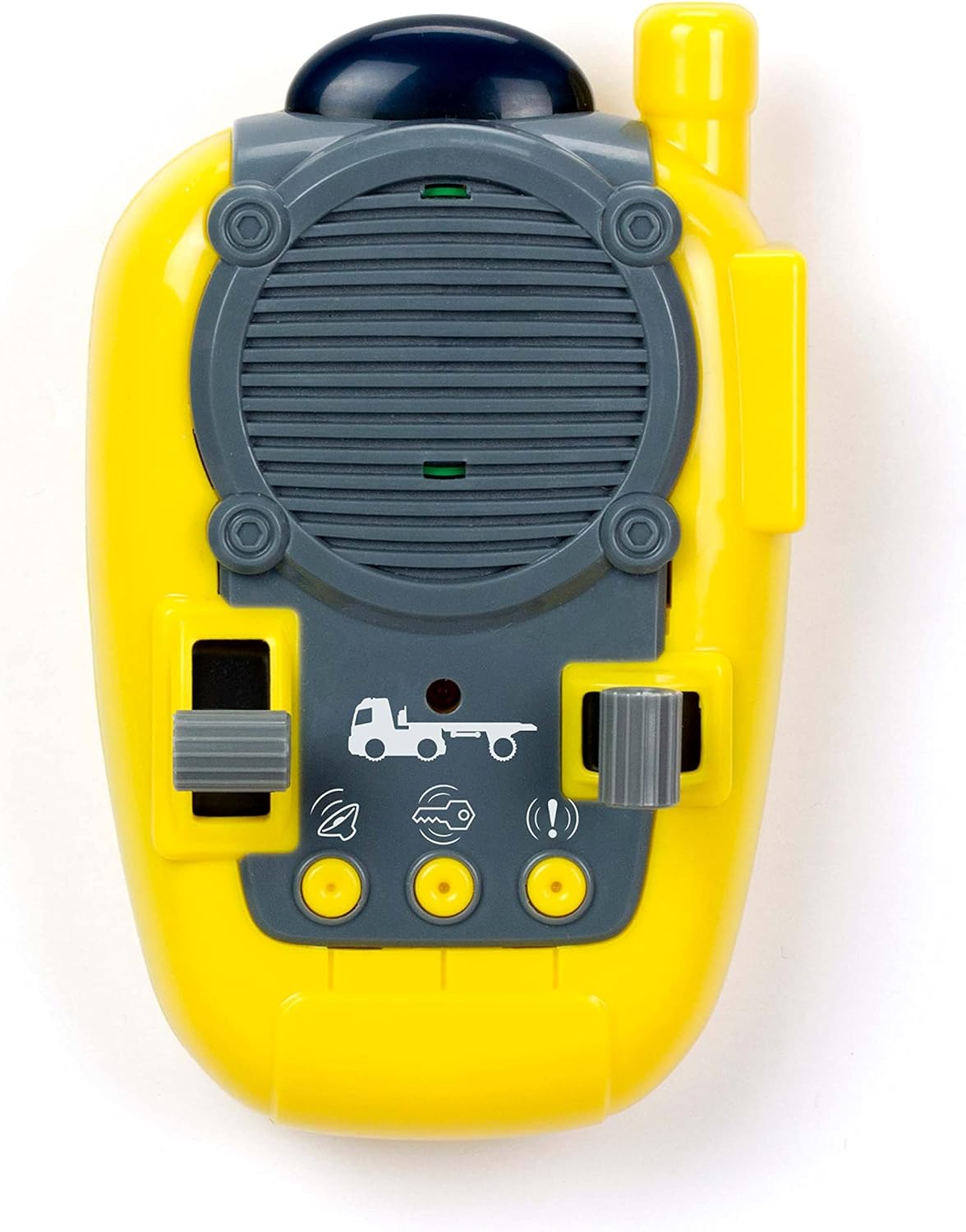
Image 4.1: The remote control unit, highlighting its various buttons and controls for operating the truck.
5. Operating Instructions
5.1 Powering On
After battery installation, locate the ON/OFF switch on both the truck and the remote control unit. Switch both to the 'ON' position. The remote control and truck should automatically pair.
5.2 Controlling the Truck
The remote control allows for multi-directional movement. Use the directional controls to move the truck forward, backward, left, and right. The truck is designed for a control range of up to 5 meters.

Image 5.1: Side view of the remote control truck, showcasing its design and the attached trailer.
5.3 Sound Effects
The truck is equipped with integrated sound effects. These effects will activate during operation, enhancing the play experience. Refer to the remote control unit for any specific sound effect buttons.
5.4 Detachable Trailer
The trailer can be easily attached to and detached from the truck. To detach, gently unhook the trailer from the truck's coupling mechanism. To attach, align the trailer with the truck's coupling and secure it firmly.

Image 5.2: Rear view of the remote control truck with its trailer, showing the connection point.
5.5 Free Wheel Bulldozer
The bulldozer operates with free-wheel movement, meaning it can be pushed manually without requiring batteries. Its bucket is articulated, allowing it to be manually moved up and down to simulate loading and unloading actions.
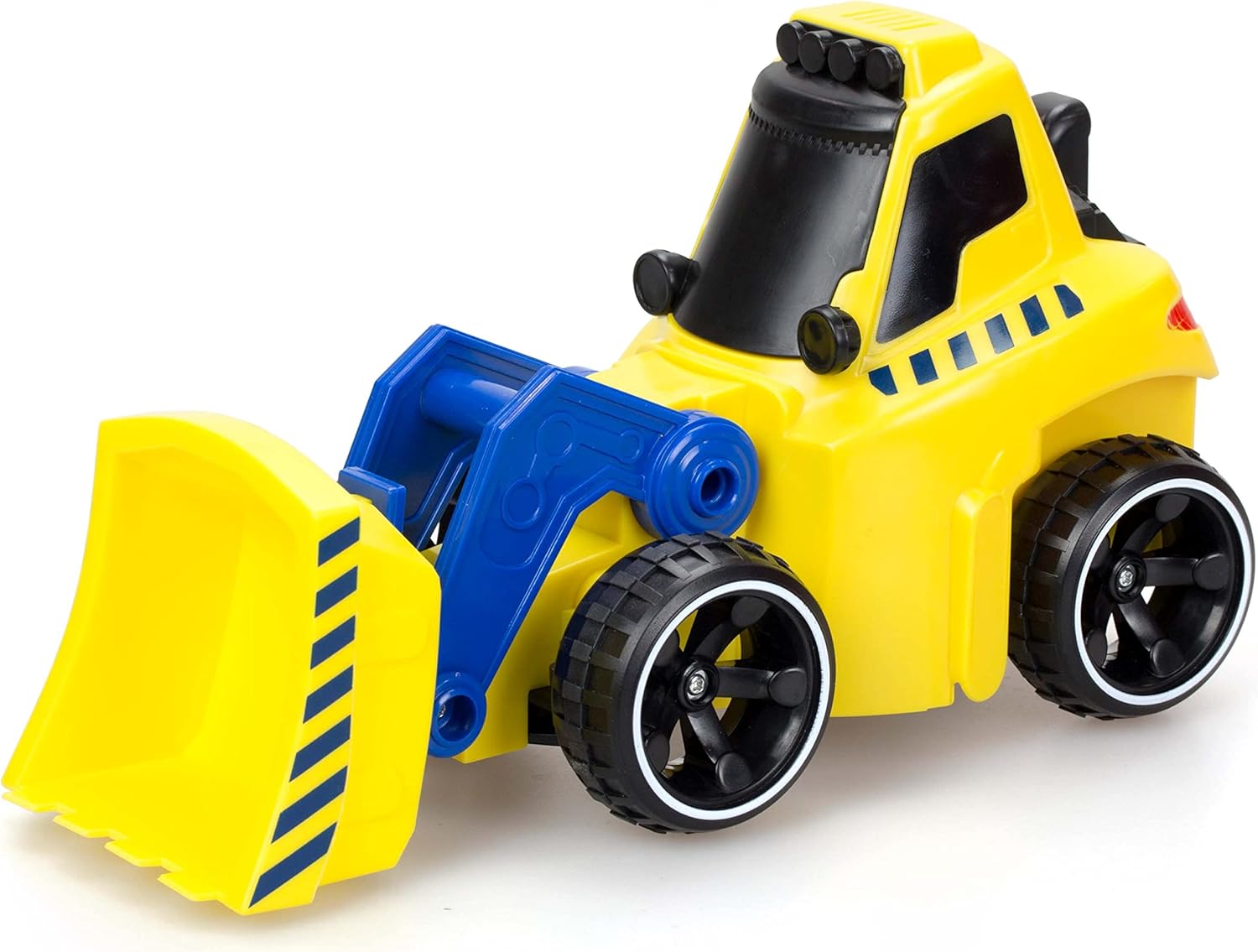
Image 5.3: Detailed view of the free-wheel bulldozer, highlighting its articulated front bucket.
6. Maintenance
6.1 Cleaning
To clean the toy, wipe it with a soft, damp cloth. Do not immerse the toy or remote control in water. Avoid using harsh chemicals or abrasive cleaners.
6.2 Storage
When not in use, store the toy and remote control in a cool, dry place away from direct sunlight. Remove batteries if the toy will not be used for an extended period to prevent leakage.
7. Troubleshooting
- Toy not responding or intermittent operation:
- Check that both the truck and remote control are switched 'ON'.
- Ensure batteries are installed correctly with the correct polarity.
- Replace old or weak batteries with new ones in both the truck and remote control.
- Ensure there are no obstructions between the remote control and the truck.
- Verify that the battery terminals are clean and making proper contact.
- Limited range:
- Ensure batteries are fresh.
- Avoid operating near other electronic devices that may cause interference.
8. Specifications
| Feature | Detail |
|---|---|
| Model Number | 81487AM |
| Brand | Silverlit |
| Product Dimensions (L x W x H) | 13.3 x 47 x 30 cm |
| Product Weight | 300 grams |
| Recommended Age | 4 - 10 years |
| Main Material | Plastic |
| Color | Multicolor (Yellow, Blue) |
| Power Source | Battery Powered |
| Truck Batteries Required | 3 x AA (not included) |
| Remote Control Batteries Required | 3 x AAA (not included) |
| Control Range | Up to 5 meters |
| Estimated Usage Time | Up to 90 minutes |
9. Warranty and Support
For warranty information or technical support, please refer to the documentation provided with your purchase or contact the retailer where the product was acquired. You may also visit the official Silverlit website for further assistance.