
Introduction
The Intex 26651EG Sand Filter Pump is designed to provide superior water filtration for above-ground pools. Featuring advanced Hydro Aeration Technology, this pump enhances water circulation, clarity, and freshness. Its easy installation and built-in 24-hour timer offer hassle-free operation, ensuring your pool remains clean and inviting with minimal effort. This manual provides essential information for setup, operation, and maintenance of your sand filter pump.
Important Safety Information
Always read and follow all instructions carefully before installing, operating, or maintaining this product. Failure to do so can result in serious injury or property damage.
- Ensure the pump is connected to a grounded receptacle.
- Do not operate the pump if the power cord or plug is damaged.
- Keep children away from the pump and pool area during operation.
- Always disconnect power before performing any maintenance or cleaning.
- This product contains chemicals known to the State of California to cause cancer and birth defects or other reproductive harm.
Product Components
Your Intex Sand Filter Pump system includes the following main components:
- Sand Filter Tank
- Pump Unit with Motor
- Multi-Port Valve (top-mounted)
- Control Panel with Digital Timer
- Strainer Basket for pre-filtering
- Pressure Gauge
- Two 1.5-inch (38mm) Connector Hoses

Figure 1: Overview of the Intex Sand Filter Pump system.

Figure 2: Key features of the sand filter pump including the control panel, pressure gauge, multi-port valve functions, and strainer basket.
Setup and Installation
Installation of the Intex Sand Filter Pump is designed to be straightforward. Partial assembly of the multi-port valve to the sand tank is required. Ensure all connections are secure to prevent leaks.
- Place the pump on a firm, level surface near your pool.
- Assemble the multi-port valve onto the sand tank according to the detailed instructions in the user manual.
- Connect the two 1.5-inch (38mm) connector hoses from the pump to your pool's inlet and outlet fittings. Ensure hose clamps are tightened securely.
- Fill the sand tank with the recommended amount of #20 silica sand (not included). Refer to specifications for exact capacity.
- Ensure all valves are in the correct position for initial startup (usually "Backwash" for initial rinse).
- Plug the pump into a grounded electrical outlet.
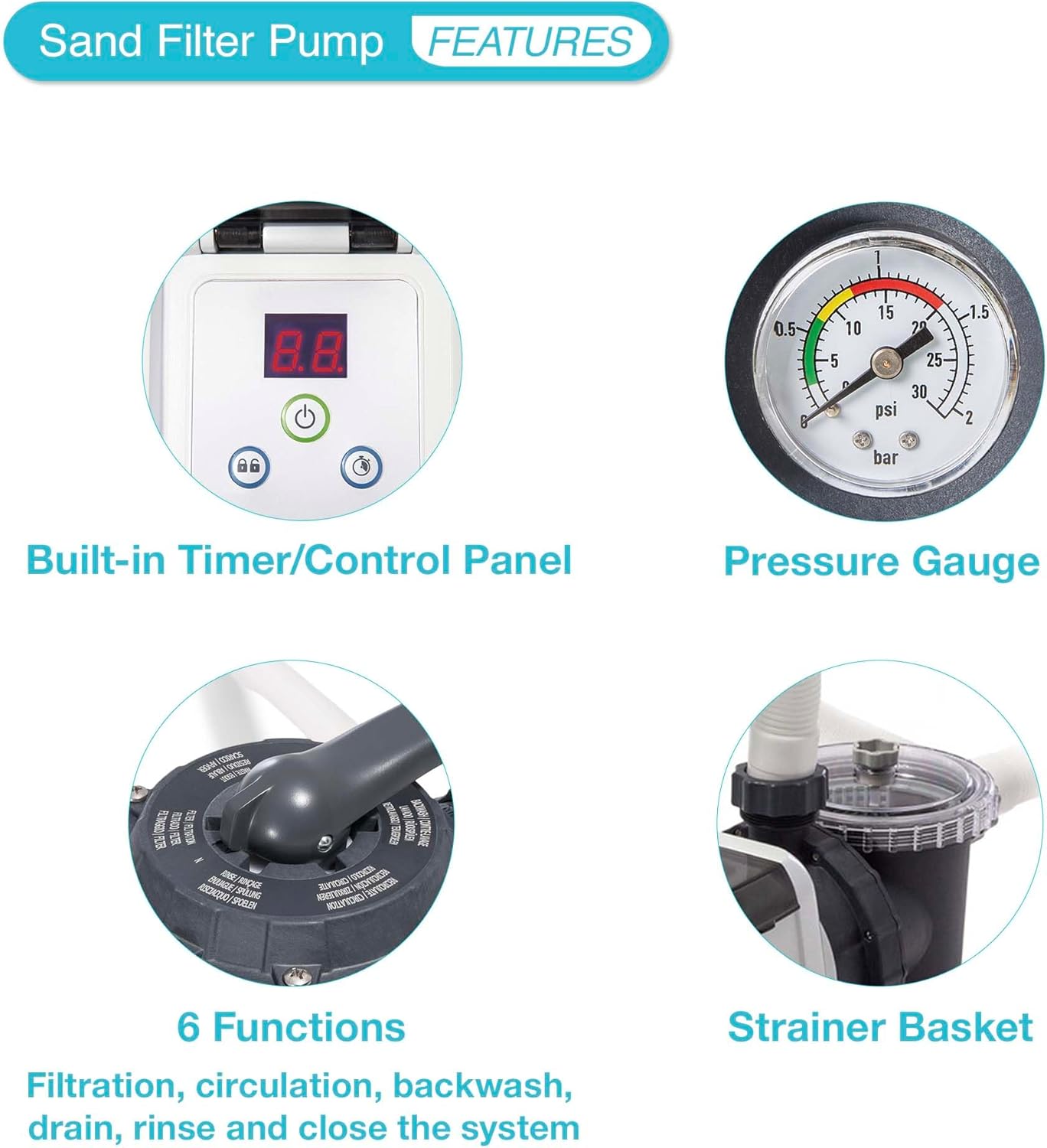
Figure 3: Proper hose connections between the pump and the above-ground pool.

Figure 4: The sand filter pump system fully set up next to an above-ground pool.
Operating the Pump
The multi-port valve on top of the sand filter tank allows you to select different operating modes. The digital control panel enables easy scheduling.
Multi-Port Valve Functions:
- FILTRATION: Standard operating mode for filtering pool water.
- CIRCULATION: Circulates water without filtering (useful for chemical distribution).
- BACKWASH: Reverses water flow to clean the sand filter.
- DRAIN: Drains water from the pool.
- RINSE: Used after backwash to settle the sand.
- CLOSED: Shuts off all water flow to the filter.
Digital Timer:
The built-in 24-hour timer allows you to set automatic operating cycles from 2 to 12 hours. This feature ensures consistent filtration and reduces manual intervention.

Figure 5: The digital control panel for setting the timer and operating modes.
Hydro Aeration Technology:
This patented technology injects air into the water, improving circulation and filtration. Benefits include:
- Improved circulation and filtration.
- Enhanced water clarity.
- Increased negative ions for improved air freshness around the pool.

Figure 6: The Hydro Aeration Technology inlet jet in action, enhancing water quality.

Figure 7: Visual representation of improved water circulation within the pool.
Maintenance
Regular maintenance ensures optimal performance and longevity of your sand filter pump.
Backwashing the Filter:
Backwashing is essential to clean the sand filter. Perform backwash when the pressure gauge reading is 3-5 PSI above the starting clean pressure, or when water flow significantly decreases.
- Turn off the pump.
- Rotate the multi-port valve to the "BACKWASH" position.
- Turn on the pump and run until the water in the sight glass (usually clear) runs clear (typically 1-2 minutes).
- Turn off the pump.
- Rotate the multi-port valve to the "RINSE" position.
- Turn on the pump and run for 30-60 seconds to settle the sand.
- Turn off the pump.
- Rotate the multi-port valve back to the "FILTRATION" position.
- Turn on the pump for normal operation.
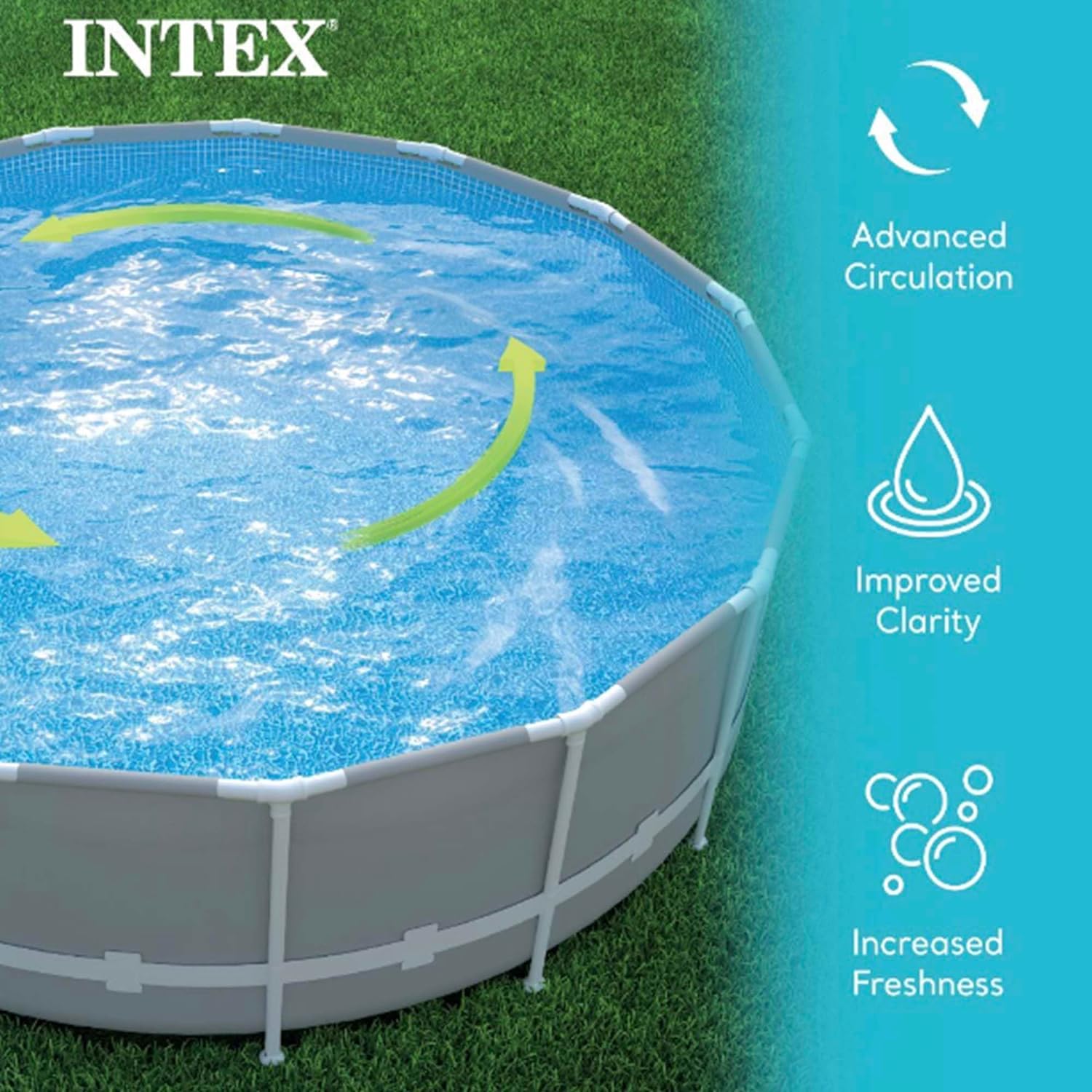
Figure 8: The pressure gauge indicates when backwashing is needed (typically when the needle moves into the yellow or red zone).
Strainer Basket Cleaning:
Periodically check and clean the strainer basket located on the pump unit to remove debris and ensure proper water flow.
- Turn off the pump and close any necessary valves to prevent water flow.
- Unscrew the strainer basket cover.
- Remove the basket and empty any collected debris.
- Rinse the basket thoroughly with water.
- Replace the basket and secure the cover, ensuring a tight seal.

Figure 9: The strainer basket, which should be regularly cleaned to remove debris.
Sand Replacement:
The filter sand typically needs to be replaced every 2-5 years, depending on usage and water quality. Refer to the user manual for detailed instructions on sand replacement.
Troubleshooting
If you encounter issues with your sand filter pump, try the following common troubleshooting steps:
- Low Water Flow: Check strainer basket for debris, ensure hoses are not kinked, verify multi-port valve is in "FILTRATION" mode, and check pressure gauge for high readings indicating a need for backwash.
- Cloudy Water: Ensure proper chemical balance in the pool, check if the pump is running long enough, and perform backwash if needed.
- Pump Not Starting: Verify power connection, check GFCI outlet, and ensure the timer is set correctly.
- Leaks: Inspect all hose connections and O-rings for proper seating and tightness.
For more detailed troubleshooting, please refer to the comprehensive user manual.
Specifications
| Feature | Detail |
|---|---|
| Brand | Intex |
| Model Number | 26651EG |
| Style | Sand Filter Pump |
| Size | 3,000 Gallons Per Hour |
| Pump Flow Rate (Pump Capacity) | 3,000 GPH (11,356 LPH) |
| System Flow Rate (In Pool) | 2,450 GPH (9,274 LPH) |
| Suitable for Pool Size | Up to 19,600 gallons |
| Sand Capacity | 120 lb (55 kg) #20 Silica |
| Voltage | 120 Volts |
| Wattage | 120 watts |
| Product Dimensions (L x W x H) | 22.25" x 17.63" x 27.13" |
| Item Weight | 47.99 Pounds |
| Power Source | Corded Electric |
| Automatic Timer | 2 to 12 hour pre-set cycles |
Warranty and Support
The Intex 26651EG Sand Filter Pump comes with a 2-Year Manufacturer's Warranty.
For detailed instructions, safety guidelines, and comprehensive troubleshooting, please refer to the official User Manual:
For further assistance or customer support, please visit the official Intex website or contact their customer service department.


