
Thomson 132181
Thomson 00132181 HDTV Stable Antenna User Manual
Model: 132181
1. Introduction
This manual provides essential information for the proper installation, operation, and maintenance of your Thomson 00132181 HDTV Stable Antenna. Please read these instructions carefully before using the device to ensure optimal performance and safety.
The Thomson 00132181 is designed for digital TV reception (DVB-T/DVB-T2) and digital radio reception (DAB, DAB+), supporting 4K Ultra-HD technology for enhanced image quality. Its slim design allows for discreet placement, often invisible behind a television, and it features a USB power supply for convenience.
2. Features
- Designed for digital TV reception (DVB-T/DVB-T2) and digital radio reception (DAB, DAB+).
- Supports 4K Ultra-HD technology for brilliant image quality.
- Ultra-light active antenna with stable performance.
- Round-directional antenna, allowing flexible horizontal and vertical positioning.
- Powerful built-in amplifier, powered conveniently via USB from the TV or a separate USB power adapter.
3. Package Contents
Please verify that all items listed below are included in your package:
- Thomson 00132181 HDTV Stable Antenna
- Signal Amplifier with integrated coaxial cable
- USB Power Cable
- Mounting Clamps (2 pieces)
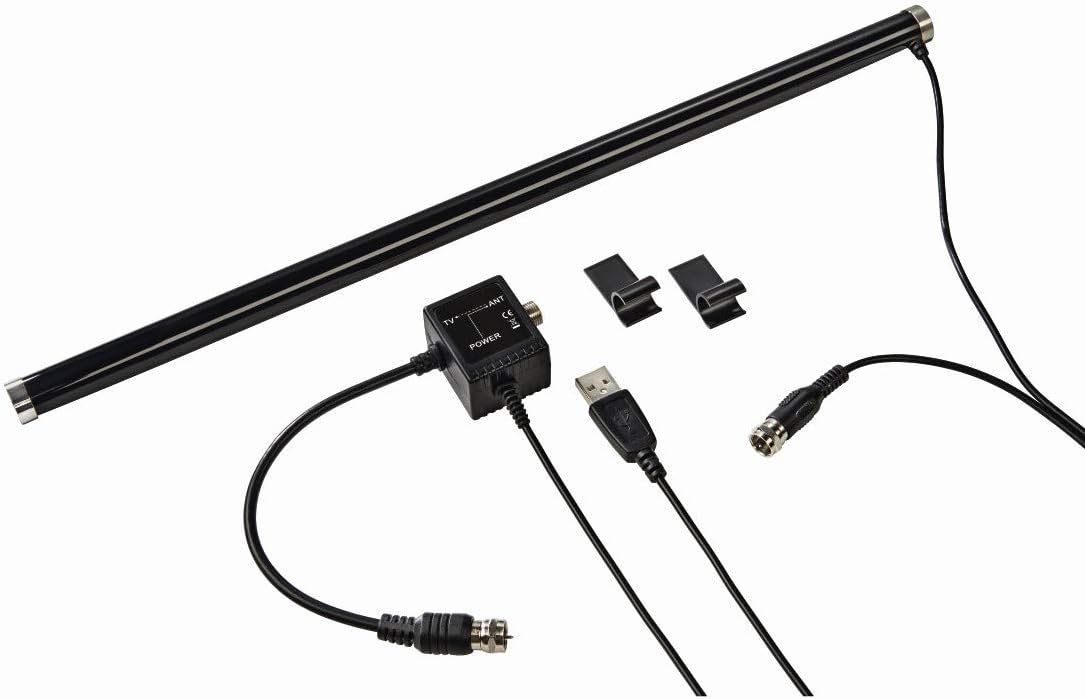
Image: The Thomson HDTV Stable Antenna, along with its signal amplifier, USB power cable, and two mounting clamps, laid out on a white surface.

Image: A close-up view of the black signal amplifier module, showing the coaxial input and output, and the USB power input. Cables are connected.
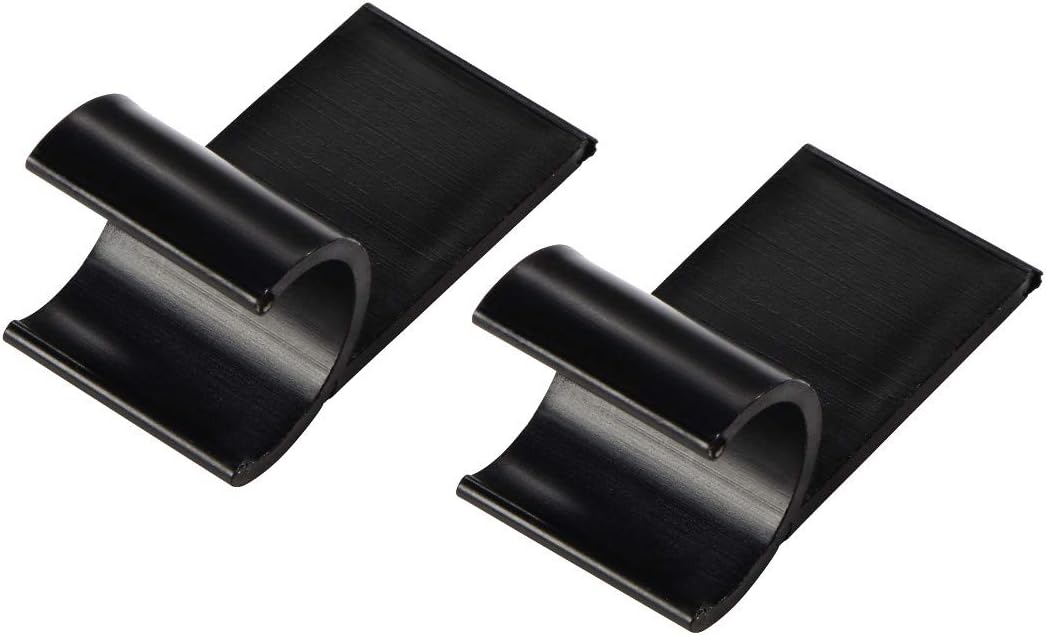
Image: Two black, C-shaped mounting clamps designed to secure the antenna to a television or other flat surface.
4. Setup
4.1 Antenna Placement
The Thomson 00132181 antenna is designed for indoor use and offers flexible placement options due to its round-directional reception capabilities. Consider the following:
- Behind the TV: The slim design allows the antenna to be placed discreetly behind most flat-screen televisions.
- On top of the TV: The antenna can be positioned horizontally on the top edge of your television.
- Next to the TV: It can be mounted vertically on a wall or placed horizontally on a media console near the television.
- On a TV wall mount: The antenna can be attached to a TV wall mount bracket for integrated placement.
Experiment with different positions to find the best reception quality for your location.

Image: The Thomson antenna is shown mounted vertically and discreetly behind a modern flat-screen television, demonstrating its hidden placement capability.

Image: The Thomson antenna is positioned horizontally on the top edge of a flat-screen television, blending with the TV's profile.

Image: The Thomson antenna is placed horizontally on a media console in front of a television, showing an alternative placement option.

Image: The Thomson antenna is shown attached to a TV wall mount bracket, illustrating how it can be integrated with a wall-mounted television setup.

Image: The Thomson antenna is mounted vertically on a white wall adjacent to a television, showcasing a vertical wall-mount option.
4.2 Connections
- Connect the coaxial cable from the antenna's signal amplifier to the antenna input (ANT IN or RF IN) on your television or digital receiver.
- Connect the USB power cable from the signal amplifier to a free USB port on your television or a separate USB power adapter (5V/500mA minimum). The antenna's amplifier requires power to function.

Image: A detailed view of the Thomson antenna, highlighting the integrated coaxial cable extending from one end, ready for connection to a television.
5. Operating Instructions
- Ensure the antenna is properly connected and powered.
- Turn on your television or digital receiver.
- Access the TV's menu and navigate to the 'Channel Scan' or 'Auto Tune' section.
- Select 'Antenna' or 'Air' as the input source, if prompted.
- Initiate the channel scan. The TV will search for available digital channels. This process may take several minutes.
- Once the scan is complete, you should be able to access the received digital TV and radio channels.
- If reception is poor, try adjusting the antenna's position and performing another channel scan.
6. Maintenance
The Thomson 00132181 antenna requires minimal maintenance.
- Cleaning: Use a soft, dry cloth to wipe the antenna. Do not use liquid cleaners or abrasive materials, as they may damage the surface.
- Storage: If not in use for an extended period, store the antenna in a dry, dust-free environment.
- Cable Inspection: Periodically check the coaxial and USB cables for any signs of damage or wear. Replace damaged cables immediately.
7. Troubleshooting
If you experience issues with your antenna, refer to the following common problems and solutions:
| Problem | Possible Cause | Solution |
|---|---|---|
| No signal or poor picture quality | Antenna not powered | Ensure the USB cable is connected to a powered USB port (e.g., on the TV or a USB adapter). Check if the amplifier's indicator light (if present) is on. |
| No signal or poor picture quality | Incorrect antenna placement | Try repositioning the antenna. Higher placement or closer to a window may improve reception. Perform a channel scan after each adjustment. |
| No signal or poor picture quality | Obstructions or interference | Large metal objects, concrete walls, or other electronic devices can interfere with the signal. Move the antenna away from such sources. |
| No signal or poor picture quality | TV/Receiver settings | Ensure your TV's input source is set to 'Antenna' or 'Air' and that a channel scan has been performed. |
| Cannot find any channels | No digital broadcast in your area | Check local broadcast availability for DVB-T/DVB-T2 signals in your region. |
8. Specifications
| Feature | Detail |
|---|---|
| Brand | Thomson |
| Model Number | 132181 |
| Antenna Type | HDTV Stable Antenna (Active, Round-directional) |
| Reception | DVB-T/DVB-T2 (Digital TV), DAB/DAB+ (Digital Radio) |
| Resolution Support | 4K Ultra-HD |
| Power Source | USB (5V/500mA) |
| Impedance | 75 Ohm |
| Maximum Range | 10 Metres (Coaxial cable length) |
| Color | Black |
| Product Dimensions | 35.9 x 9.2 x 4.8 cm |
| Item Weight | 1 g (Note: This weight seems unusually low and may refer to a specific component or be an error in source data. Actual product weight with cables and amplifier would be higher.) |
9. Safety Information
- Do not expose the antenna to rain, moisture, or extreme temperatures.
- Avoid placing the antenna near heat sources or in direct sunlight.
- Do not attempt to open or modify the antenna or its components. This will void the warranty and may cause damage or injury.
- Keep the antenna and its cables out of reach of children and pets.
- Ensure all connections are secure before use.
10. Warranty and Support
Thomson products are manufactured with quality and reliability in mind. For warranty information, technical support, or service inquiries, please refer to the official Thomson website or contact your local retailer. Keep your proof of purchase for warranty claims.
Related documents132181


Ask a question about this manual
Ask about setup, troubleshooting, compatibility, parts, safety, or missing instructions. Manuals+ will review the question and use this page’s manual context to help answer it.