Ryobi R18SDS-L25S 18V ONE+ Cordless Combination Hammer User Manual
Model: R18SDS-L25S
Introduction
This manual provides essential information for the safe and effective operation, maintenance, and troubleshooting of your Ryobi R18SDS-L25S 18V ONE+ Cordless Combination Hammer. This versatile tool is designed for various tasks including drilling, screwing, hammer drilling, and light chiseling.
Key features include a pneumatic impact mechanism, SDS-Plus mount for quick accessory changes, an impact stop function for drilling in wood and metal, a rotary stop for chiseling, and an integrated LED work light for improved visibility. As part of the Ryobi 18V ONE+ battery system, it offers cordless convenience and compatibility with other Ryobi 18V ONE+ tools.
Important Safety Instructions
Always read and understand all safety warnings and instructions provided with this power tool. Failure to follow these instructions may result in electric shock, fire, and/or serious injury. Keep this manual for future reference.
General Power Tool Safety
- Work Area Safety: Keep your work area clean and well lit. Cluttered or dark areas invite accidents. Do not operate power tools in explosive atmospheres, such as in the presence of flammable liquids, gases, or dust.
- Electrical Safety: Power tool plugs must match the outlet. Never modify the plug in any way. Avoid body contact with earthed or grounded surfaces, such as pipes, radiators, ranges, and refrigerators.
- Personal Safety: Always wear appropriate personal protective equipment (PPE) including eye protection, hearing protection, and gloves. Dress properly; avoid loose clothing or jewelry. Keep children and bystanders away while operating a power tool.
- Power Tool Use and Care: Do not force the power tool. Use the correct power tool for your application. Disconnect the battery pack from the power tool before making any adjustments, changing accessories, or storing power tools. Maintain power tools and accessories.
Battery Tool Use and Care
- Recharge only with the charger specified by the manufacturer. A charger that is suitable for one type of battery pack may create a risk of fire when used with another battery pack.
- Use power tools only with specifically designated battery packs. Use of any other battery packs may create a risk of injury and fire.
- When battery pack is not in use, keep it away from other metal objects, like paper clips, coins, keys, nails, screws or other small metal objects, that can make a connection from one terminal to another. Shorting the battery terminals together may cause burns or a fire.
- Under abusive conditions, liquid may be ejected from the battery; avoid contact. If contact accidentally occurs, flush with water. If liquid contacts eyes, additionally seek medical help. Liquid ejected from the battery may cause irritation or burns.
Product Components
Familiarize yourself with the various parts of your Ryobi R18SDS-L25S combination hammer and its included accessories.

Image: The Ryobi R18SDS-L25S Cordless Combination Hammer, accompanied by its 18V ONE+ battery, charger, and a branded tool bag for storage and transport.
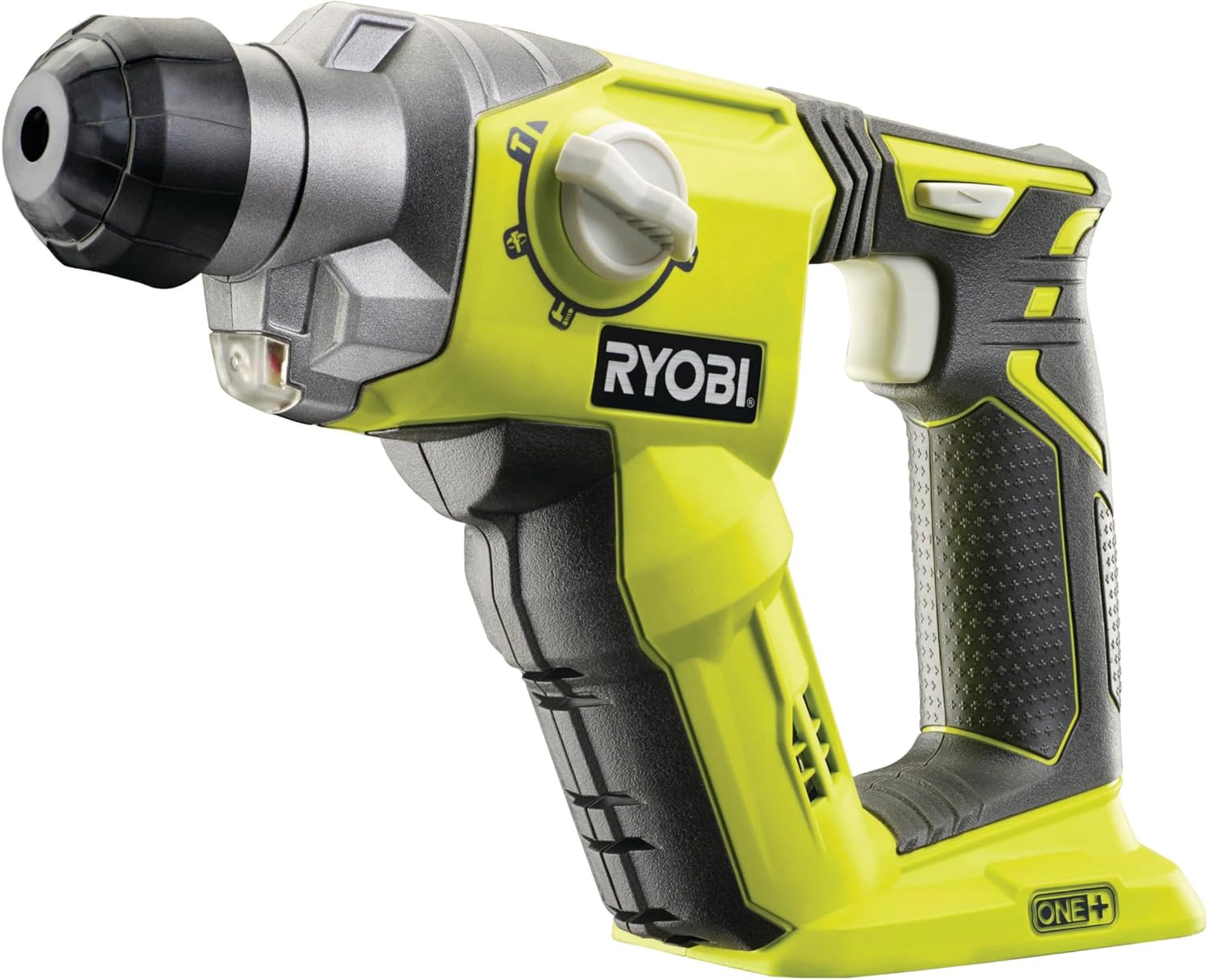
Image: A detailed view of the Ryobi R18SDS-L25S hammer drill, highlighting the SDS-Plus chuck, mode selector, and ergonomic grip.
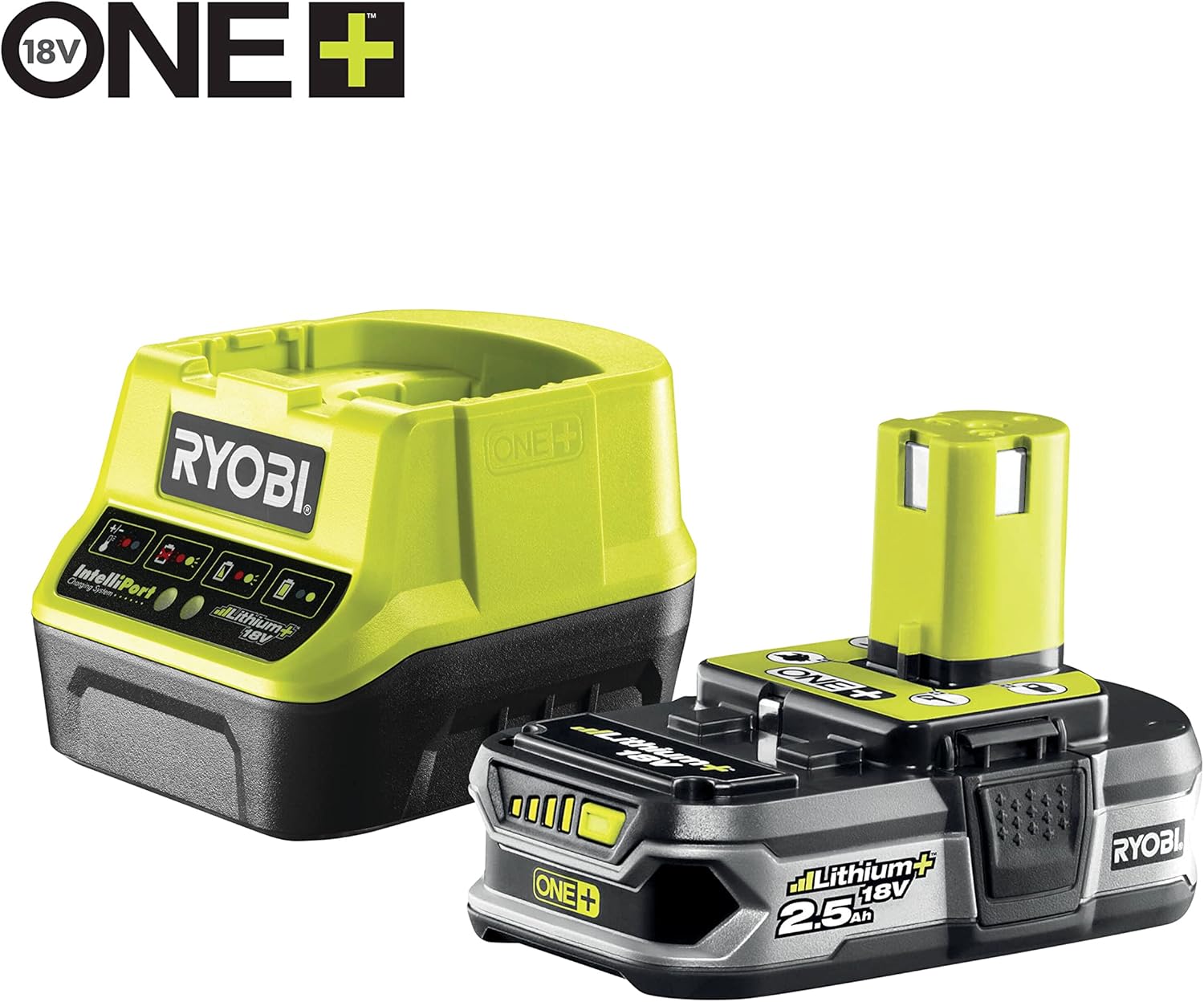
Image: The Ryobi 18V ONE+ lithium-ion battery and its compatible charger, essential for powering the combination hammer.
Setup
Charging the Battery
- Connect the charger to a suitable power outlet.
- Slide the battery pack onto the charger until it clicks into place.
- Allow the battery to charge fully. Refer to the charger's indicator lights for charging status.
- Once charged, remove the battery from the charger.
Installing the Battery Pack
- Align the battery pack with the battery port on the tool handle.
- Slide the battery pack firmly into the tool until it locks securely. Ensure it is fully seated before operation.
- To remove, press the battery release button and slide the battery out.
Installing SDS-Plus Accessories
- Clean the shank of the SDS-Plus drill bit or chisel.
- Pull back the chuck collar on the tool.
- Insert the accessory shank into the chuck, twisting slightly until it engages.
- Release the chuck collar. Pull on the accessory to ensure it is securely locked. A slight axial play is normal for SDS-Plus systems.
Operating the Tool
Selecting Operating Mode
The Ryobi R18SDS-L25S features a mode selector switch to choose between different functions:
- Drilling Mode: For drilling in wood, metal, and plastics without impact. Use the impact stop function.
- Hammer Drilling Mode: For drilling in masonry, concrete, and stone with impact.
- Chiseling Mode: For light chiseling work. Use the rotary stop function. The chisel can be locked in multiple positions for ergonomic use.
Rotate the mode selector switch to the desired icon. Ensure the switch clicks firmly into position.
Starting and Stopping
- To start the tool, press the trigger switch. The integrated LED work light will illuminate the work area.
- To stop the tool, release the trigger switch.
Speed Control and Direction
- The tool features a variable speed trigger. Pressing the trigger further increases the speed.
- Use the forward/reverse switch to select the rotation direction. Ensure the tool has come to a complete stop before changing direction.
Grip and Handling
The tool is equipped with a GripZone™ rubberized anti-vibration grip surface for secure and comfortable handling during operation. Always maintain a firm grip with both hands when operating the tool.
