1. Introduction
This manual provides essential instructions for the safe and effective use of your RDSJ L14D2P31 replacement battery. Please read this manual thoroughly before installation and use to ensure optimal performance and longevity of your battery.

Image 1.1: The RDSJ L14D2P31 battery and its packaging, indicating high quality and a 1-year warranty.
2. Product Specifications
| Battery Type | Li-ion |
| Voltage | 3.8V |
| Capacity | 7000mAh / 26.60Wh |
| Color | Black |
| Compatible Part Numbers | L14D2P31, 1ICP3/84/96-2, SB18C03763 |
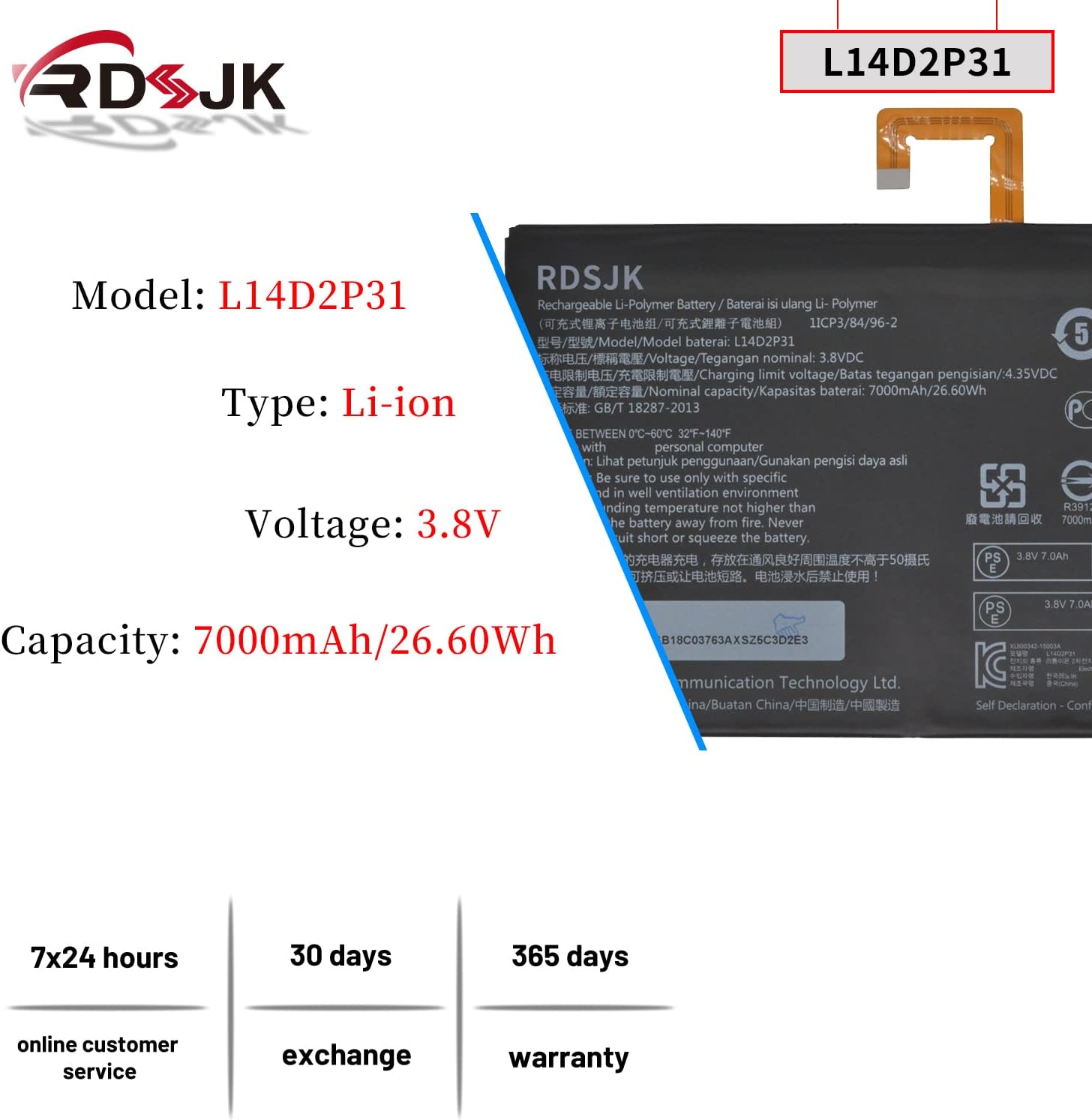
Image 2.1: Detailed view of the RDSJ L14D2P31 battery, highlighting its model number, Li-ion type, voltage, and capacity.
3. Compatibility
This battery is designed to be compatible with various Lenovo tablet models. Please verify your device's model number before installation.
Compatible Machine Models:
- Lenovo TAB 2 A10-30, A10-30L, A10-30F, TB2-X30
- Lenovo TAB 2 TB2-X30F, TB2-X30L, TB2-X30M
- Lenovo TAB 2 A10-70, A10-70F, A10-70L, A10-70LC
- Lenovo TAB 4 10 Plus Tablet
- Lenovo TAB 4 10 LTE TB-X103F, TB-X304L, TB-X704N
Compatible Part Numbers:
- L14D2P31
- 1ICP3/84/96-2
- SB18C03763

Image 3.1: The RDSJ L14D2P31 battery shown alongside a list of compatible Lenovo tablet models and replacement part numbers.
4. Installation and Setup
Battery replacement in tablets often requires technical skill. It is recommended to seek professional assistance if you are not comfortable performing the installation yourself. The product typically includes necessary tools for replacement.
General Installation Steps:
- Power Off Device: Ensure your tablet is completely powered off before beginning the installation process.
- Disassemble Tablet: Carefully open the tablet casing. This may involve removing screws and gently prying open the back cover. Refer to device-specific guides or videos for precise instructions.
- Disconnect Old Battery: Locate the existing battery and carefully disconnect its connector from the tablet's motherboard.
- Remove Old Battery: Gently remove the old battery. It may be secured with adhesive. Avoid bending or puncturing the old battery.
- Install New Battery: Place the new RDSJ L14D2P31 battery into the battery compartment. Ensure it fits correctly.
- Connect New Battery: Carefully connect the new battery's connector to the motherboard. Ensure a secure connection.
- Reassemble Tablet: Close the tablet casing and secure it with screws or clips.
- Initial Charge: Proceed to the 'First Use and Charging' section for initial battery conditioning.
Important: Handle the battery and tablet components with care to prevent damage. Static electricity can harm electronic components; consider using anti-static precautions.
5. First Use and Charging
For optimal battery performance and longevity, follow these initial charging instructions:
- Initial Discharge: After installation, use the tablet until the battery level reaches approximately 5% (do not let it discharge to 0%).
- Full Charge: Charge the battery completely to 95% without interruption.
- Cycle Repetition: Repeat this discharge-to-5% and charge-to-95% cycle 3-4 times. This process helps calibrate the battery and optimize its capacity.
The actual operating time will depend on the device's power requirements and usage patterns.
6. Operating Guidelines
To maximize the life and performance of your battery:
- Temperature: Operate the battery within a temperature range of 0°C to 60°C (32°F to 140°F). Avoid extreme heat or cold.
- Charger: Always use the original or a certified compatible charger for your tablet.
- Avoid Deep Discharge: Do not frequently allow the battery to discharge completely to 0%.
- Avoid Constant Charging: Do not leave the tablet plugged in and charging constantly after it has reached 100% for extended periods.
7. Maintenance and Storage
Proper maintenance and storage can extend your battery's lifespan:
- Regular Use: If possible, use your tablet regularly to keep the battery active.
- Long-Term Storage: If storing the tablet or battery for an extended period, charge the battery to approximately 50-60% before storage. Store in a cool, dry place.
- Cleaning: Keep battery contacts clean and free from dust or debris.
8. Safety Information
Your RDSJ L14D2P31 battery incorporates multiple protection features to ensure safe operation. Adhere to the following safety guidelines:

Image 8.1: Diagram illustrating the various protection mechanisms integrated into the RDSJ L14D2P31 battery, including over-temperature, over-current, over-discharge, over-voltage, and over-charge protection.
Integrated Protection Features:
- Over-Temperature Protection: Prevents the battery from overheating during charge or discharge.
- Over-Current Protection: Safeguards against excessive current flow.
- Over-Discharge Protection: Prevents the battery from discharging too deeply, which can damage cells.
- Over-Voltage Protection: Protects against charging with too high a voltage.
- Over-Charge Protection: Prevents the battery from being overcharged.
General Safety Warnings:
- Do not disassemble, puncture, or modify the battery.
- Keep the battery away from fire, water, and extreme temperatures.
- Avoid short-circuiting the battery terminals.
- If the battery appears damaged, swollen, or leaks, discontinue use immediately and dispose of it properly.
- Dispose of used batteries according to local regulations.
9. Battery Construction Details
The RDSJ L14D2P31 battery is constructed with quality components for reliable performance.

Image 9.1: An exploded view showing the internal Li-ion cells and the protection circuit board of the battery, including the main chip, resistance components, and conductor copper sheet.
- Battery Cells: Utilizes high-quality Li-ion polymer cells for stable power delivery and extended discharge time.
- Protection Circuit Board (PCB): Features a main chip, protection chip, resistance components, and conductor copper sheet to manage power flow and implement safety features.
- Connector: Equipped with gold-plated connector points to ensure efficient current transport and stable connection.
- Casing: Made from durable ABS+PC materials, providing robust protection for the internal components.

Image 9.2: Close-up views of the battery's gold-plated connector and the durable ABS+PC casing material.
10. Troubleshooting
If you encounter issues with your new battery, consider the following:
- Battery Not Charging:
- Ensure the charger is properly connected and functional.
- Verify the battery connector is securely seated in the tablet.
- Try a different compatible charger.
- Short Battery Life:
- Ensure the initial charging cycles (Section 5) have been completed.
- Check for background applications consuming excessive power.
- Reduce screen brightness or disable unnecessary features (Wi-Fi, Bluetooth) when not in use.
- Tablet Not Powering On:
- Ensure the battery has sufficient charge.
- Verify all internal connections are secure after installation.
If problems persist, contact customer support for further assistance.
11. Warranty and Support
RDSJ is committed to providing quality products and customer satisfaction.
- Warranty: This battery comes with a 365-day warranty from the date of purchase.
- Exchange Policy: A 30-day exchange policy is available for defective products.
- Customer Service: 7x24 online customer service is available to assist with any inquiries or issues.
For support, please refer to the contact information provided with your purchase or visit the RDSJ official support channels.