
1. Introduction
This manual provides essential instructions for the installation, operation, and maintenance of the Eliwell IDPLUS971-230V Thermostat. This device is designed for precise temperature regulation in commercial and industrial refrigeration and air conditioning systems. Please read this manual thoroughly before using the product.
2. Safety Information
Important Safety Instructions
- Read all instructions carefully before installation and operation.
- Installation and maintenance should only be performed by qualified personnel.
- Disconnect power before performing any wiring or maintenance.
- Ensure the power supply matches the device's voltage (230V).
- Do not expose the device to water or excessive humidity.
- Always follow local electrical codes and regulations.
3. Product Overview
Features
- Electronic regulator for static, ventilated refrigerators and heated surfaces.
- Suitable for commercial and industrial refrigeration and air conditioning systems.
- Programmable functionality for customized temperature schedules.
- Intuitive button control interface.
- Clear text display type.
- Wired connectivity with BACnet MS/TP protocol.
Components Included
The Eliwell IDPLUS971-230V Thermostat package includes the main thermostat unit. No additional components are typically included unless specified by your supplier.
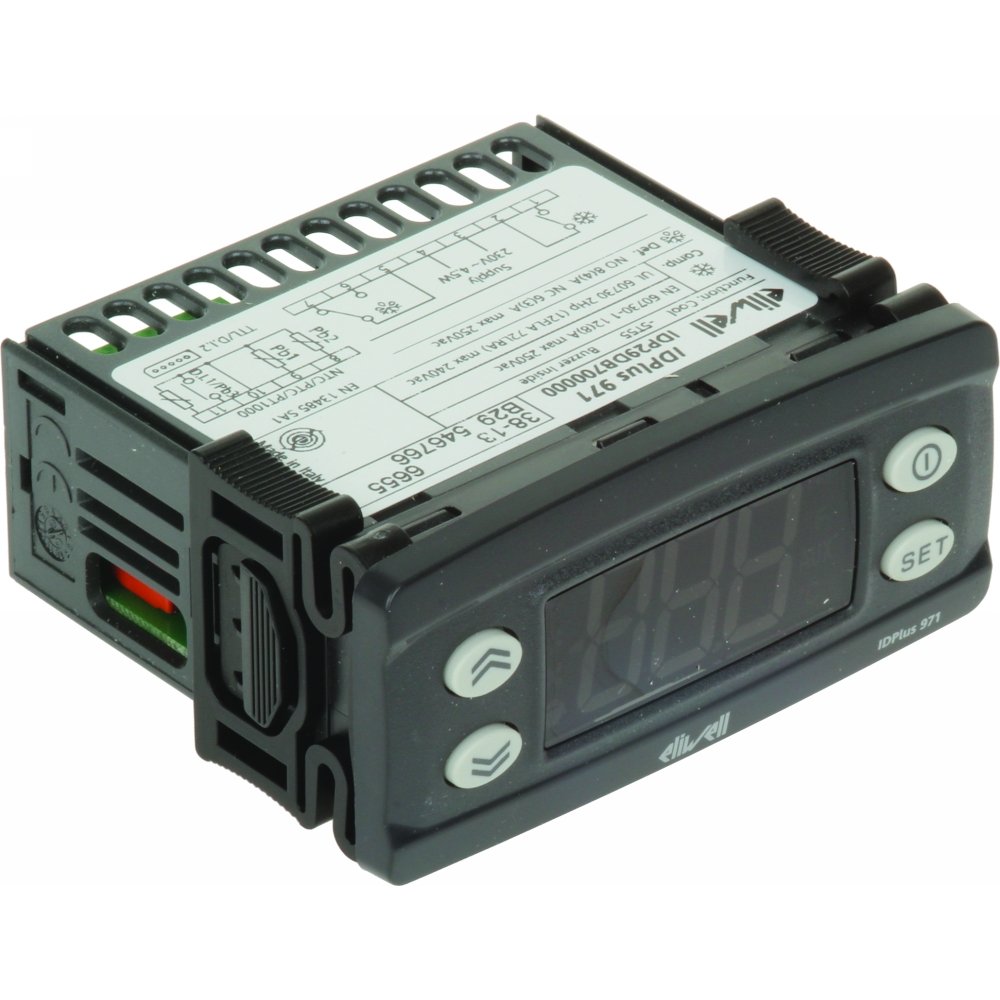
Image: Front view of the Eliwell IDPLUS971-230V Thermostat, showing the display and control buttons.
4. Setup
Installation
The Eliwell IDPLUS971-230V Thermostat is designed for wall mounting. Choose a mounting location that is free from excessive vibrations, direct sunlight, and significant heat sources to ensure accurate temperature readings and optimal performance.
Wiring
The device requires a 230 Volt wired electrical connection. It is crucial to refer to the detailed wiring diagram provided with the product packaging for specific connection points and safety guidelines. Always ensure the main power supply is disconnected before attempting any wiring to prevent electrical shock.
The thermostat supports BACnet MS/TP connectivity protocol for integration into building management systems.
5. Operating Instructions
Basic Operation
The thermostat features a button control interface and a text display for easy interaction.
- Power On/Off: Connect the main power supply to turn on the device. There may be a dedicated power button for standby mode, consult the full manual.
- Temperature Adjustment: Use the UP and DOWN arrow buttons to increase or decrease the desired setpoint temperature.
- Mode Selection: Press the MODE button to cycle through available operating modes (e.g., cooling, heating, defrost).
Programming
The IDPLUS971-230V is programmable, allowing for custom temperature schedules and operational parameters to optimize system efficiency.
- Accessing Programming Menu: Press and hold the 'SET' or 'PROG' button (refer to specific button labels on your device) to enter the programming menu.
- Navigating Parameters: Use the UP and DOWN arrows to scroll through available parameters.
- Changing Values: Select a parameter, then use UP and DOWN arrows to adjust its value. Confirm changes with the 'SET' or 'ENTER' button.
- Exiting Programming: Exit the menu by pressing the 'ESC' or 'MODE' button, or by waiting for a timeout.
For detailed programming instructions, including specific parameter codes and their functions, consult the full technical manual provided with your product.
6. Maintenance
Cleaning
Clean the thermostat's exterior with a soft, dry cloth. Do not use abrasive cleaners, solvents, or excessive moisture, as these can damage the device or its display.
Inspection
Periodically check wiring connections for tightness and any signs of wear or corrosion. Ensure the device is free from dust accumulation, which can affect performance and lifespan. Any internal maintenance should only be performed by qualified service personnel.
7. Troubleshooting
Common Issues and Solutions
| Problem | Possible Cause | Solution |
|---|---|---|
| Device not powering on | No power supply; incorrect wiring | Check main power supply to the unit; verify all wiring connections are secure and correct. |
| Incorrect temperature readings | Sensor issue; improper sensor placement | Check the sensor connection for damage; ensure the sensor is correctly positioned and not obstructed. |
| System not responding to settings | Programming error; faulty relay or output | Review programming settings for errors; if issue persists, consult a qualified technician for relay or output checks. |
| Display not working or blank | Power issue; display fault | Ensure power is supplied to the unit. If power is present and the display remains blank, contact customer support. |
| Buttons unresponsive | Stuck buttons; internal fault | Gently clean around the buttons to ensure no debris is causing obstruction. If the issue persists, contact customer support. |
If you are unable to resolve an issue using this troubleshooting guide, please contact Eliwell customer support or a qualified service technician.
8. Specifications
Technical Data
- Brand: Eliwell
- Model Name: IDPLUS971
- Model Number: IDPLUS971-230V
- Controller Type: Button
- Special Feature: Programmable
- Color: Black
- Specific Uses: Refrigerator, Commercial/Industrial HVAC
- Temperature Control Type: Manual (with programmable setpoints)
- Connectivity Technology: Wired
- Power Source: Corded Electric
- Voltage: 230 Volt
- Display Type: Text
- Mounting Type: Wall Mount
- Connectivity Protocol: BACnet MS/TP
- Country of Origin: Germany
9. Warranty and Support
Product Warranty
For detailed information regarding the product warranty, including terms, conditions, and duration, please refer to the documentation included with your purchase or contact Eliwell customer support directly. Keep your proof of purchase for warranty claims.
Customer Support
If you encounter any issues, require technical assistance, or have questions not covered in this manual, please contact Eliwell customer support. Ensure you have your product model number (IDPLUS971-230V) and serial number available when contacting support to facilitate quicker service.


